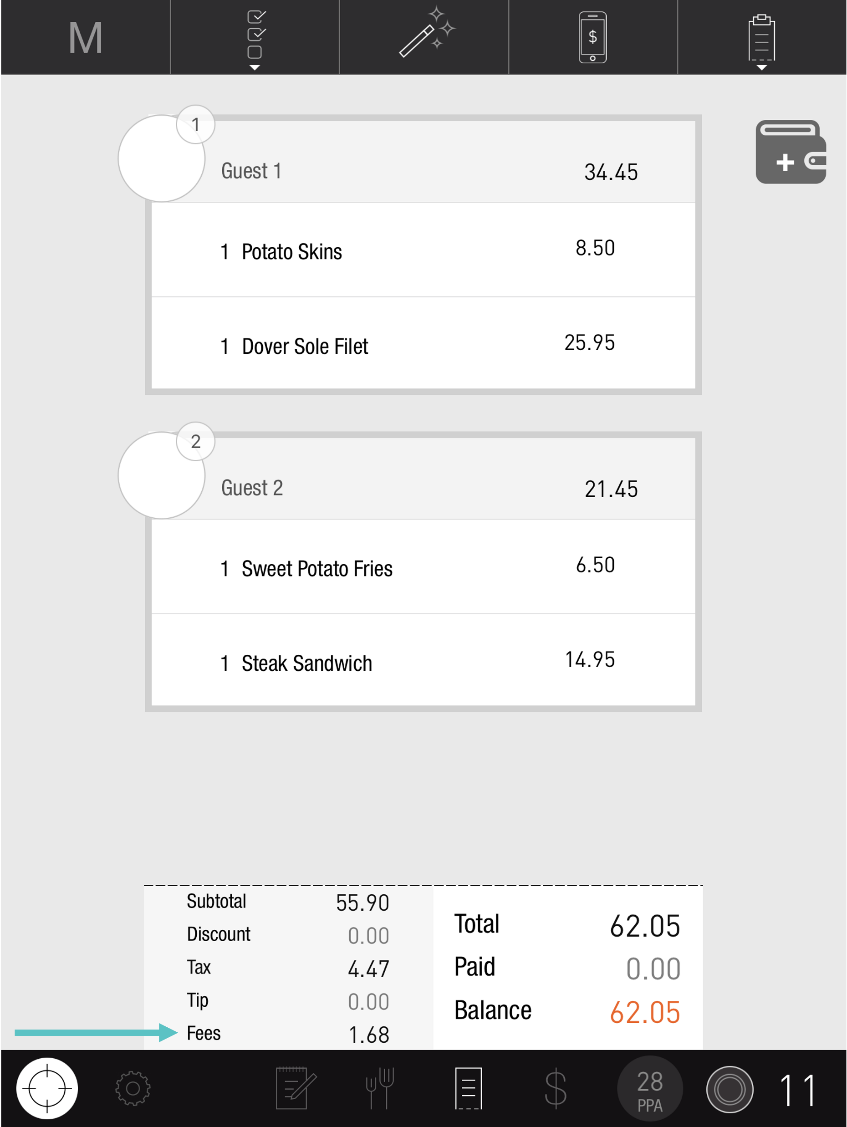
Updating Fees on the PAD is a simple flow for removing, adding, or editing the values of Fees already set up in Tabit Office for an individual Order.
Follow the steps below to learn how to edit Fees on the PAD:
-
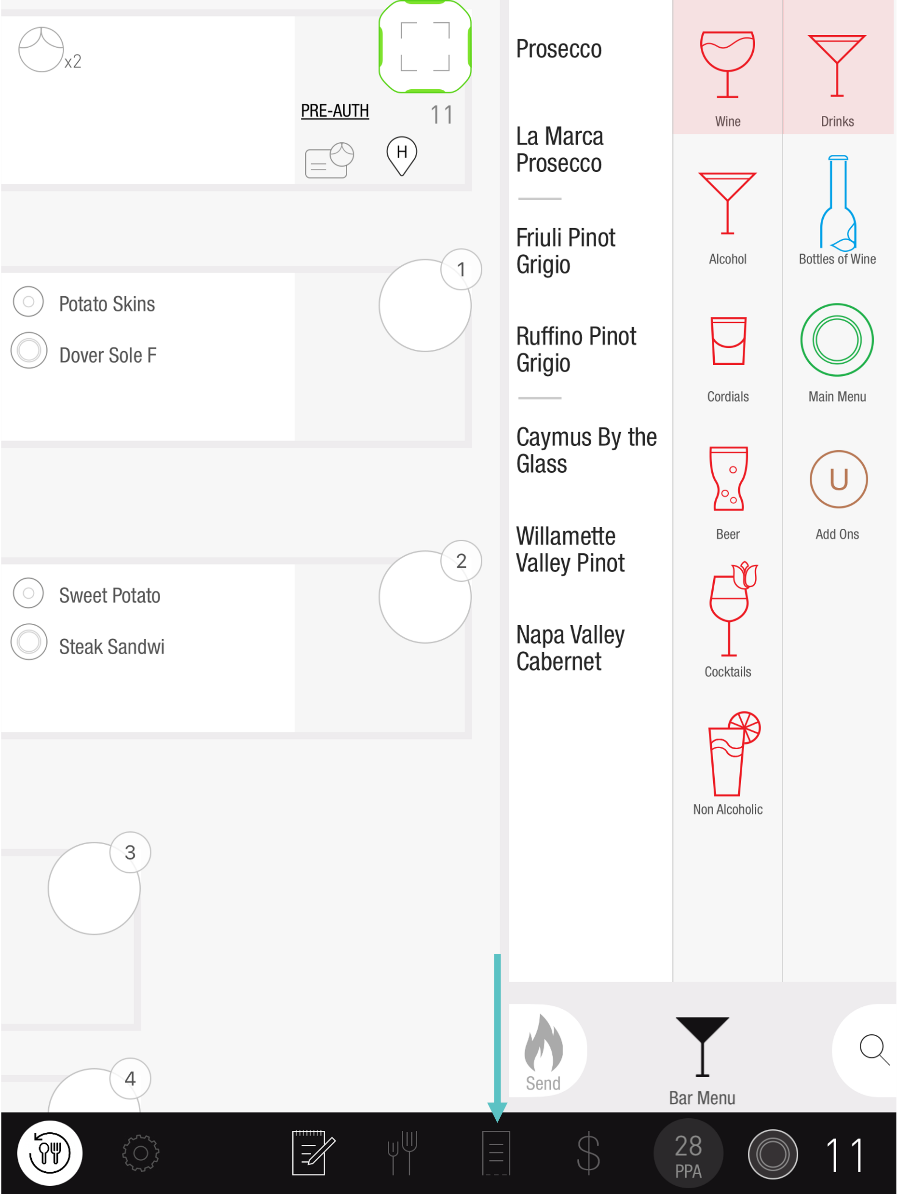
On the PAD, navigate to the Check screen for the relevant Order
-
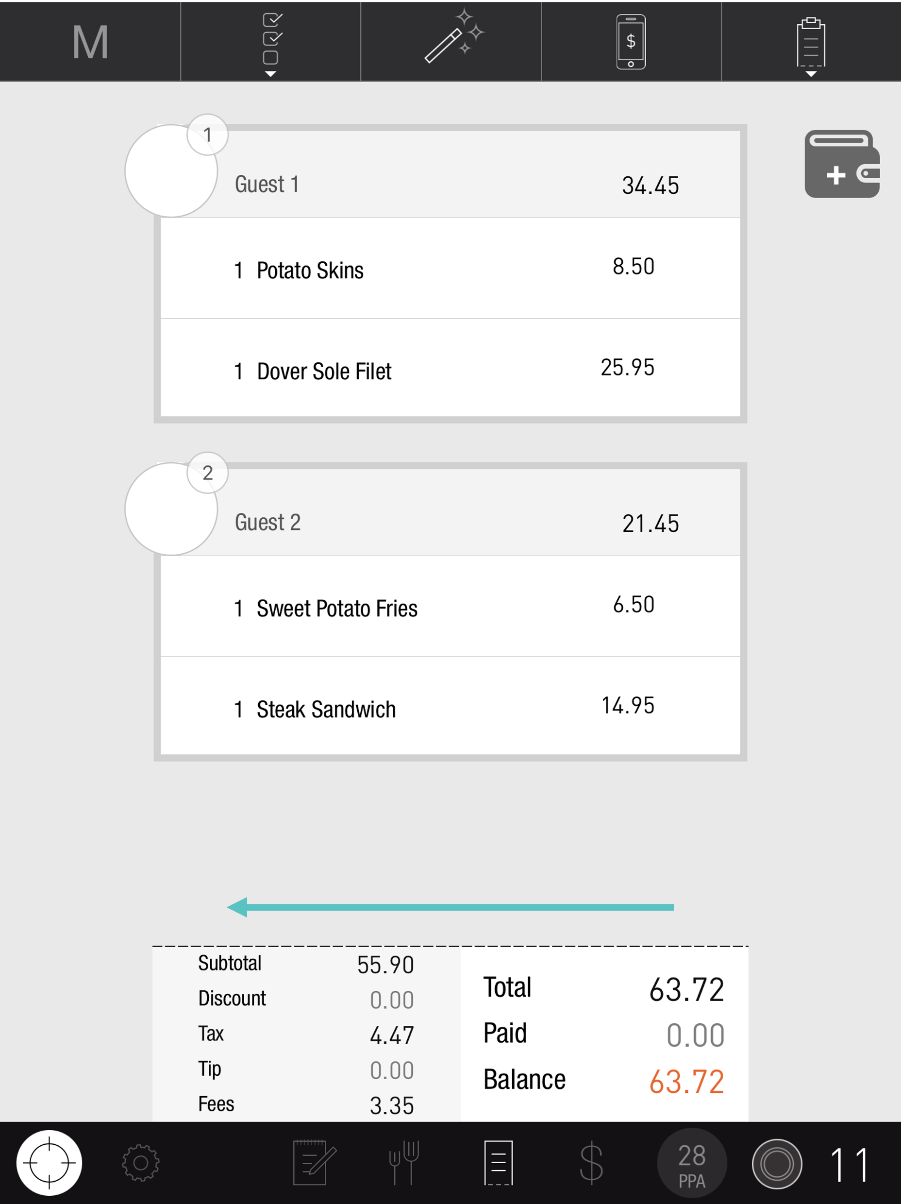
Swipe left on the bottom of the screen. Here you'll find additional options
-
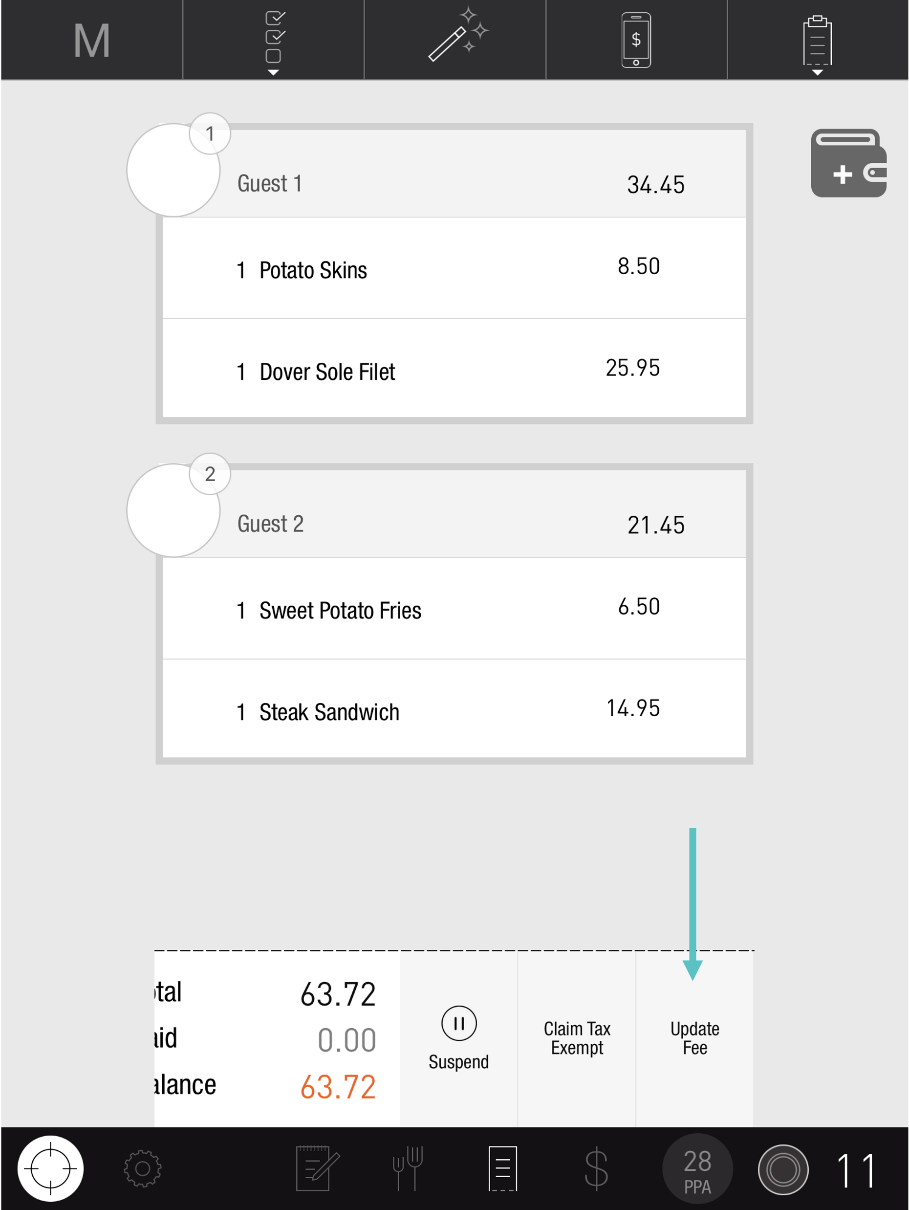
Tap Update Fees
-
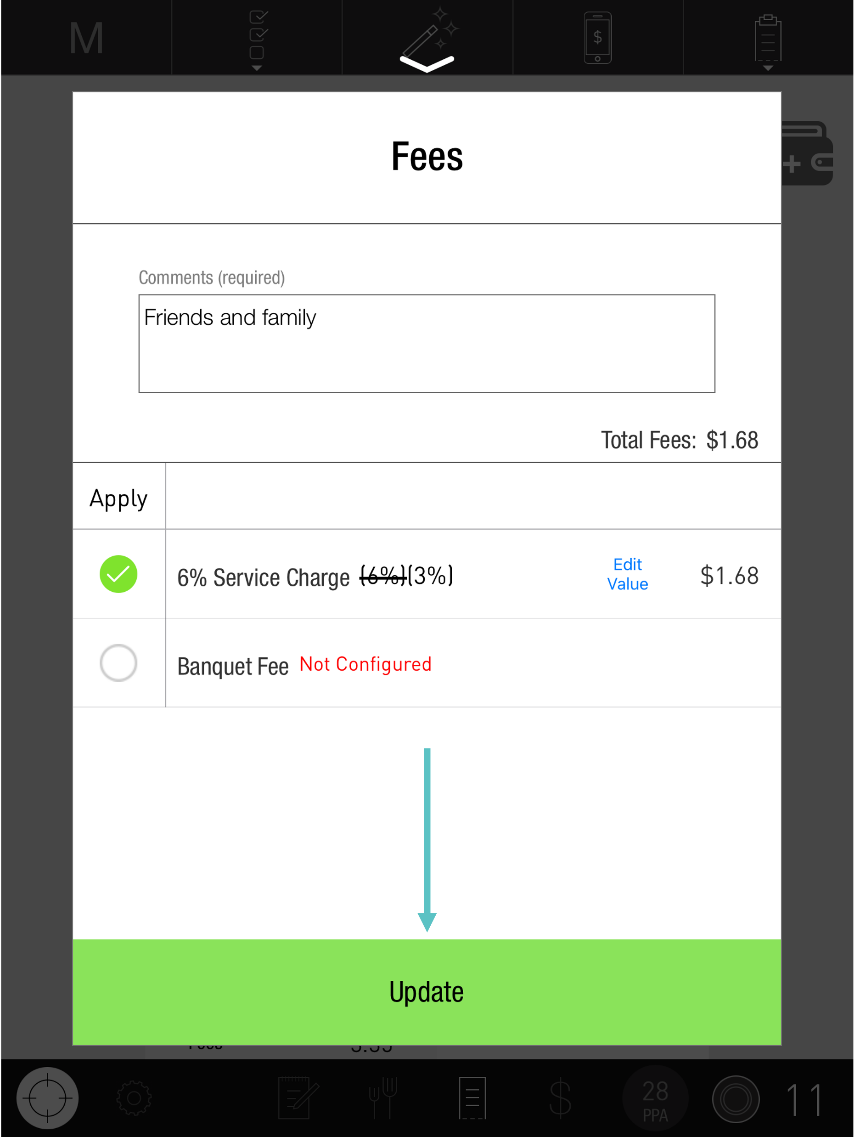
From here you can:
-
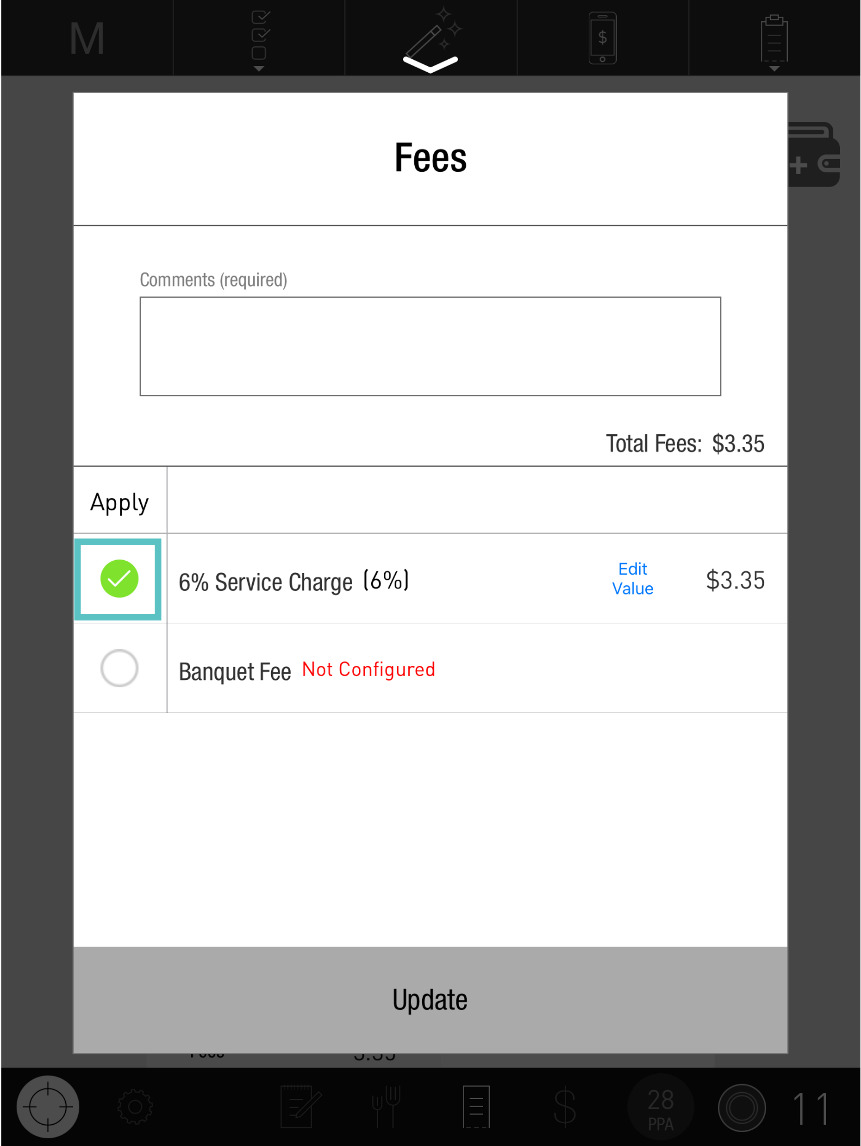
Remove or add a fee by unmarking or marking the checkbox next to it
-
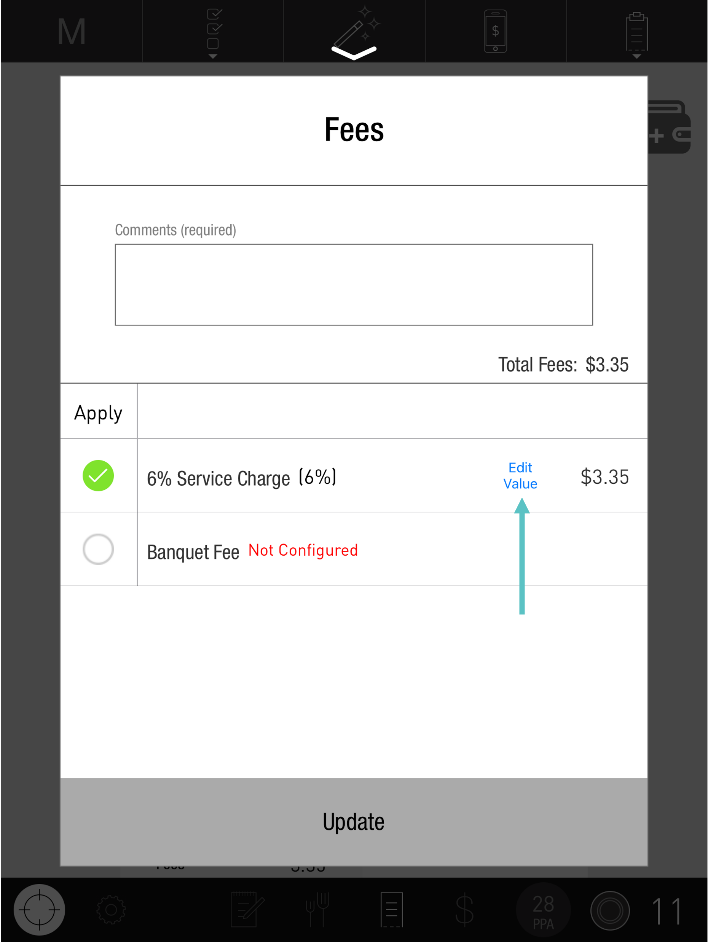
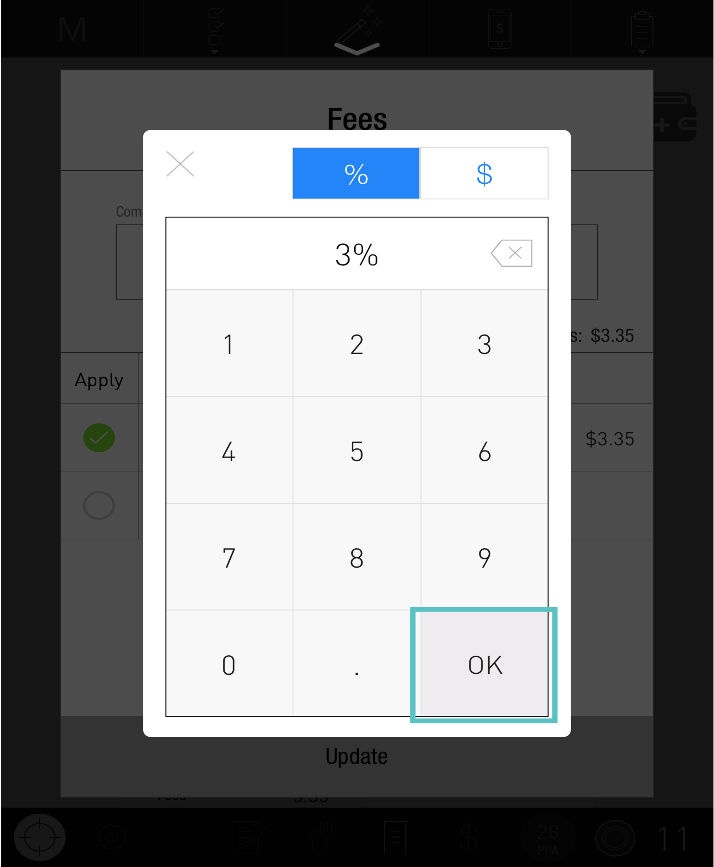
Update the amount of a fee by tapping on Edit Value and adjusting as needed
-
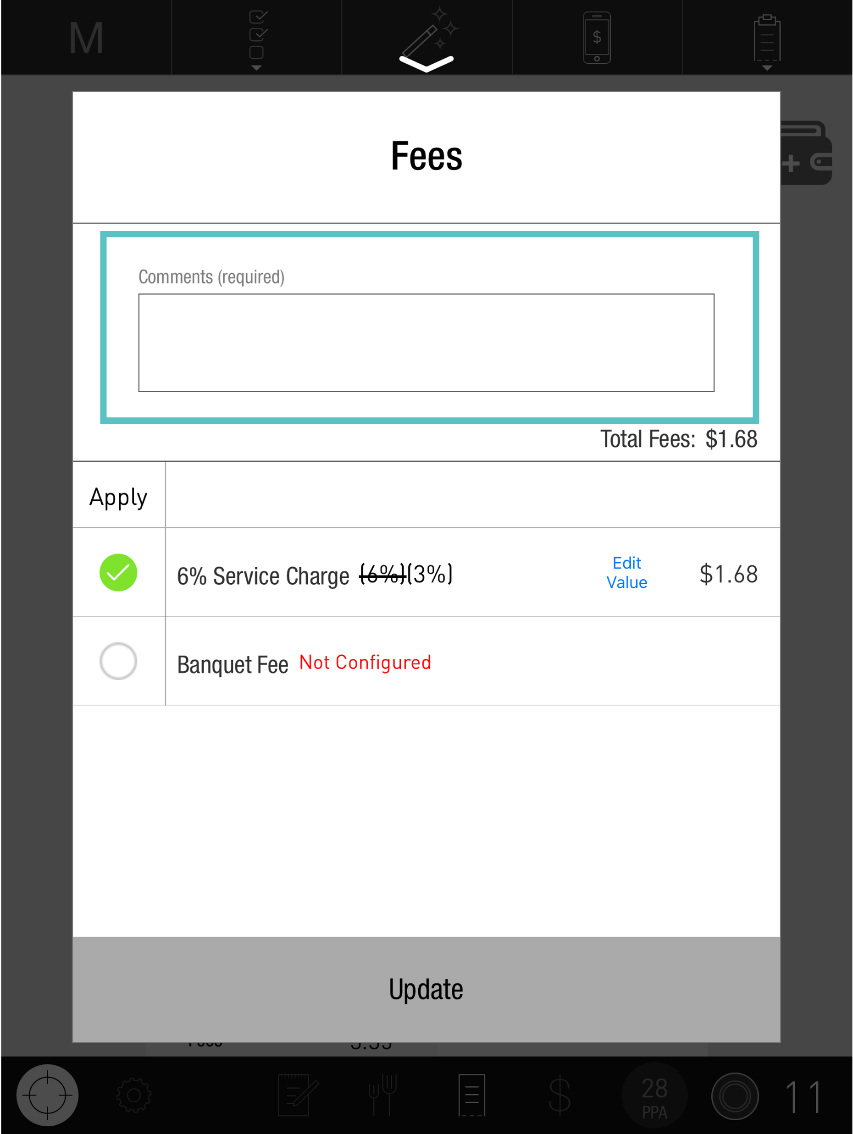
Add a comment in the comment box at the top of the Update Fees window if prompted
-
Tap Update
-
Now the fee has been updated, as seen below: