
Overview
Load balancing distributes tickets between identical stations sharing a Kitchen Queue. Open extra stations during busy periods; routing takes account of each station’s item count.
How does load balancing work?
Stations are organized into primary and secondary groups.
-
Primary stations form the group that operates throughout service.
-
The secondary group contains additional stations opened when needed, such as Grill 2.
With both groups active, Tabit Kitchen balances the workload between them using the items being prepared.
Initially, only the primary group is active and receives tickets.
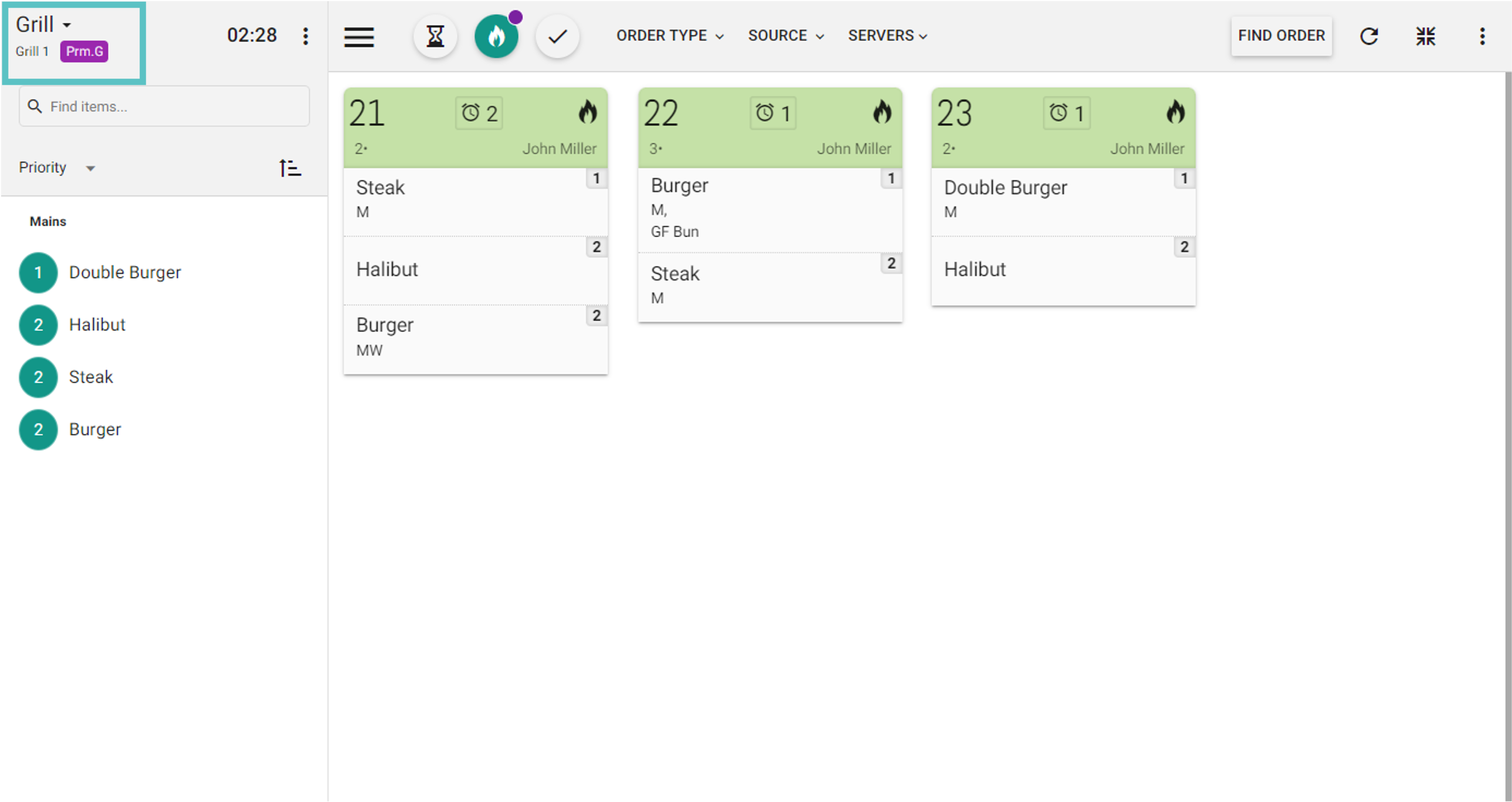
The expo station can enable or disable the secondary group.
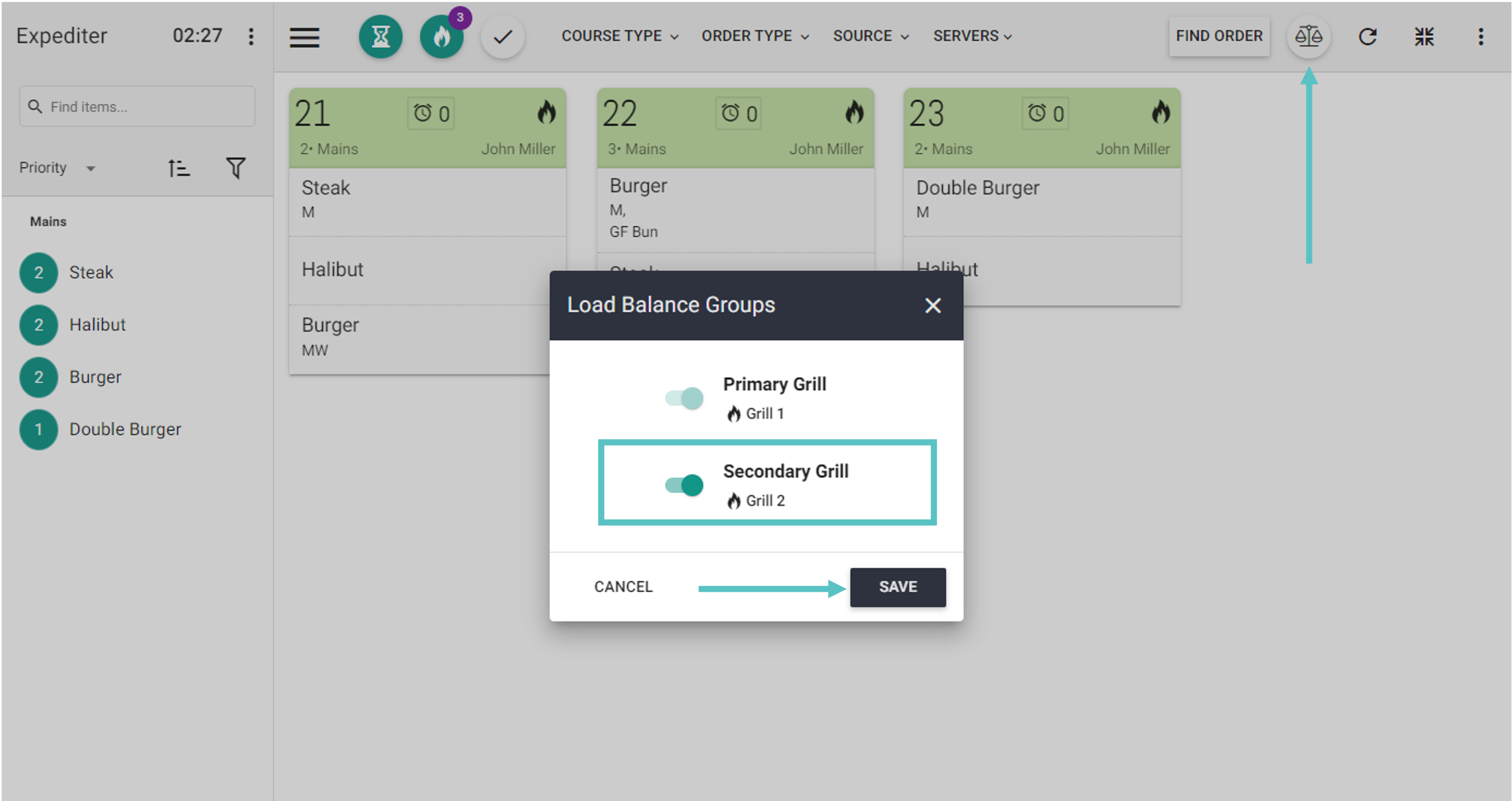
Follow the steps below to learn how to toggle the secondary group on/off:
-
Choose the scale icon.
-
Switch the secondary group on or off as required.
-
Select Save to keep the selection.
-
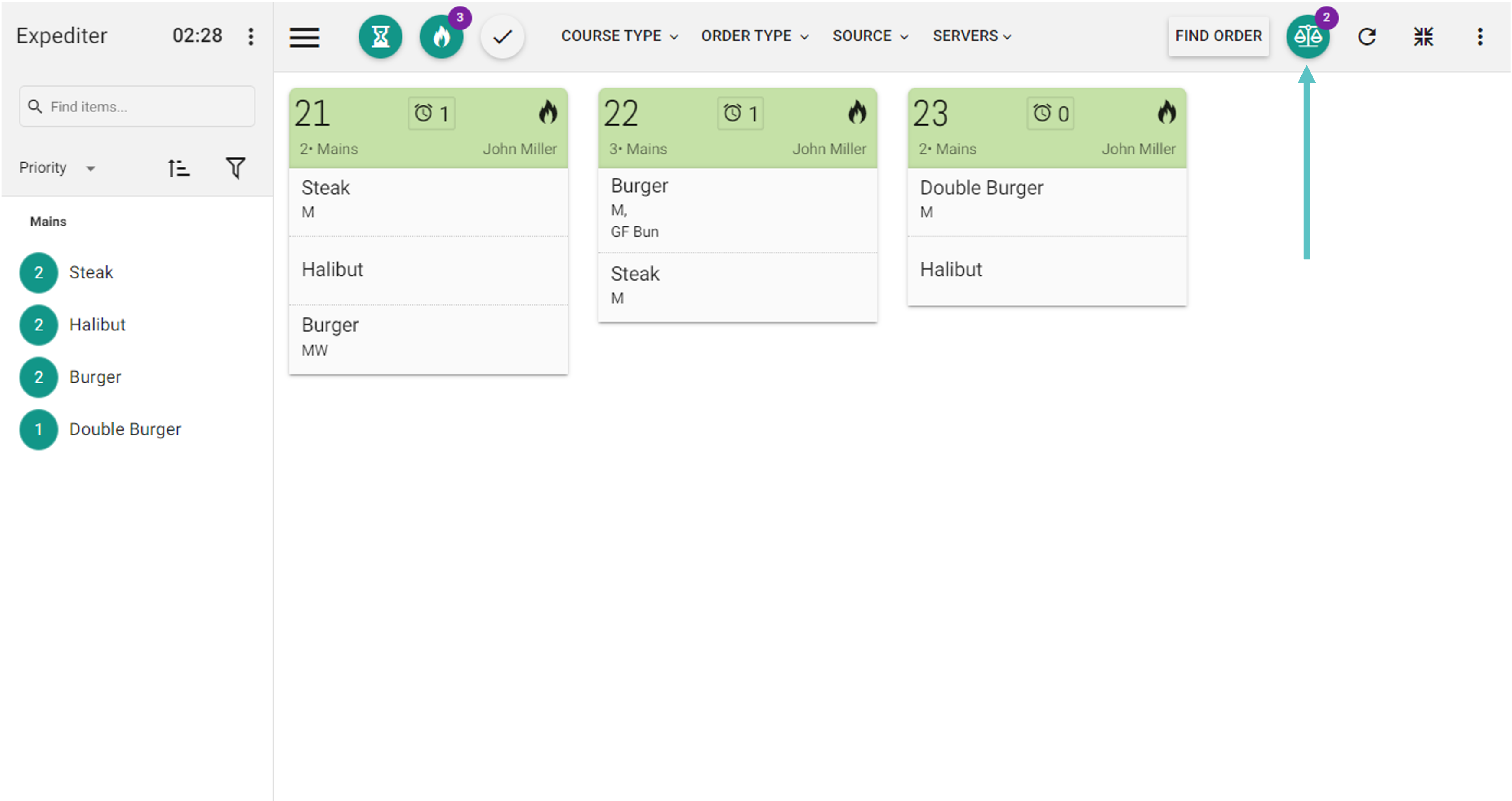
A green scale icon indicates that the secondary station is enabled.
-
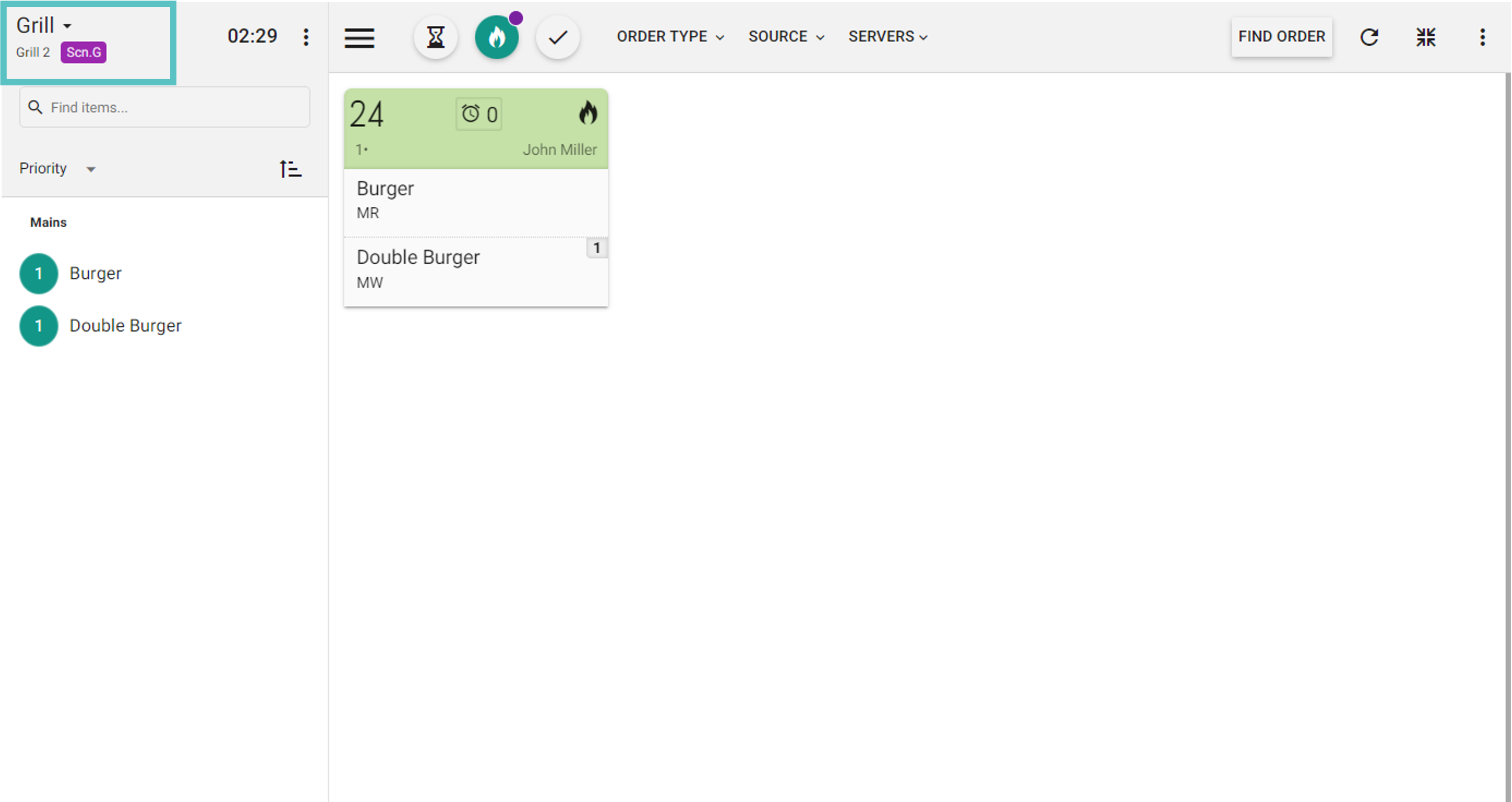
The next ticket is routed according to the number of items still being prepared at the stations. The example below shows a ticket assigned to the secondary group.
For initial configuration, contact Flyght Support to set up load balancing.