
What is a Decision?
Points to Remember: Decision
-
A list of item(s) or free text that needs to be selected before ordering an item
-
A list of item(s) or free text that is already selected but can be overridden before ordering an item
-
Cannot have price associated to it
-
One (and only one) value MUST be selected/applied
What is a Decision Group
A decision group is a list of item(s) or free text related to a lead item. It can have a default choice, and only one value can be selected. Typically, a decision group is used for simple, essential decisions or common modifications, like choosing milk for coffee or selecting meat temperature for steaks.
A decision cannot have an additional price as opposed to a modifier or a combo item and requires at least two options
How to Build a Decision Group
To build a Decision Group, follow the steps below:
-
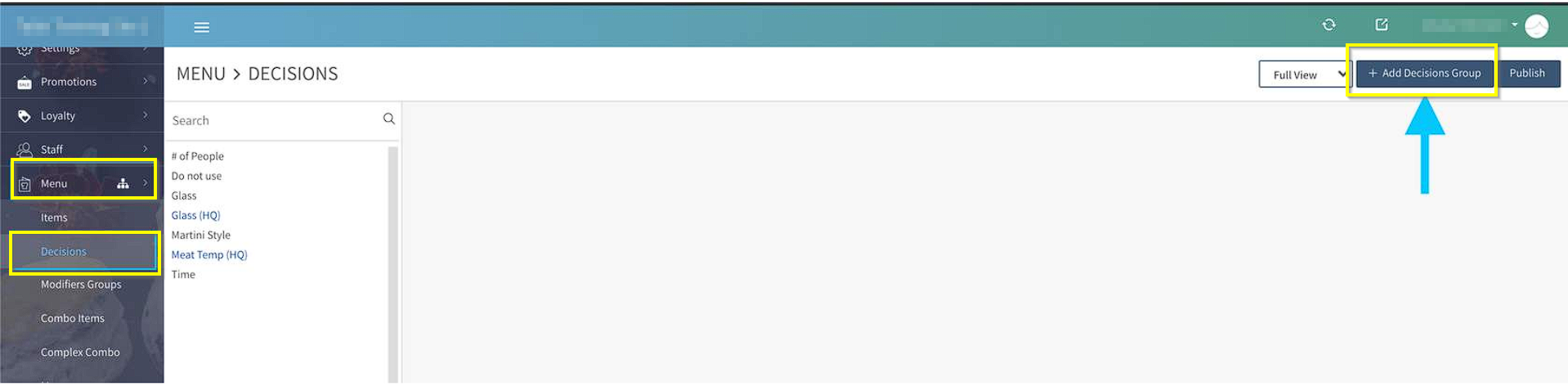
Login to Tabit Office with your manager credentials. Go to Menu and then Decisions.
-
Click on "+ Add Decisions Group"
-
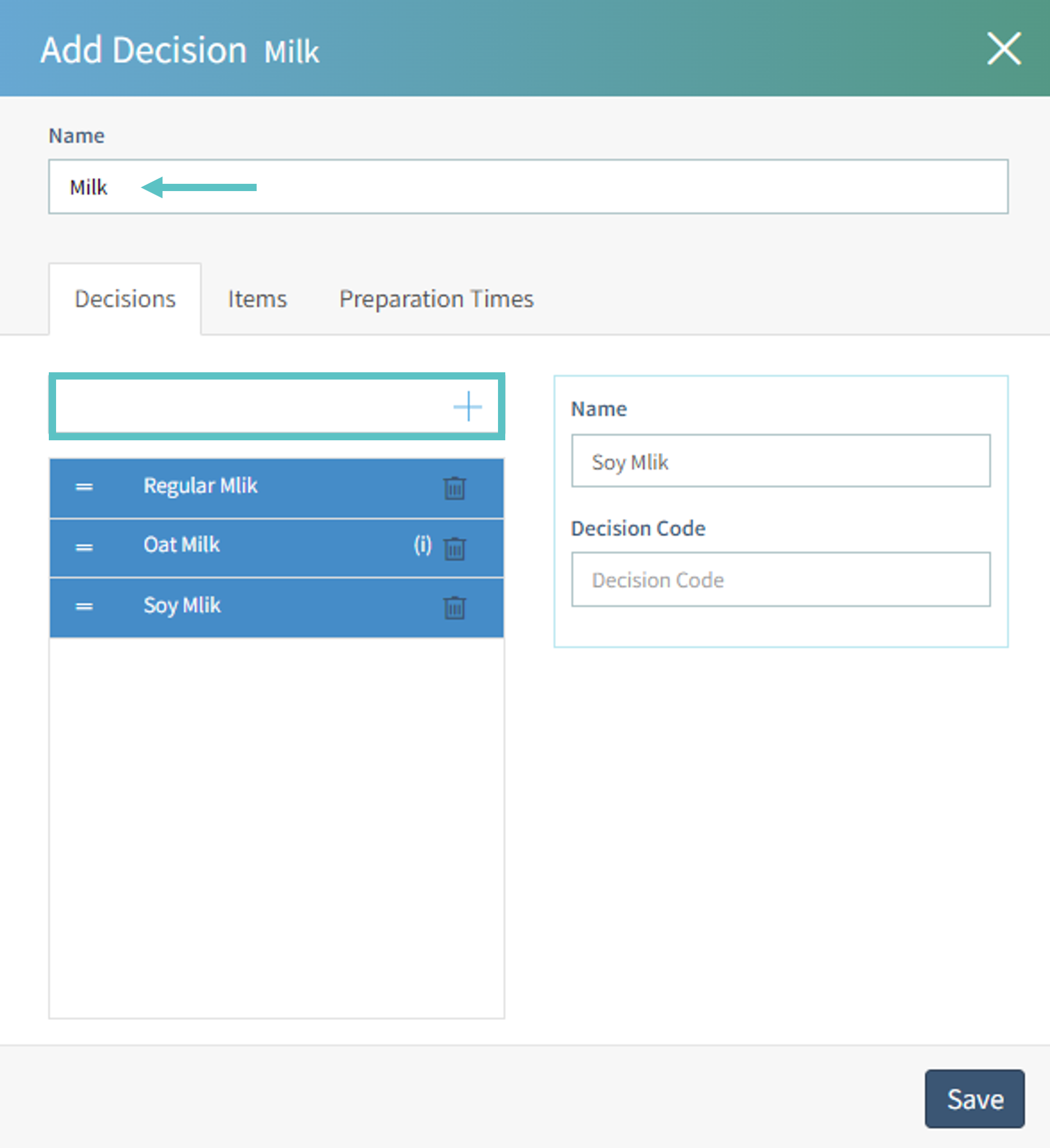
Fill in the required fields:
-
Type the name of the decision group (this name will appear on the PAD and in Tabit Order)
-
Add the options for the group. Search for the item or type in free text and select the + Icon to add it
-
The 'i' icon next to the decision indicates the decision is an item
-
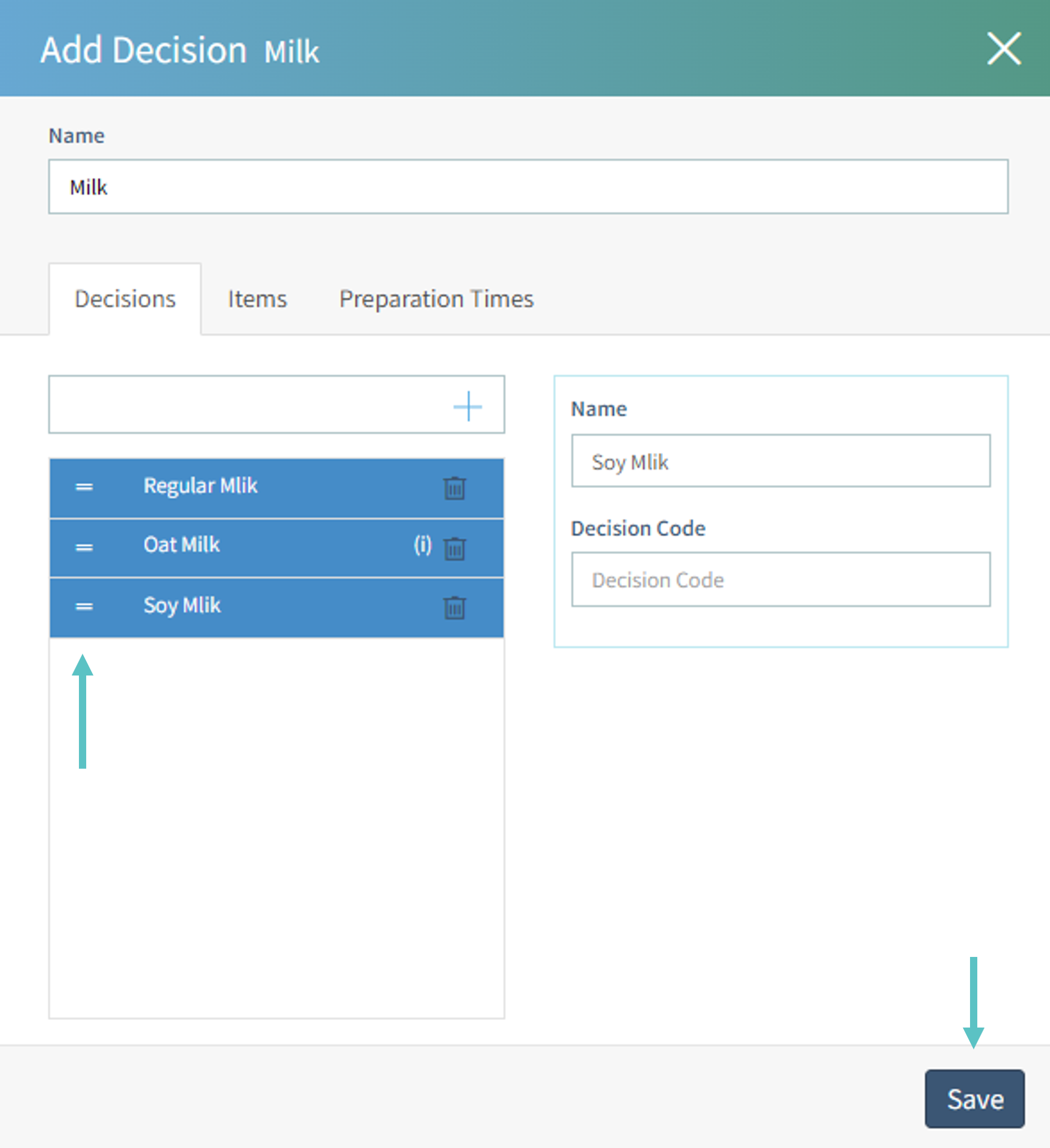
To rearrange the group, click on the two lines on the left and drag the items to where you'd like them to be
-
Once all changes are complete, select Save to finalize the group
Video Tutorial: