
Tabit Office
Improvement
Infrastructure enhancements to Tabit Office
Tabit Office infrastructure has been updated to improve speed and performance.
Enhancement
New filter for availability-excluded menu items
A filter in the HQ master items list identifies items with availability exclusions, making it easier to review them together.
Where to find it:
-
At an HQ site in Tabit Office, open Menu > Items.
-
An availability exclusion notification appears at the top.
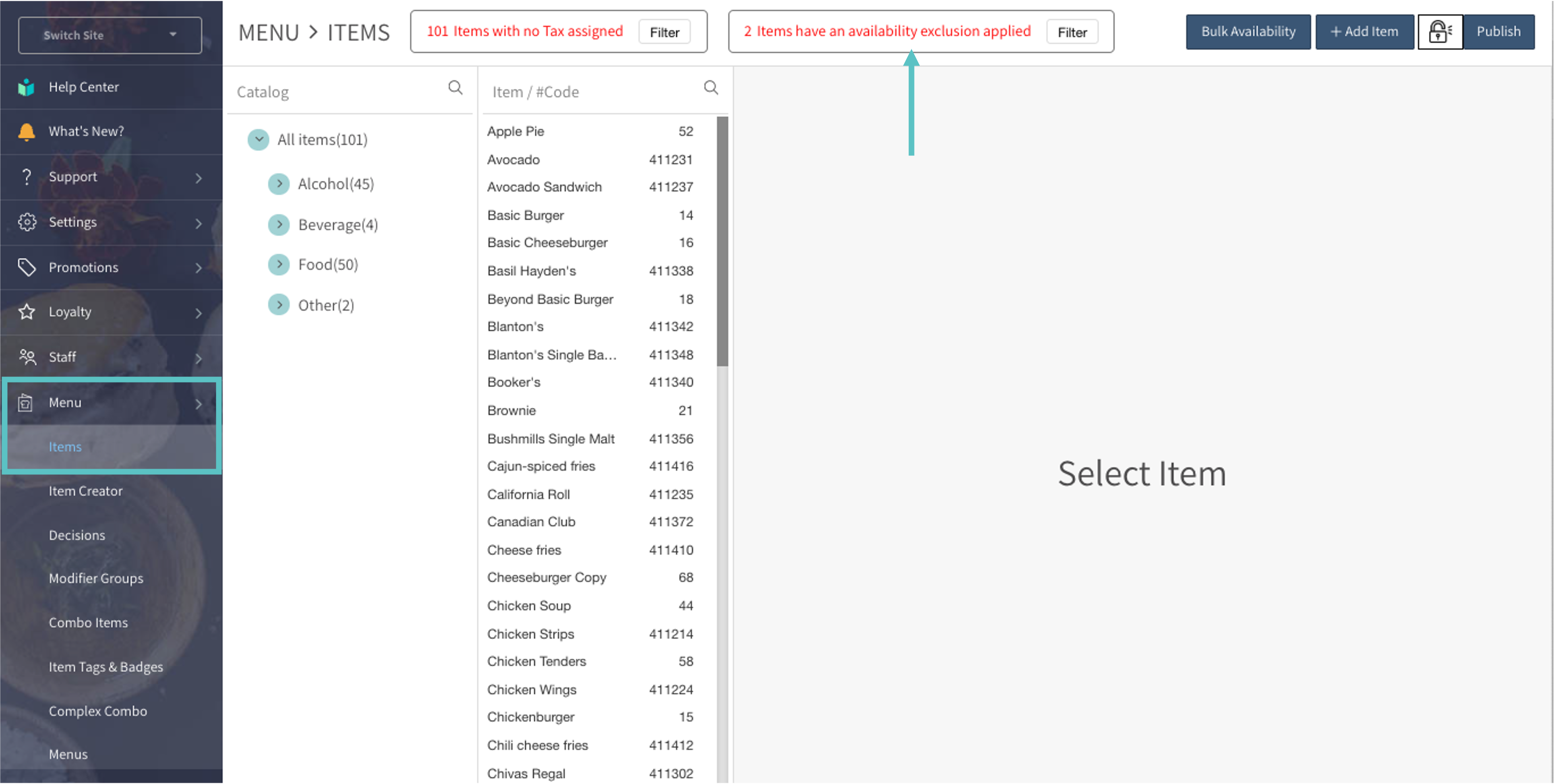
-
Select the filter to display only items with availability exclusions. The no tax filter updates to match.
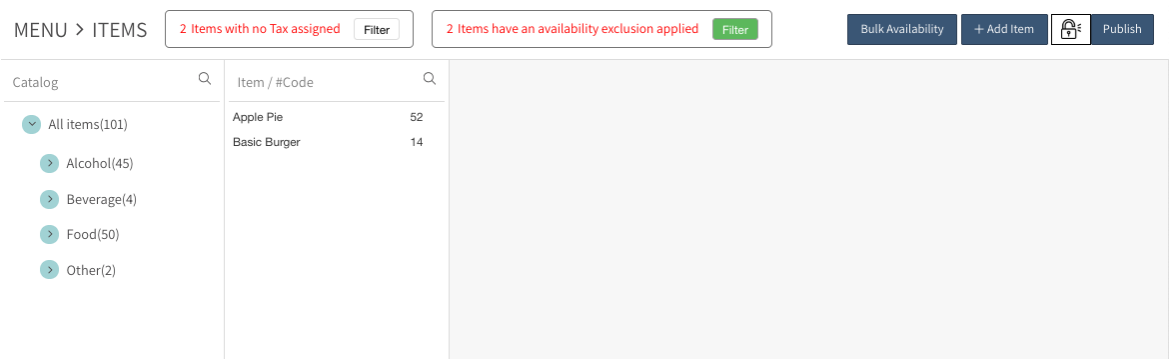
Improved sorting and search for host device names
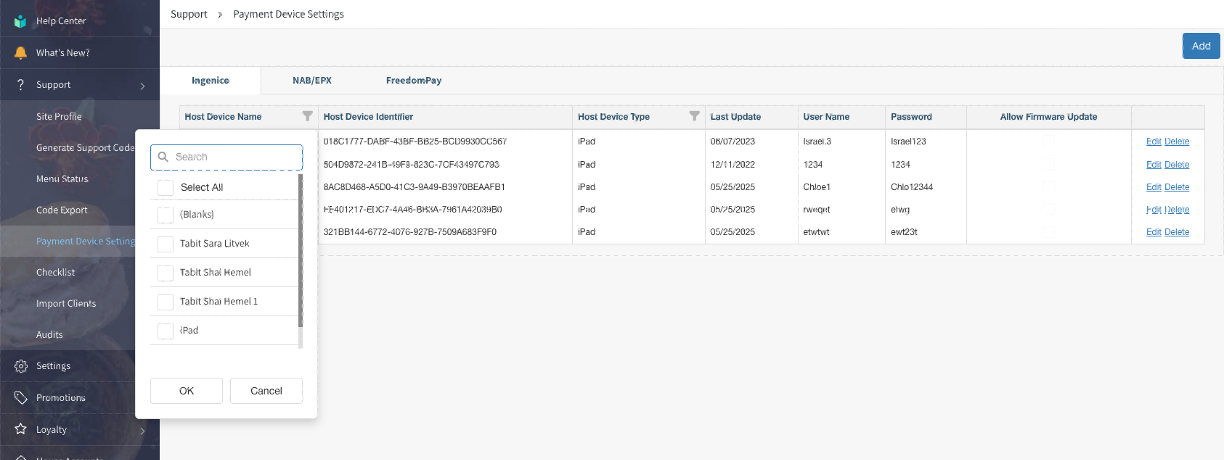
PAD device management now includes search and improved sorting.
Where to find it:
-
Open Support > Payment Device Settings in Tabit Office.
-
Search by device name, or sort names alphabetically in ascending or descending order.
Fix
Activity reports now calculate PPA without tips
Updating tip parameters no longer causes validation error in device settings
Tabit Guest
New
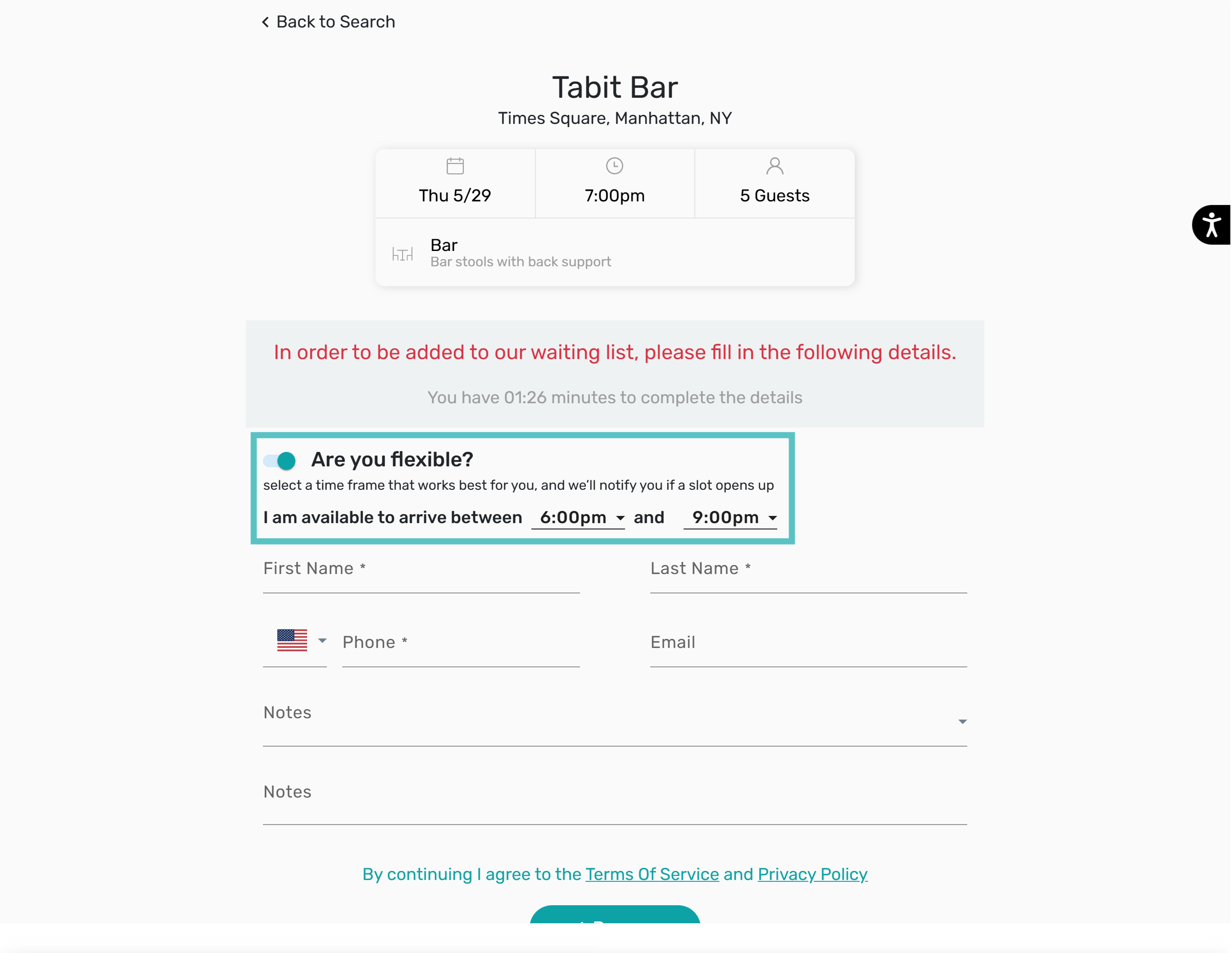
Flexible standby now available in Tabit Guest
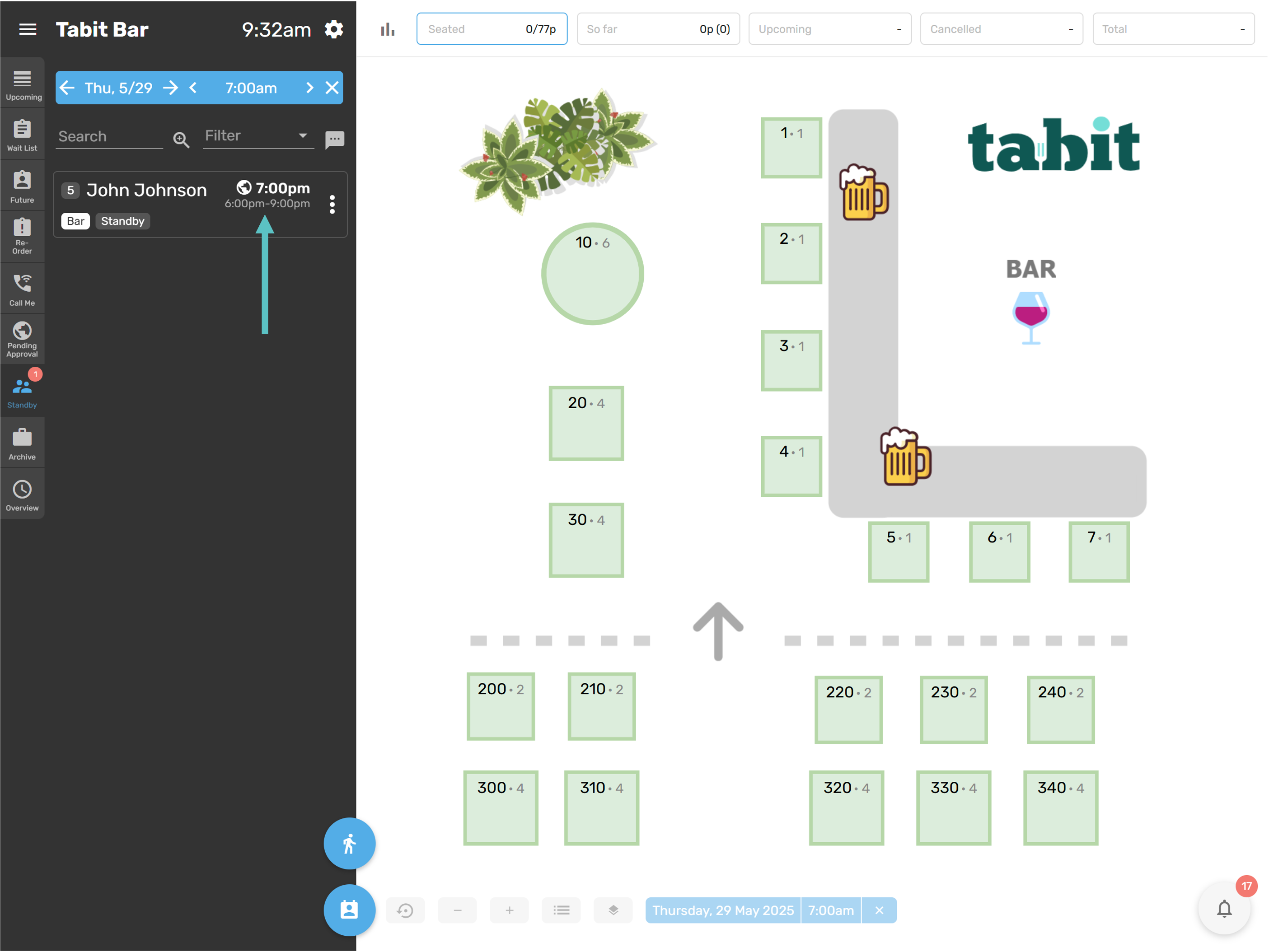
A Flexible Arrival Time field in the Standby reservation form lets guests specify when they could arrive. The range can extend up to three hours before or after the reservation time.
This is enabled automatically for sites using standby reservations through online booking.
How does it work?
-
During standby booking, the guest sees Are you flexible?
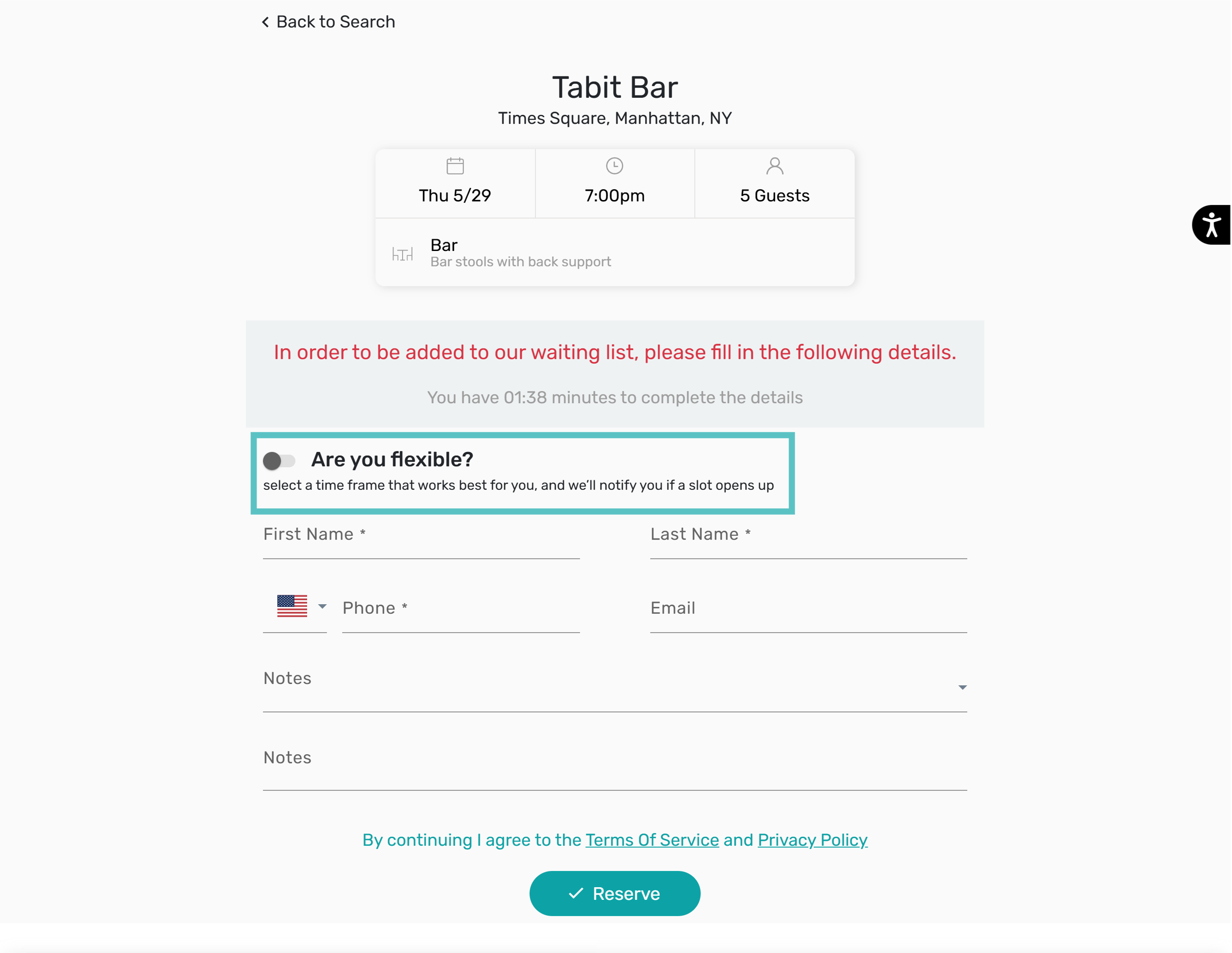
-
If enabled, the guest must choose an available arrival time range.
-
Tabit Guest shows that range beneath the reservation's scheduled time.
Enhancement
Improved back-to-back indication in the reservation form
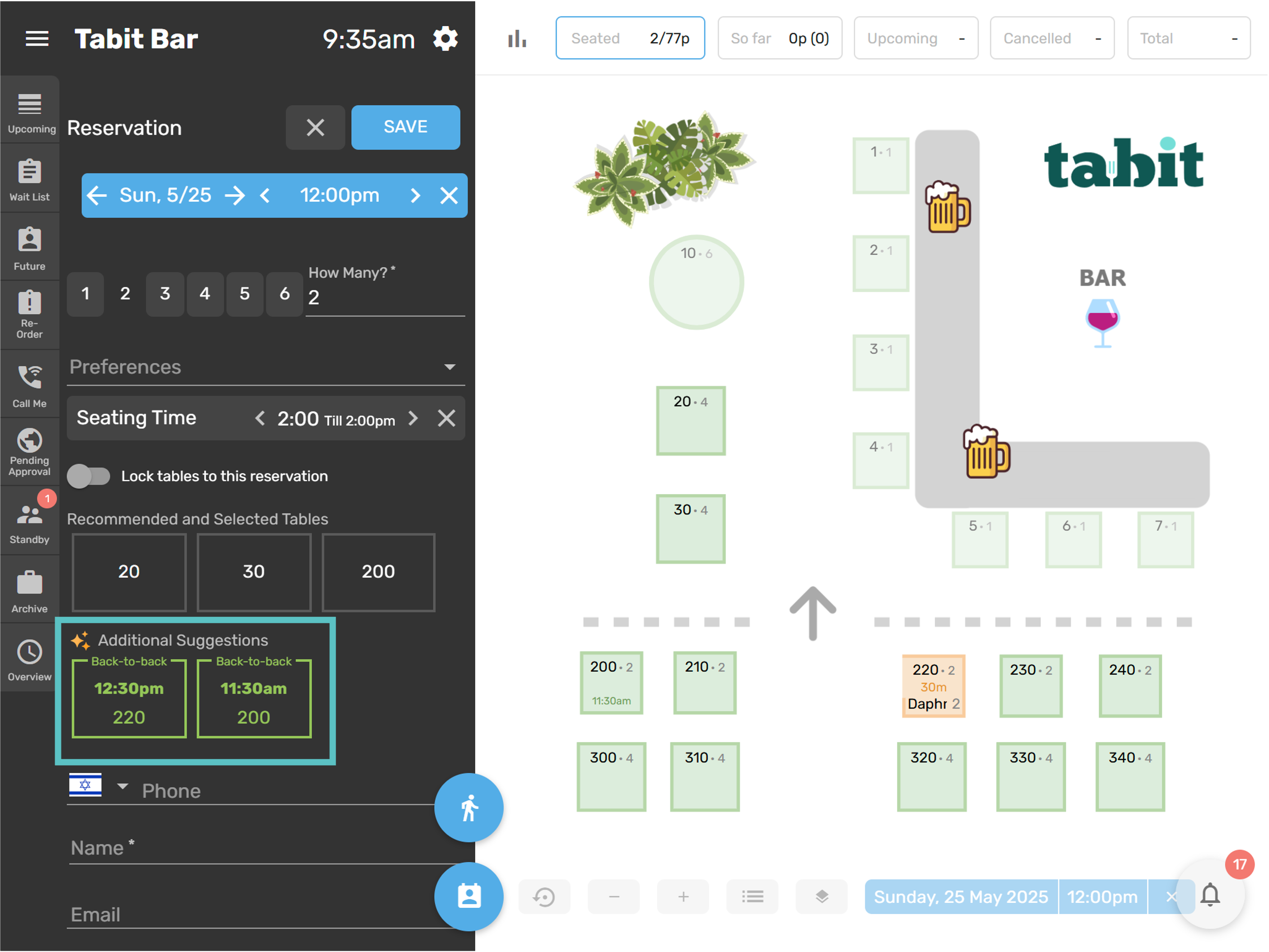
Table suggestions in the Tabit Guest reservation form now identify opportunities for back-to-back bookings more clearly.
A header separates recommended tables from alternative-time suggestions. A Back-to-back label identifies additional suggestions that support consecutive reservations.
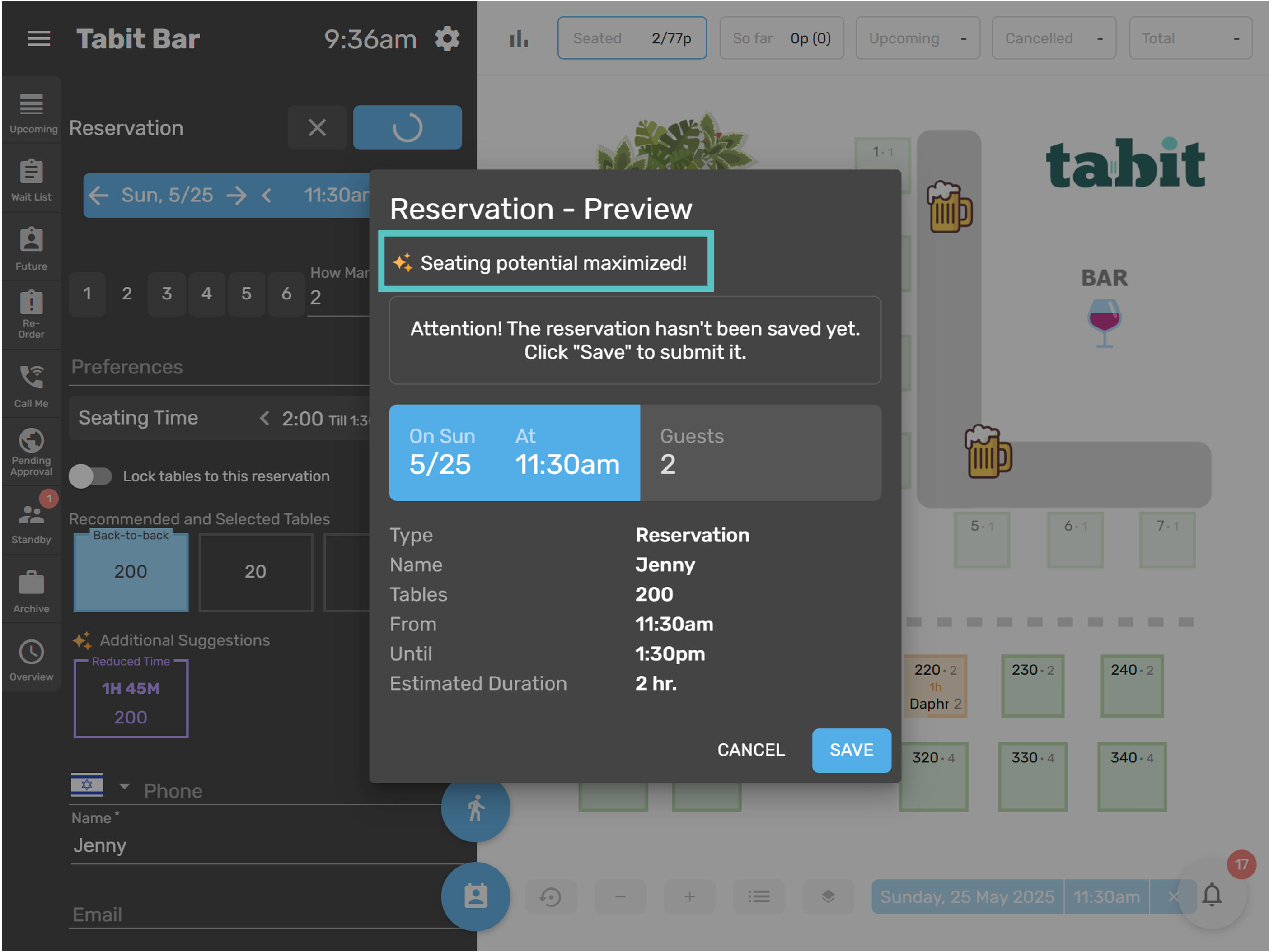
Selecting a back-to-back table also adds an indication to the reservation preview.
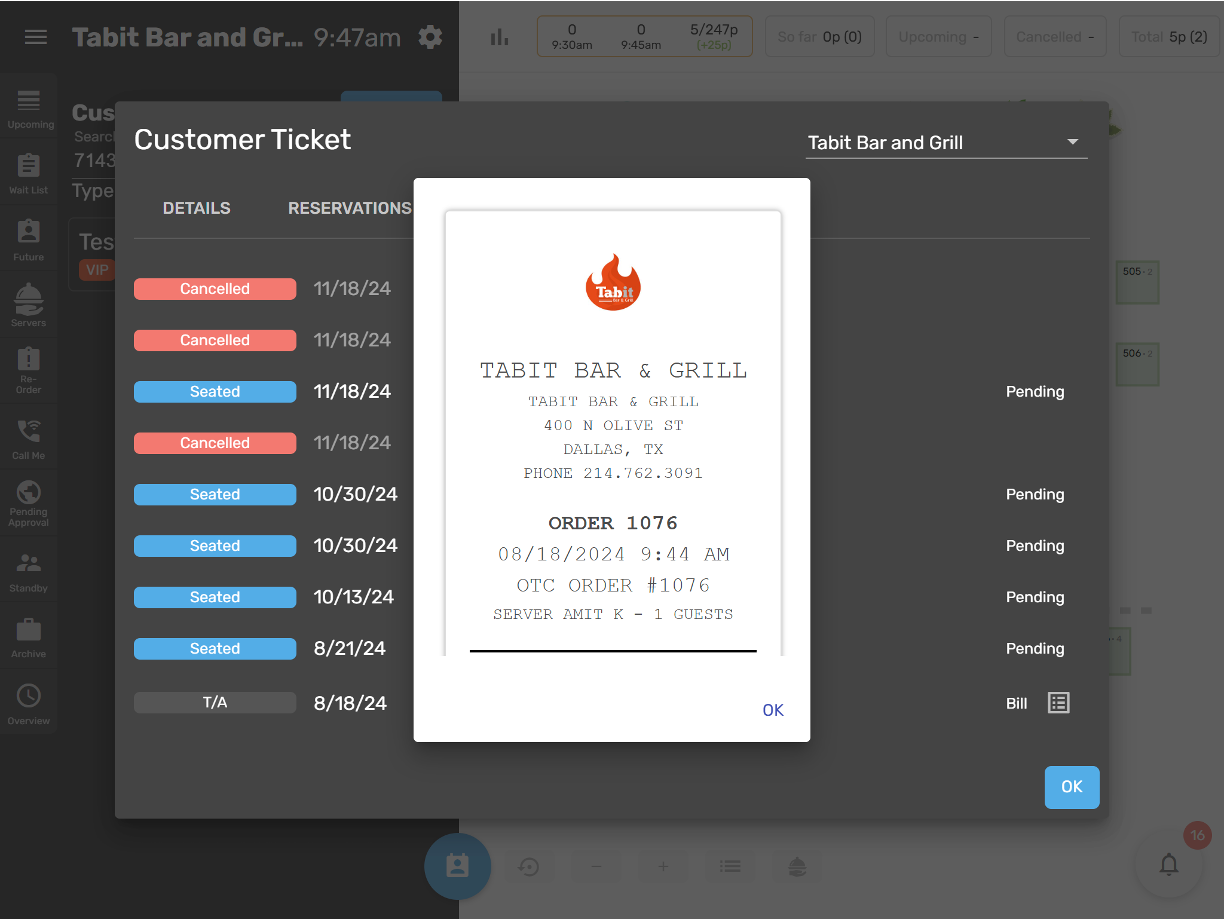
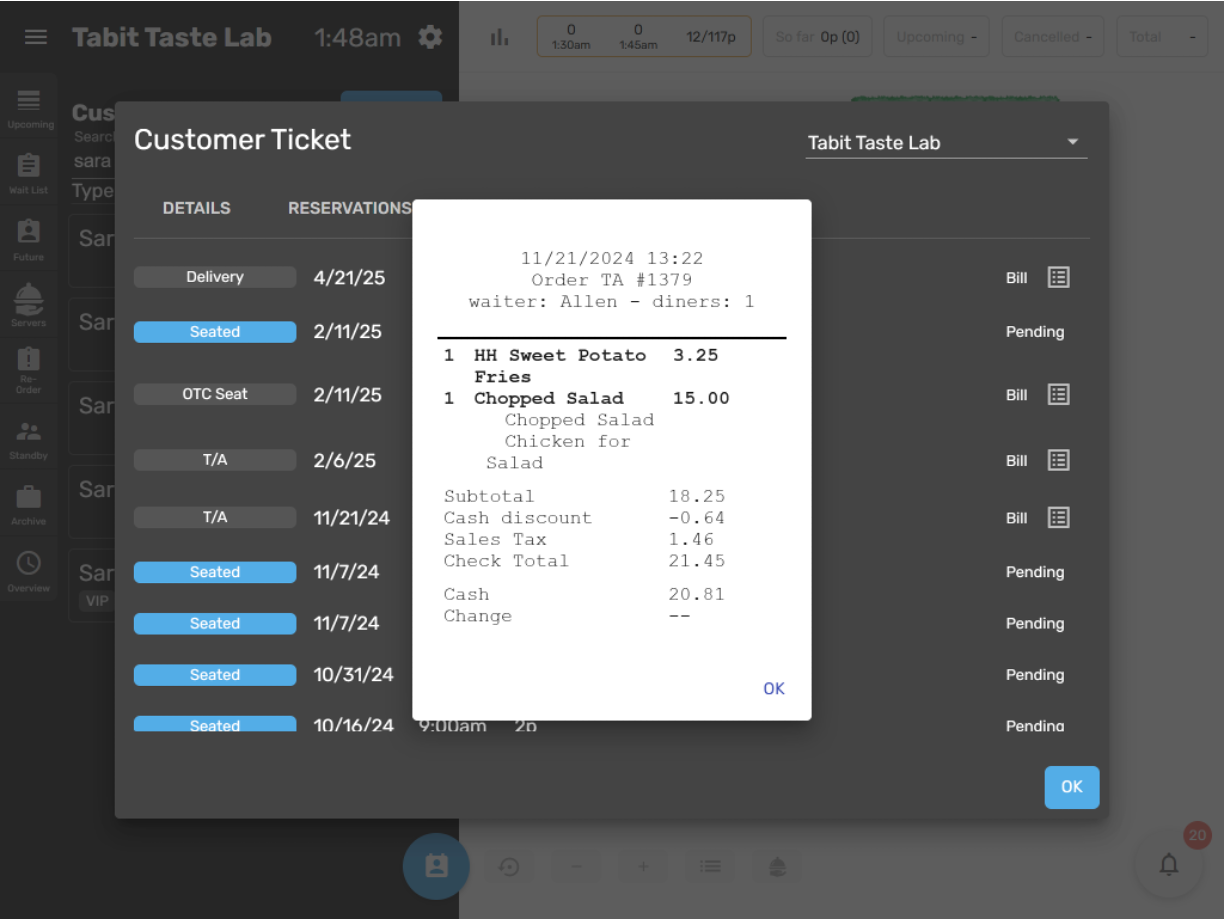
Bill viewer shows bill as it appears in document viewer
Tabit Guest's bill viewer now matches the document viewer in Tabit Office.
Now:
Before:
Improvement
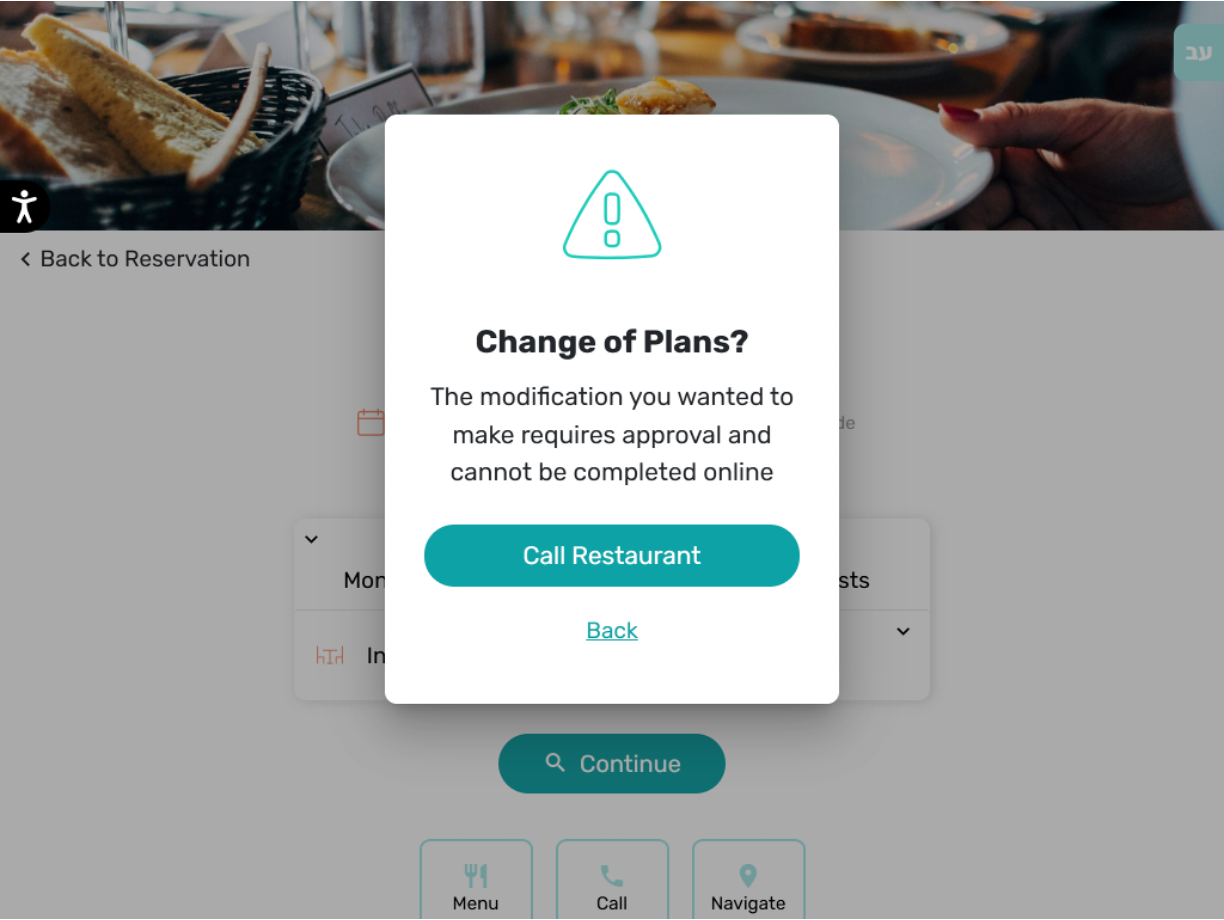
Approved reservations can no longer be modified into Pending Approval
Previously, editing an approved reservation could return the whole booking to Pending Approval. The table was no longer held, and guests could miss that the change required restaurant approval.
An approved reservation can no longer be changed into Pending Approval. Instead, an alert tells the guest that the requested change needs approval and asks them to contact the restaurant.
Pending Approval and Standby reservations can still be changed to any type, including Pending Approval.
Tabit Kiosk
New
Order optimization now available on Tabit Kiosk
Kiosk customers can now be prompted to optimize separate cart items into an available combo. For example, a burger, fries, and drink can qualify for a matching combo at the site.