
Overview
Use Special Days for one-off configurations without changing the restaurant’s regular setup. For example, a midweek holiday can use the weekend configuration.
Assign an additional map to a Special Day when its table layout should differ from the usual map.
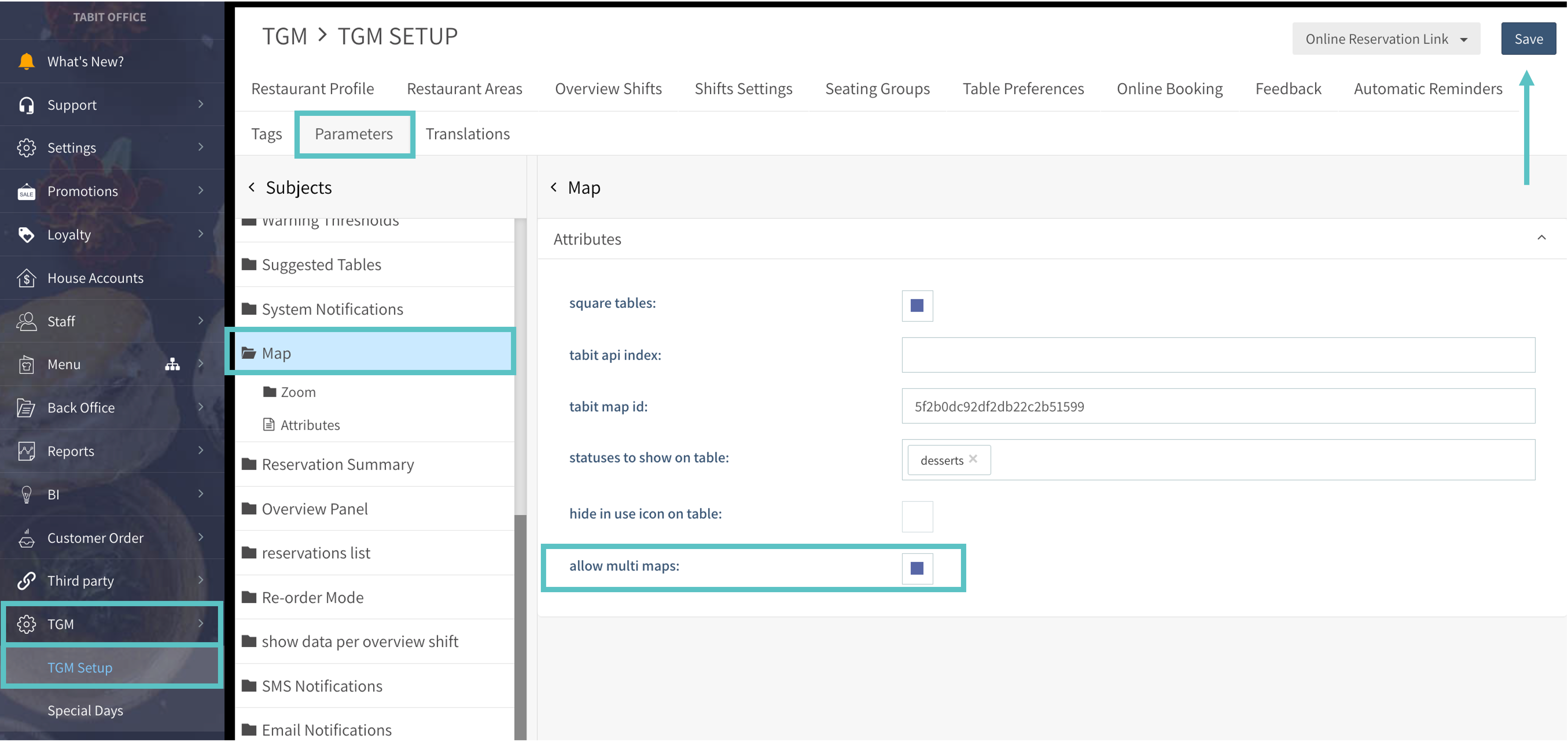
Follow the steps below to enable additional Maps for Special Days for a Site:
-
In Tabit Office, open TGM > TGM Setup > Parameters > Map and enable Allow Multi Maps.
-
Select Save to keep the setting.
Continue with the Special Day setup guide here.