
Tabit Office

Enhancement
Manage Pricing with More Precision with Price Tiers: An Enhancement to Price Groups
Previously, Price Groups managed item prices across the HQ's sites without targeting selected items at selected sites.
Price Groups and Price Tiers now let HQs target pricing by location, supplier, site type, and other needs. For example, use an alcohol Price Group with an airport-site Price Tier when airport locations have a higher-cost alcohol supplier.
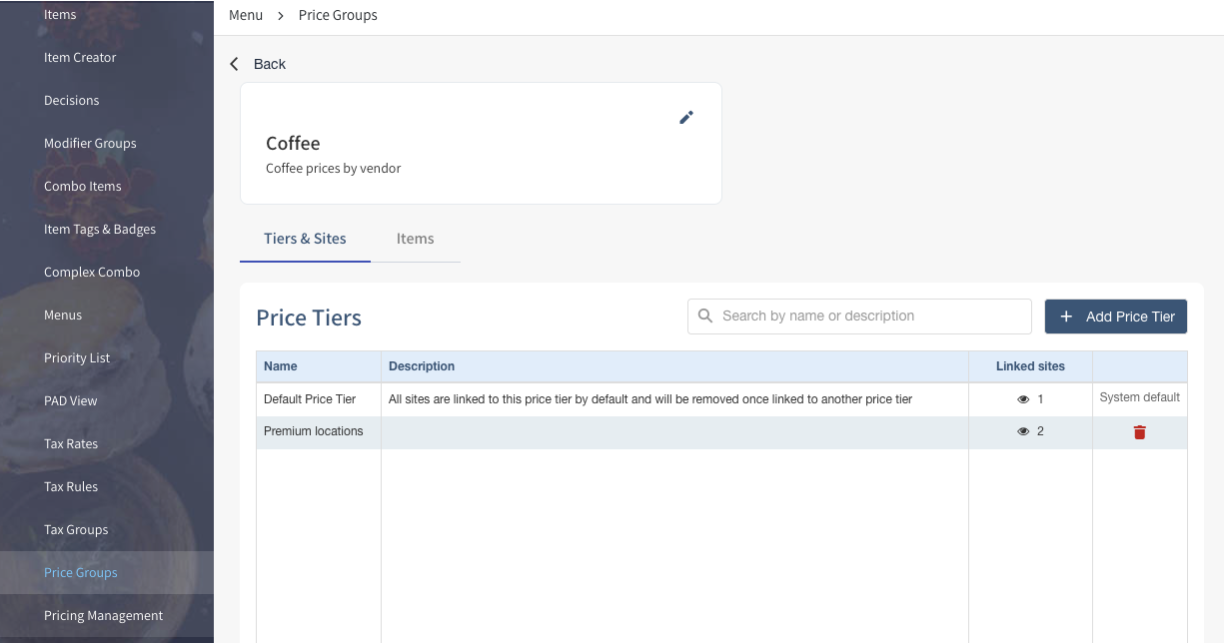
A Price Group includes the related offers across all sites under the HQ, including offers not currently being managed. A Price Tier narrows the pricing scope to selected items and sites.
For sites using different suppliers for wine, beer, and seafood, the setup could be:
-
Assign a Wine Price Group to a Price Tier containing Sites 1 and 2.
-
Assign a Beer Price Group to a Price Tier containing Sites 2 and 3.
-
Assign a Seafood Price Group to a Price Tier containing Sites 1 and 3.
Together, groups and tiers let HQ manage each set of prices for the applicable sites.
Price Tiers require an HQ and connected sites using Master Item, plus Menu Admin permissions at HQ level.
How do I migrate from the old Price Groups to the new Price Groups and Price Tiers?
Existing Price Groups are converted to Price Tiers covering every site under the HQ.
Learn more about how to set up Price Tiers and the new Price Groups