
Tabit PAD

V 11.0
New
1. Sub-Modifiers for advanced menu customization (AKA Mods on Mods)
Overview
Sub-Modifiers add hierarchy for more detailed menu choices and complex item configurations.
Use Case Example
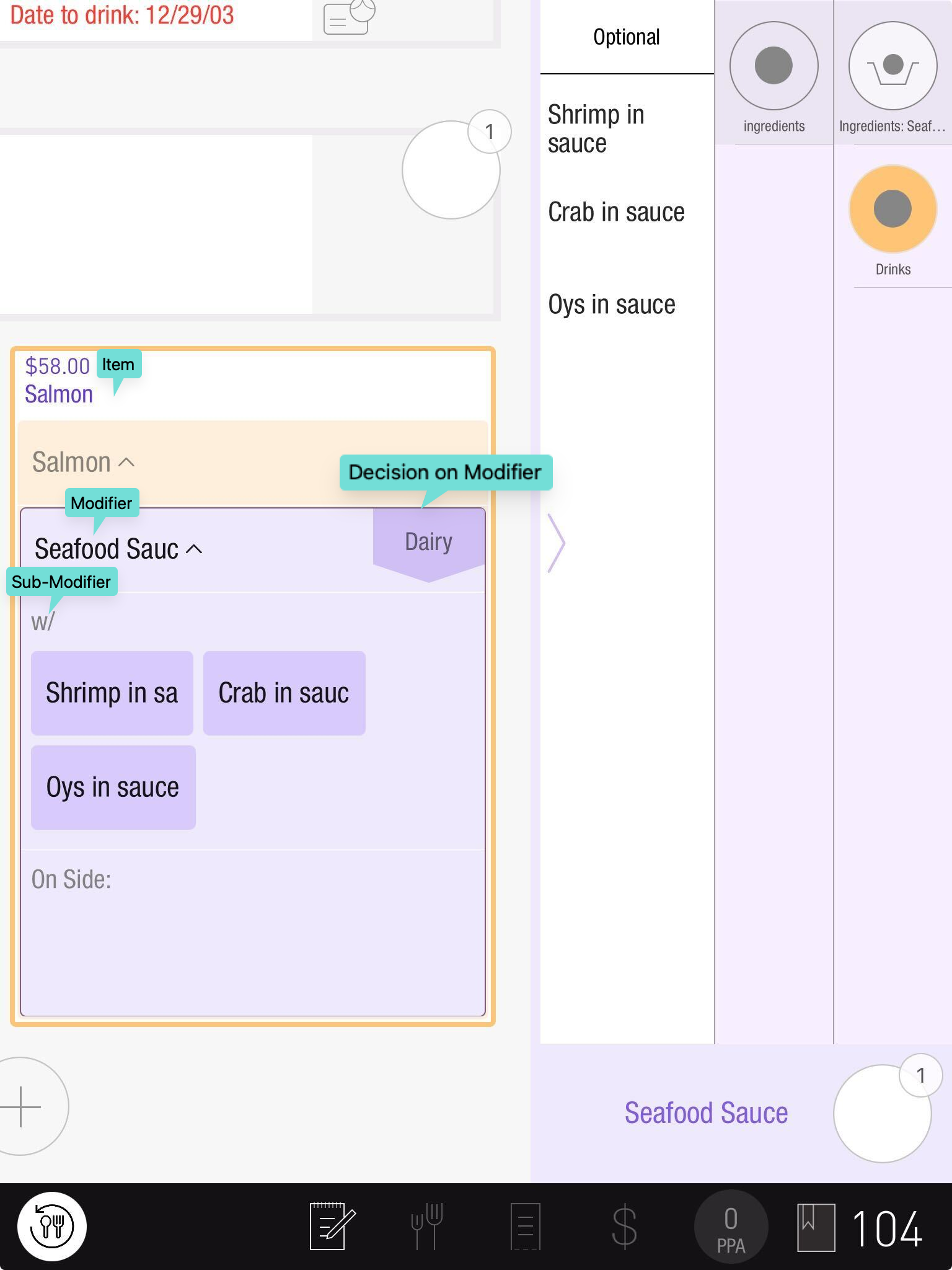
For example, a salad can be sold on its own with feta on the side, or offered as a steak's side item.
Key Features
-
Deeper Customization: Supports up to four levels, such as Item > Modifier > Sub-Modifier > Decision. A salmon item could have Seafood Sauce, shrimp within that sauce, and a fried or sautéed preparation decision for the shrimp.
-
Accurate Pricing: The final item price includes dynamically calculated modifier and sub-modifier prices.
-
Governance Integration: Inventory and alcohol restrictions include sub-modifiers.
-
Platform Display: Most kitchen tickets, KDS views, receipts, and reports show sub-modifier changes.
In this release, Tabit Order and Kiosk did not yet support this feature.⚠️
Enable it under Settings > System Parameters > Regional Settings > Order Settings > Allow sub modifiers.
Video Summary:
2. Add Client Tip for zero balance orders
Business Case
Customers can add a tip to a zero-balance check or order, including an already-paid check or a new order without items. This also supports the gift-card tipping scenarios described in this release.
How it works
-
Client tip options: Zero-balance orders support tips through credit cards, prepaid cards, or house accounts.
-
Manual entry and customer tip flows: Supports entered tip amounts and system-calculated client tips.
-
Dynamic Tender Selection: Choose a tender when several support tips. With only one eligible tender, the flow continues automatically.
Total Check = 0
Sample Video:
Improvement
1. UI enhancements for improved server workflow
Overview
Ordering screens now use hierarchy and completion indicators to show servers which choices still need attention.
Key enhancements
-
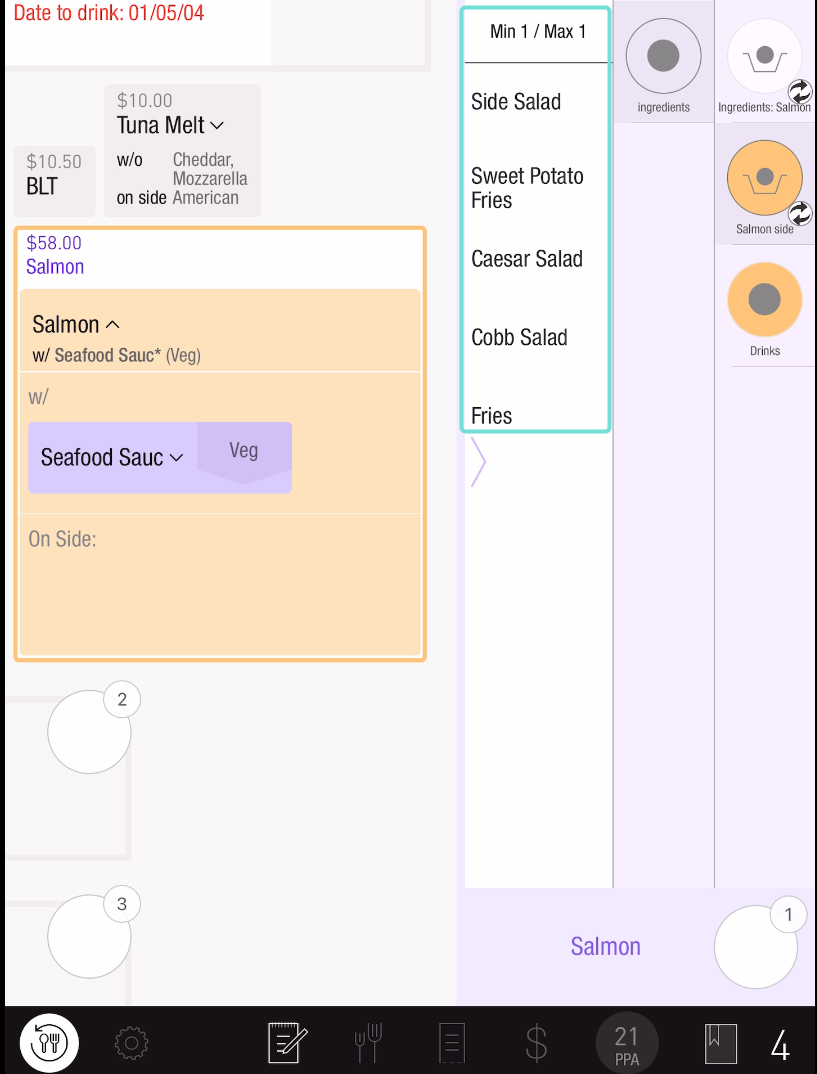
Item group indicators show minimum, maximum, and optional selections.
-
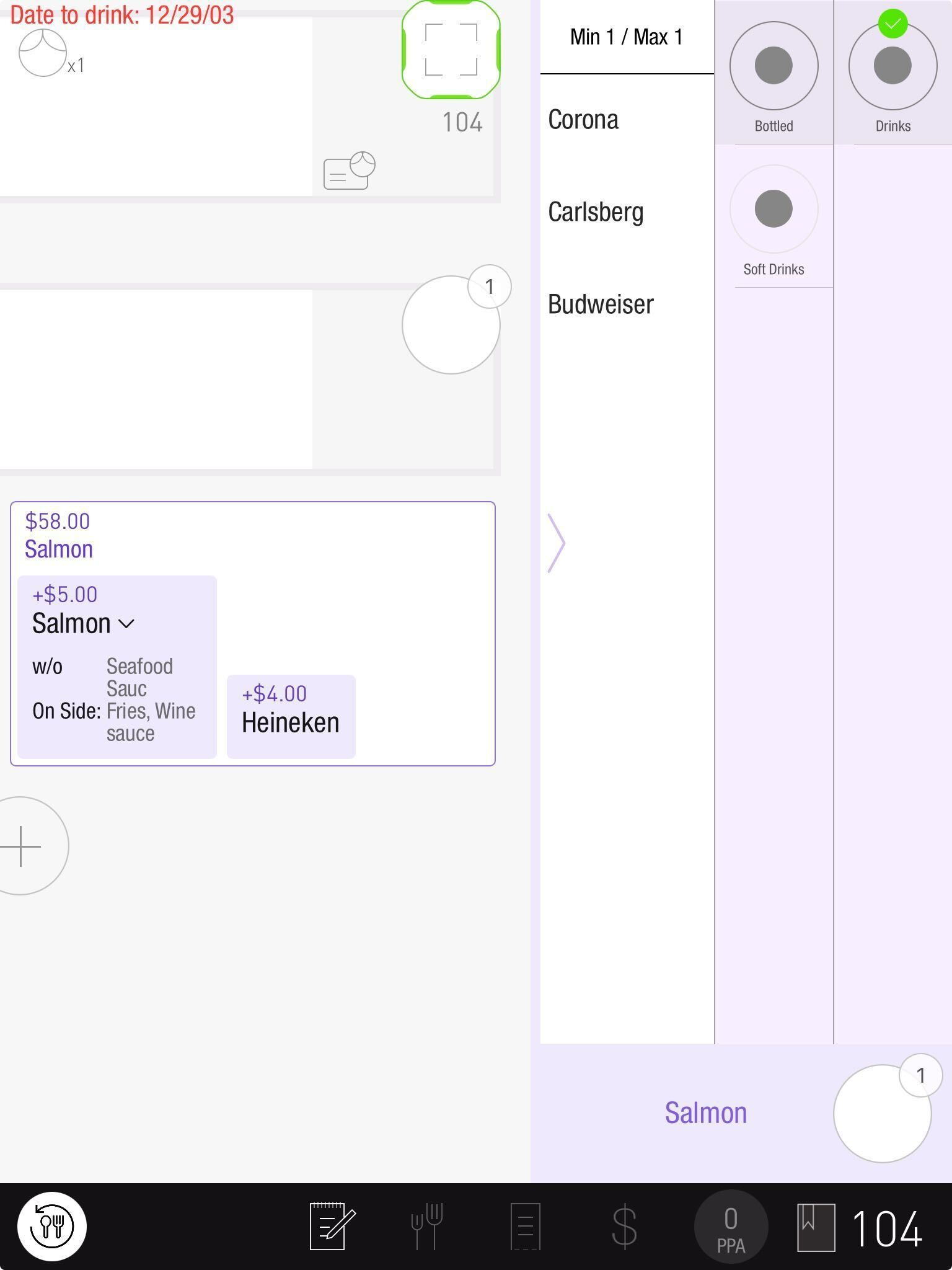
Completion indicators distinguish finished choices from those still requiring attention:
-
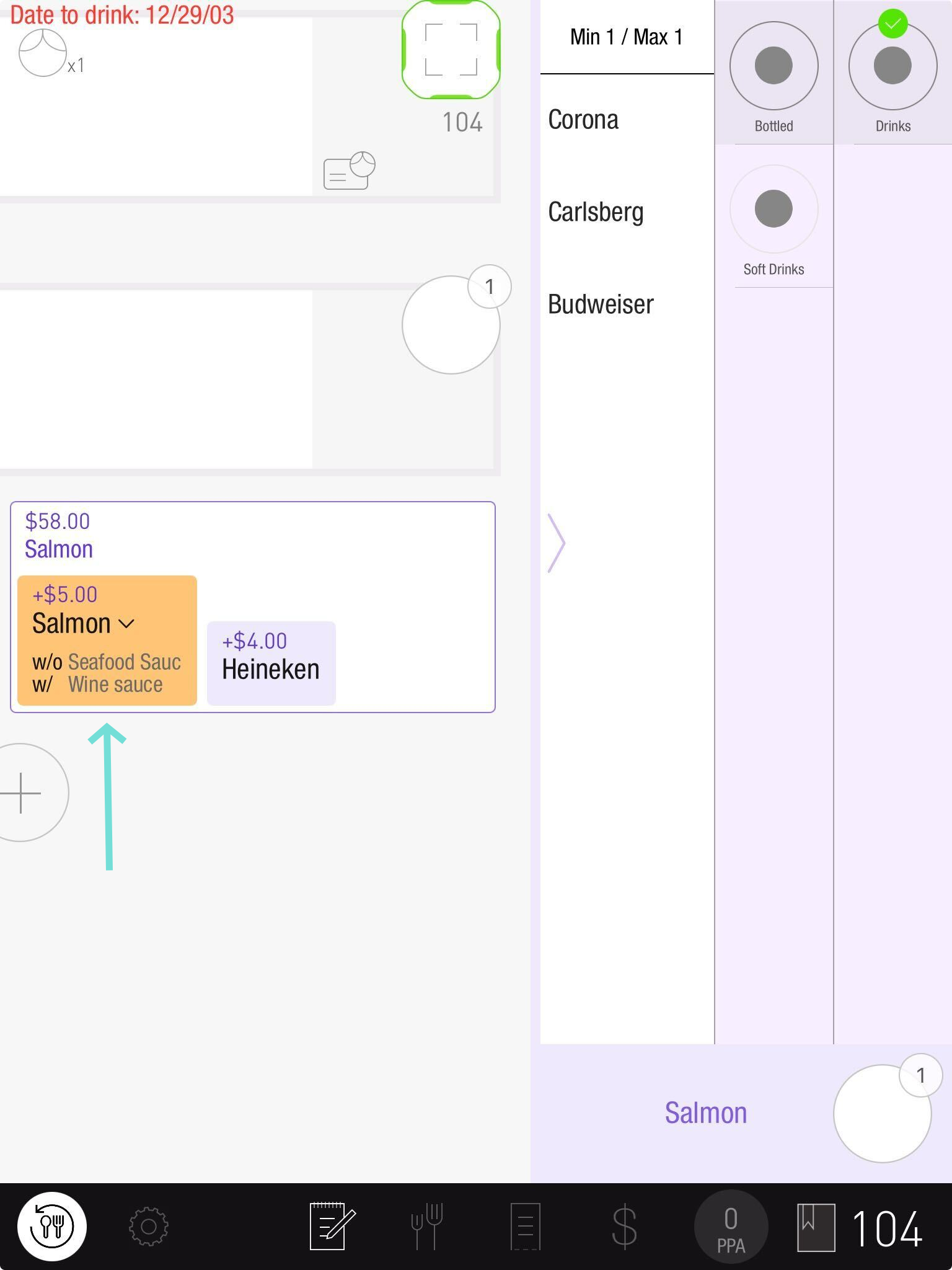
Orange identifies selections that still need editing:
-
Orange outlines and backgrounds mark Edit Mode until every selection is complete. In this example, Sauce is selected and purple, while other item choices still need attention.
-
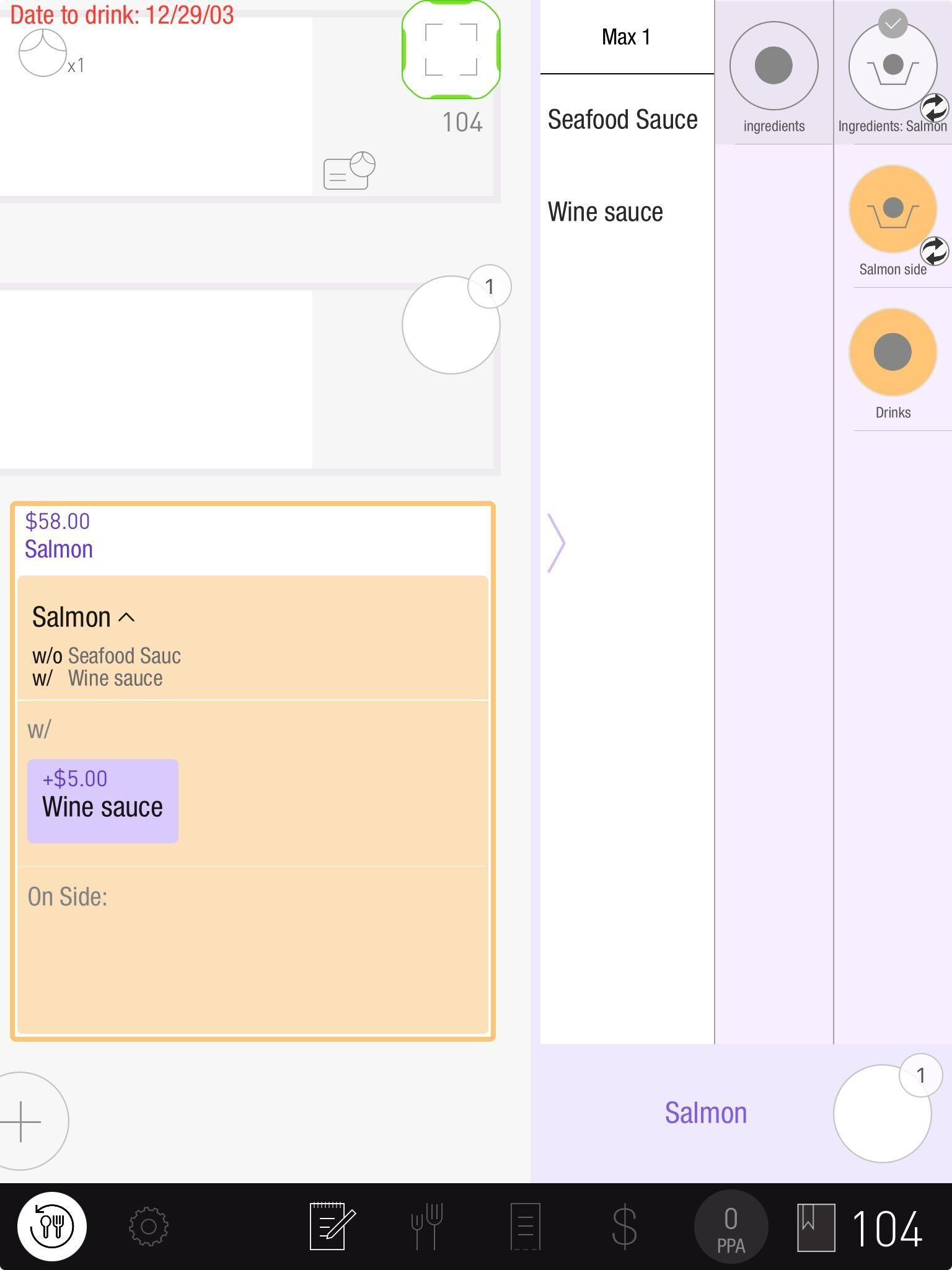
All purple: Editing is complete.
-
-
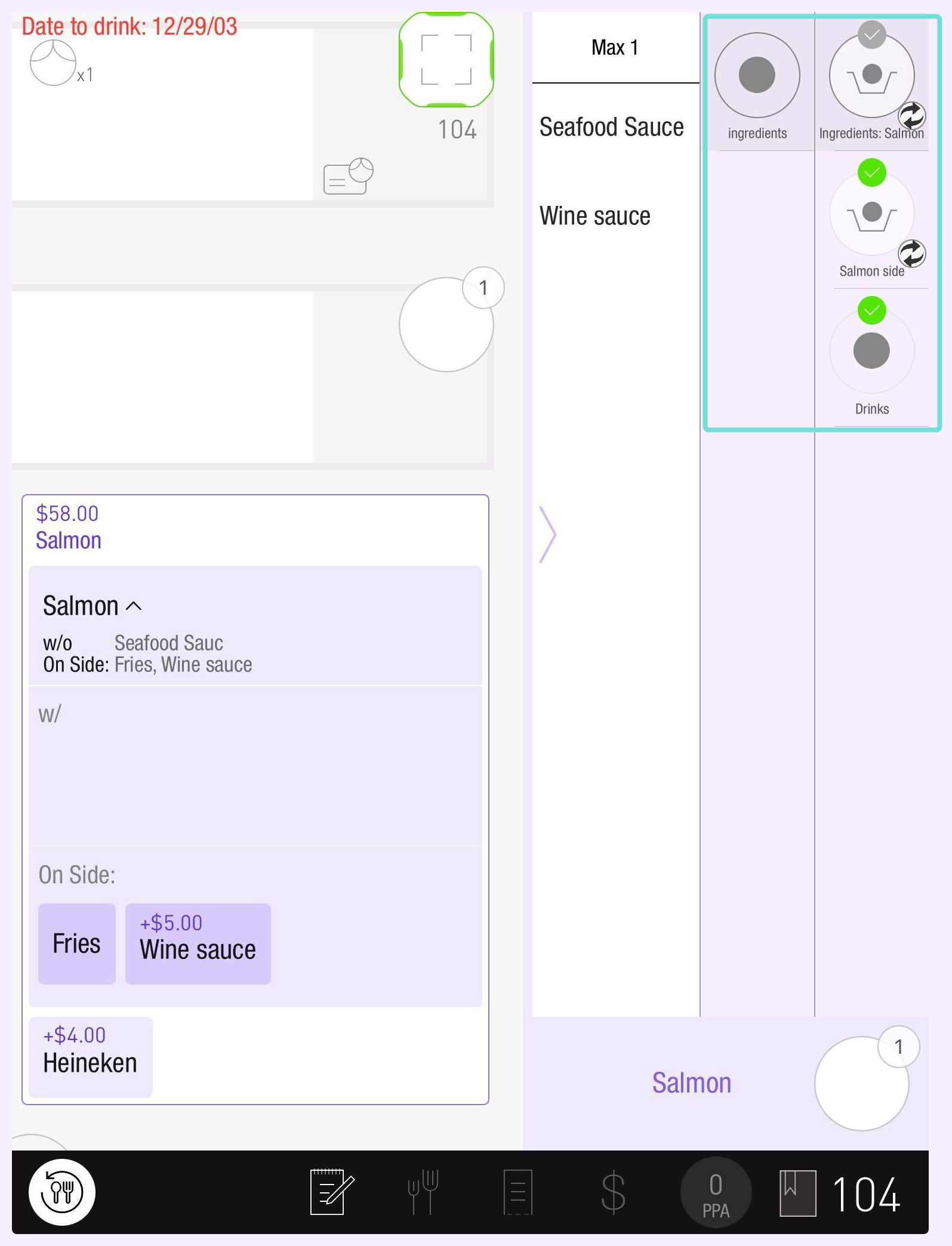
Interaction indications:
-
Green check: Required changes are complete.
-
Grey check = Optional changes made
-
No check: No changes were made.
-
-
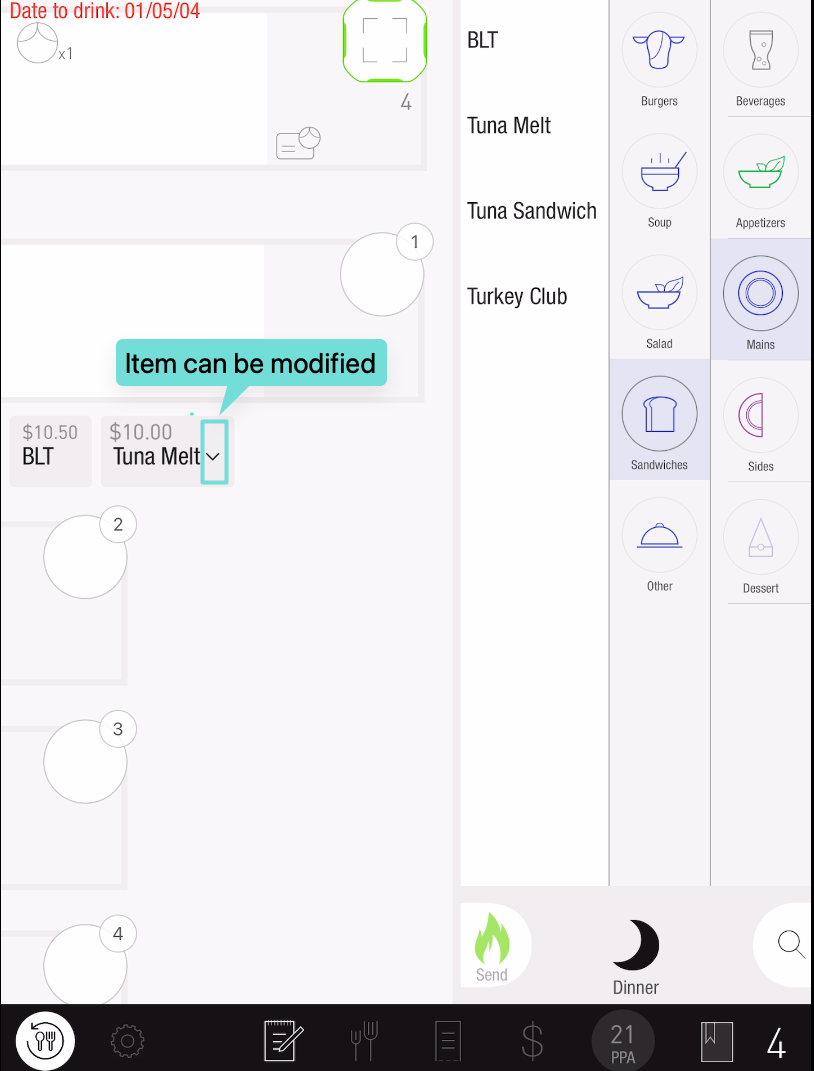
Hierarchy Indications:
-
Collapse arrows identify editable items with modifiers.
-
-
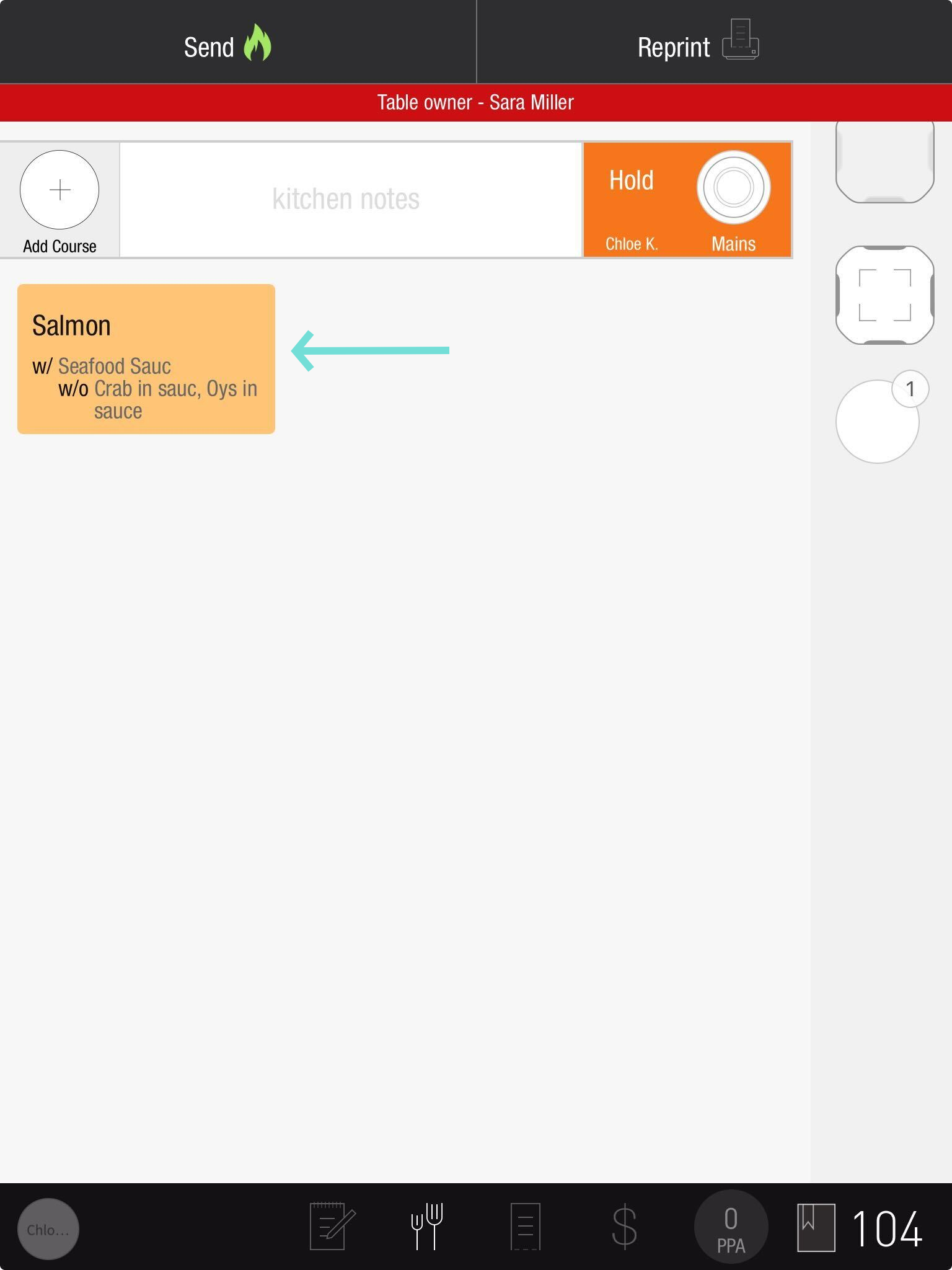
Stacked Text for Changes: Modifier and sub-modifier changes appear on stacked lines, for example, On Side: Opelousas (Veg Cream), Lemon.
-
An asterisk identifies a modified modifier item during editing.
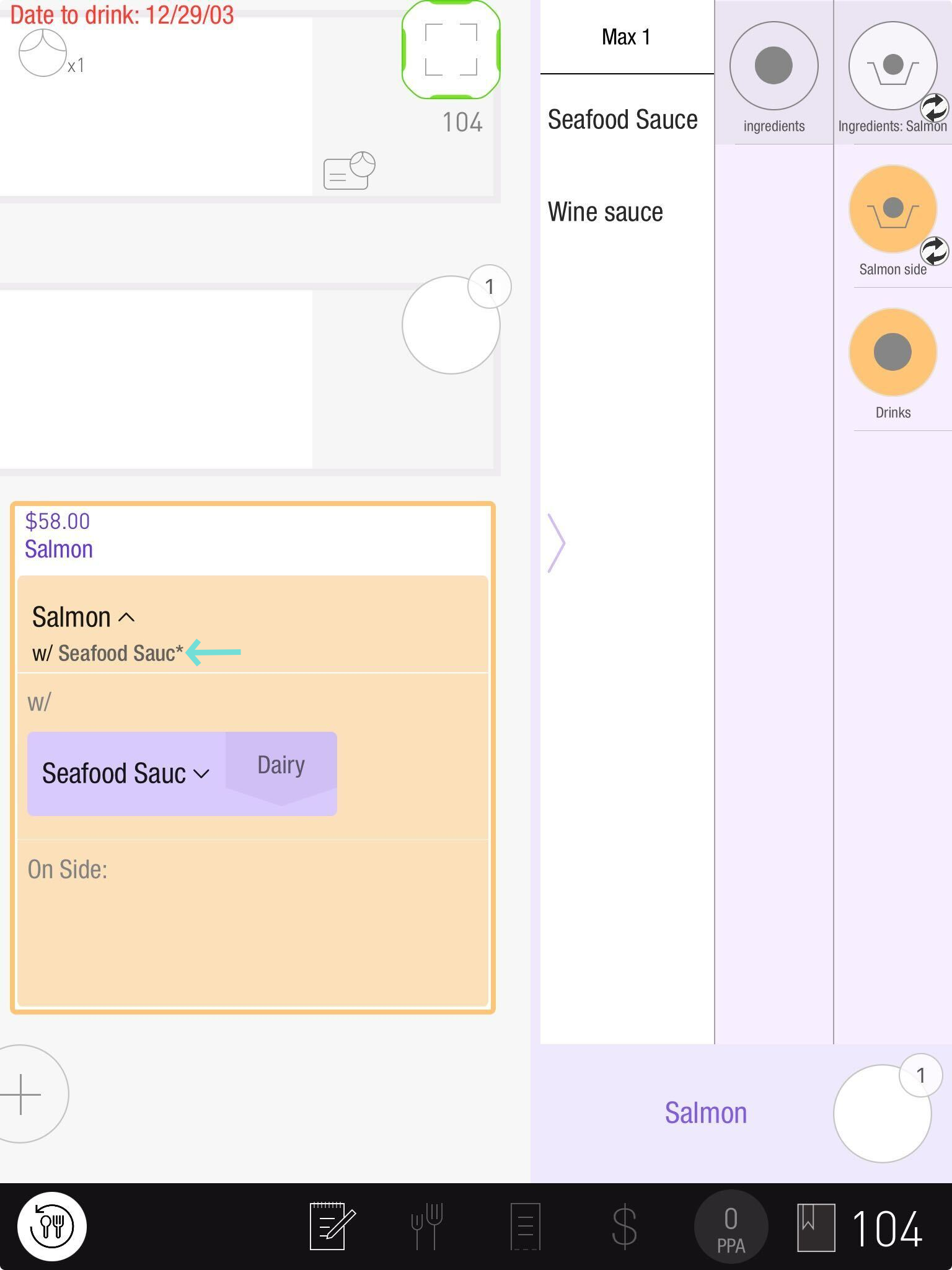
These interface changes apply even when Sub-Modifiers are disabled.
2. Offline and suspended orders removed from Technician tab
Offline Orders and Suspended Orders have been removed from Operation's Technician tab, where older records could create confusion.
Fix
Login Screen Freeze Resolved on TD Profile
Previously, a TD order notification during TD-profile sign-in could freeze the PAD until the app was closed or sent to the background.
The fix allows sign-in to finish and open the TD screen even when an order notification arrives.
Tabit Gift Cards

V8.10.0
Improvement
Enhanced image management for gift card setup
Gift card image fields now support:
-
Download Uploaded Images: Use the download icon beside the trash icon to retrieve a previously uploaded image.
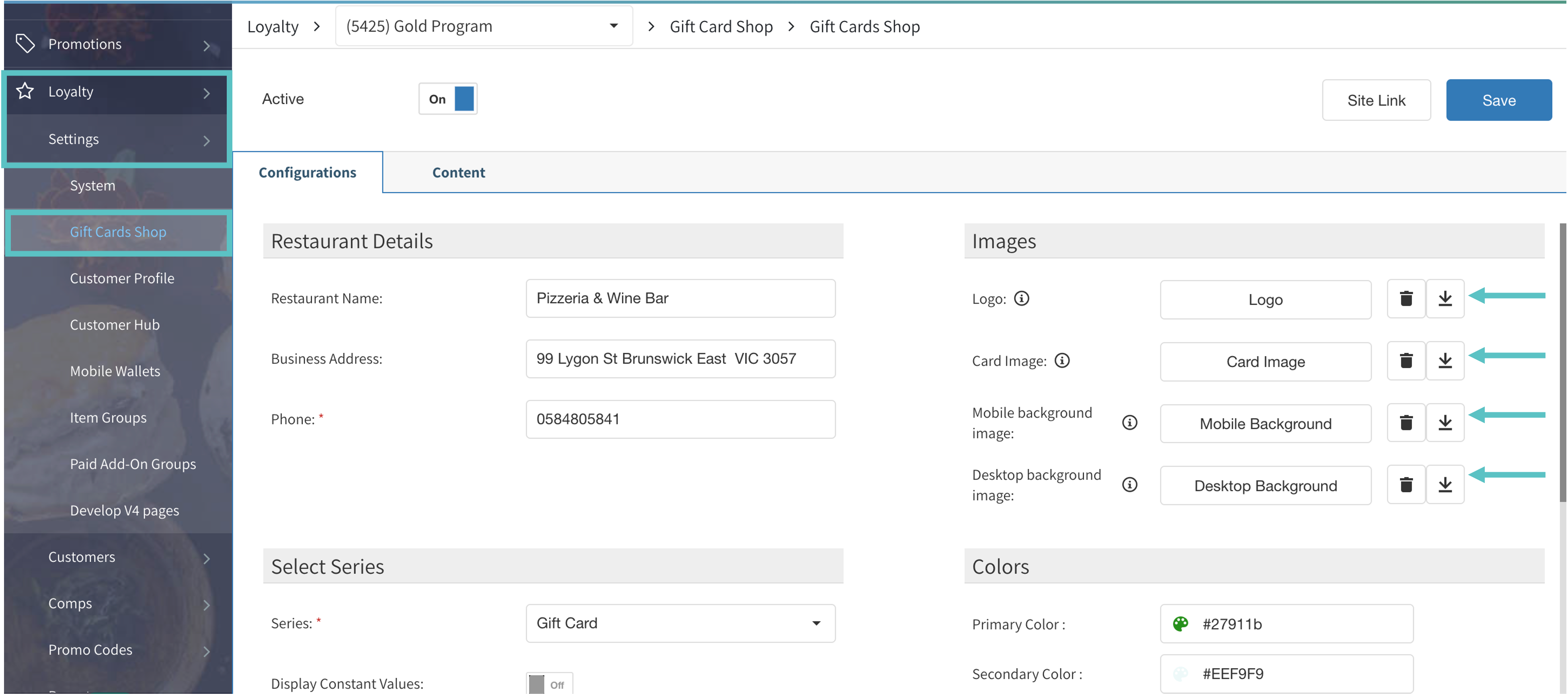
-
Crop and Optimize Uploaded Images: Crop an upload to the required aspect ratio with the built-in tool.
-
An upload larger than 500 KB triggers a warning.
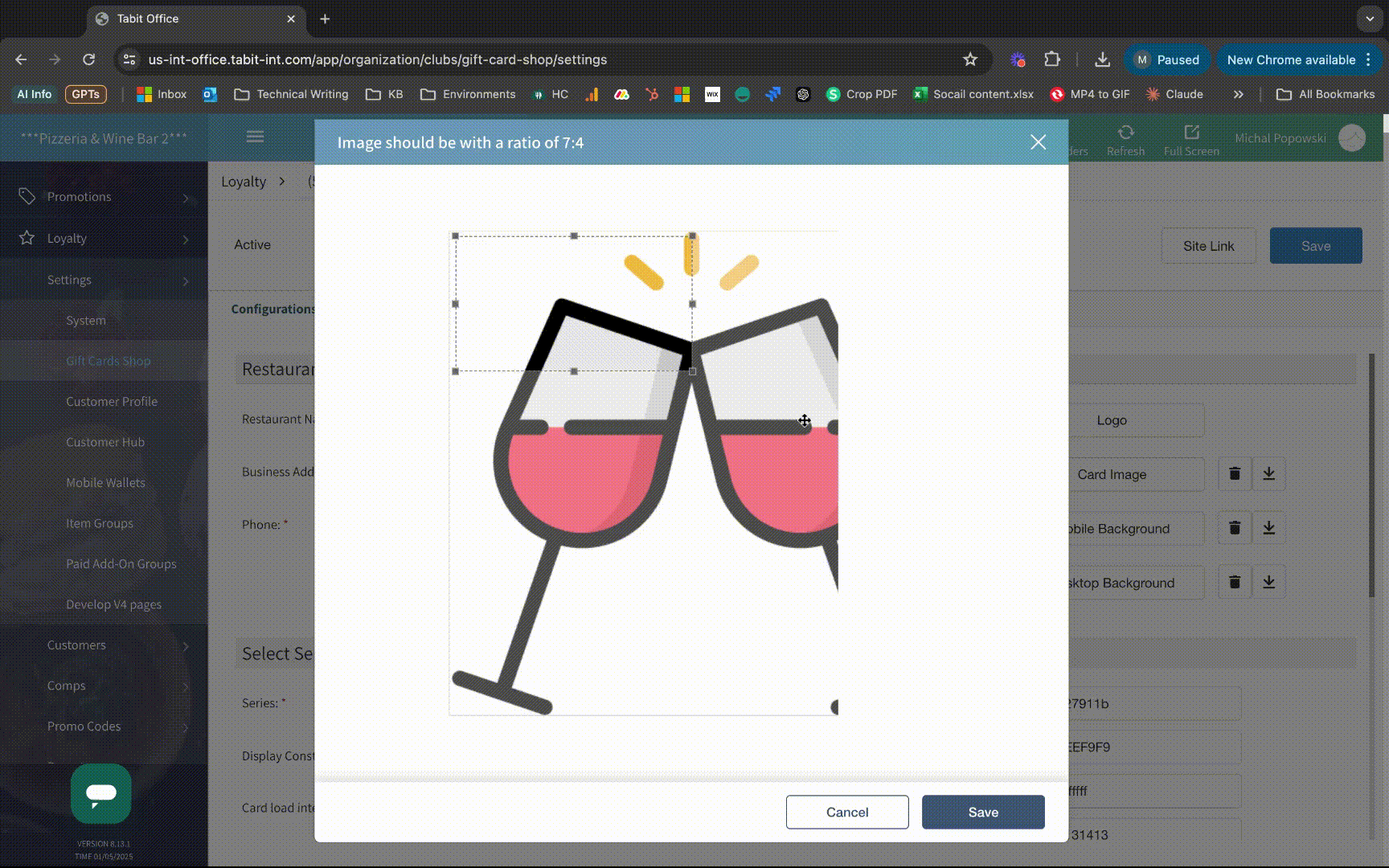
The changes apply to Office image fields in system settings, rewards, digital wallets, and Gift Card Shop.
-
Tabit Kitchen

ֿV4.1.0
New
Auto-link Eat-In tickets on KDS for seamless table management
Business Case
Eat-In tickets with the same table number can be placed next to each other so the kitchen can coordinate service.
How it works
-
KDS automatically groups tickets for the same table that arrive within five minutes.
-
An indicator identifies linked tickets.
-
Applies to Expo and Kitchen stations.
How to set it up
Enable General Settings > Expediter > Auto link Eat-In tickets with same table number (5 min threshold). The default is Disabled.
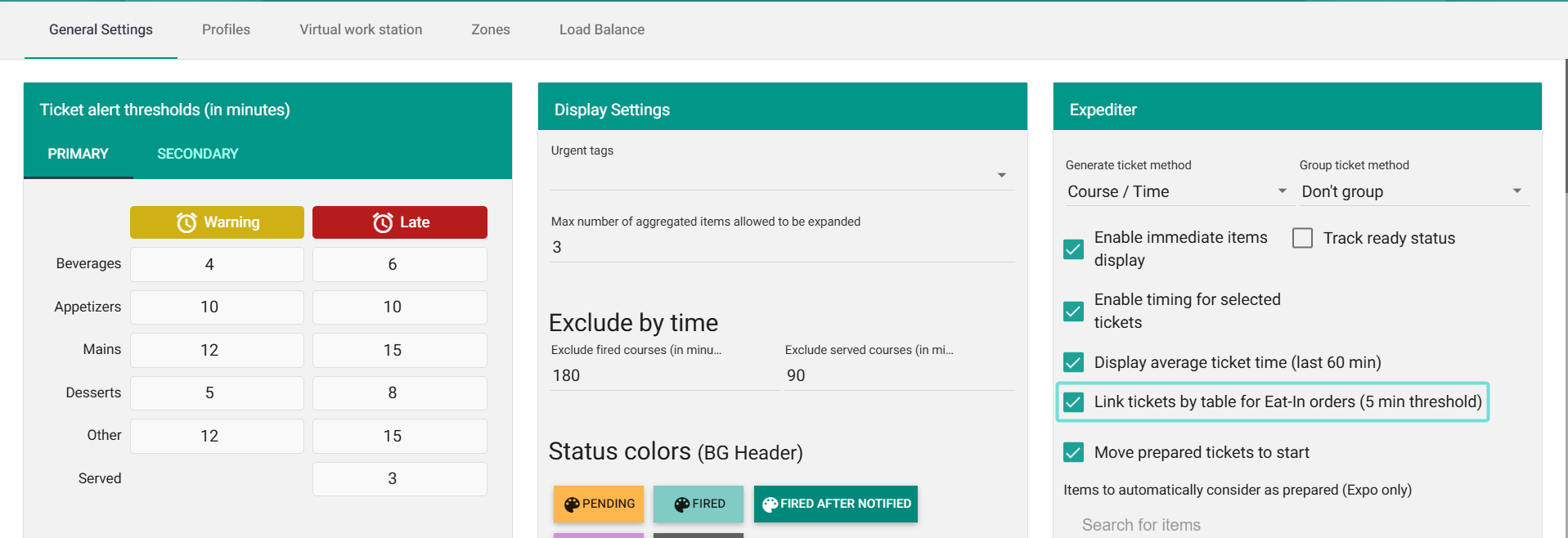
Only Eat-in orders with a table number qualify.
Sample Video
Tabit Pay

V 2.7.0
Improvement
Improved split payment calculations
Business case
Split payment calculations use the original order or check total, including fees and excluding tips.
Before
Previously, splitting used a fee- and discount-adjusted amount. For example, a $100 check with a $3 cash discount split $97 among guests, which could produce an imbalanced order.
Now
The 1/2, 1/3, and 1/4 options now use the original total before fee adjustments.
Tabit Integrations
