
Tabit PAD
New
Level up staff training with PAD Training Mode
Managers can enable PAD Training Mode so staff can practice orders, payments, and bill printing without affecting live operations.
Training Mode supports:
-
Server practice with most payment flows, split payments, split checks, client tips, and driver assignments.
-
Bills and receipts marked Training Mode. Training kitchen tickets are not sent to printers or KDS.
-
Visible indicators throughout the interface while Training Mode is enabled.
-
Training orders are removed on exit and do not affect reports or inventory.
For supported workflows and restrictions, see the Help Center article.
Improvement
Improved Ingenico device connection stability and unpair guidance
The PAD now shows Bluetooth Ingenico connectivity more clearly and adds reconnection guidance before unpairing.
What’s new?
-
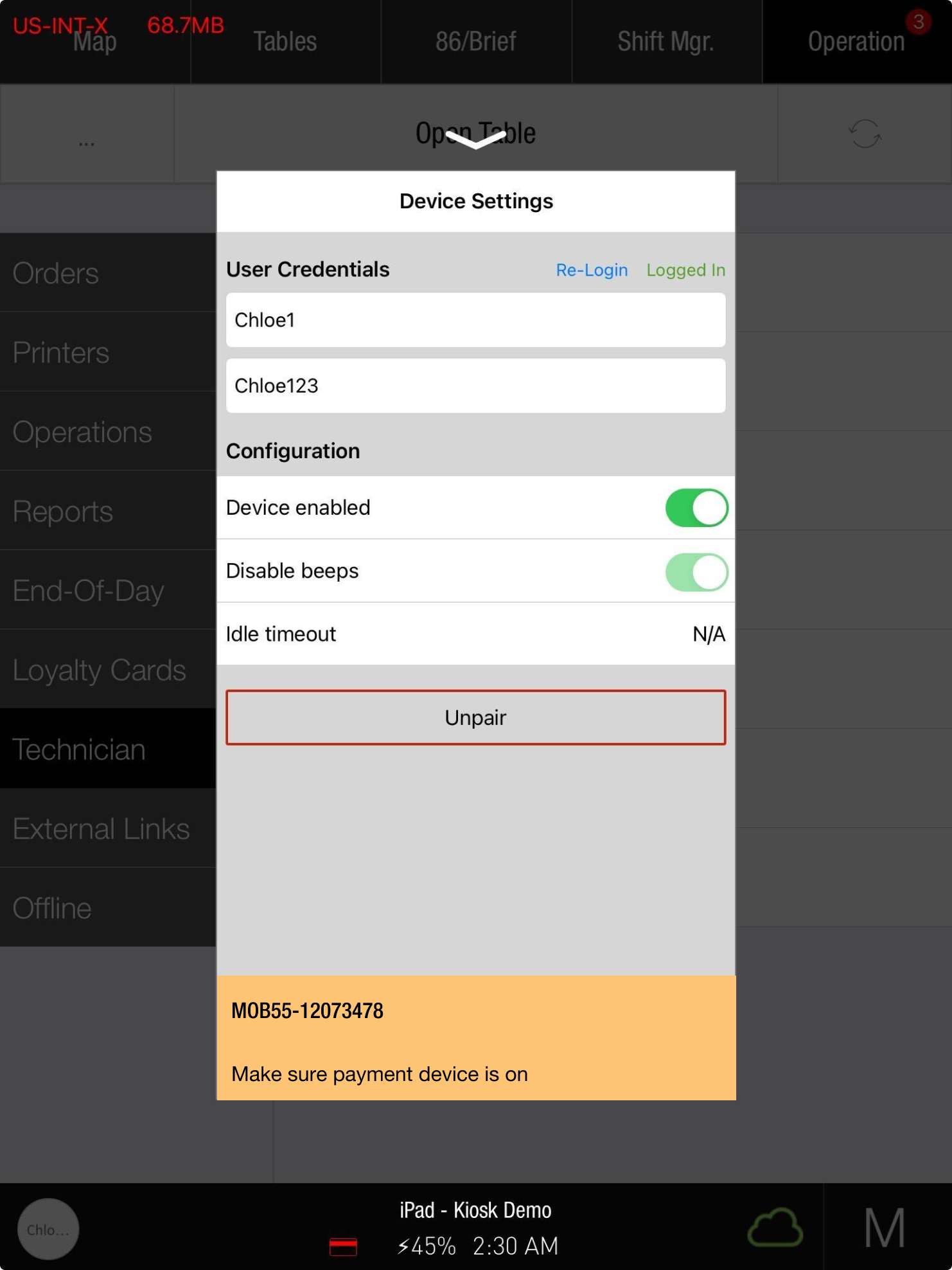
A paired device that is disconnected appears unavailable in the handler, with a reminder to check its power.
-
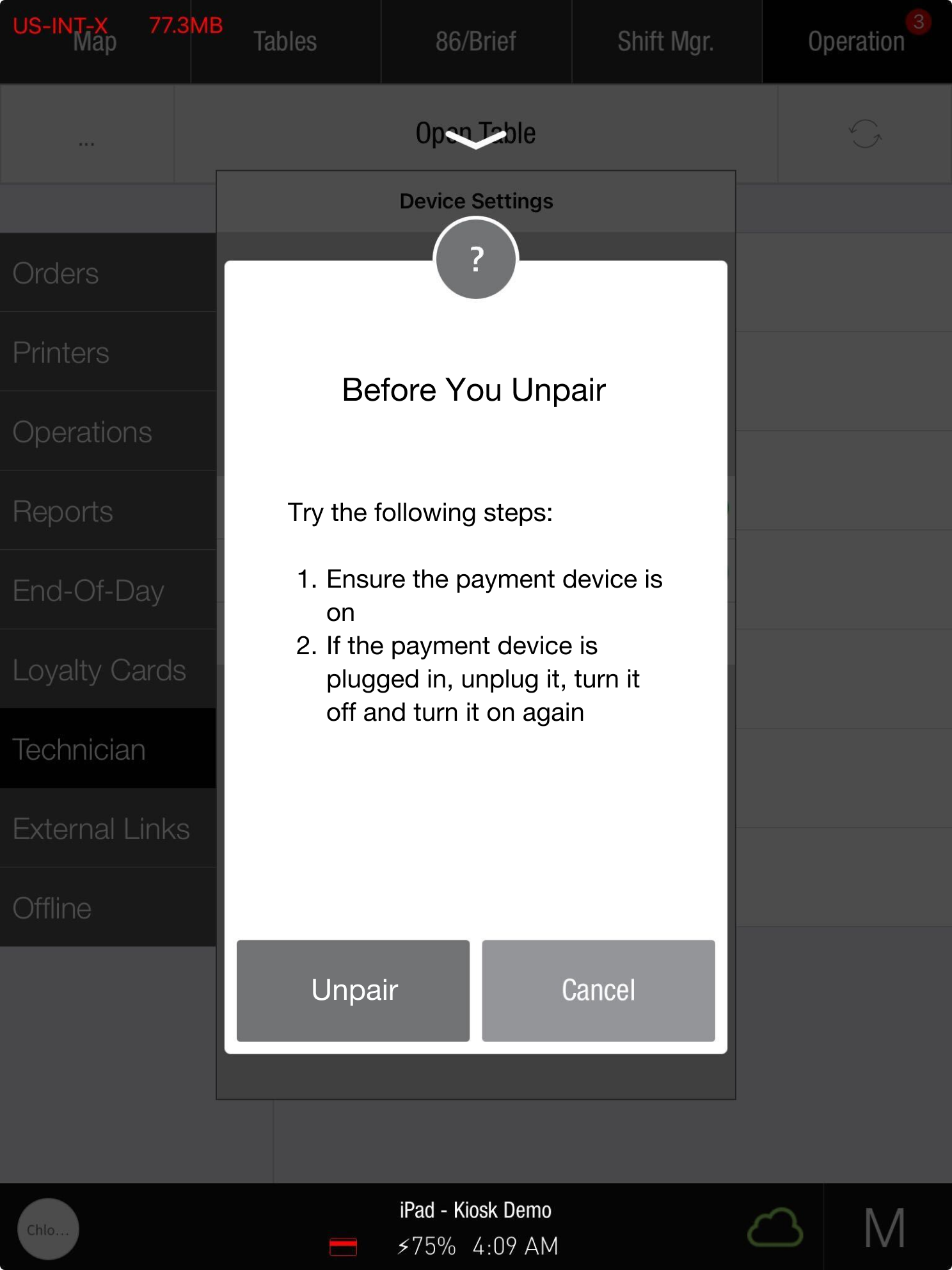
Confirmation dialogs suggest reconnection steps before the device is unpaired.
-
A connected device requires explicit confirmation before unpairing.
These prompts help users investigate connectivity before disconnecting the pairing.
Pre-auth flow improvements and error handling fixes
The Open Tab pre-authorization flow includes improvements to error recovery and operation.
What’s new?
-
The cardholder name field is locked during pre-auth to avoid ending the transaction accidentally.
-
For a card without a name, the field unlocks after processing so the user can enter a name and finish.
-
A payment error restarts pre-auth automatically while keeping tags and notes.
-
Canceling pre-auth restarts the complete flow from a clean state.
These changes support recovery and completion of the pre-auth flow.
PAD now supports tax exemption for unpaid 3rd party orders
PAD operators can exempt tax on third-party orders, such as Olo, if no payment has been made.
Previously, tax exemption was blocked on every third-party order regardless of payment status.
Now:
-
Unpaid orders, including payment-on-site orders, can receive tax exemption.
-
Paid and partially paid orders remain ineligible for tax exemption.
-
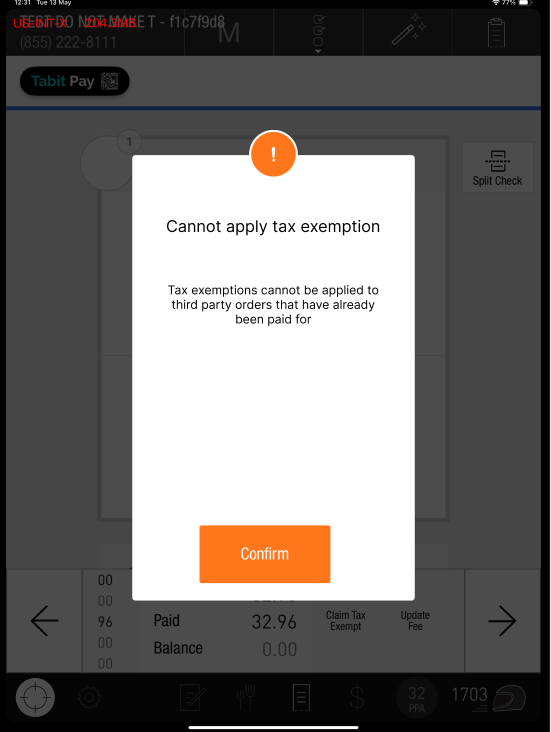
Attempting to exempt a prepaid order displays the message shown below.
-
After approval, the system recalculates tax and the order total.
Fix
Transferring items between orders no longer fires pending courses
Moving unfired items no longer fires pending courses in the destination order. The moved items stay unfired, and an operator must fire pending courses manually.
Improved handling of Ingenico payment reversals
A fix prevents a PAD crash when manual credit card payment is started twice rapidly on the client tip screen, causing an Ingenico reversal. The user now sees a payment-canceled message.
Fixed issues blocking TD order closure
TD order fixes address delayed/future orders and receipt printing:
-
Fire Now stays hidden after the order is fired and paid.
-
Print Receipt correctly triggers POST/cash and displays Mark Taken.
-
Execute remains visible and is disabled when appropriate.
-
Paid orders that have not been cashed no longer appear in bulk close.
Tabit Office
Improvement
Enhanced pricing visibility when editing Combo Group Items
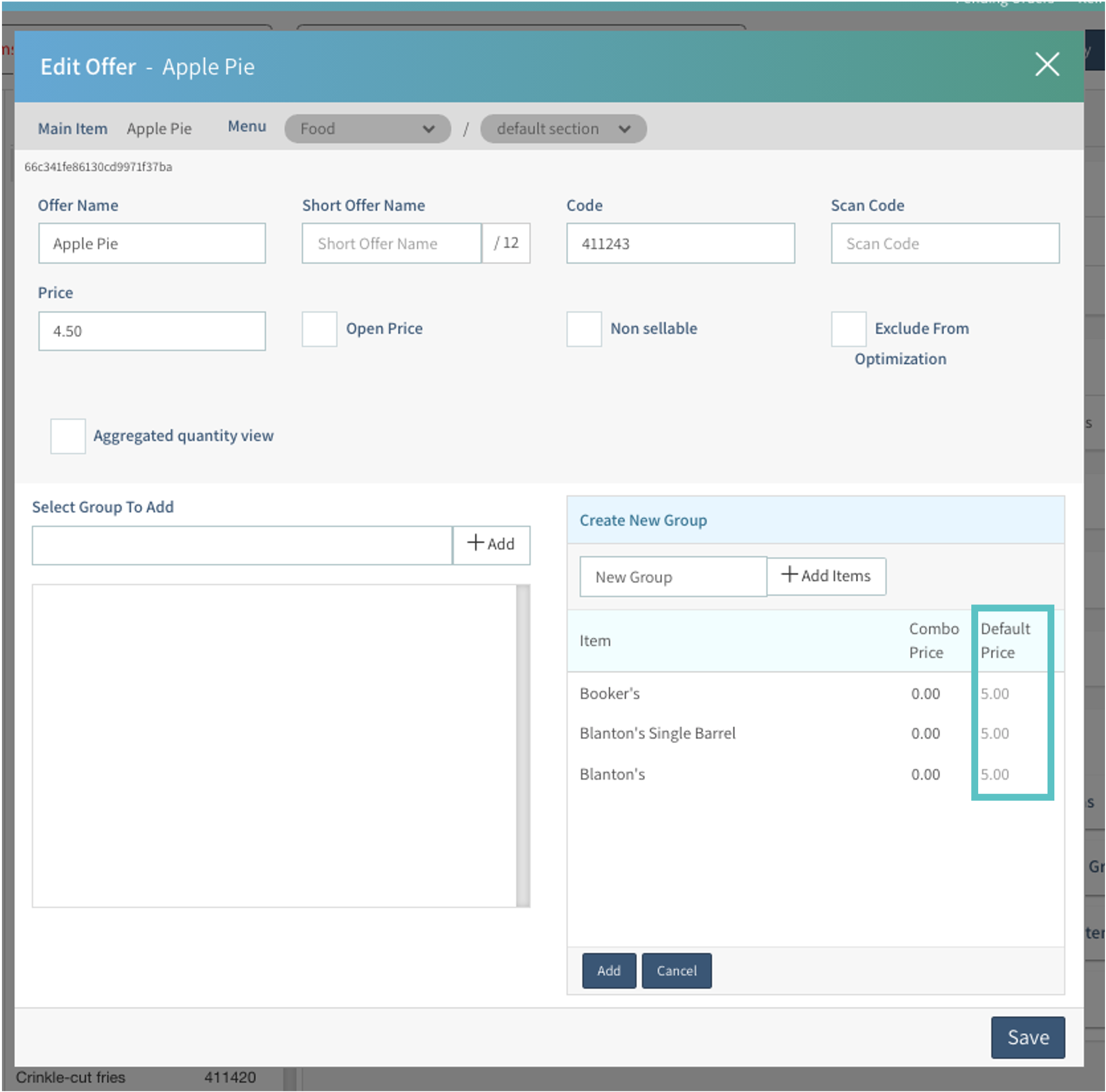
Previously, combo and default prices appeared only in the overview.
They now also appear as references during editing.
The default item price appears when creating or editing a combo item.
Enhancement
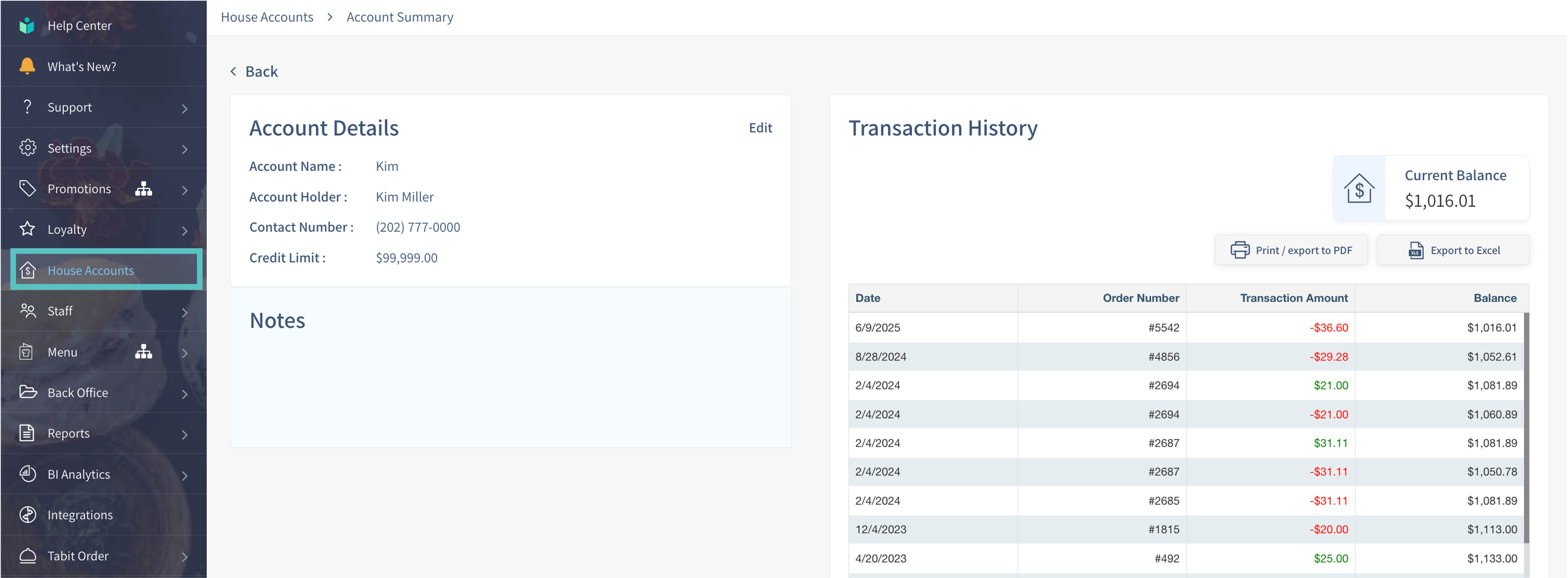
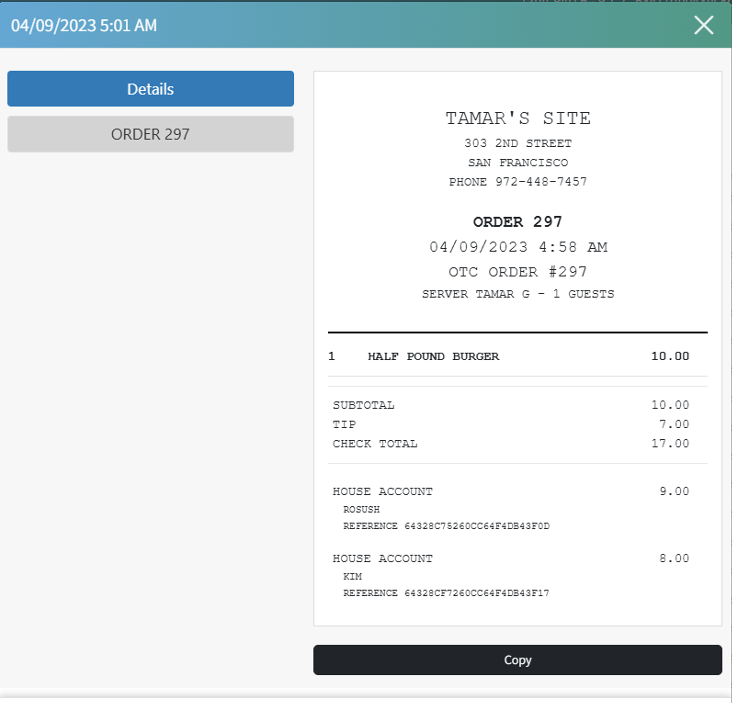
View order details directly from the House Accounts transaction history
Open order details directly from the House Account summary, including suspended, open, and closed orders.
Where to find it:
-
In Tabit Office, open House Accounts and search by the customer's phone number.
-
Choose an order to display its details.
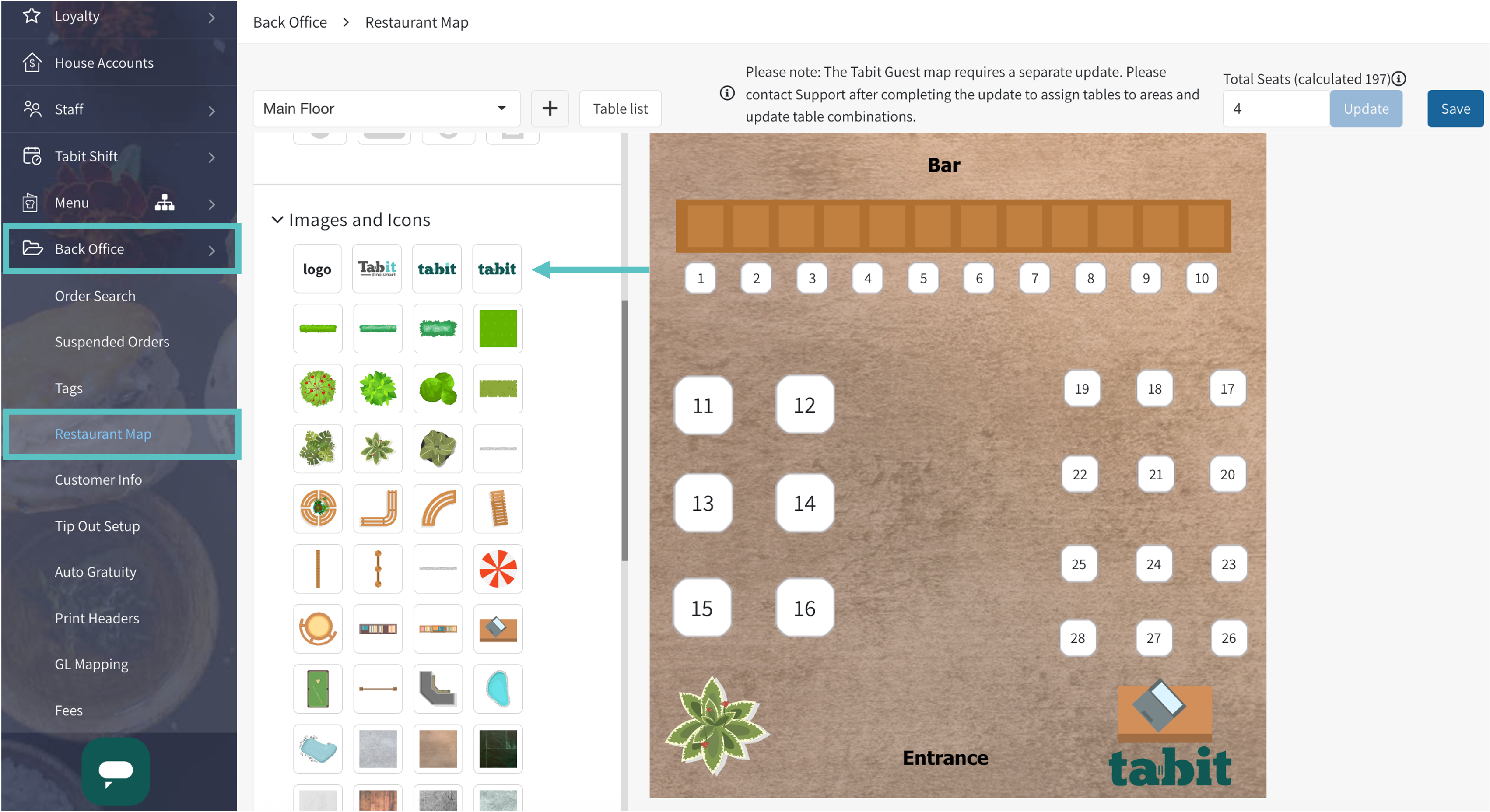
Updated Tabit logo added to the map creator
Where to find it:
-
Open Back Office > Restaurant Maps in Tabit Office.
-
Choose the map and open Images and Icons.
-
Select the updated Tabit logo to add it to the map.
Fix
Fixes to Tip Out setup
Tip Out category selection now remains in place after saving, and the delete option is available again.
Tabit Order
New
Order history now available for Loyalty members in Tabit Order
Customers signed in by phone number can view order history in Tabit Order.
-
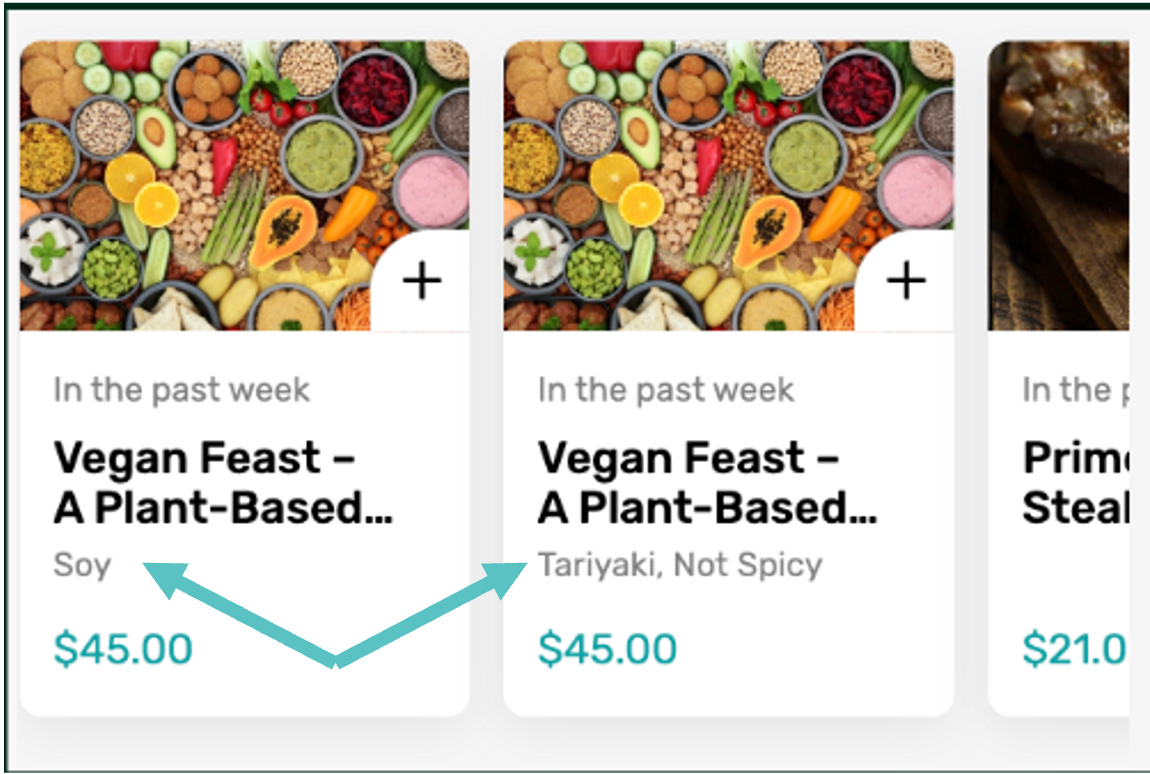
The history shows up to 10 items from the past six months and indicates how recently each was ordered.
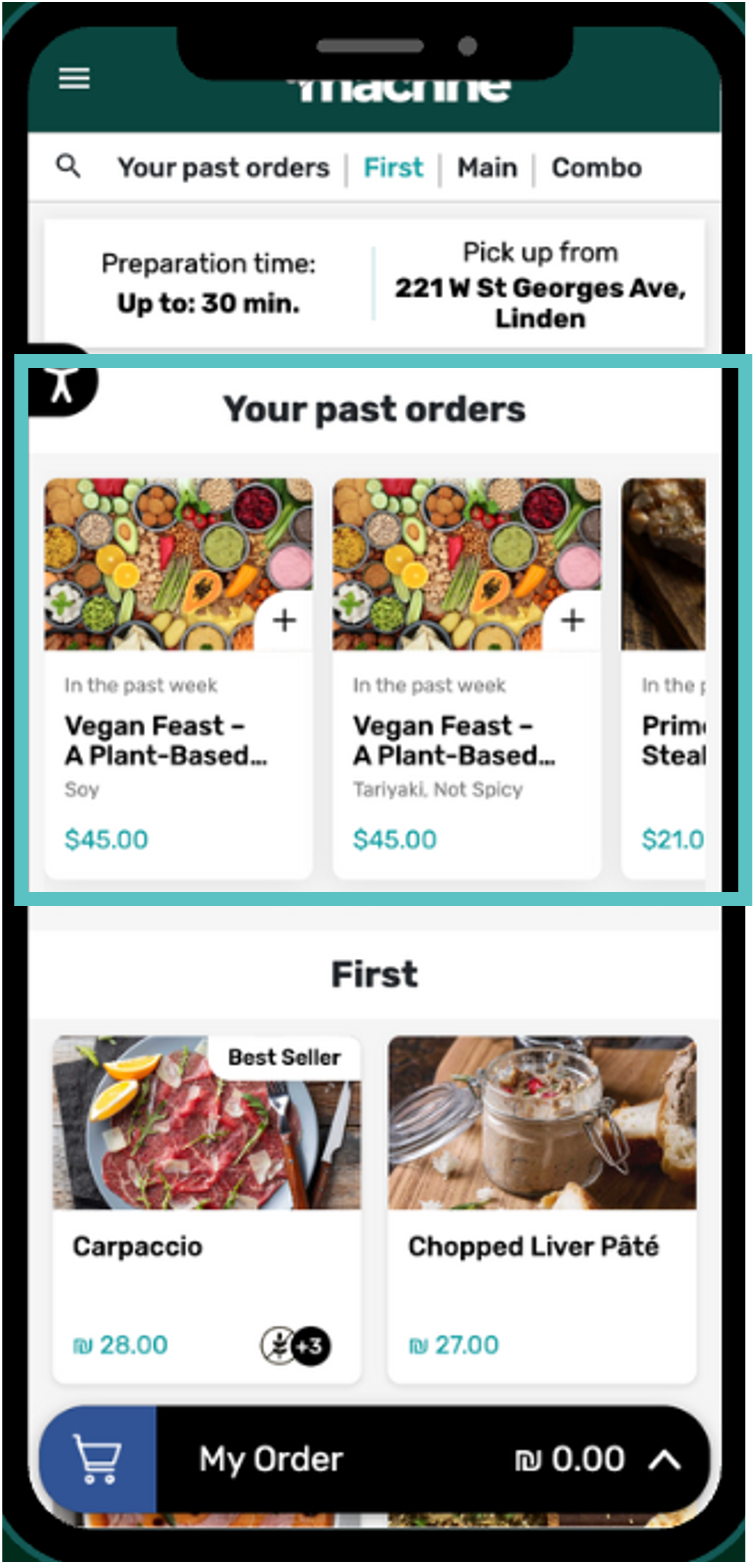
-
The same item ordered with different modifications appears as separate entries.
-
History displays only items currently available.
Tabit Integrations
Improvement
Prevent duplicate item creation when building Middleware menus
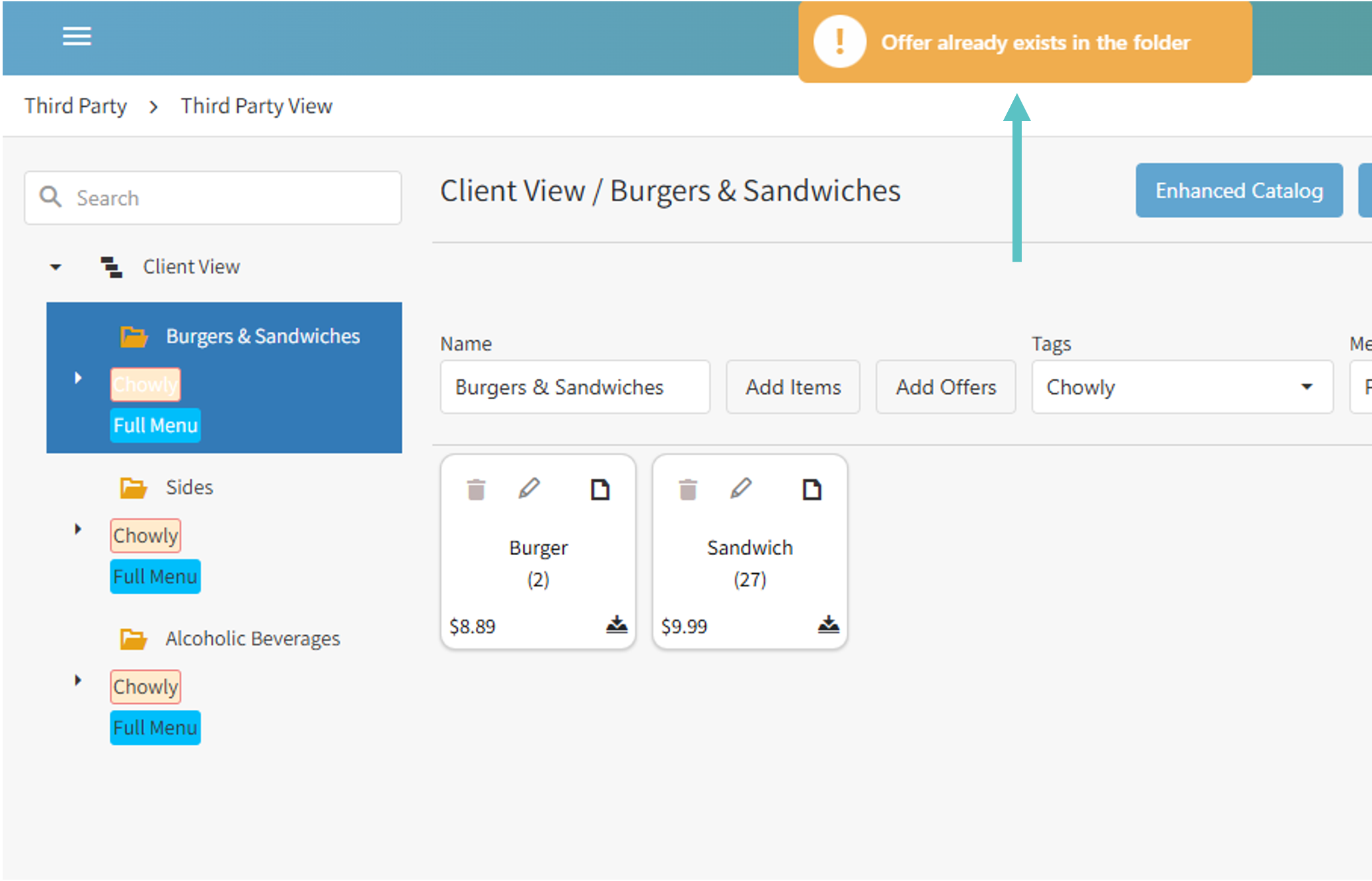
Middleware Menu Builder now blocks adding the same item twice within a folder to help avoid duplicate third-party menu entries.
Attempting to add a duplicate displays the error below.
Existing menus containing duplicate offers are unchanged.