Tabit PAD
New
Concurrent payment support with "Payment Assist"
Payment Assist lets several servers take payments on separate checks within one order.
-
Enable the feature through Base > Payment Settings > Enable Payment Assist.
-
After checks are split, the primary server can turn on Payment Assist with its toggle.
-
Other servers can join to pay individual checks. Other order areas remain restricted.
-
Checks lock to prevent simultaneous changes, and the lock state updates across PADs. For details, see the full guide to using Payment Assist.
Improvement
Restrict negative payments to original tenders
Negative-payment controls can require refunds to use the original tender, supporting consistent tracking of refunds after discounts or voids.
What’s new?
-
Base > Payment Settings > Negative payment restrictions replaces the older manager-only setting with:
-
managers (default): Only managers can enter negative payments.
-
none: No restriction.
-
originalPayments: Requires the original payment tender.
-
managersAndOriginalPayments: Requires both manager access and the original tender.
-
-
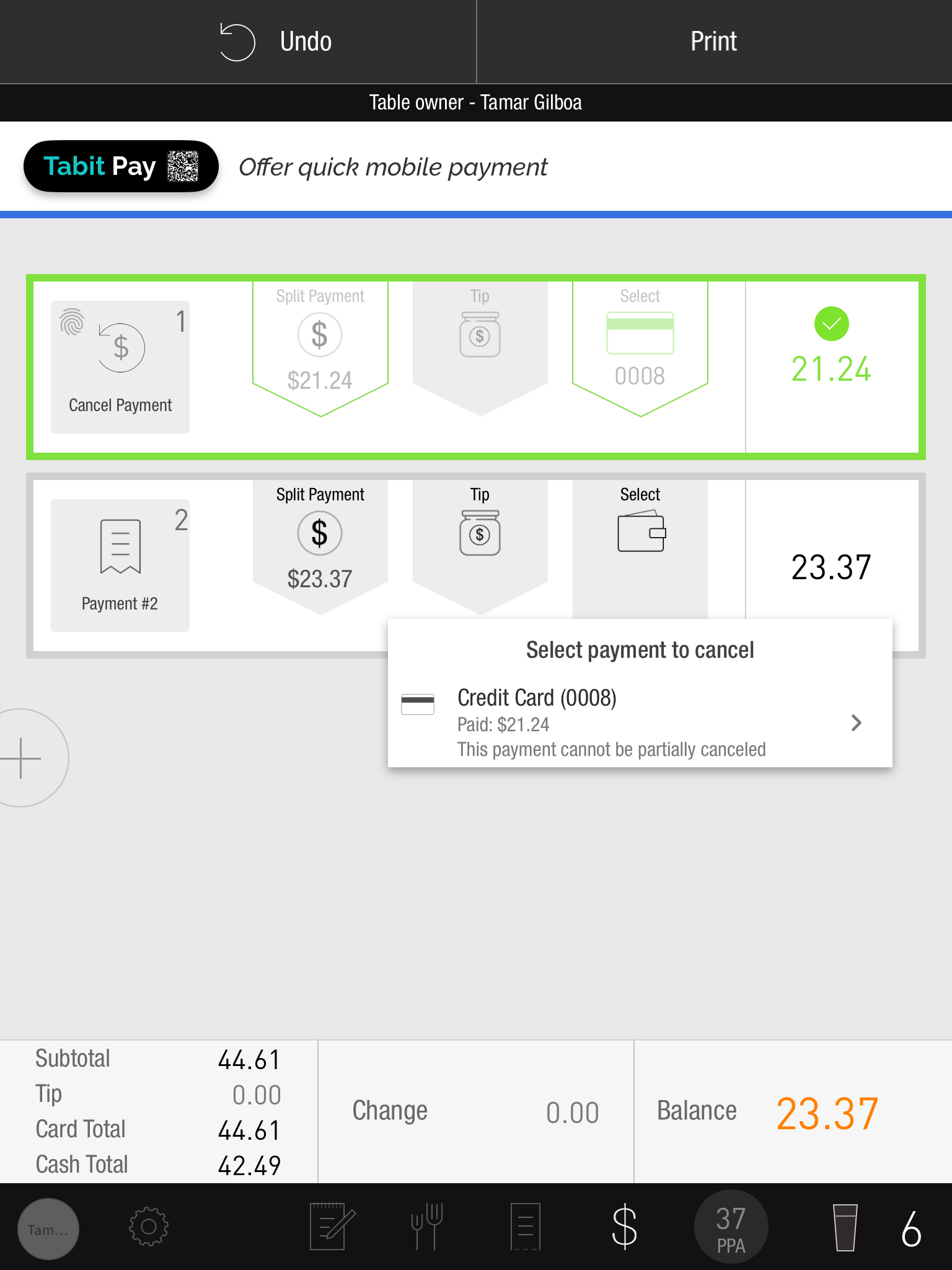
With originalPayments or managersAndOriginalPayments, refund choices are limited to completed payments and identify those eligible for partial refund.
-
Partial refund exclusions in this release:
-
Prepaid payments
-
Tips.
-
Authorizations that have not been completed.
-
Sites using Tip adjust.
-
Partial refunds support Ingenico credit and cash payments.
Duplicate orders now supported for Open Tab and OTC
Order duplication now includes Open Tab and OTC as well as Seated orders. Managers can recreate closed orders from the same business day.
Now:
-
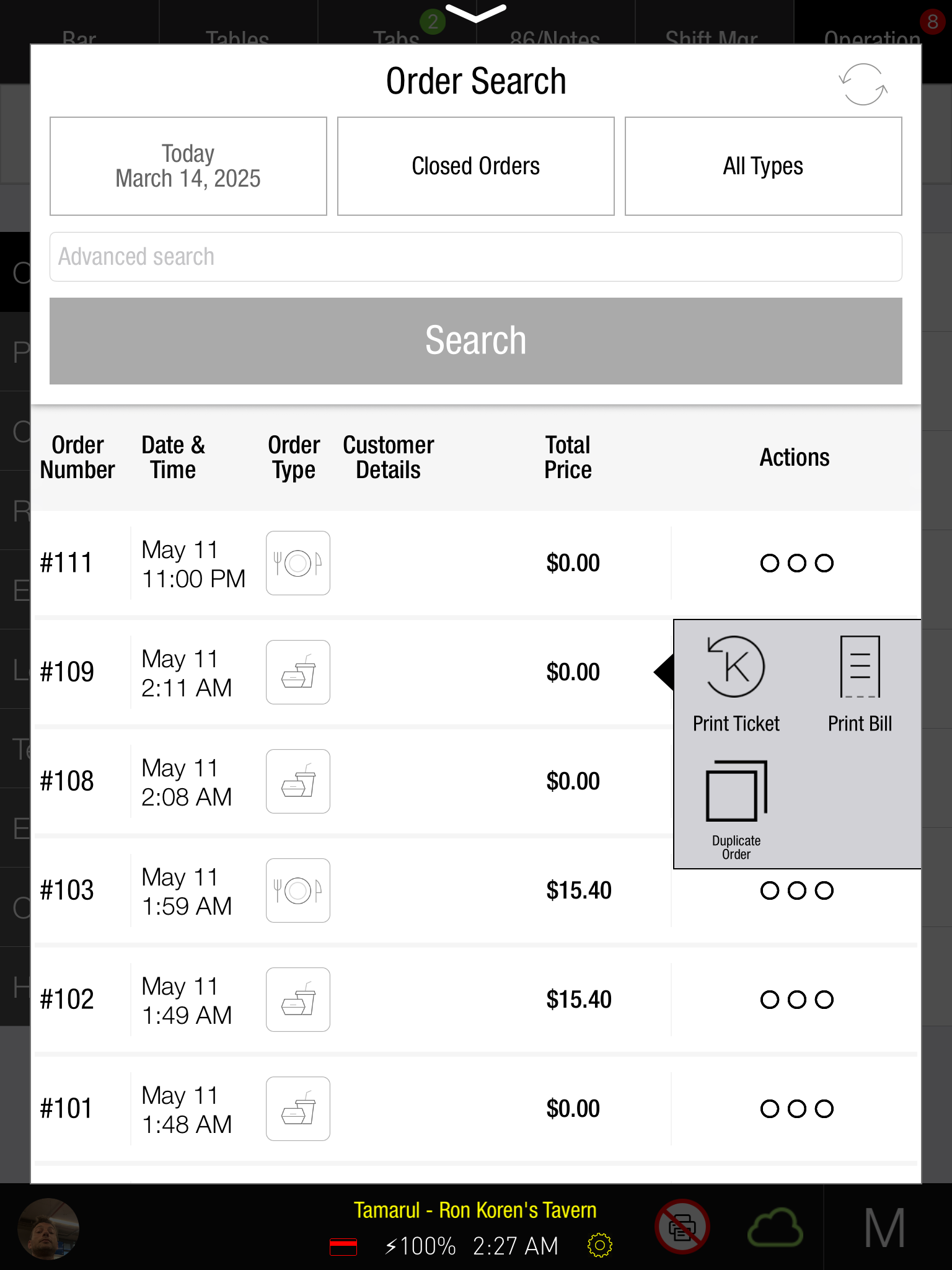
Duplicate Open Tab and OTC orders from Order Search.
-
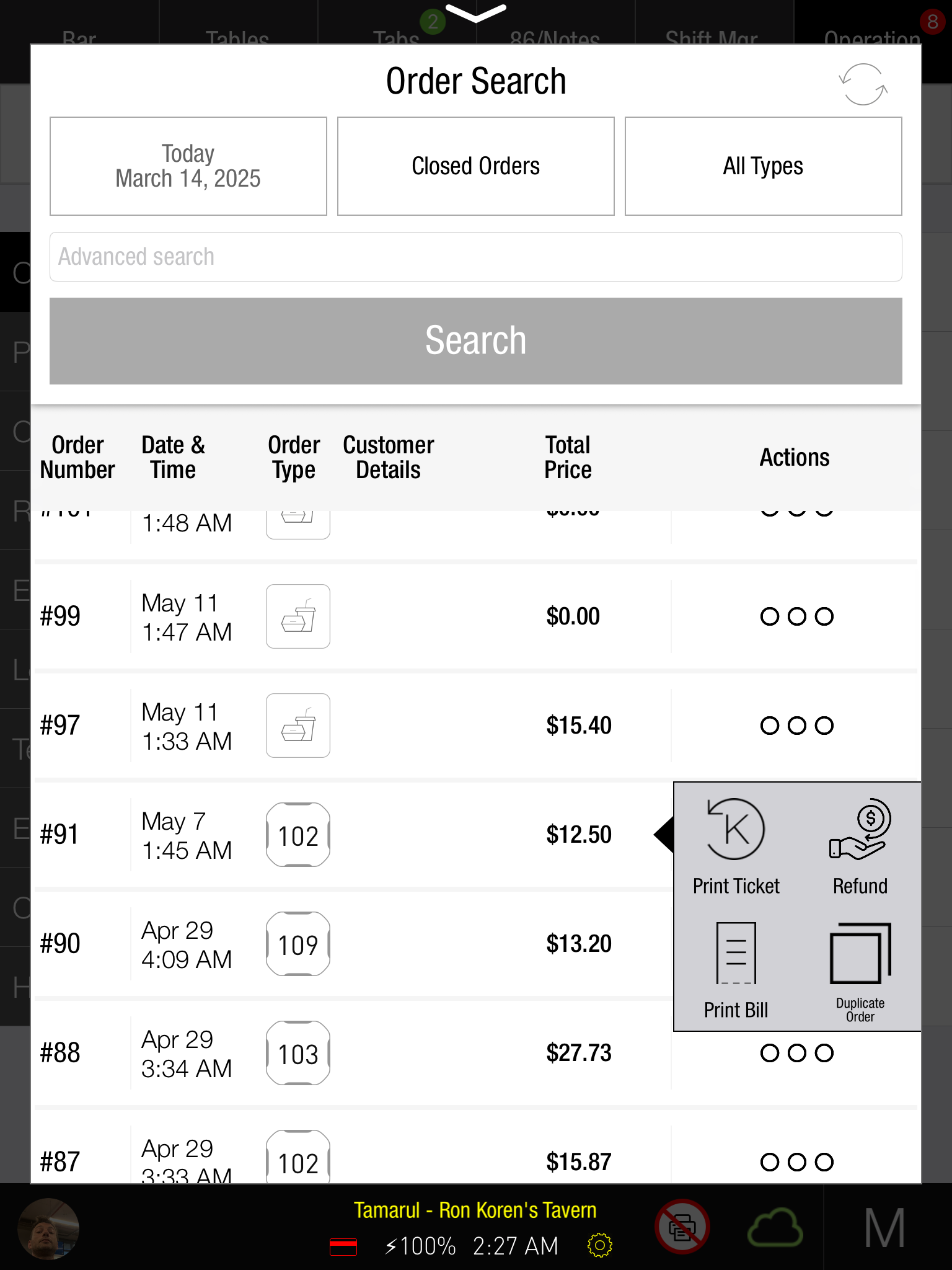
Use the order's three-dot menu and choose Duplicate Order.
-
Seated orders also use this duplication flow.
OTC:
Seated:
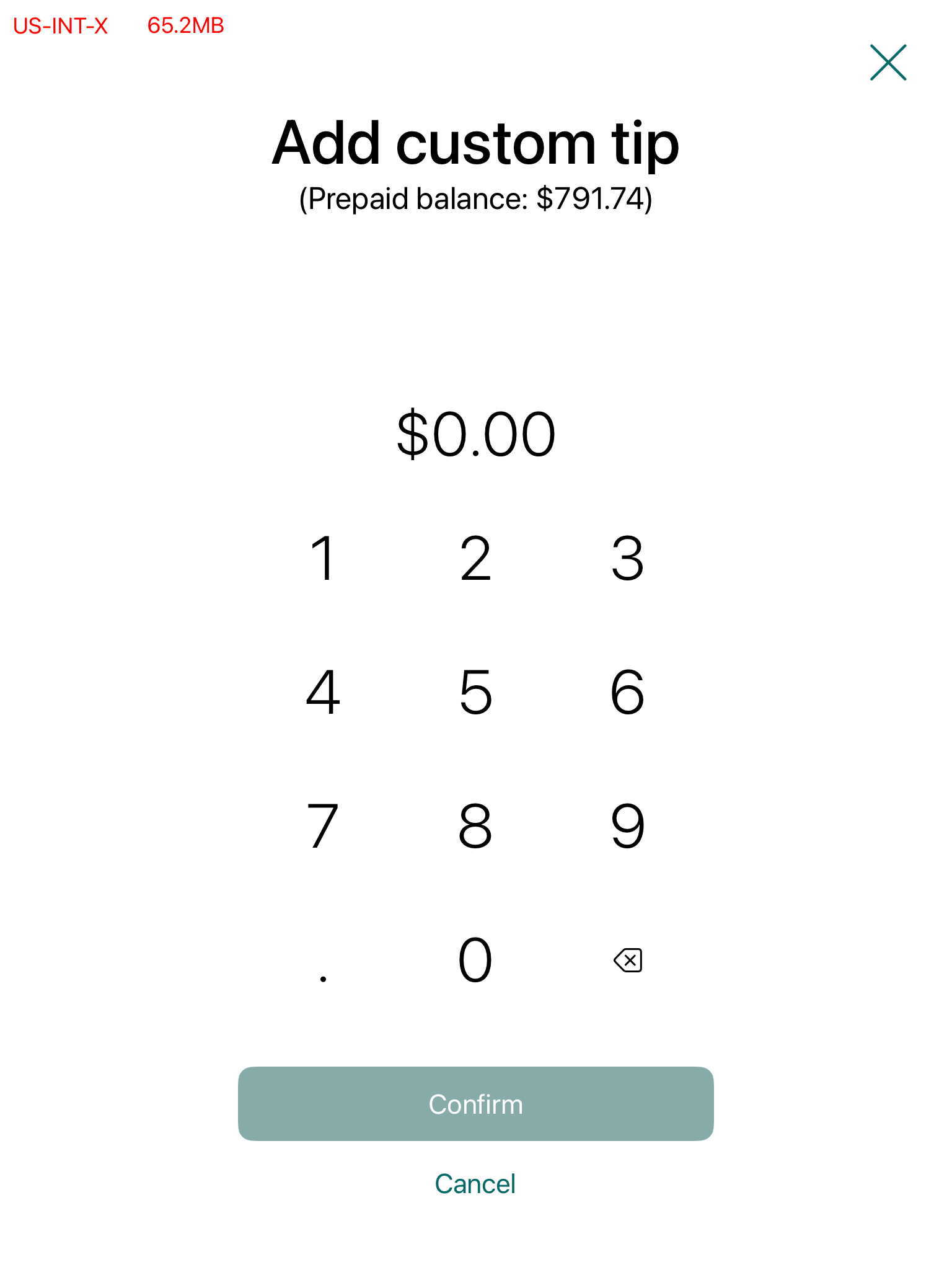
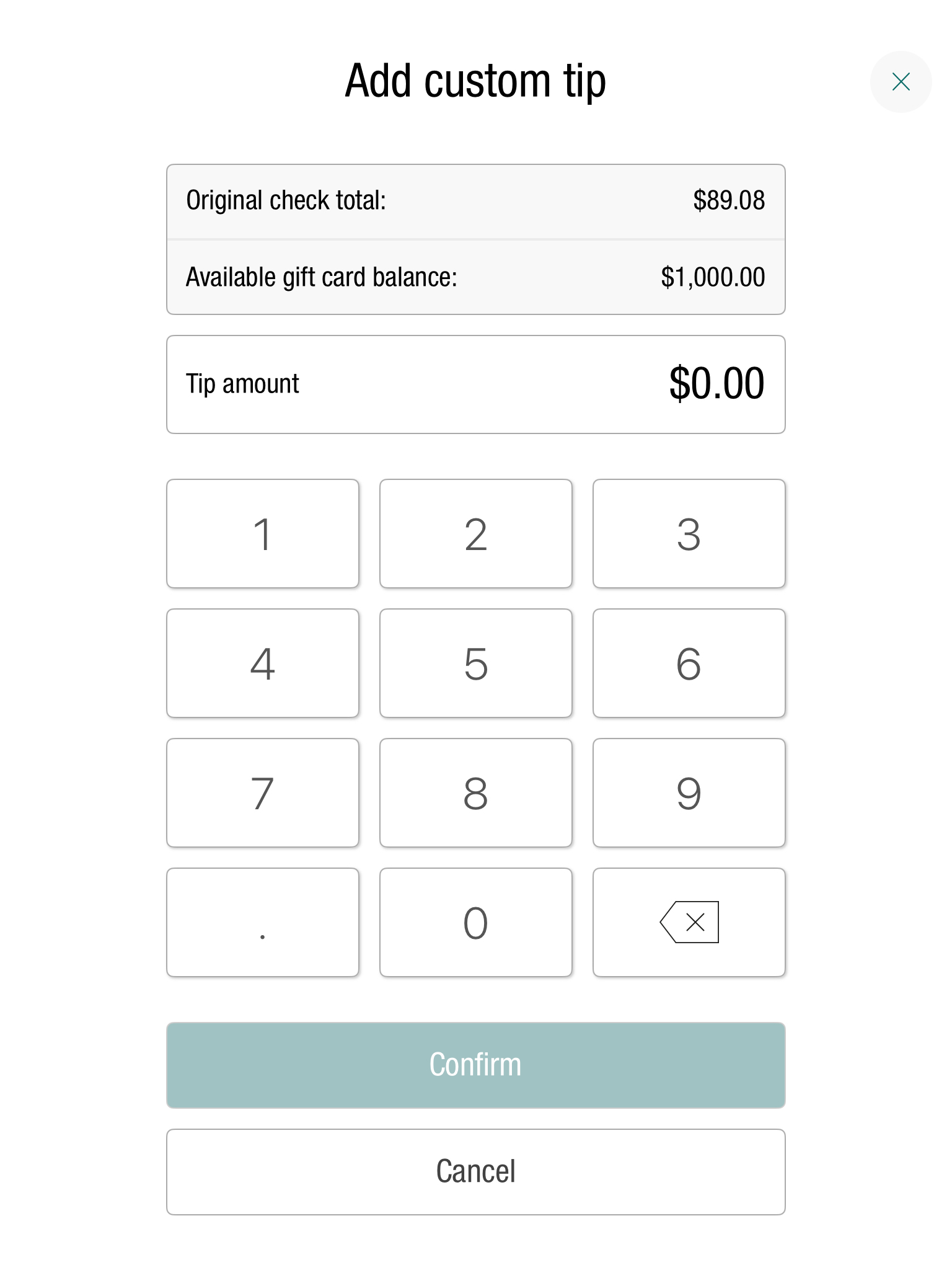
Improved custom tip calculator for 0-balance orders
Zero-balance scenarios now open the custom tip calculator instead of percentage suggestions.
The calculator includes:
-
A revised layout.
-
A dedicated area for the original check total and prepaid/HA balance where applicable.
-
Clearly outlined keyboard controls.
-
A separate display for the chosen tip.
The layout follows the design of the other calculator keyboards.
Old Calculator:
New Calculator:
Fix
Cash Owner Assignments modal now updates correctly after End-of-Day
Previously, the PAD could retain old cash drawer owner assignments after EOD, even though ROS had cleared them.
Cash Owner Assignments now refreshes after EOD to show the cleared state.
Credit Surcharge now correctly applied with reward cards
Before:
-
Reward card payments previously removed the entire payment fee.
-
Later payments did not restore the fee.
-
The resulting balance mismatch could prevent closure.
Now:
-
Reward card payments now retain the payment fee.
-
The PAD recalculates the surcharge from the revised remaining total.
-
The corrected balance allows the order to close.
Tabit Shift
New
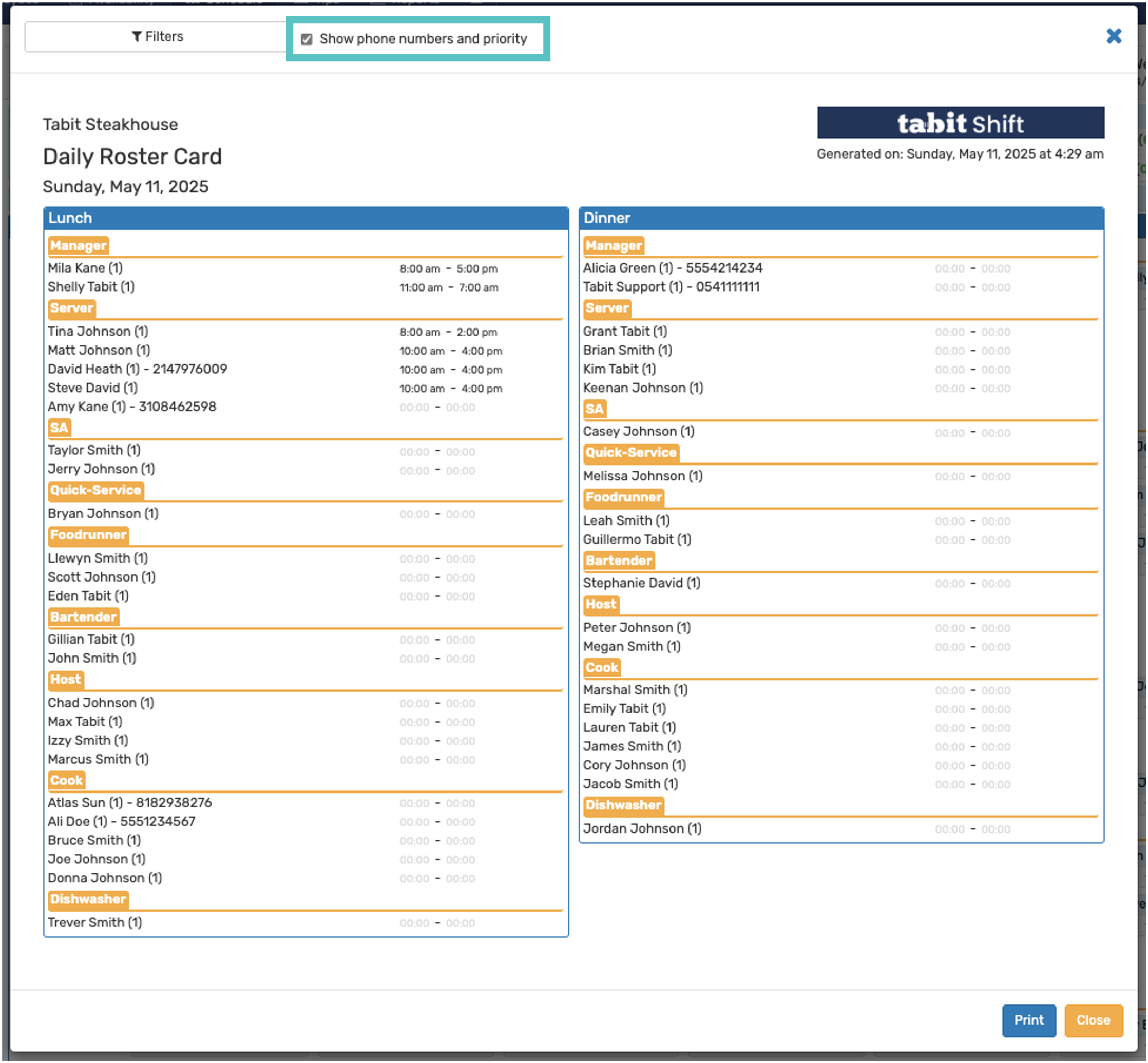
View employee phone numbers and priority on the Daily Roster Card
Where to find it:
In Tabit Shift, open Schedule > Options > Daily Roster Card to show or hide employee phone numbers and priority.