
Overview
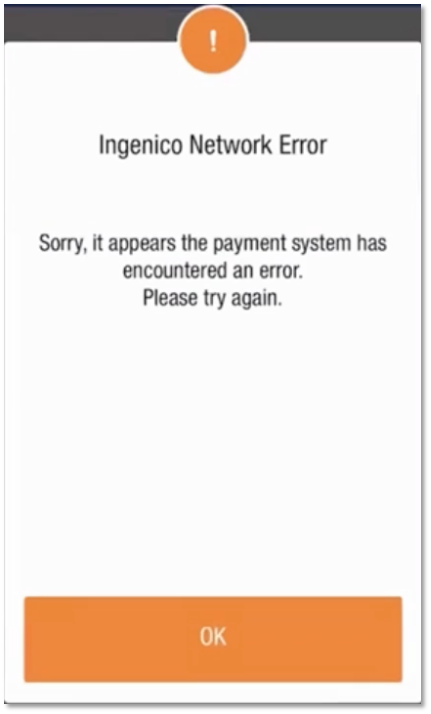
If the Ingenico Gateway is experiencing a service interruption, there will be a warning when an attempt is made to launch the credit payment method.
The first warning will be in Orange
The second warning will be in Red
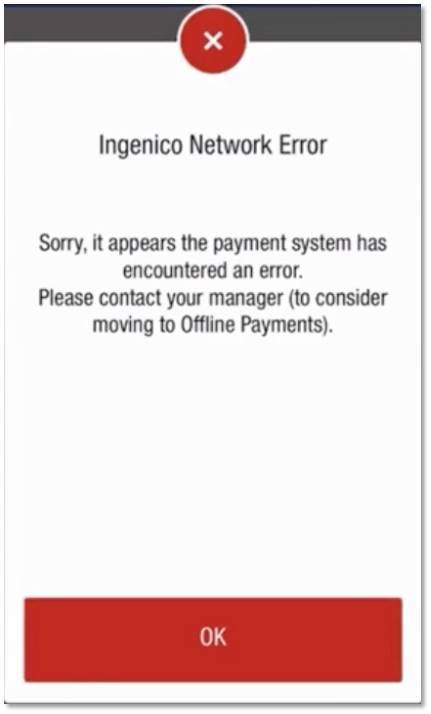
A Manager should decide whether to enable Offline Mode or enable Manual Entry which will utilize an alternate payment method.
Follow these steps to set up Offline Payments from the PAD
-
Log into the PAD under a Manager Job Function PIN.
-
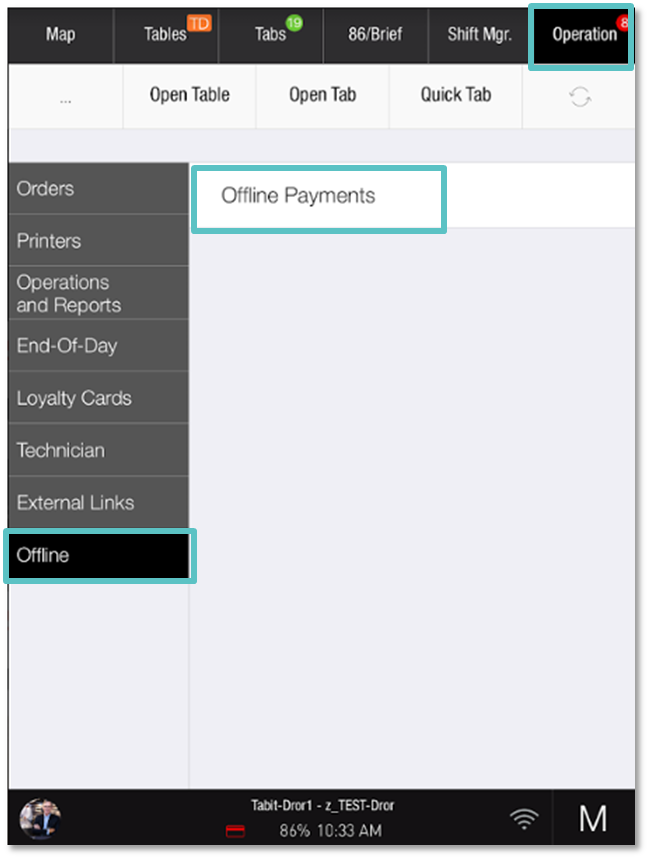
Select Operation > Offline > Offline Payments
-
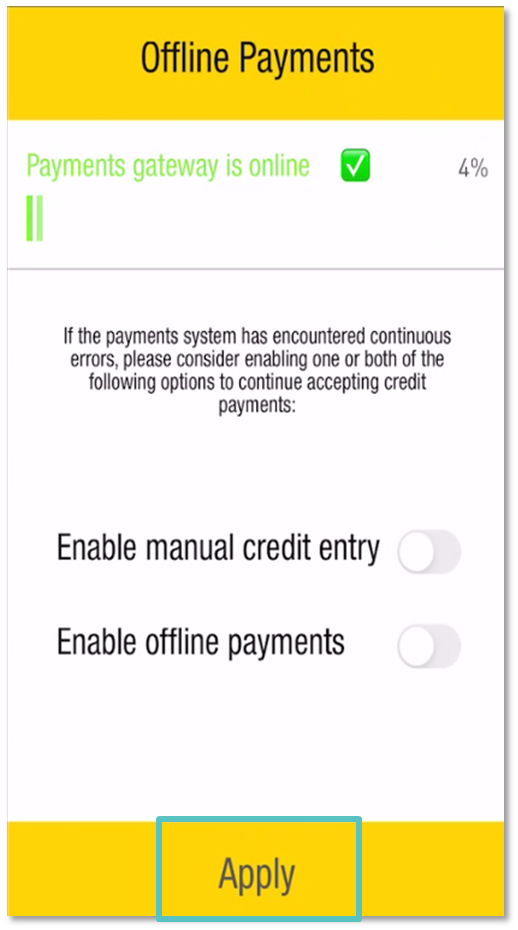
In the Offline Payments pop-up, select by toggling one or both of the following options/solutions:
-
Enable Manual Credit Entry: Allows live approvals and declines via a secondary credit account
-
Enable Offline Payments: This does not allow live approvals and declines. Orders will be suspended until payments are back online
-
Enable Both Methods: Allows the Server the option of either method for each transaction
-
-
Tap Apply
Refer to the one-pager Offline Payments guide below: