Tabit Office [V8.11]

New
Customize the cash out section in X and Server Reports
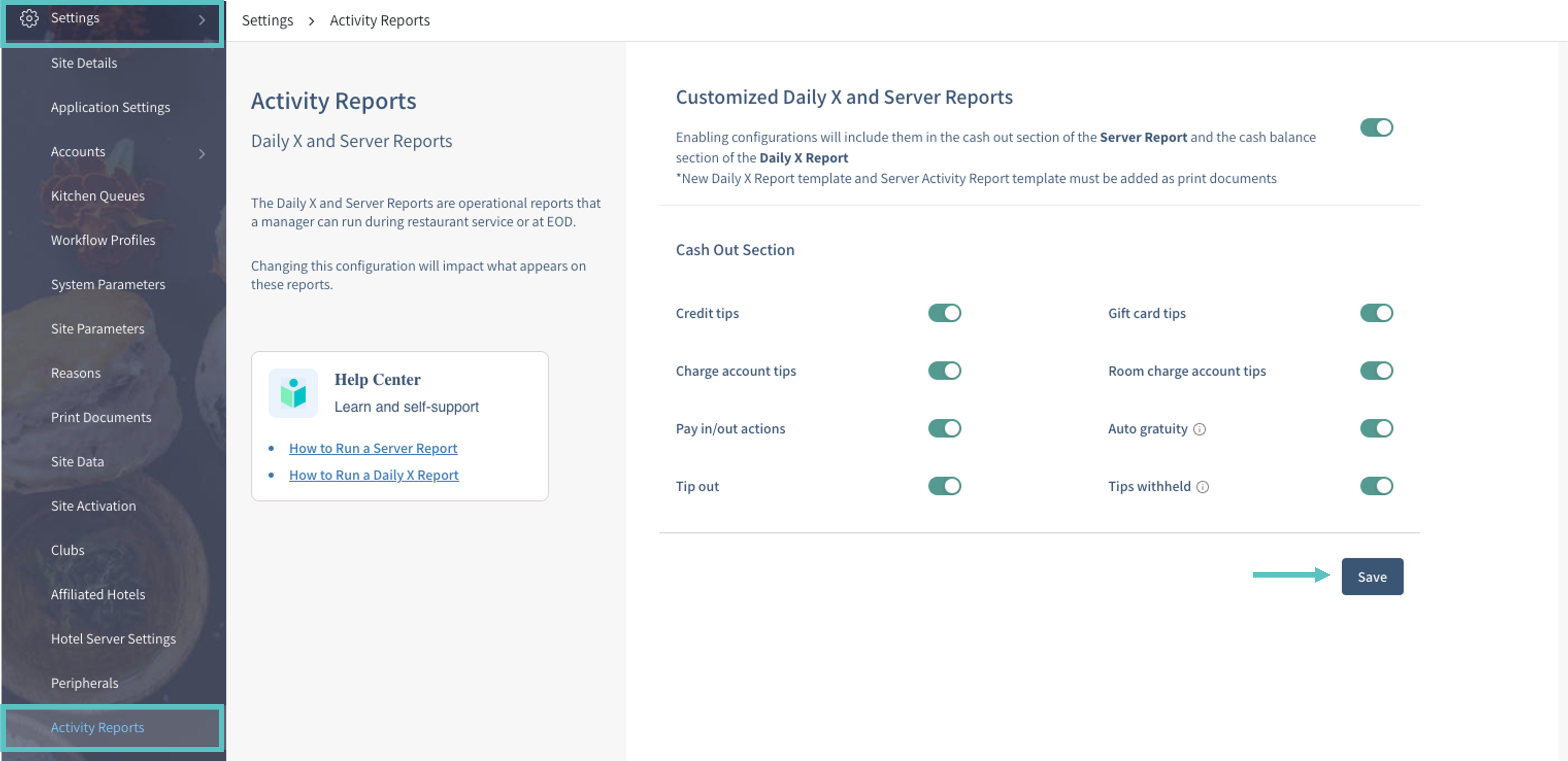
Configure the Cash Out sections of X and Server reports in Tabit Office. The setup supports:
-
Custom Cash Owed calculations.
-
Pay-in and pay-out cash actions in Server and X reports.
-
Using new reports without managing Report Tags.
Add the new Daily X Report and Server Activity Report templates as print documents.
Where to Find It:
-
Open Settings > Activity Reports in Tabit Office.
-
Enable or disable the required Cash Out sections.
-
Select Save to apply the configuration.
At the time of this release, the feature was in pilot. Contact Flyght Support for more information.
Improvement
Additional information added to credit transaction reports
-
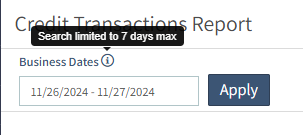
The credit transactions report now supports date-range searches.
The search range is limited to seven days.
-
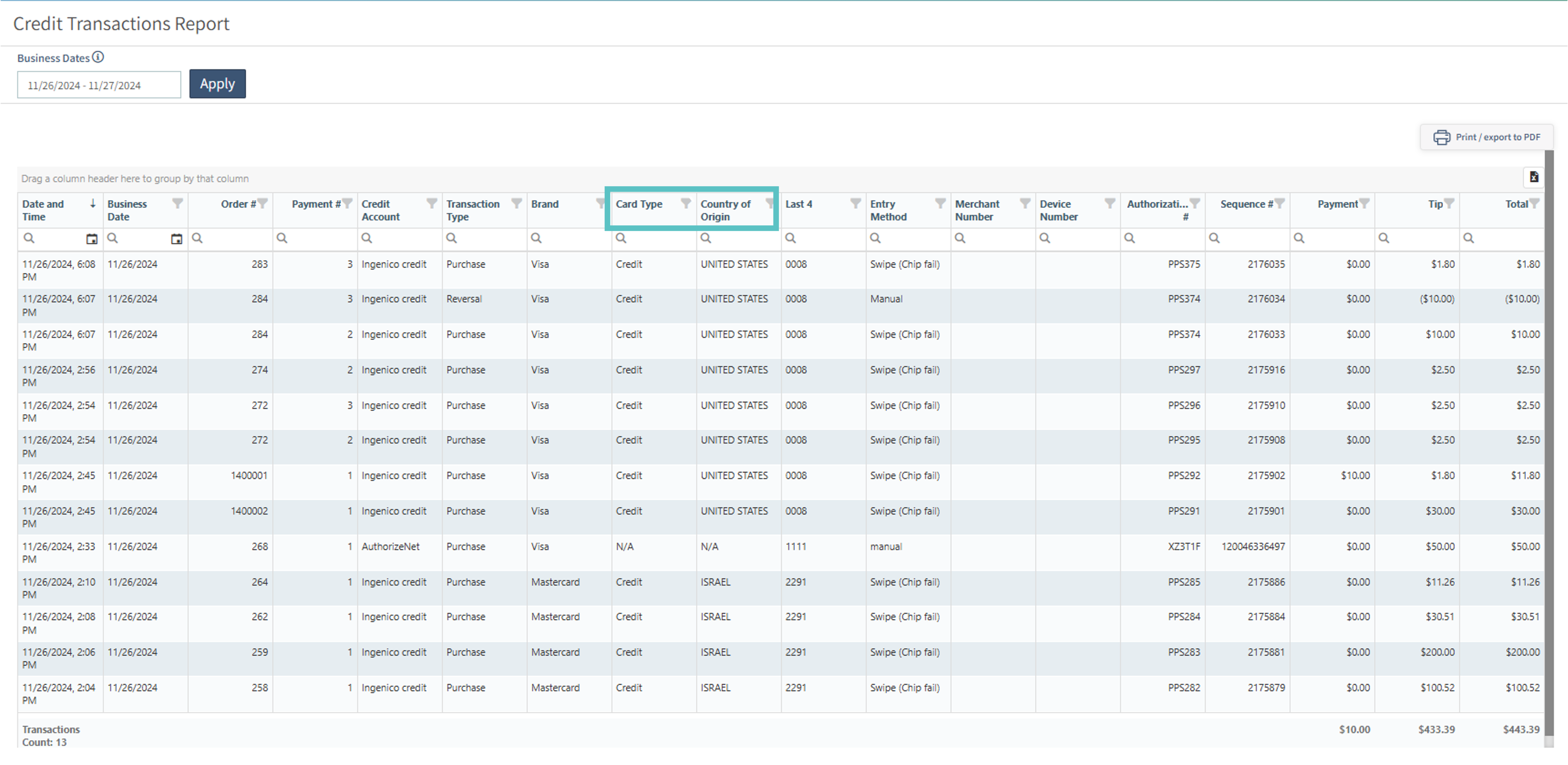
The report also includes card type and country of origin.
% Fee column removed from DSR
This was removed because it no longer applied under the new surcharge strategy.
Fix
Return transaction order bill now shows the business date of the original order
Tabit Kitchen [KDS V4.0.0]

New
Link tickets sent at different times
Previously, an additional ticket for a course could not be merged with already-fired tickets to coordinate service.
Expediters can now manually link tickets within the same order, including fired tickets. Prep stations receive those changes too.
This is available at all Tabit Kitchen sites without an enabling parameter.
How It Works:
-
After a new ticket is fired, select its header and choose Open Order View, which replaces Open course dialog.
-
The view shows the order's tickets. Select the relevant ticket header, then the ticket to link it to.
-
Close the dialog.
-
The linked tickets can now be coordinated for coursing and service.
https://www.loom.com/share/247e506fa6114d7ea1d0593fa695bc89?sid=757b225c-e144-4f31-bade-d817691c5315
Display average ticket times
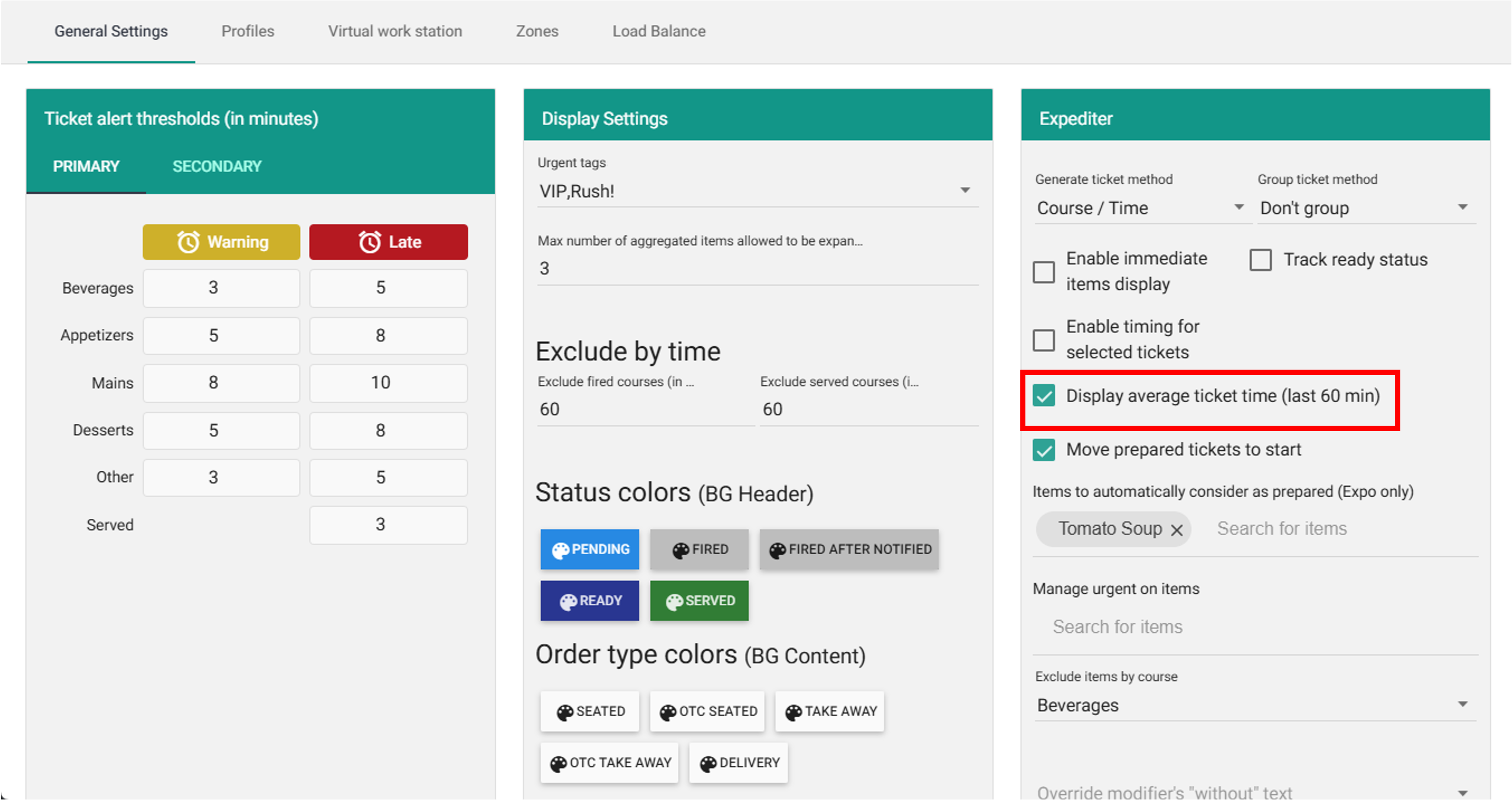
Expo can display the average fired-to-served time for tickets fired during the preceding hour.
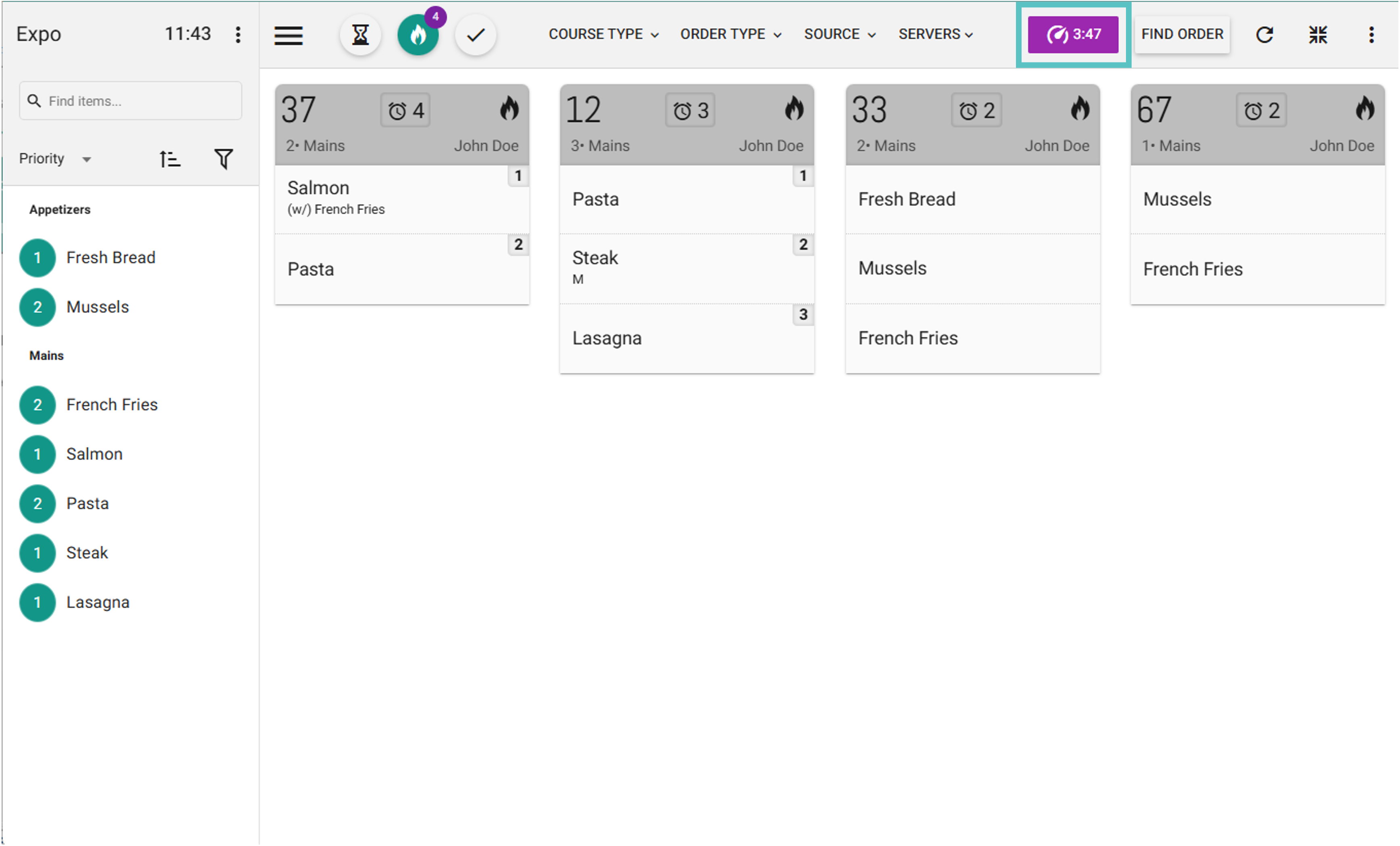
Enable Display average ticket time (last 60 min) to display the metric.
Improvement
Review new tickets triggered by course tags
Previously, Review new tickets displayed a preview for every newly fired kitchen ticket.
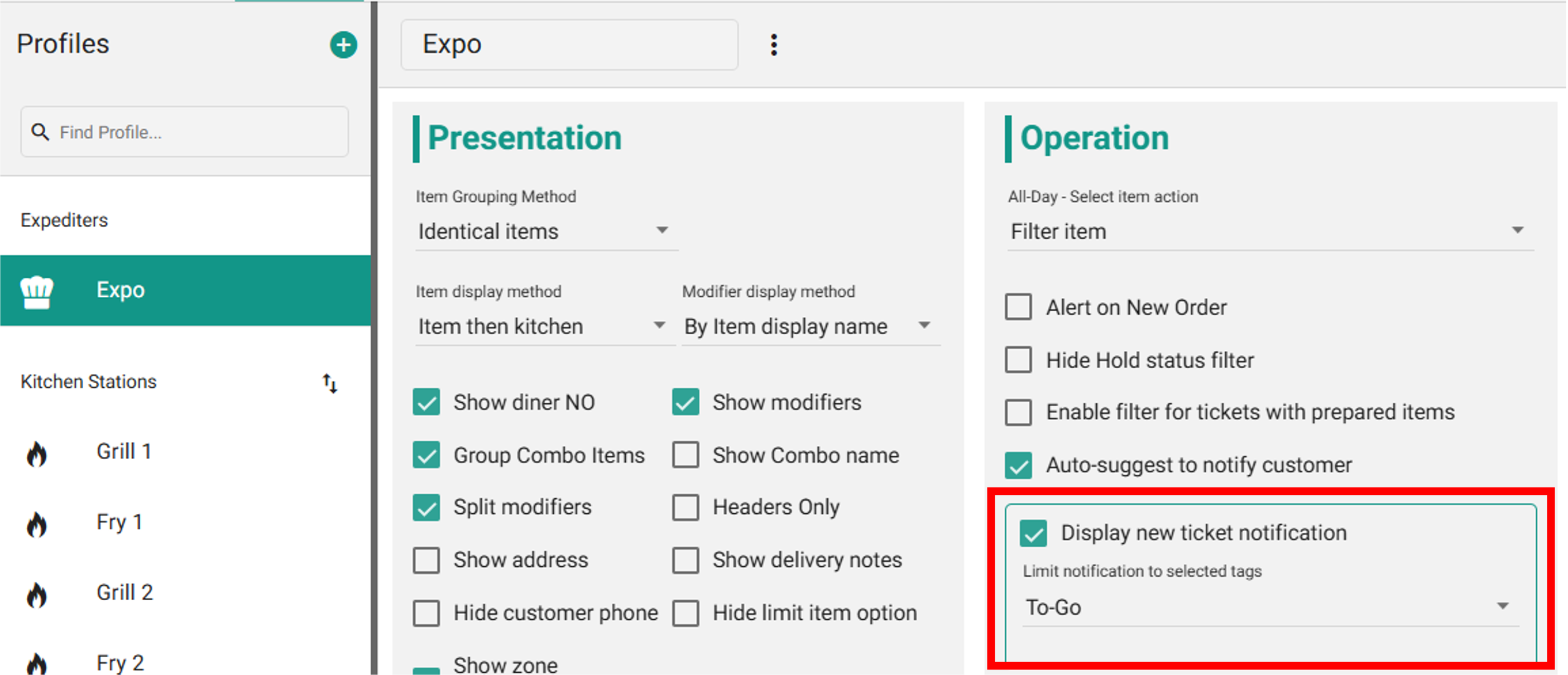
You can now choose course tags that trigger Review new tickets, so the preview calls attention to selected ticket types.
Where to Find It:
-
Create a course tag.
-
Open Setup > Profiles > Expediter in Tabit Kitchen.
-
Enable Display new ticket notification and choose the tags that should open Review new tickets.
-
A ticket fired with a selected tag now opens that window.
Prevent users from 86ing items on KDS
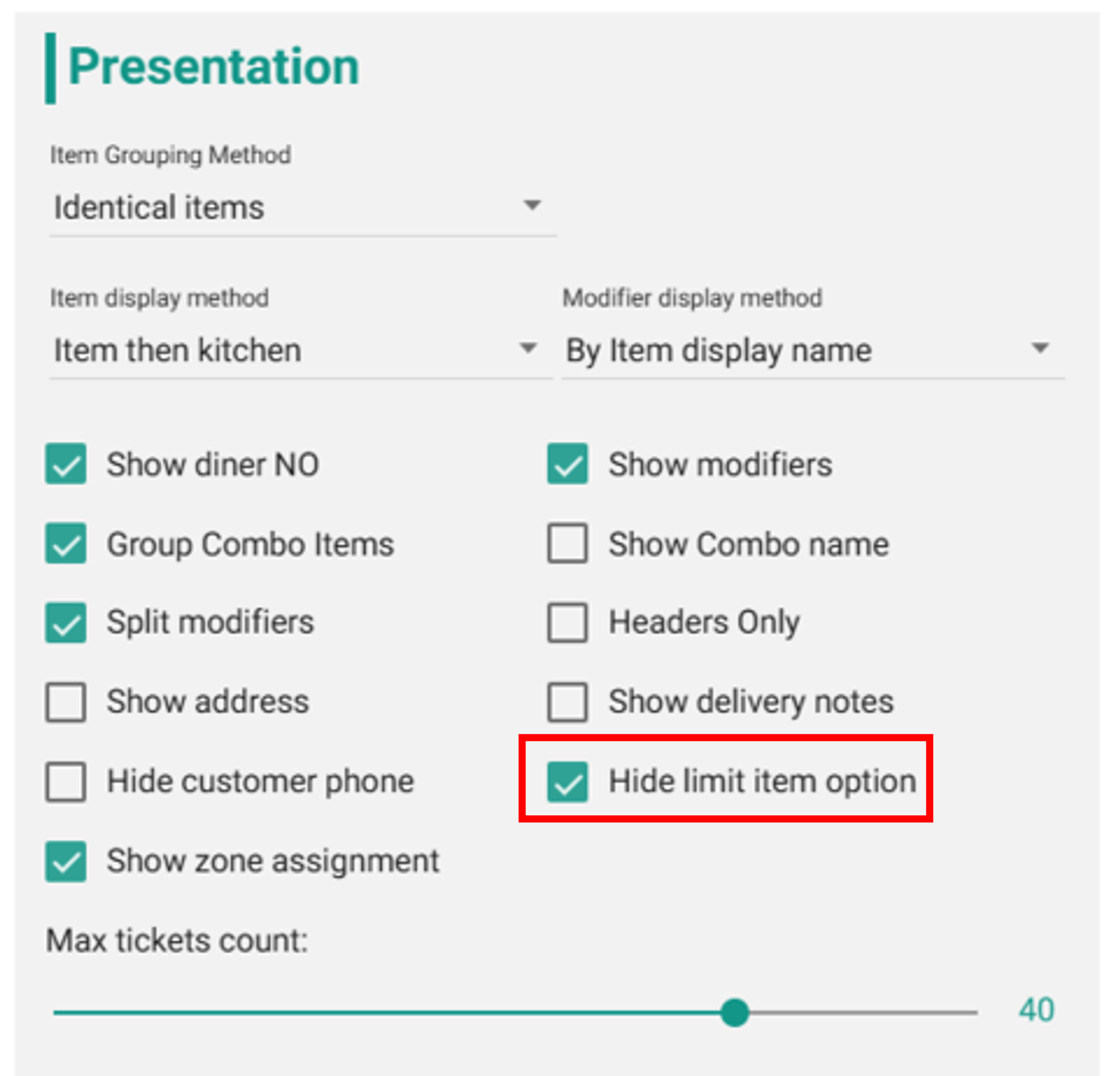
A profile can now prevent kitchen staff from 86ing items in Tabit Kitchen.
This applies to both Expo and Prep stations.
Where to Find It:
-
Open Profiles in Tabit Kitchen and choose the profile.
-
Enable Hide limit item option and select Save.
-
That profile can no longer limit items.
Display only Manager and Kitchen roles
The Tabit Kitchen sign-in user list now includes only employees with Manager (M) or Kitchen (K) roles.
Tabit Shift

Improvement
Save custom filters for scheduling
Create and save custom filters for reuse.
The Daily Roster Card also supports custom filters.
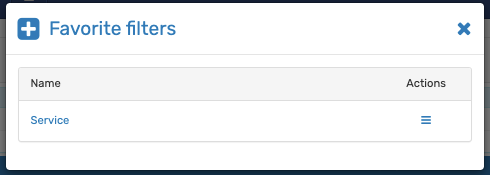
See the guide to creating custom filters in Tabit Shift.
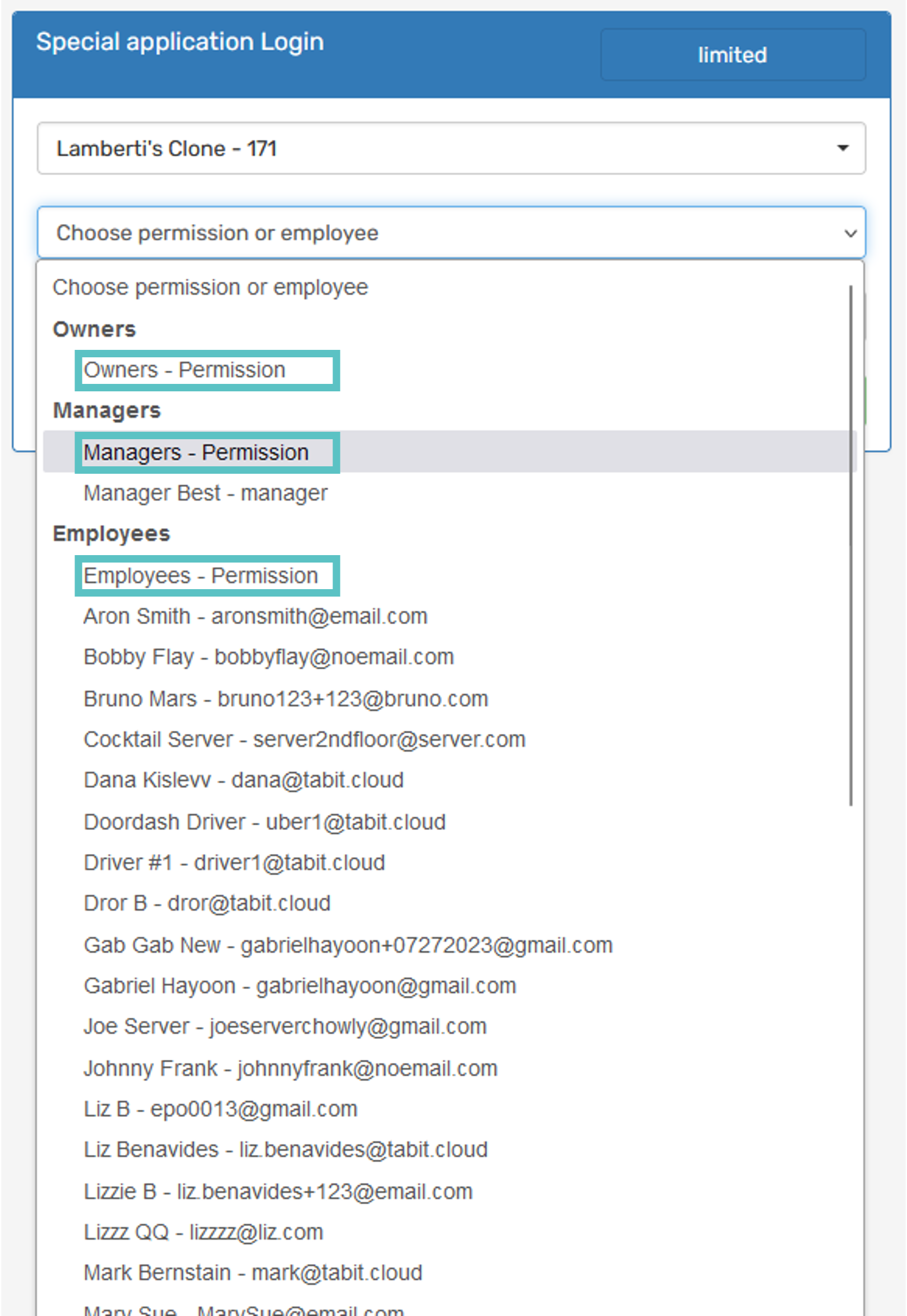
Improvements to the special login flow
Signing in as another user no longer requires selecting Log in as this user.
You can also preview a generic Owner, Manager, or Employee user type without signing in as a specific person.
Set reminders to be sent twice
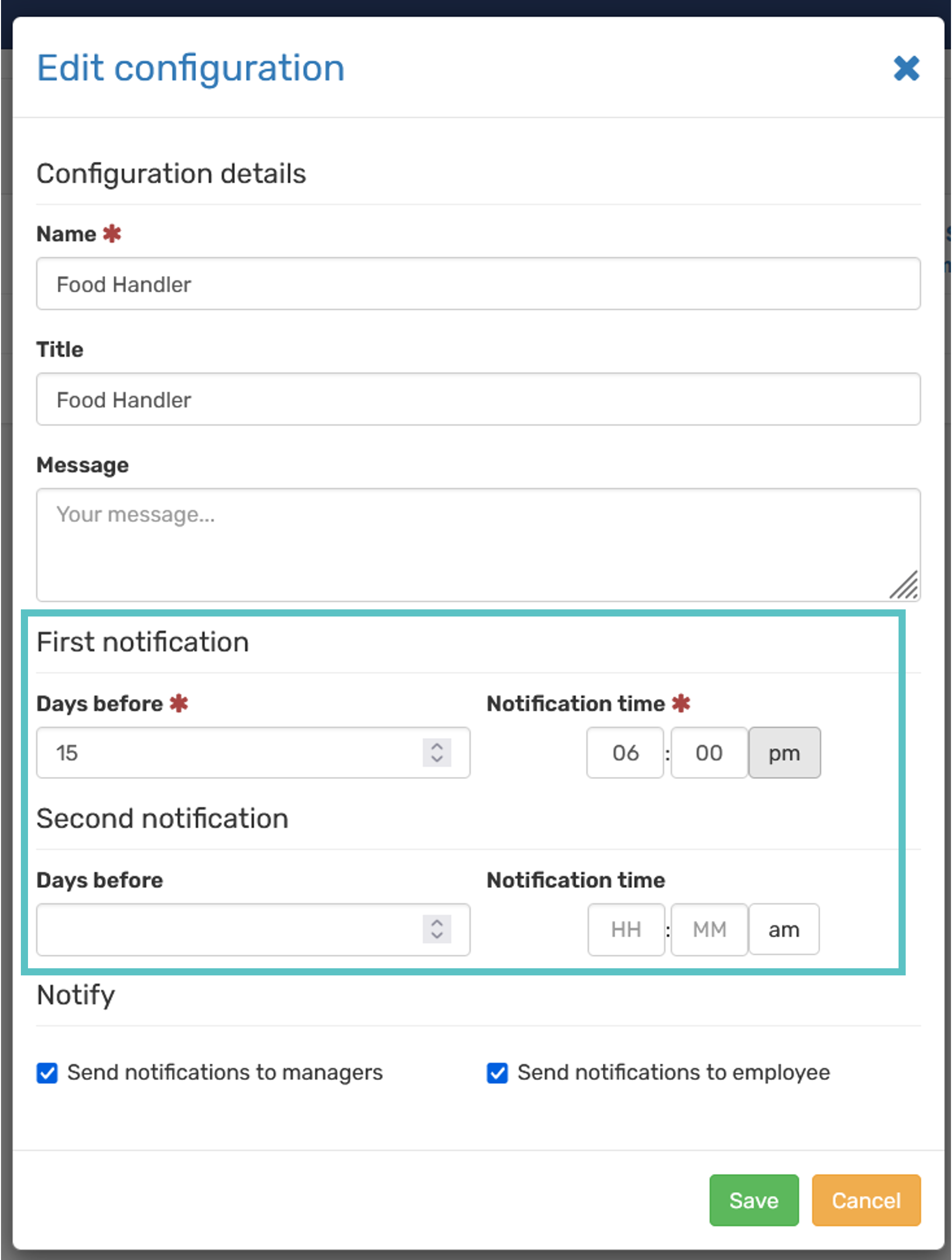
Reminders can include two notifications and a sending time as well as the date.