
Tabit Kiosk

New
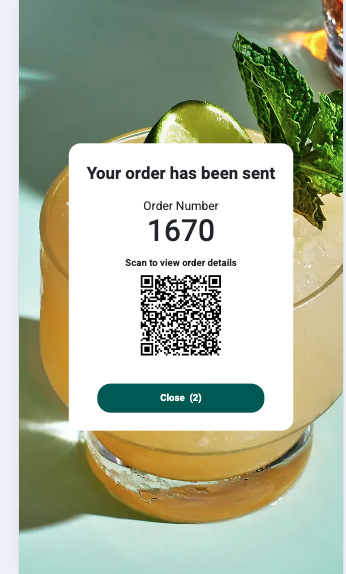
QR Code Added to Tabit Kiosk
After payment, the screen displays a QR code that customers can scan to view their order details on a phone.
This is enabled for all orders by default.
Improvement
Manage Names and Descriptions for Cross-sells and Pre-sells
Previously, cross-sell and upsell names and descriptions came from the catalog and could not be customized.
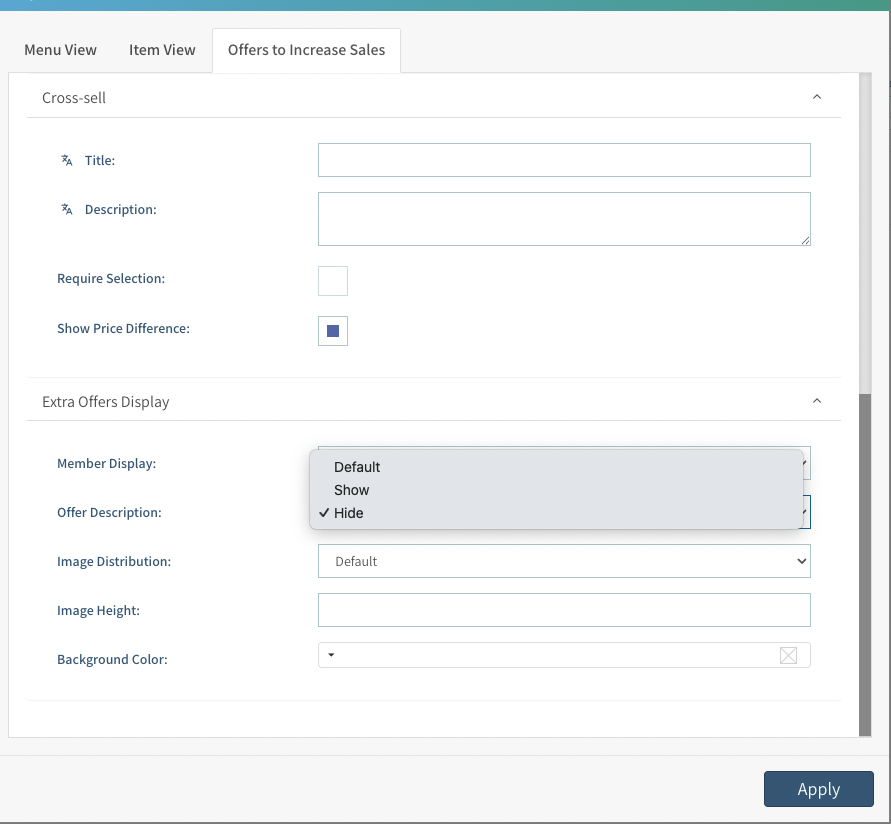
You can now add, edit, or remove the offer name and description for both cross-sells and upsells.
Where to find it:
-
In Tabit Office, open Kiosk > Kiosk View and choose an item.
-
Open Offers to Increase Sales and find Extra Offers Display.
Tabit PAD

New
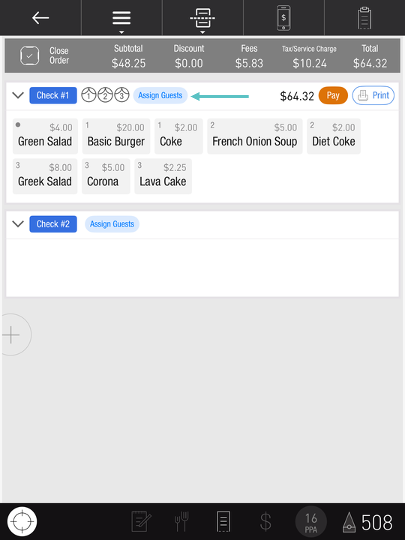
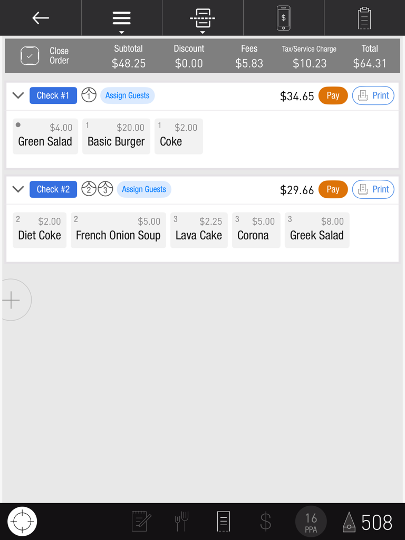
Assign Guests in Bulk When Splitting Checks
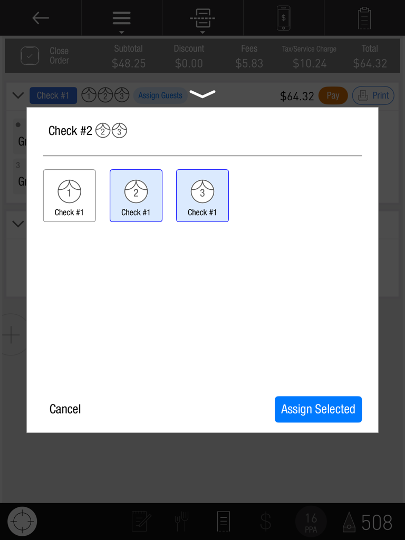
Assign several guests to a check together when a family or group wants to share a bill.
Previously, guests were assigned individually and could not be assigned before ordering.
Now:
-
Use Assign Guests to assign several guests at once.
-
Assign guests before ordering so their items go directly to the intended check.
-
Status indicators make guest assignments easier to see.
-
A confirmation prompt helps avoid overwriting assignments with Split by Guest.
Assign Order Teams for Better Sales and Tip Distribution
Managers can create an Order Team and set participation ratios when employees share service on an order. Those ratios support allocation of sales, tips, and cash-out amounts.
For setup and restrictions, see Managing Order Teams.
The Server Activity Report reflects team allocations for sales, tips, service charges, cash-out, and tip/tip-out summaries.
Tabit Office and BI Reports still use Order Ownership.
Order Teams also affect:
-
Order access
-
Alcohol restriction
-
Cash restrictions
-
A team member with active orders cannot clock out.
Improvement
Enhanced Item Transfer Between Orders
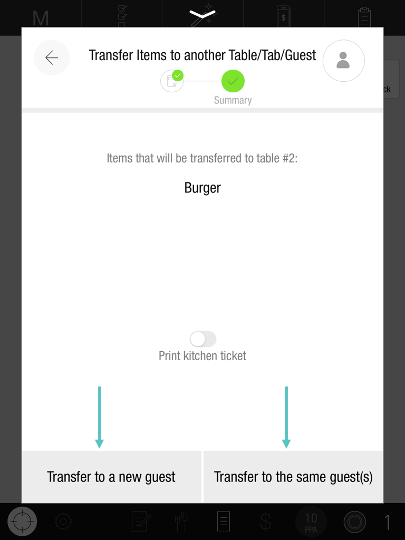
Guest-based transfers give staff control over item assignments when moving items to another table.
Previously, transferred items went to the shared section at the destination, which could affect guest reporting and tip allocation.
Servers can now retain the original guest assignments or assign transferred items to new guests.
This requires Guest Management at the site.
New Order Closing Rules Now Apply to OTC Orders
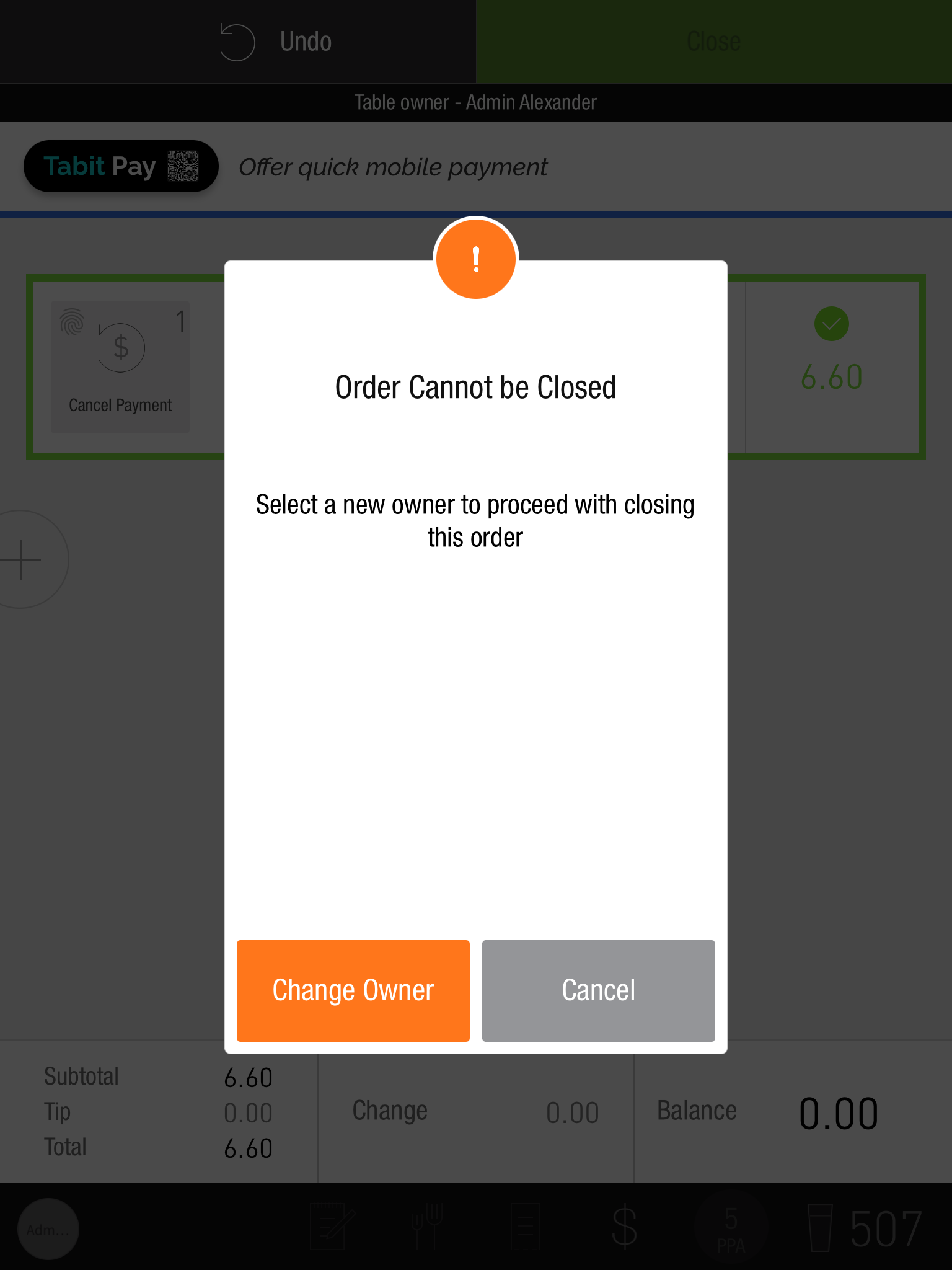
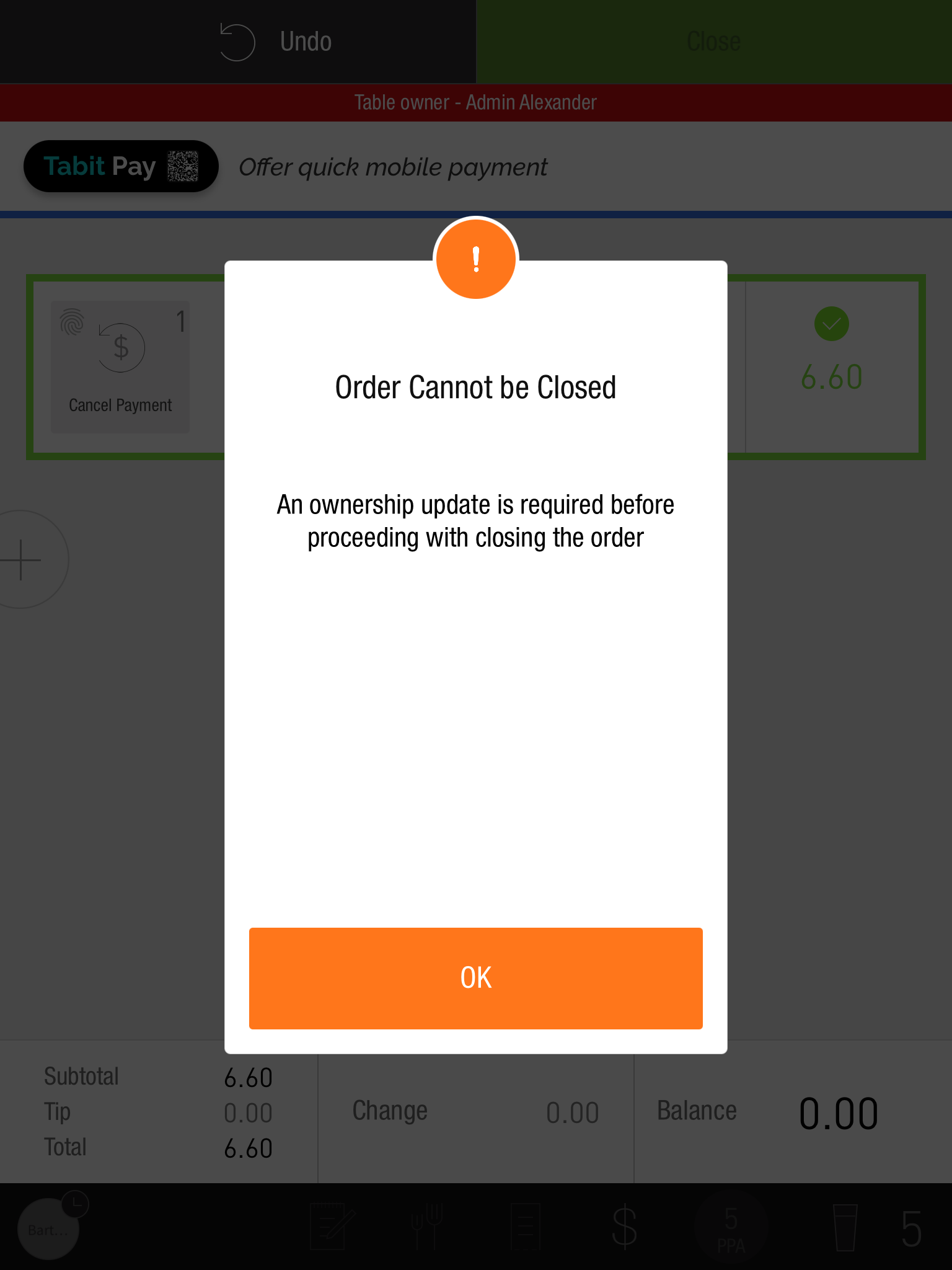
The order closure rules introduced in PAD 10.6 now also apply to OTC orders.
Previously, managers, third parties, and system entities could close these orders, potentially affecting reporting and tip pooling.
The ownership-based closure parameter now governs OTC orders too.
The available choices remain:
-
All: Any entity can own and close orders; this is the default.
-
ManagersAndService: Allows regular staff and managers, excluding system entities and partners.
-
ServiceOnly: Allows regular staff, excluding managers and other entities.
An alert appears when the order does not meet the configured rule.
Manager
Non-Manager
Offline orders were planned as a future extension.
Selective Fire of Multiple On-hold Courses
Fire selected on-hold courses when starting from outside the order view.
Previously, Fire in Tables fired every on-hold course without a course selection.
Fire from Tables or Map now opens the coursing screen so you can:
-
Review the on-hold courses.
-
Choose which courses to fire.
-
Fire those courses and continue editing if needed.
-
Flame icons replace the → K icons.
The Map flame turns orange when on-hold courses are present.
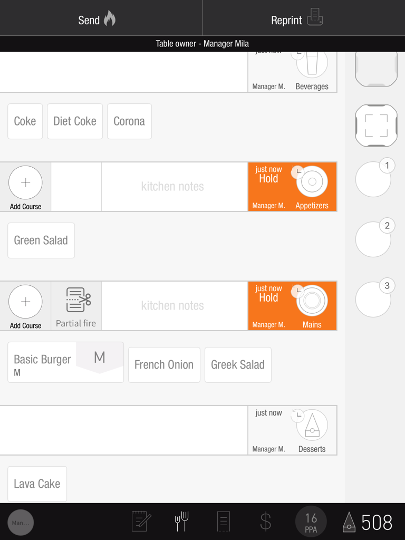
This is the default behavior and requires no extra configuration.
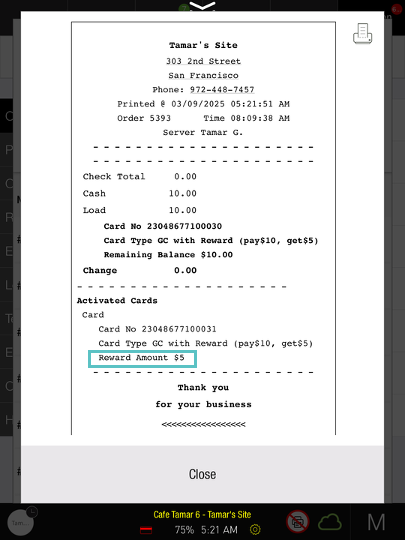
Reward Card Value Now Appears on Printed Receipts
Reward card activation receipts now show the card value under Activated Cards in the Reward Amount field.
This excludes third-party gift card integrations.
CD Profile Removed from PAD
The CD profile view has been removed from the PAD and Office, while cash drawer functions remain available.
-
Hide CD Profile from PAD has been removed.
-
CD users can still access drawers, perform pay-ins and pay-outs, and use financial functions.
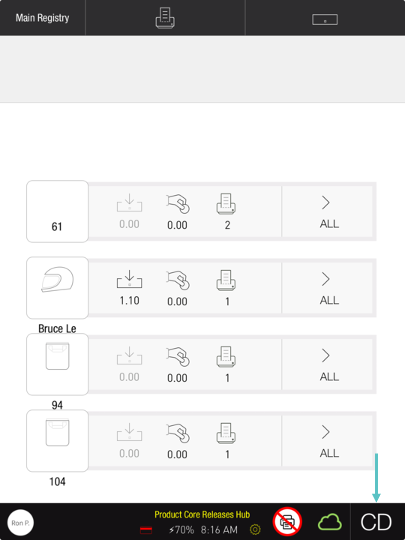
The CD role and its cash drawer permissions remain in place.
Automatic Log-out for Clocked-out Users
At sites with clock-in restrictions, clocking out logs the user out when they are still signed in on the same device.
Fix
Tips Sent Correctly when Splitting Payments
For split orders using tipByServer, every payment row's tip is now sent to ROS. Previously, only one tip was recorded.