Overview
Tabit Order allows customers to place orders for future times and dates, as configured in Tabit Office.
Future orders can be viewed in two places:
On the Tabit PAD app
Viewing future orders on the PAD requires a Manager profile
-
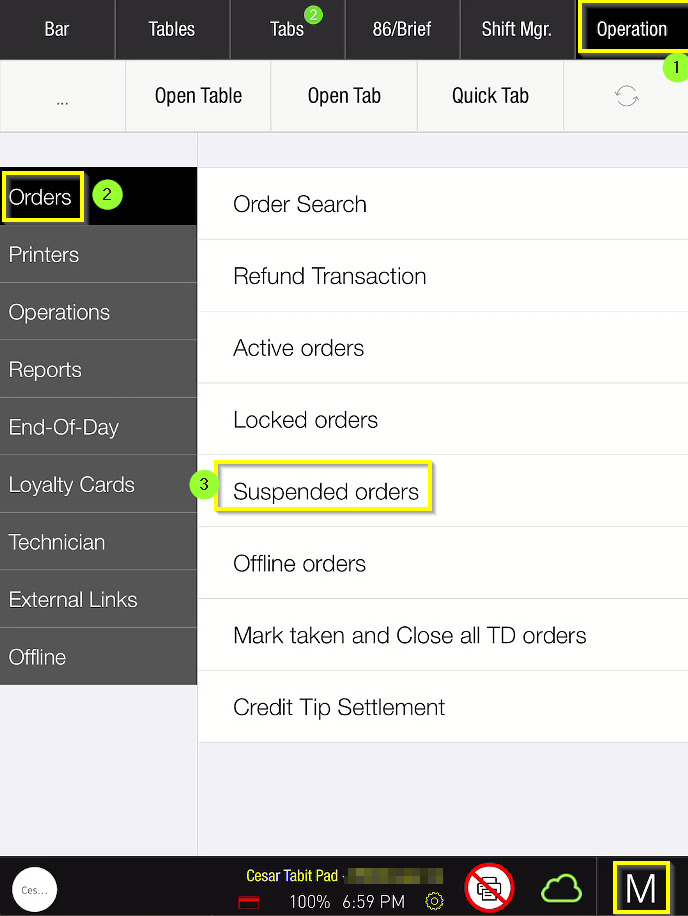
Login to the PAD with your manager PIN code
-
Go to Operation > Orders > Suspended Orders
-
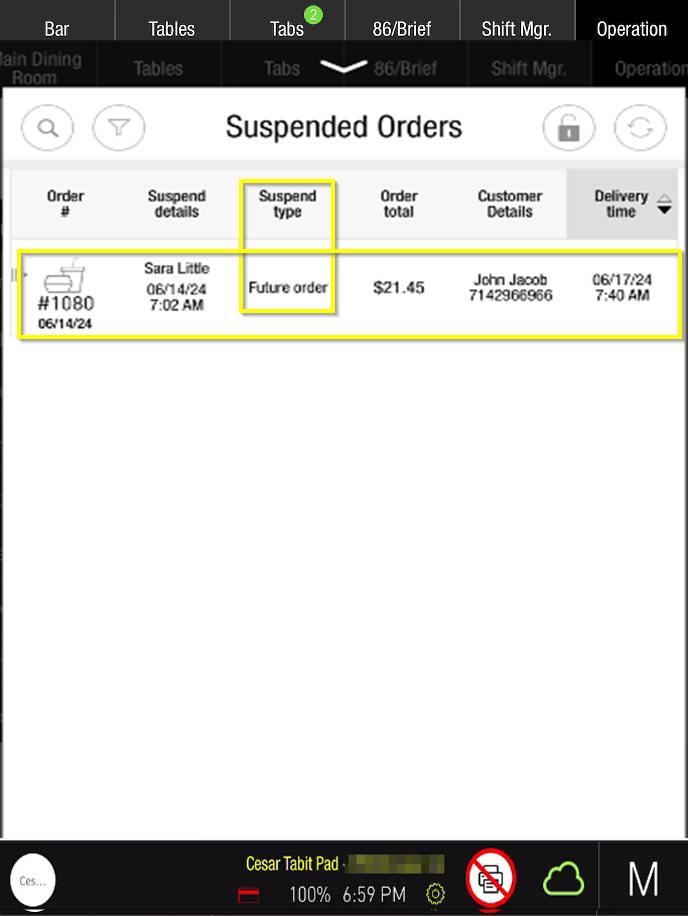
Under Suspend type, the orders listed as Future Order will show the time it was created, order total, customer details, and delivery time and day
In Tabit Office
Viewing future orders in Tabit Office requires Back Office permissions
-
Login to Tabit Office with your appropriate credentials
-
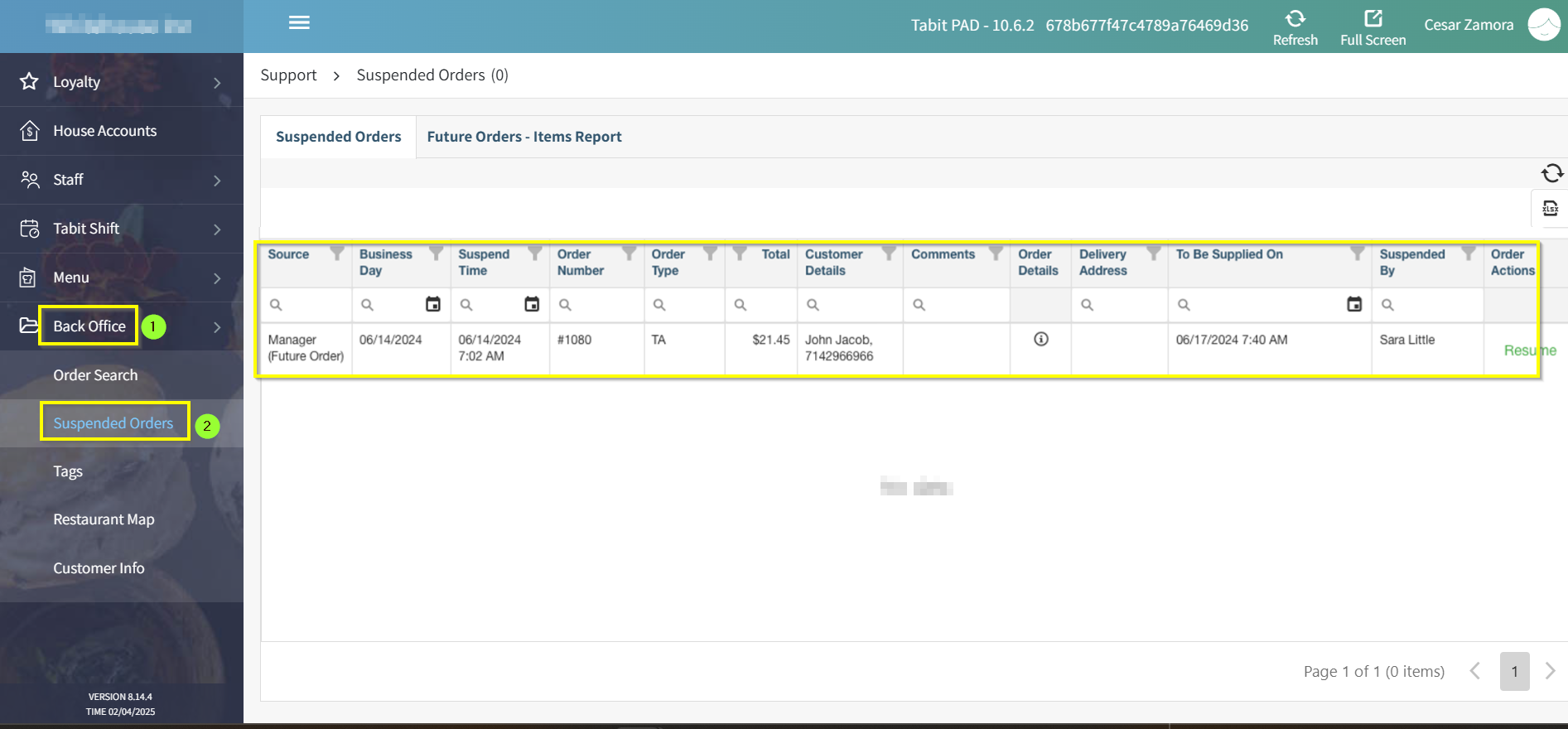
Go to Back Office > Suspended Orders
-
Under Source, the orders listed as Manager (Future Order) will show the date it was created, order type, order total, customer details, and more
-
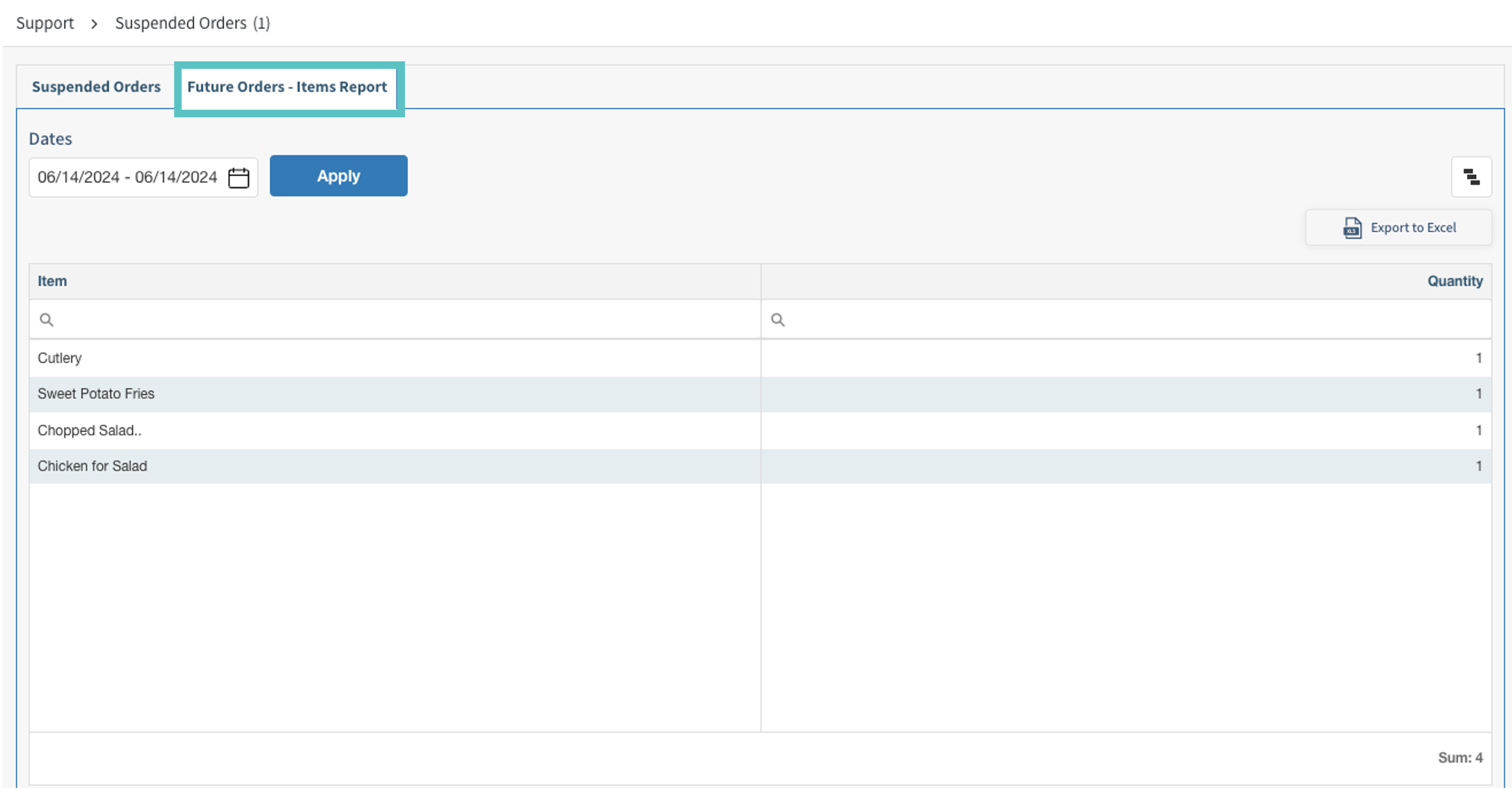
Select the Future Orders - Items Report tab to view all items ordered for future orders by date