
Overview
A Decision Group is a list of item(s) or free text related to a lead item. It can have a default choice, and only one value can be selected. Typically, a decision group is used for simple, essential decisions or common modifications.
Two Ways to Add a Decision to an item:
Through the Lead Item - usually used for attaching a group to one item
Through the Decision group (this article) is usually used for attaching a group to multiple items
Follow these steps below to add a Decision to an item through the Decision Group:
-
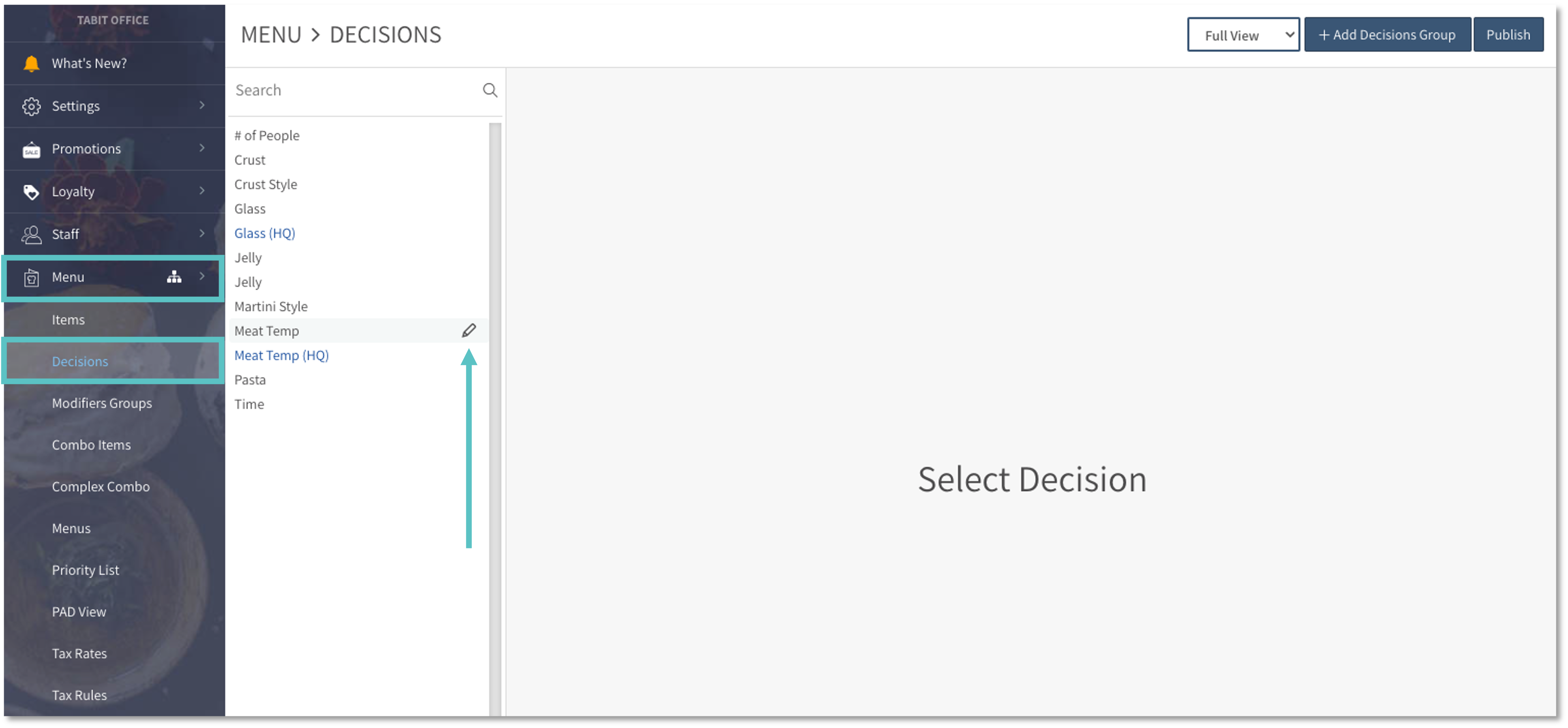
In Tabit Office, go to Menu > Decisions. Search and select the relevant Decision and select the Edit icon
-
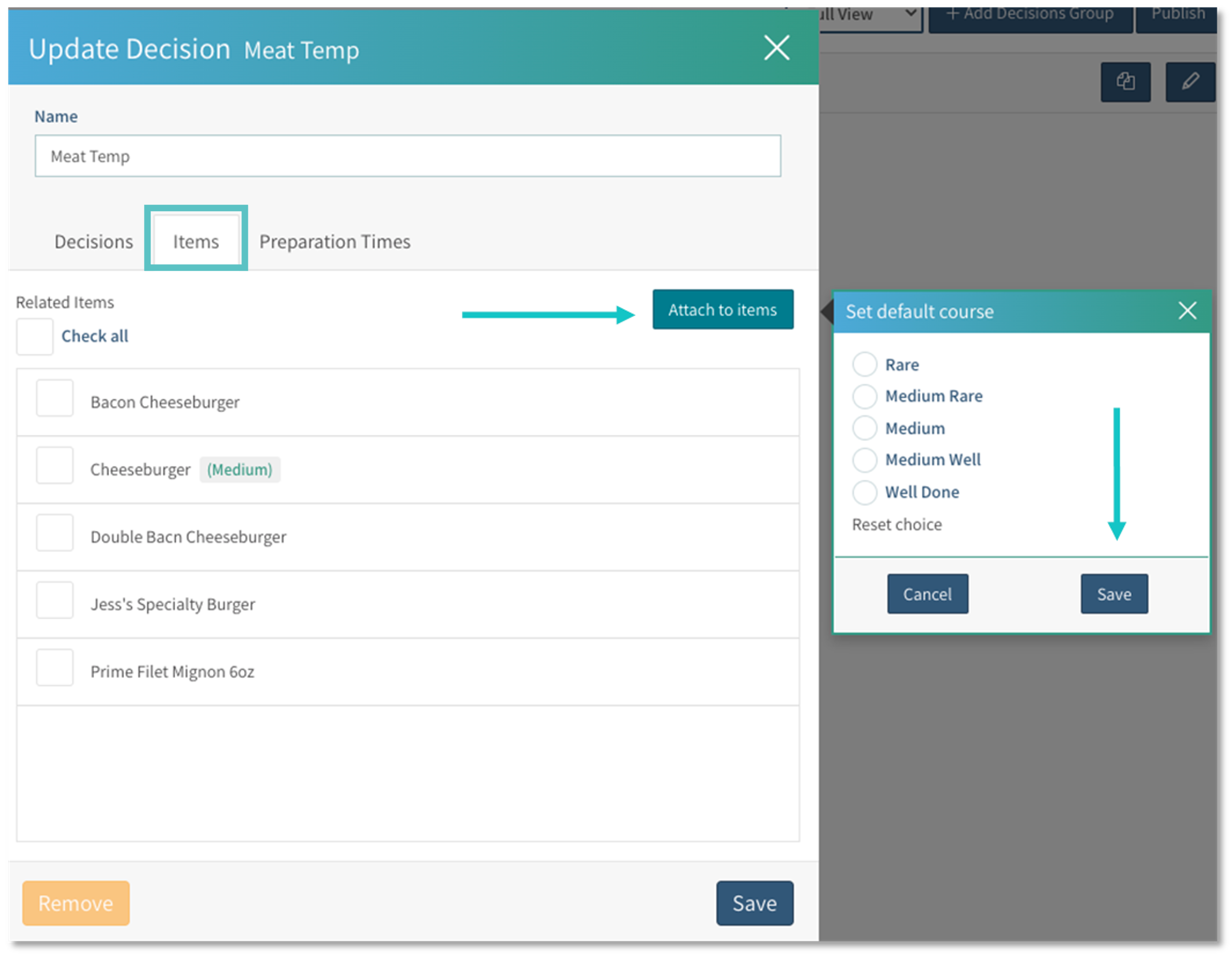
Under the Items tab, select Attach to Items. Set a default decision if needed, then select Save
If no default option is set, users will be required to make a selection before proceeding
-
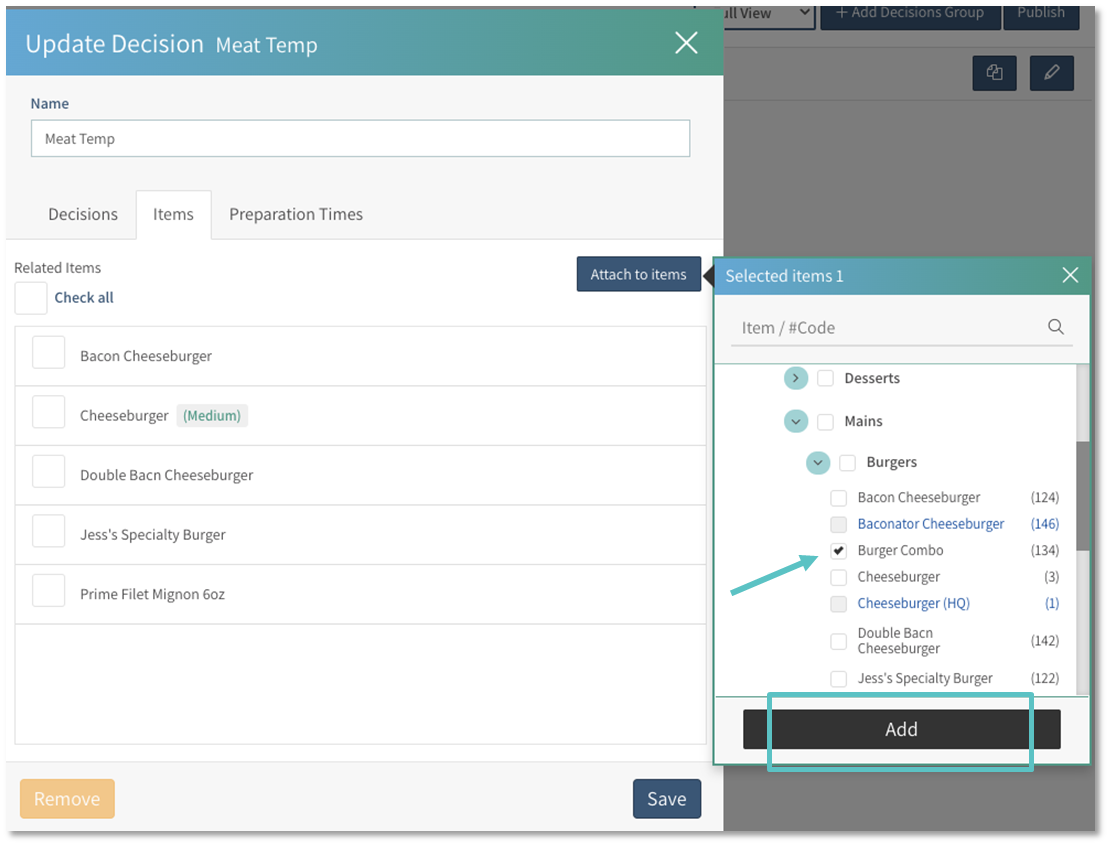
Search and check the boxes next to the item(s) you would like to attach the group to
-
Then select Add
-
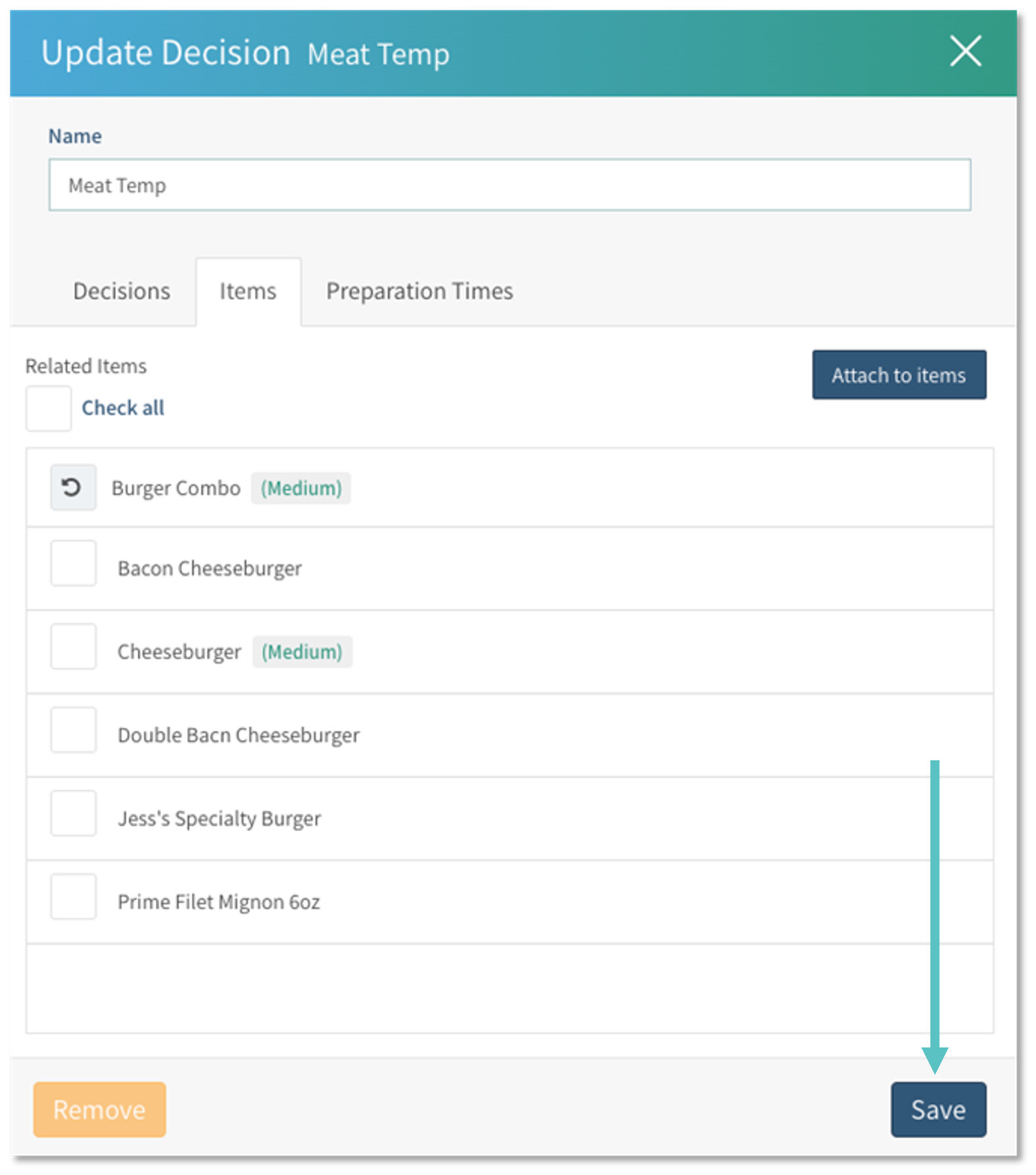
Once added, the item(s) will display with a Refresh icon on the left
-
Select Save to update the item(s)
-
Don’t forget to select Publish on the top right to update the changes on Tabit platforms
Now that you know how to attach a Decision Group, learn how to edit it here