Tabit Office
ROS + OFC V9.8.0
New
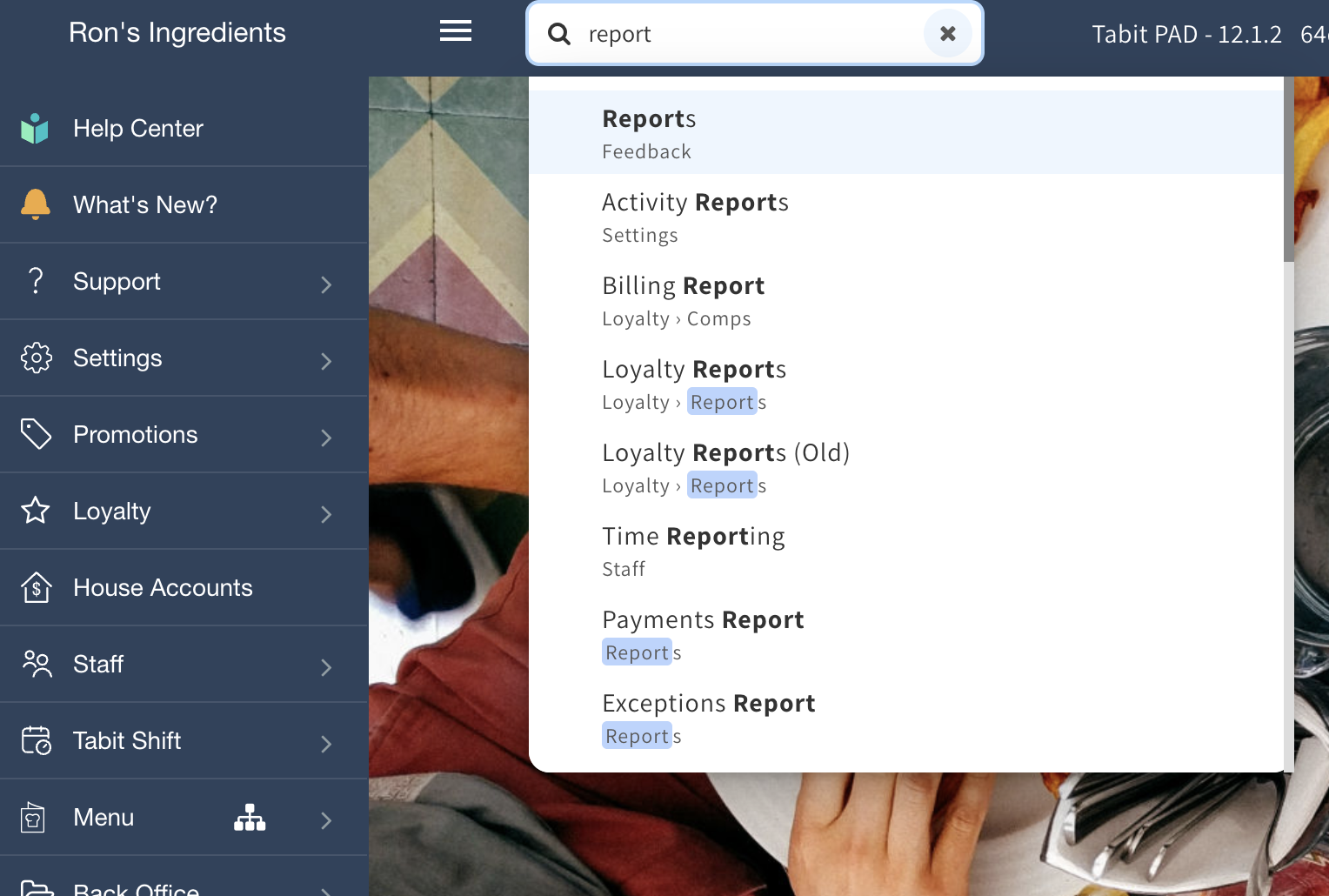
Search for Office pages from the top bar
Open the page you need without browsing through each navigation section. The new Search bar in the top bar accepts a page or section name; select a matching result to go directly to that page.
Enhancement
Review the PAD Activity Report in Tabit Office
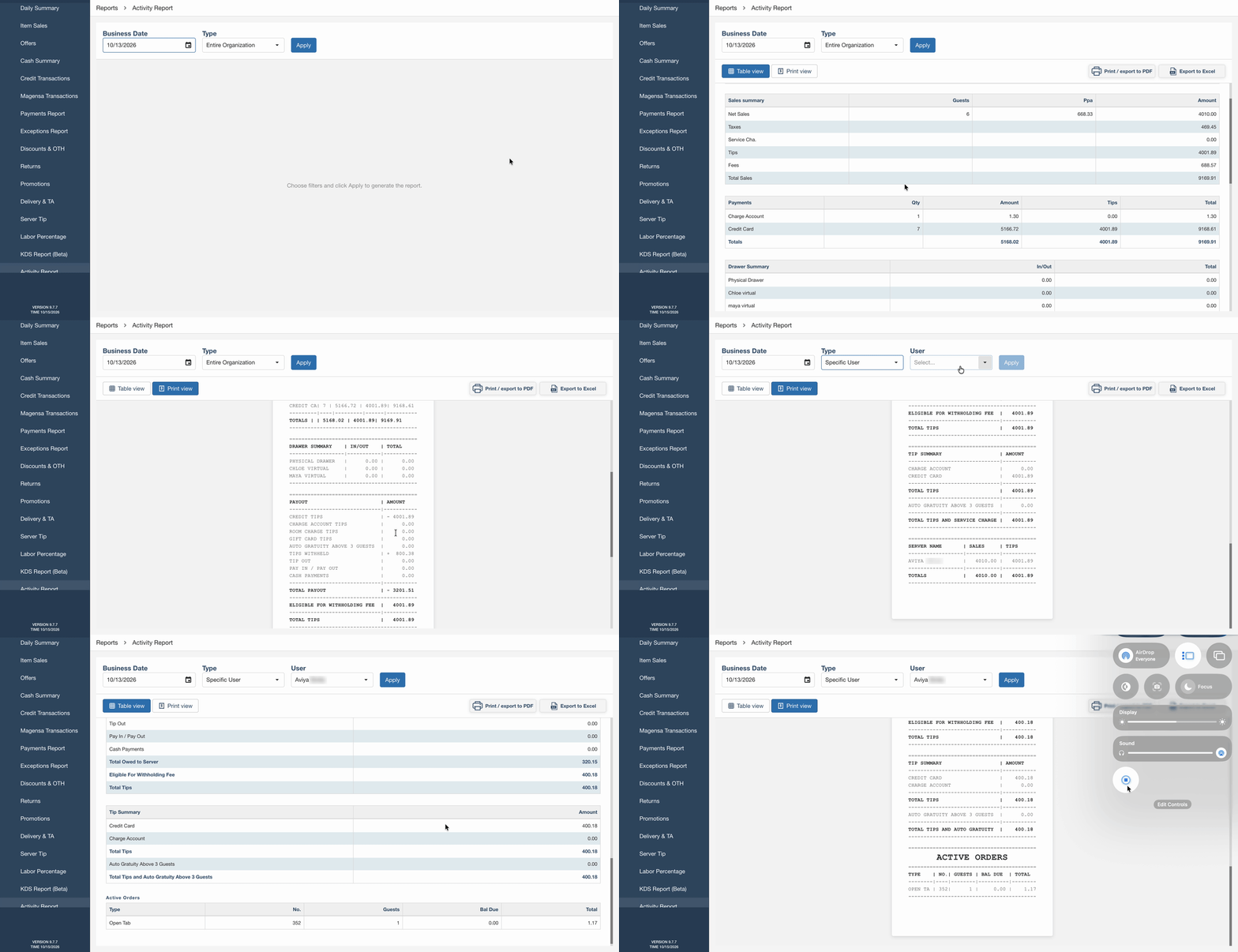
The Activity Report is now available under Reports in Office. Use it to review sales, payments, cash activity, tips, and service charges.
Access requires the DSR Report permission. The Activity Report must also be enabled for the site.
Where to find it:
-
In Tabit Office, open Reports > Activity Report.
-
Select the Business Date and choose Entire Organization or Specific User, then select Apply.
-
Choose Table view or Print view. Select Print / PDF when you need a printed copy.
Check table spacing with the restaurant map’s Mobile view
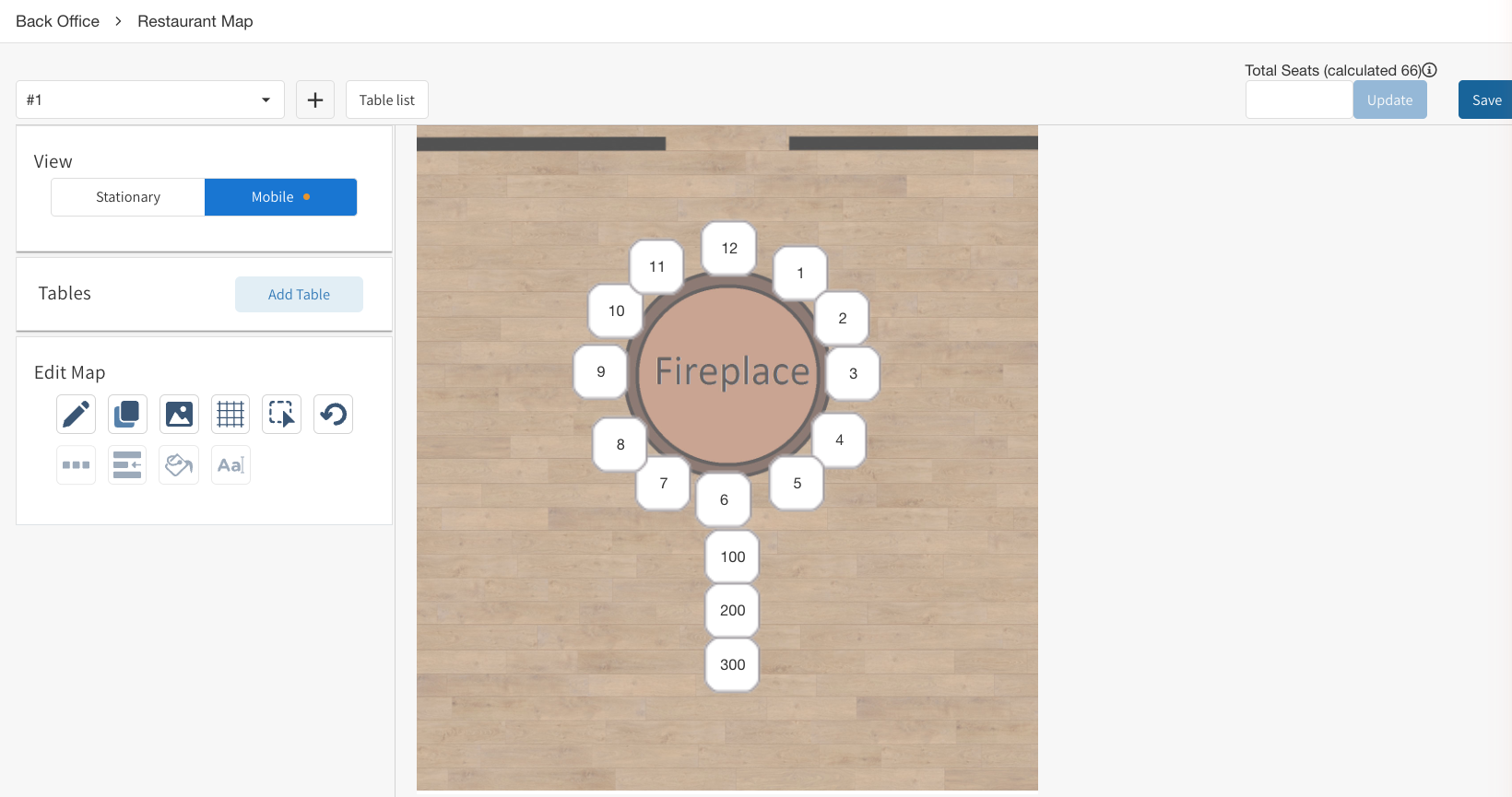
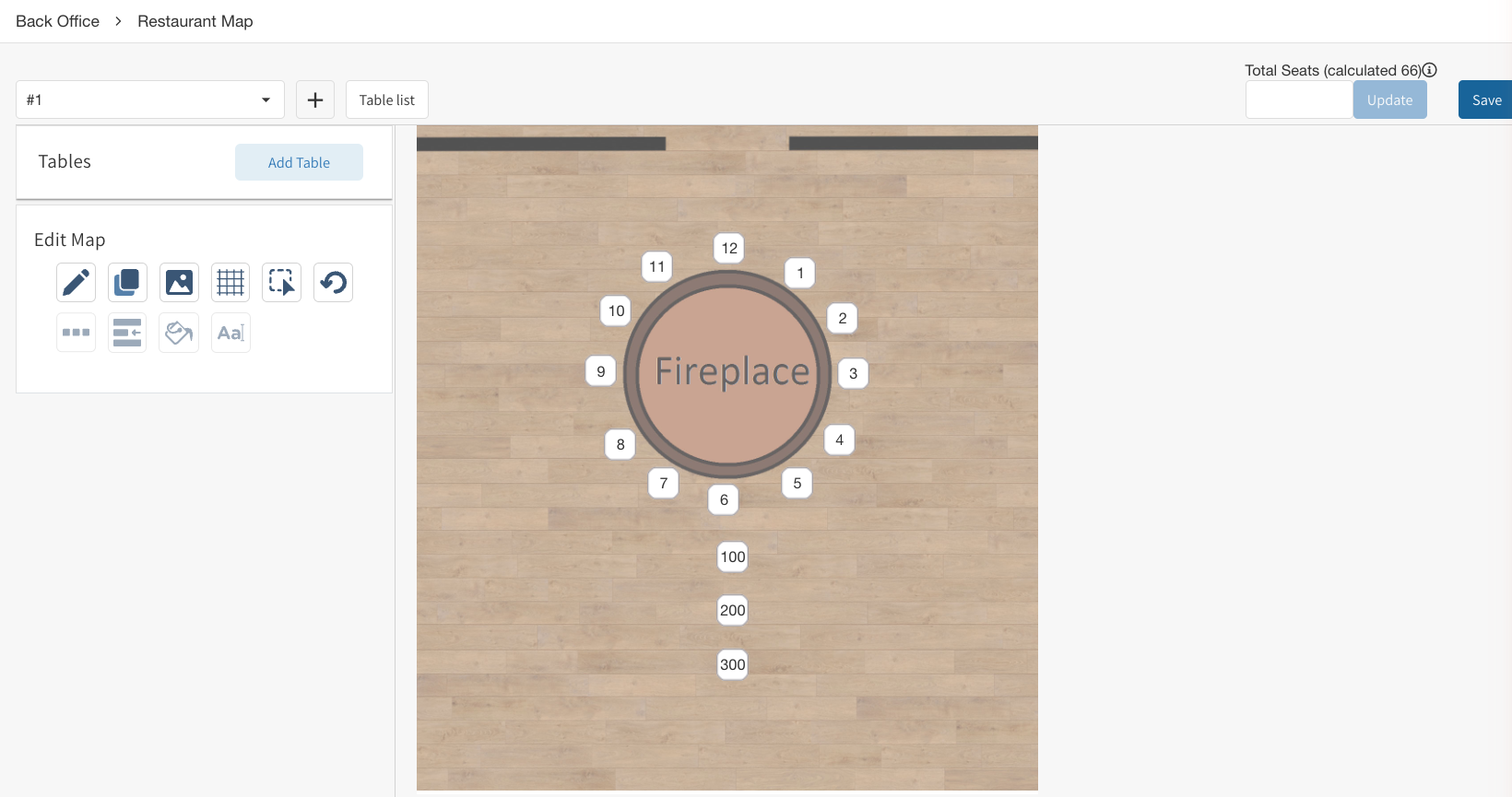
The restaurant map now has an editable Mobile view. It displays tables at the size used on mobile devices, with a warning when tables overlap, so you can adjust crowded areas before service.
The standard and Mobile views use the same map. Changes in either view edit that shared layout.
After: Mobile map view with overlap warning
Before: Restaurant map without Mobile view
Improvement
Identify employee pay-rate overrides at a glance
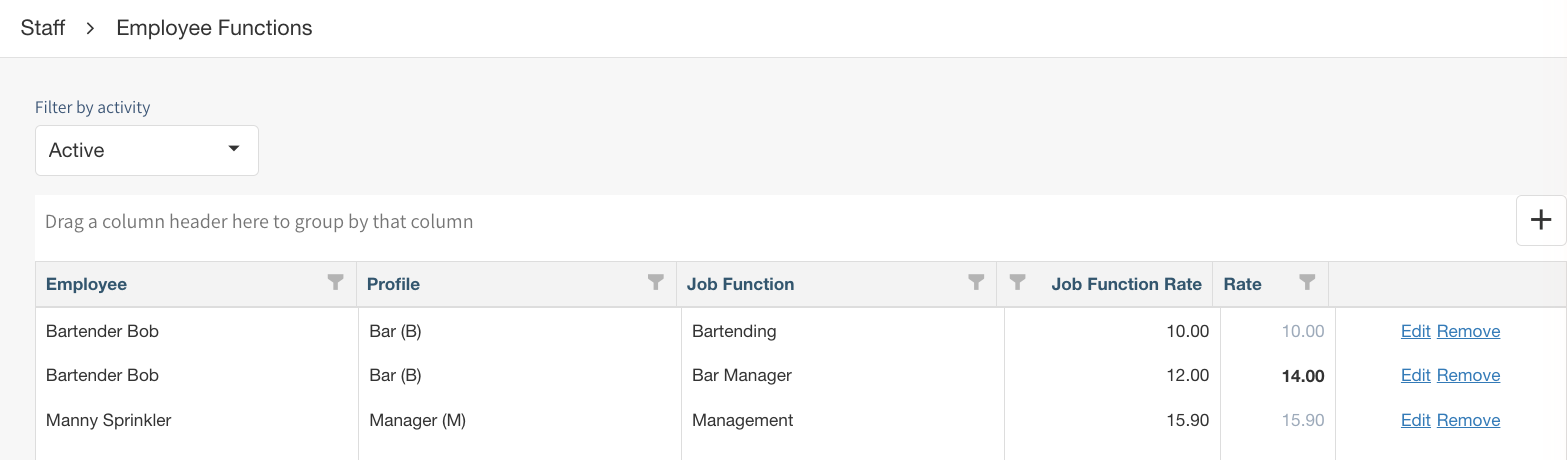
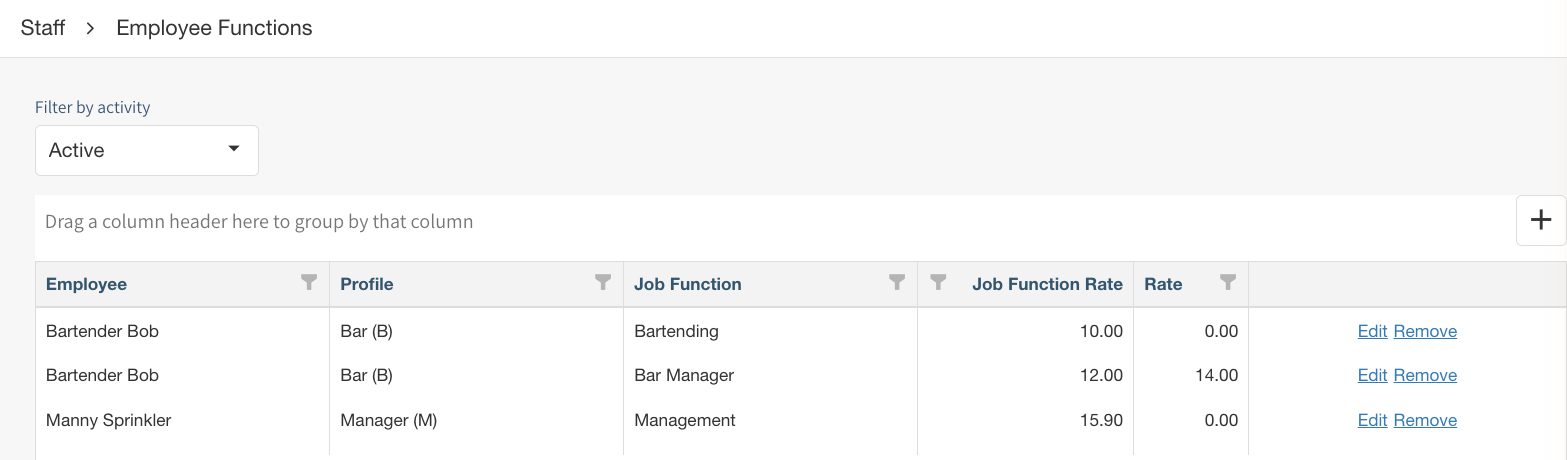
Rates assigned specifically to an employee now appear in bold. Rates inherited from the job function use a muted appearance. This distinction appears in Employee Functions, the job functions dialog in Employee Import, and assignments in Staff Management.
To return an employee to the job function’s rate, clear the employee-specific rate or enter 0. Changes to the Job Function Rate column now appear without refreshing the page.
After:
Before:
Keep display settings when copying modifier groups and combo items
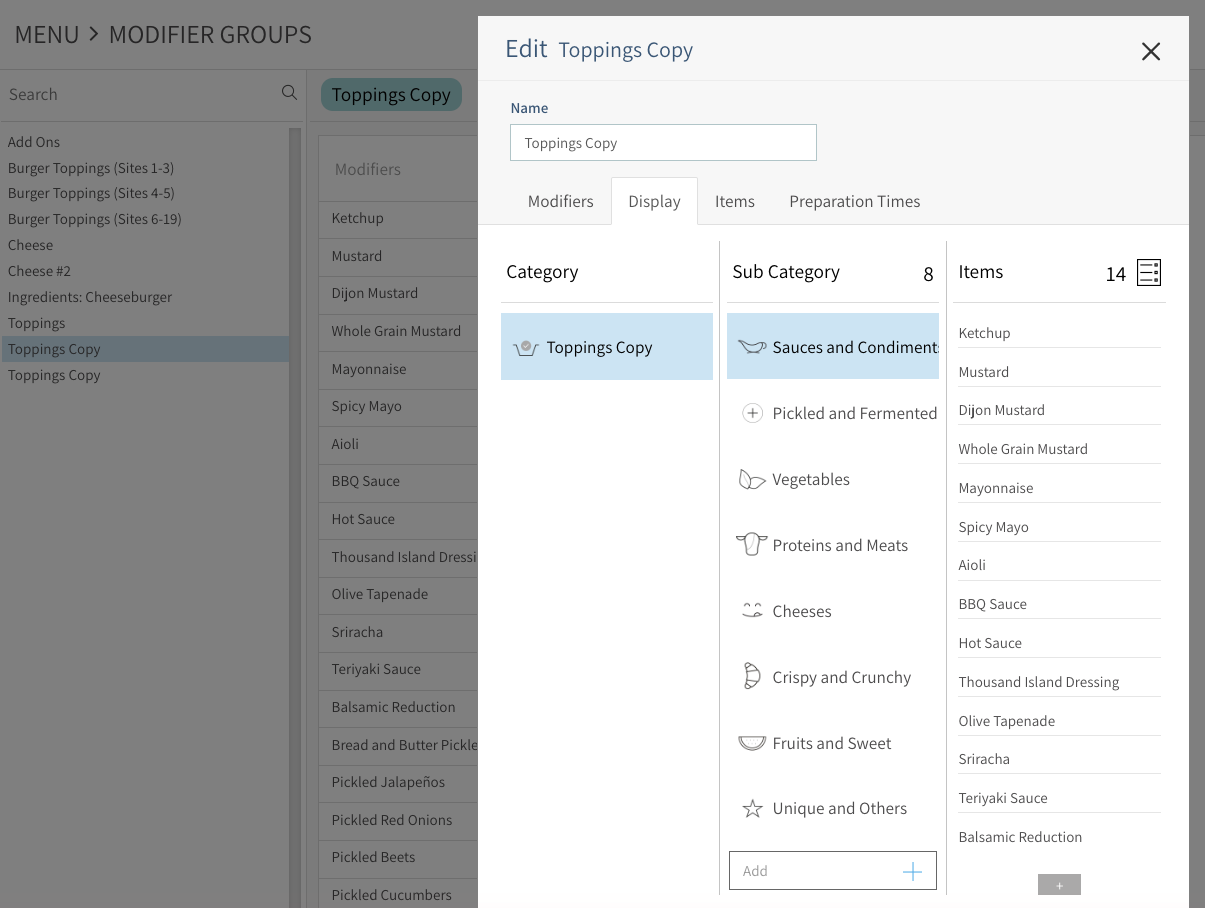
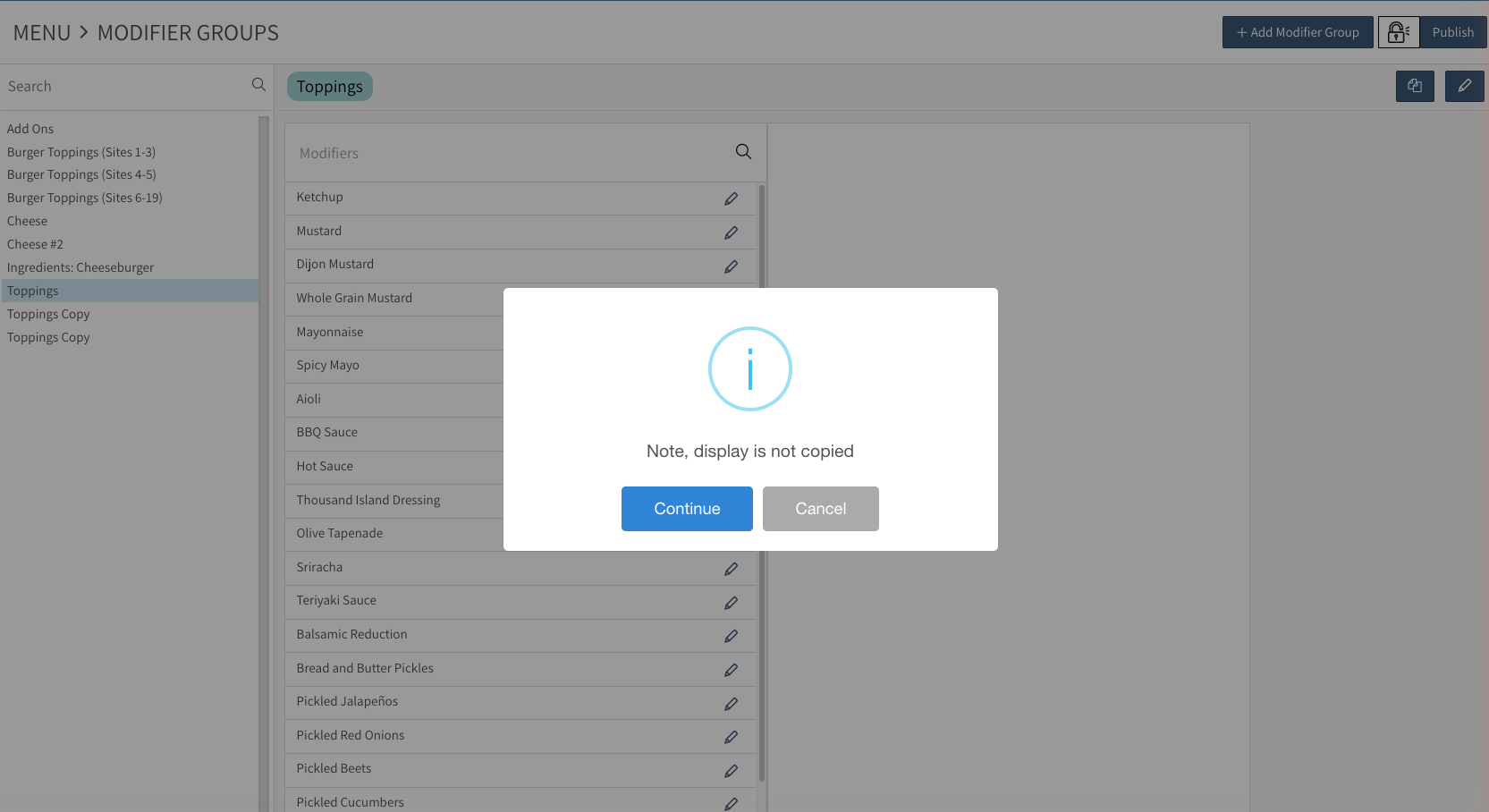
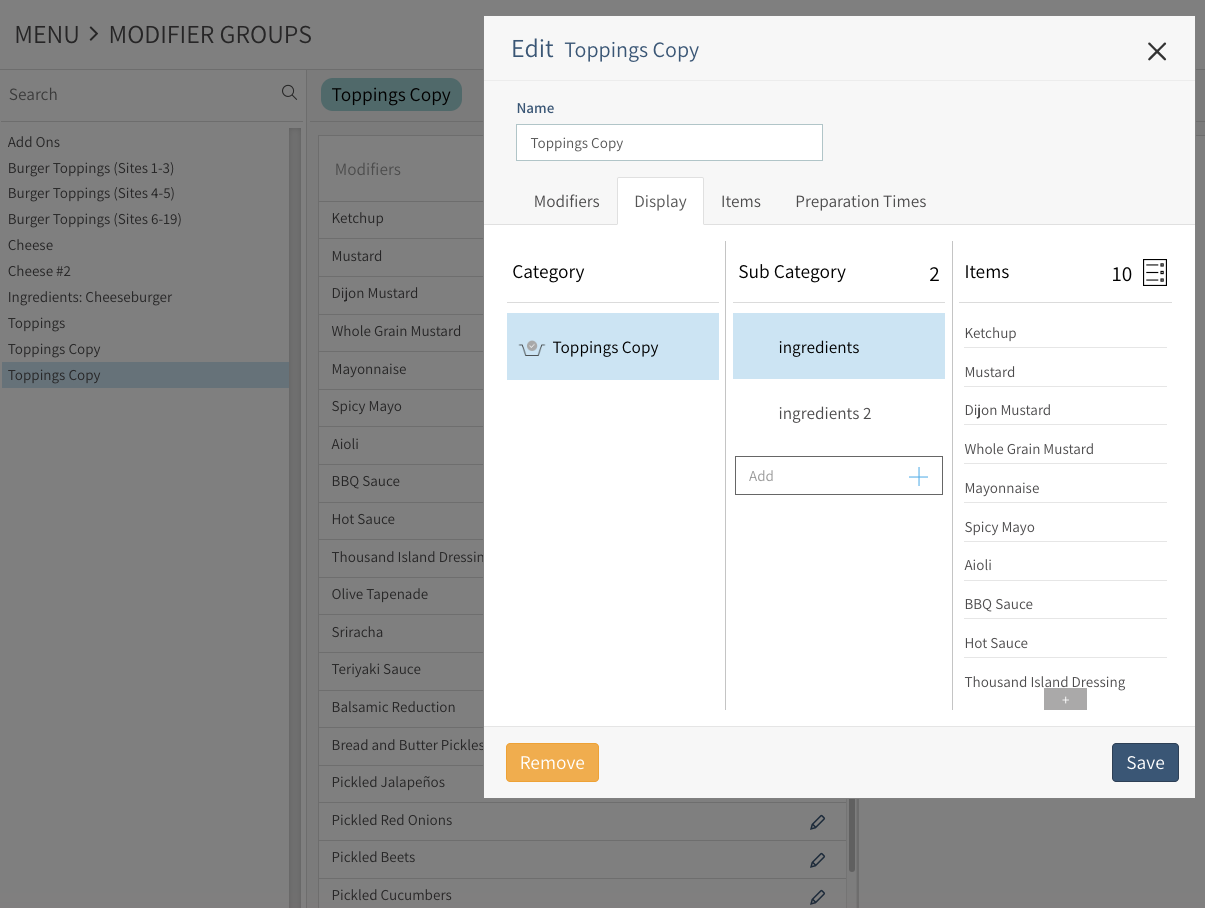
Copies of modifier groups and combo items now include their display configuration: categories, subcategories, icons, and item order. You no longer need to recreate that layout after copying.
The copied display can be edited separately; those changes do not alter the original.
After:
Before:
Simplified Fees setup
The Fees setup table no longer includes the Credit Card Fee (Deprecated) column.
Fixes
Archiving items preserves the rest of your selection
In Menu > Archive > Unused, removing one item or offer from a Select All selection now leaves the other entries selected. The Select All control also reflects a partially selected list.
HQ publishing includes all sites when All is selected
Choosing All in the HQ publishing site selector now includes every site, including sites selected earlier. Previously, that action could deselect the sites chosen first and leave them out of the publication.
Tabit Feedback
Improvement
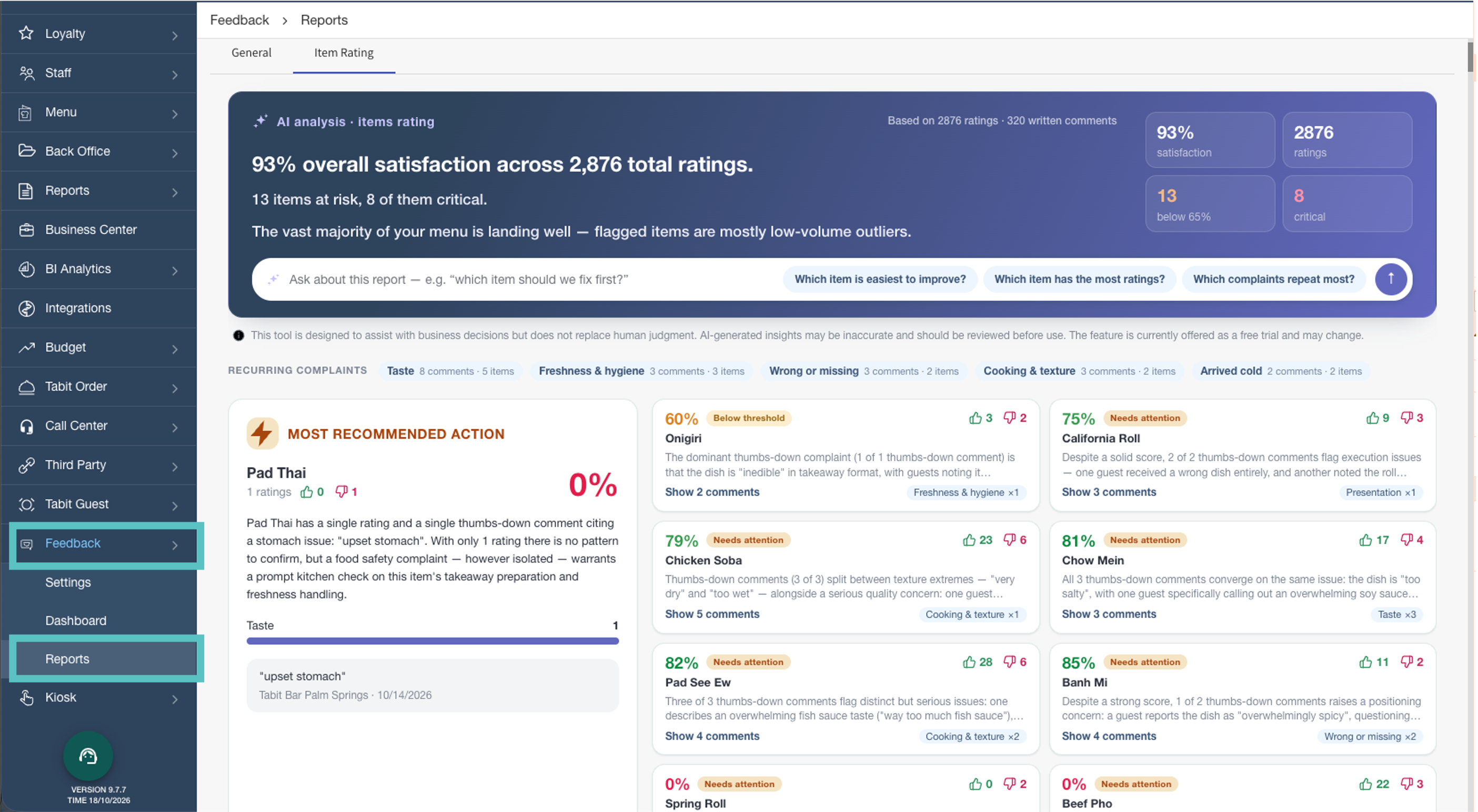
Easier review of item ratings and recommended actions
Item ratings and suggested actions have been rearranged for easier review. The critical item cards and AI chat display have also been updated to help managers interpret feedback.
At HQ level, entries sharing an item name are grouped together. Expand the item’s dropdown to review feedback from the different sites.
Tabit Guest
Enhancement
Exclude a table from online bookings for every shift
A table can now be excluded from online booking across all shifts in one place. This removes the need to add the same exclusion separately to each shift.
Where to find it:
-
In Tabit Office, go to Tabit Guest > TGM Setup > Online Booking > Excluded Tables.
-
In Excluded Tables, enter the table number and select Enter. The table is excluded from online reservations for all shifts.
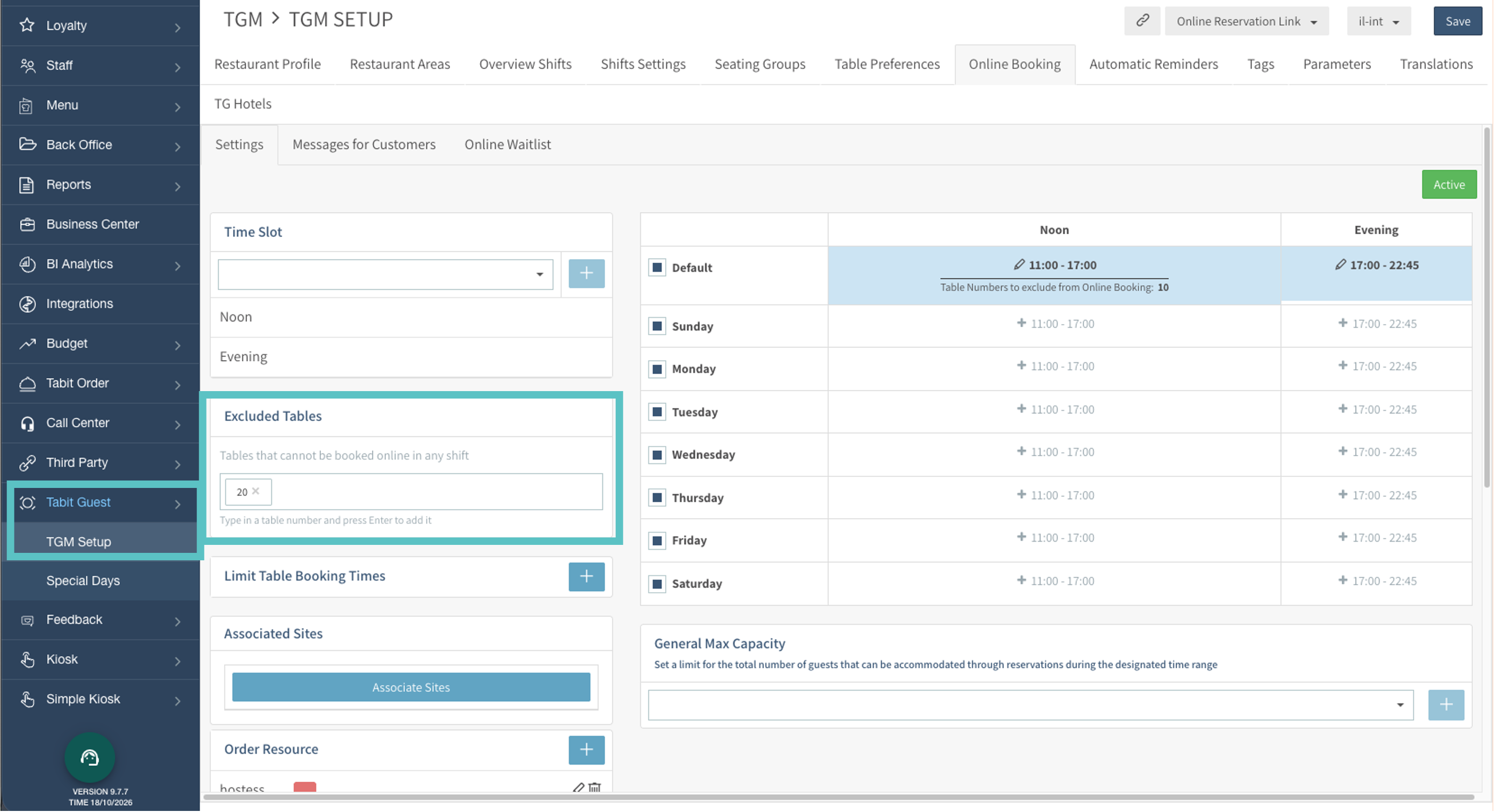
You can still exclude tables for individual shifts. A table cannot be excluded at both the all-shifts and individual-shift levels.
For temporary restrictions made by restaurant users, see How to Block Online Reservations in Tabit Guest.
Tabit Integrations
Improvement
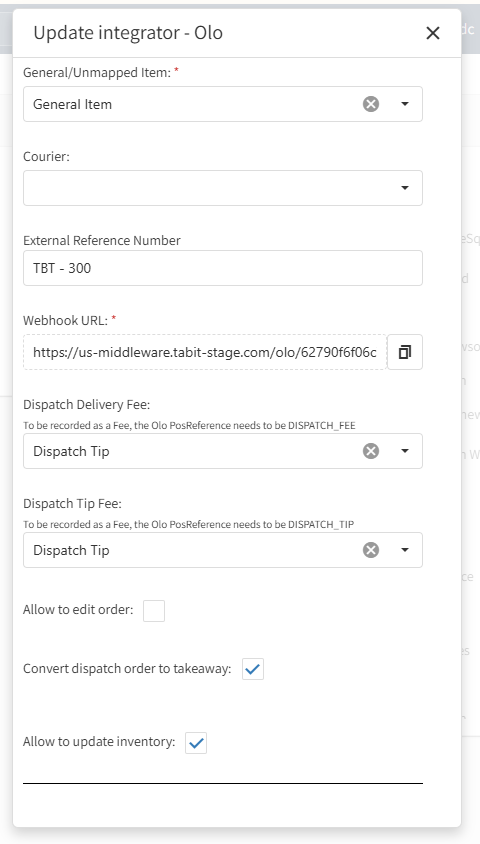
Handle Olo Dispatch orders as Takeaway
Sites using Olo can now choose to have Olo Dispatch orders processed automatically as Takeaway rather than delivery orders.
Where to find it:
In Tabit Office, go to Third Party > Third Party Setup > Olo. Near the bottom of the setup window, enable Convert dispatch order to takeaway.
Olo order sources now use these names:
-
Olo CC: the updated name for Olo Call Center.
-
Olo Disp: the new source for Olo Dispatch orders.
-
Olo CC Disp: the new source for Olo Call Center Dispatch orders.
Browse integrations by category and connection status
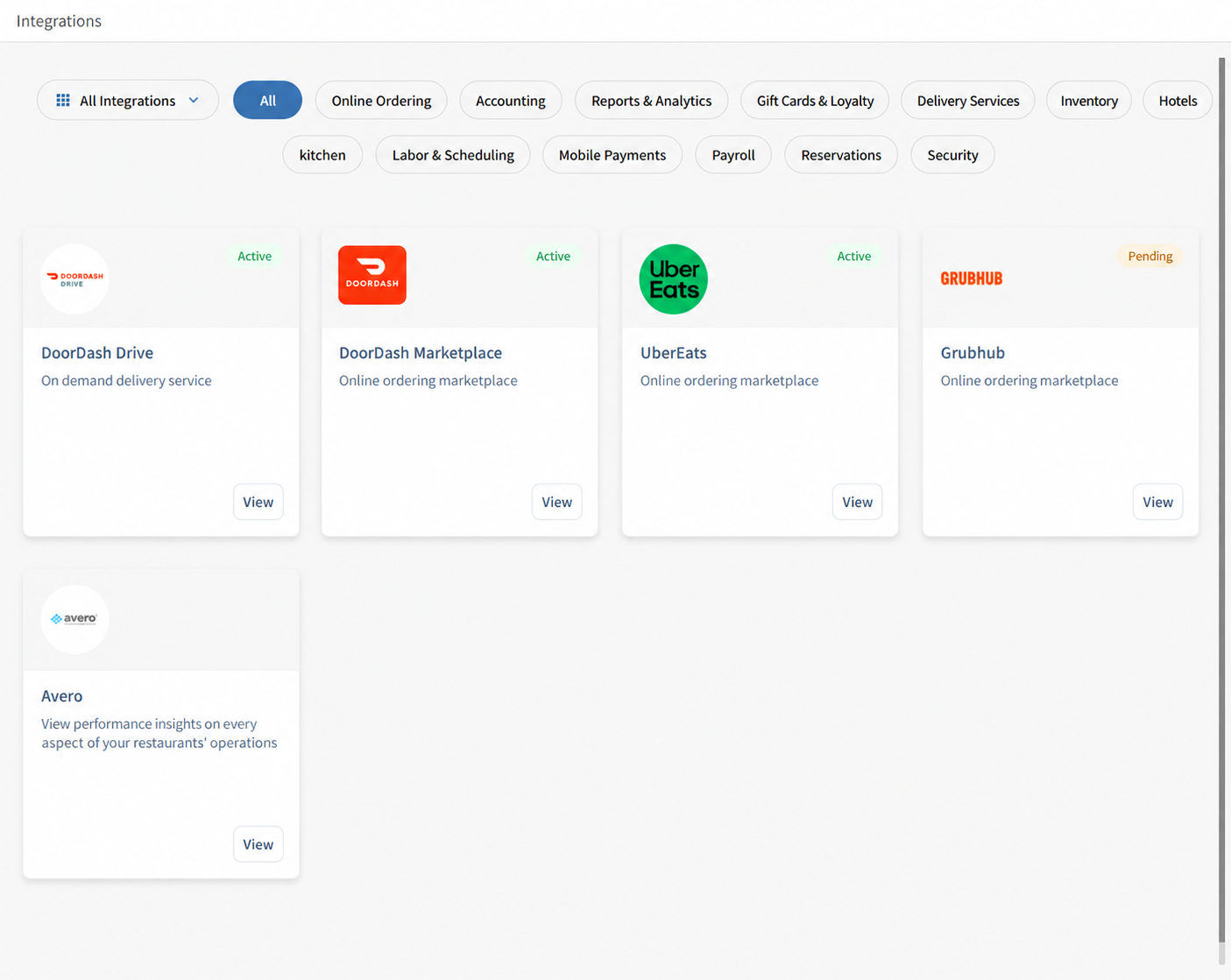
The Integrations page now separates available integrations from those set up for your site. Choose All Integrations to browse the full list or My Integrations to see the site’s configured integrations. Category filters help narrow either list.
Status labels explain where each integration stands:
-
Active: the integration is connected and enabled.
-
Pending: configuration exists, but onboarding or connection setup has not been completed.
-
Inactive: configuration has been saved, but the integration is disabled.
Shorter Olo Dispatch order-note wording
Olo order notes now use Dispatch in place of Dispatch Delivery.
Fixes
Olo validation rejects unrecognized modifiers
Olo orders containing unknown modifiers are now rejected during order validation.
DoorDash Marketplace handles unknown modifiers with a generic item
DoorDash Marketplace orders with unknown modifiers can now be processed using a generic item.
Tabit Shift
Improvement
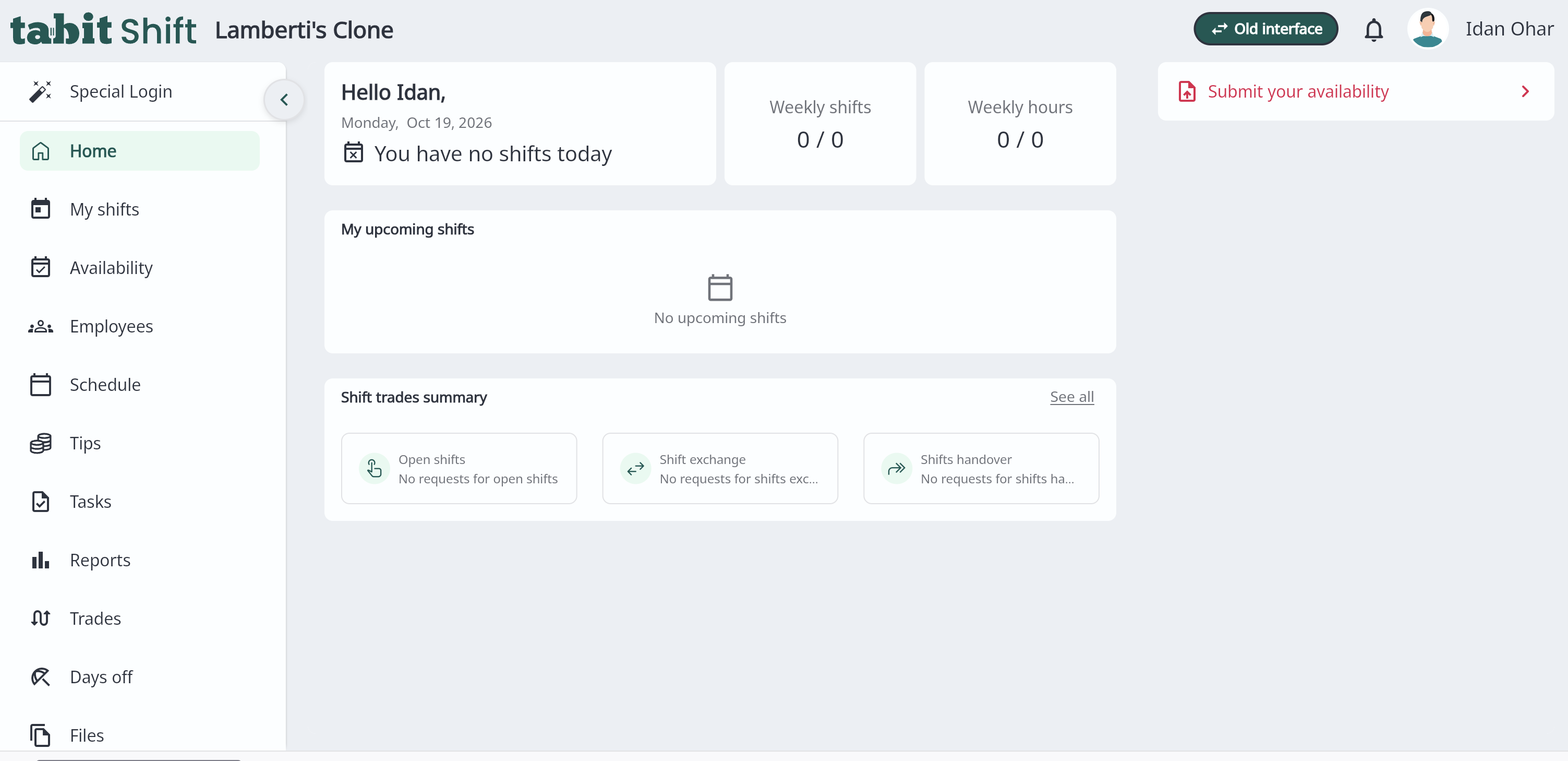
Refreshed desktop experience for Tabit Shift
The updated desktop design brings Tabit Shift closer to the mobile app’s appearance, making the transition between devices more familiar.
The October 20 release announcement schedules the new experience for the demo environment first, with production following one week later. This release note does not confirm that the production rollout has completed.
Where to find it:
-
Select New Shift experience in the desktop navigation to open the refreshed screens.
-
The updated home screen groups upcoming shifts, weekly totals, and shift trades.
-
During the transition, select Old interface in the header to return to the previous design.