Overview
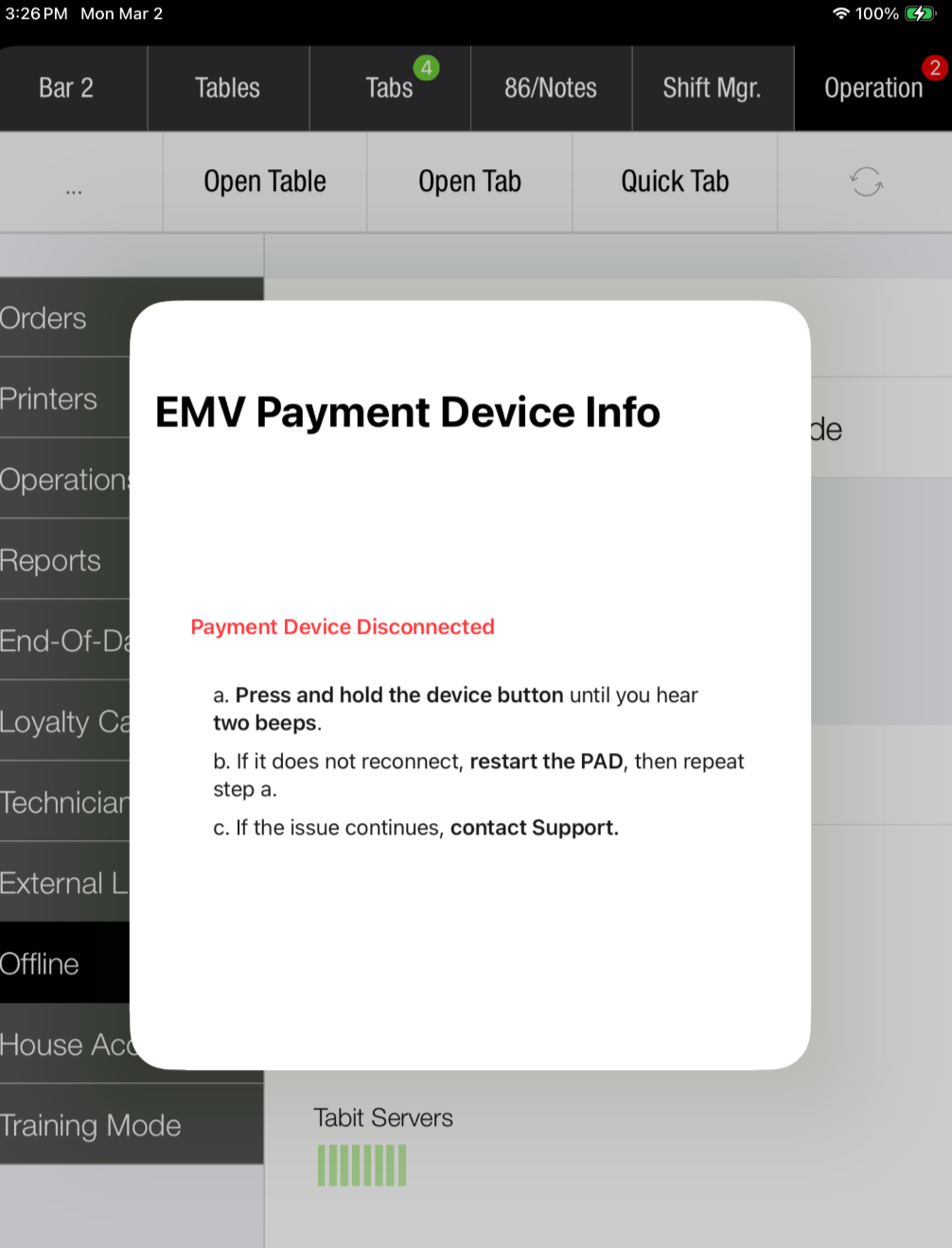
Use the payment health check to review card-payment availability on the PAD, identify connection issues, and see troubleshooting steps for the configured provider.
Open it from the card status icon whenever needed. The icon shows the latest check result and can update automatically after the device reconnects.
Before you begin
-
This guide covers Ingenico and MagTek providers.
-
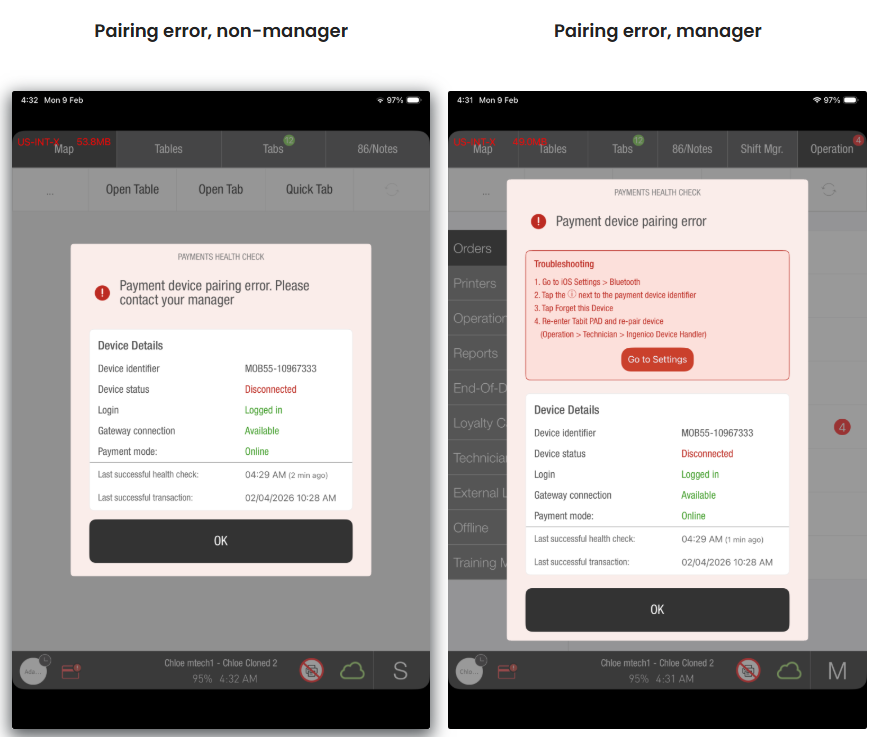
Some troubleshooting actions require manager access, including opening iOS Settings for certain Ingenico pairing errors.
Ingenico
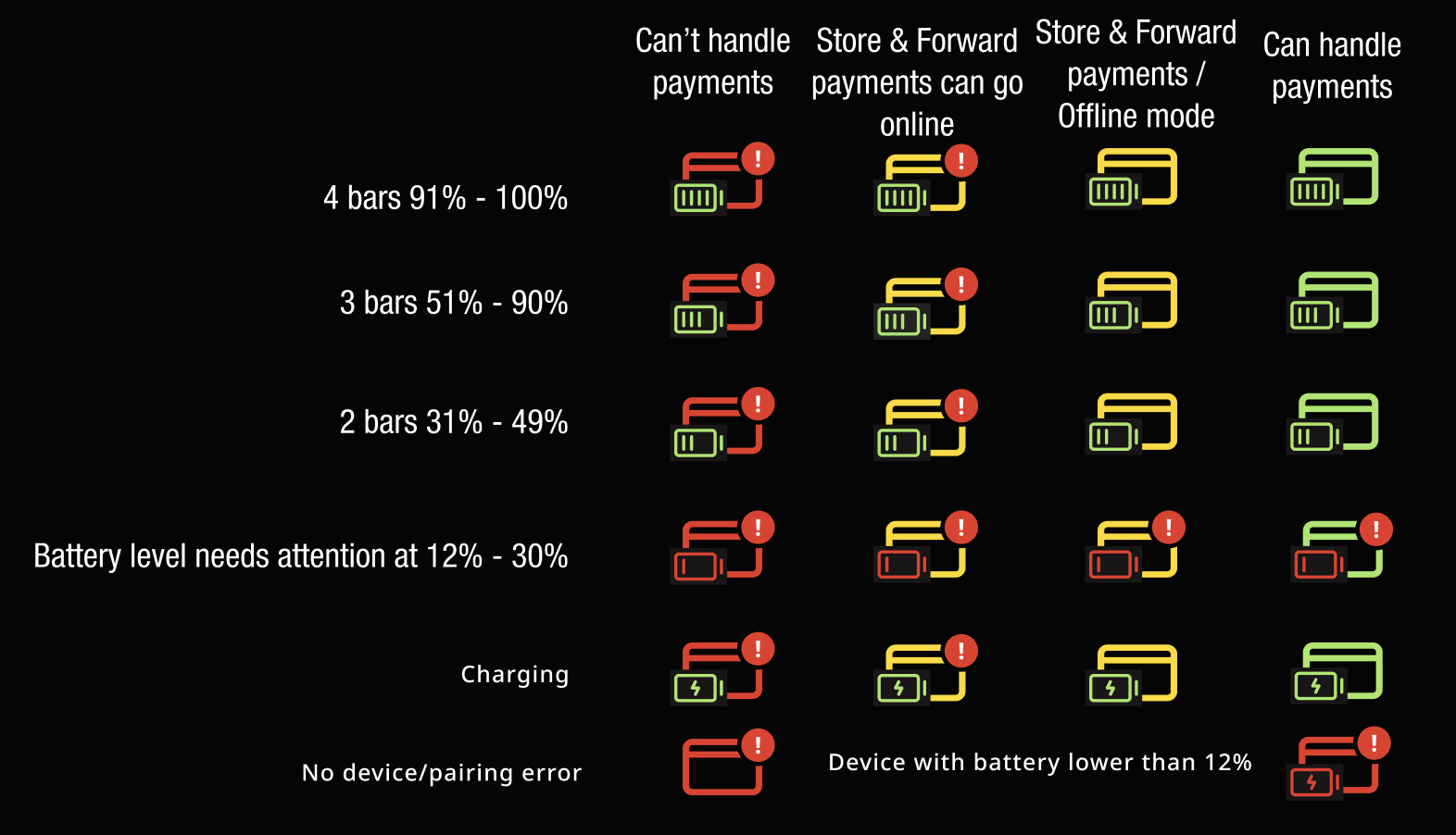
For Ingenico, the icon shows payment readiness and device battery status. Gateway availability also affects the icon.
Understanding the icon colors and alerts
Overall payment status
-
Green: Credit payments are available.
-
Red: Credit payments are unavailable.
-
Yellow: Payments are offline, through Offline Payments or Offline Mode.
Red takes priority over yellow. A disconnected payment device shows red even when offline, because Store & Forward requires a connected device.
Battery Indicator
-
The battery icon is green while charging or above 30%.
-
It turns red when the battery is at 30% or lower.
-
A red exclamation mark means action is needed.
Running a payment health check, Ingenico
-
Select the PAD's card status icon.
-
Let the loading indicator finish while status refreshes.
-
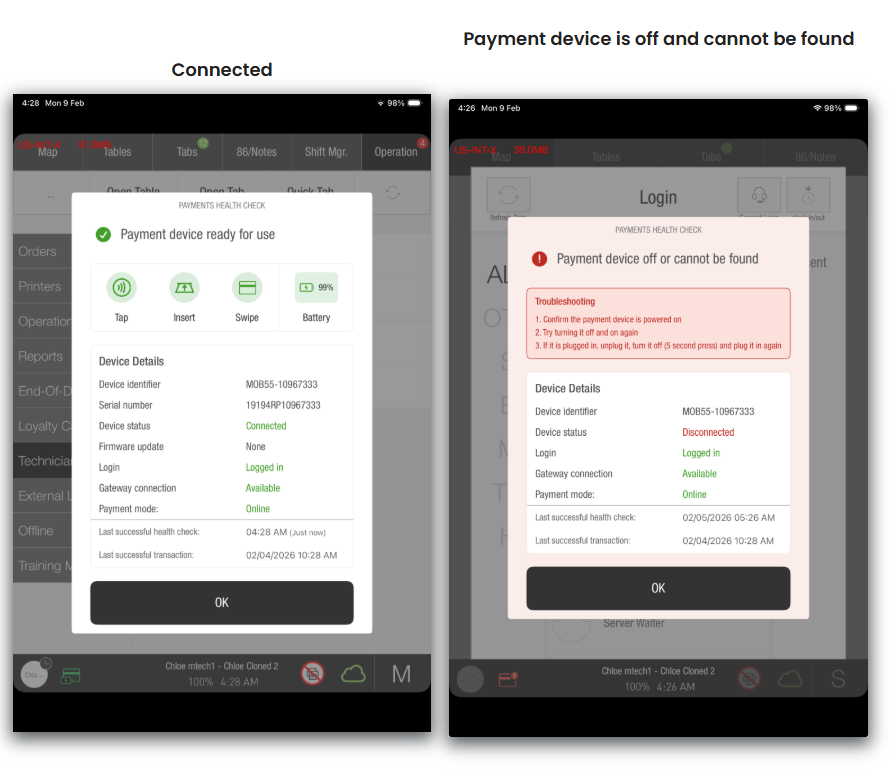
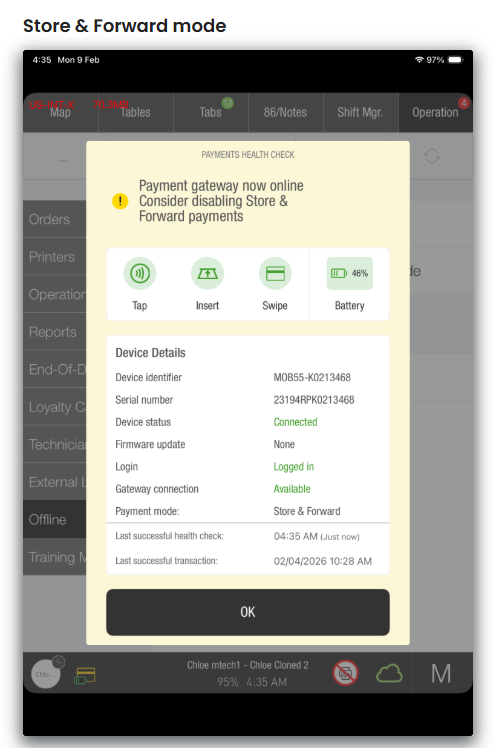
Review Payment health check results.
Low battery
-
Low: Below 31% while not charging, payments may still be possible. The alert prompts charging before the device disconnects.
-
Critically low: Below 12% while not charging, the device is treated as not ready and payments may fail.
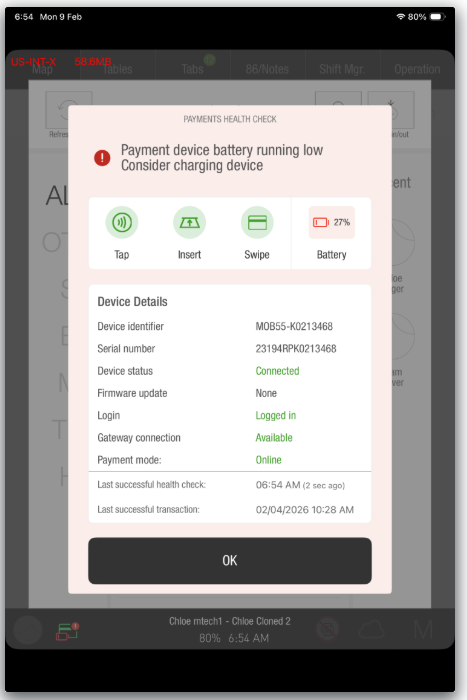
What the Ingenico payment health check modal shows
-
Current issue summary at the top.
-
Connection state: connected, disconnected, pairing error, or no paired device.
-
Battery percentage and charging state.
-
Supported entry methods: tap, insert, and swipe.
-
Whether firmware updates are available.
-
Gateway connectivity.
-
Issue-specific troubleshooting instructions.
-
Times of the last successful health check and credit transaction.
MagTek
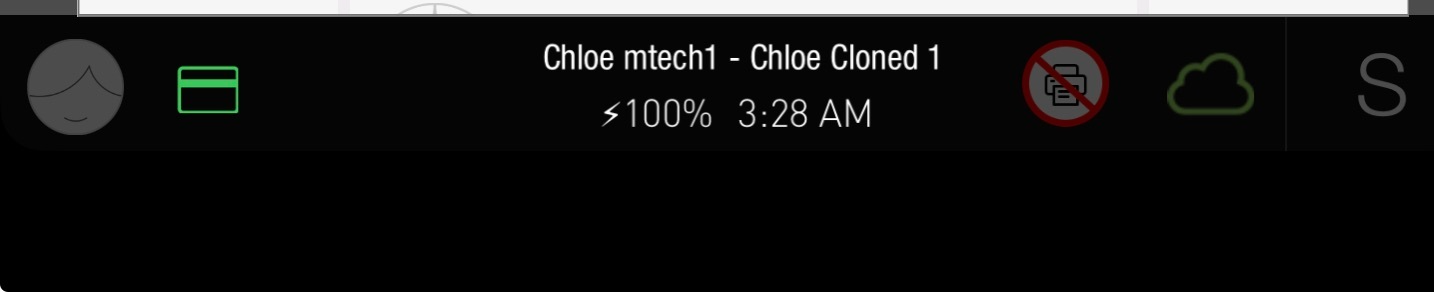
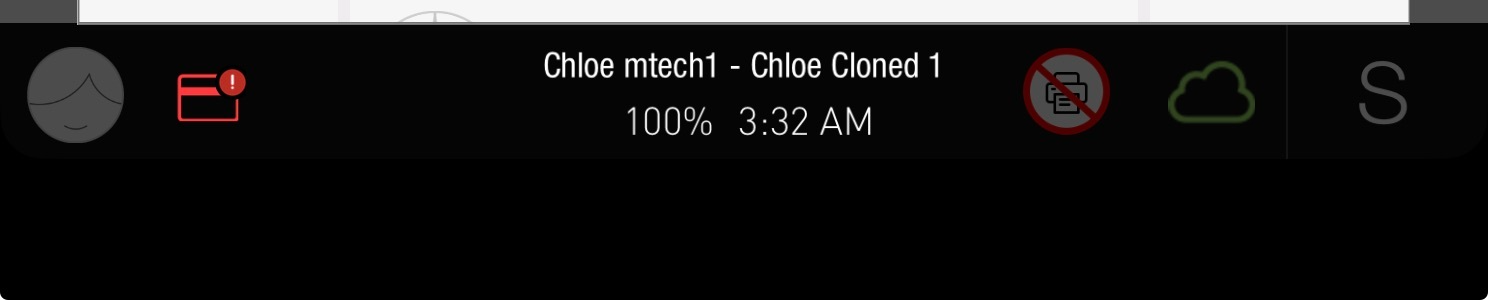
For MagTek, the icon indicates Connected, Disconnected, or Store & Forward / Suspended payments enabled.
Connection states
Connected
Disconnected
Store & Forward / Suspended payments enabled

Run a MagTek connectivity check
-
Select the card-status icon on the PAD.
-
Allow the loading indicator to complete while the device status refreshes.
-
Review the connection details and follow the displayed troubleshooting steps.
The icon shows the most recent health check result and may refresh automatically when the device reconnects.
Example check results
Connected
Disconnected