Issue: The below message is displayed upon logging in.
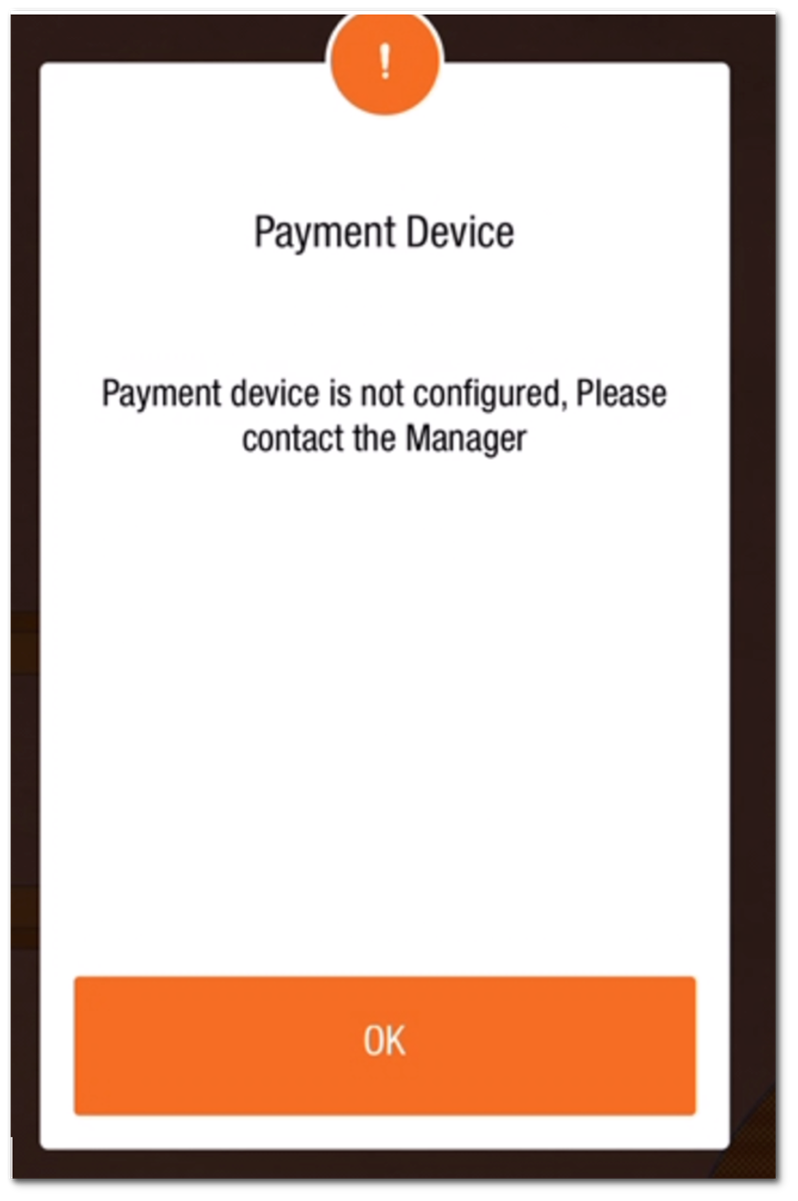
This message indicates that the Ingenico device cannot communicate with the PAD. Use the following checks.
Steps to Resolve the Issue:
-
Check that the Ingenico has power and is charged.
-
If powered on, hold power for 3–5 seconds until the lights turn off. Leave it off for 5–10 seconds before turning it on again.
-
After powering on, look for a blinking blue light and solid red light.
-
On a PAD with a round Home button, double-tap it and swipe Tabit rOS upward to close it. Do not use this method on a Spooler PAD; follow How to Restart the Tabit Application on the Spooler (SPLR) PAD instead.
-
Open Tabit rOS again and check whether the message is gone.
-
Check that credit-card processing is available again.
If the issue has not been resolved, follow the below steps:
-
If necessary, reboot the PAD.
-
Power-cycle Ingenico again: hold power for 3–5 seconds until its lights go off, wait 5–10 seconds, then turn it on.
-
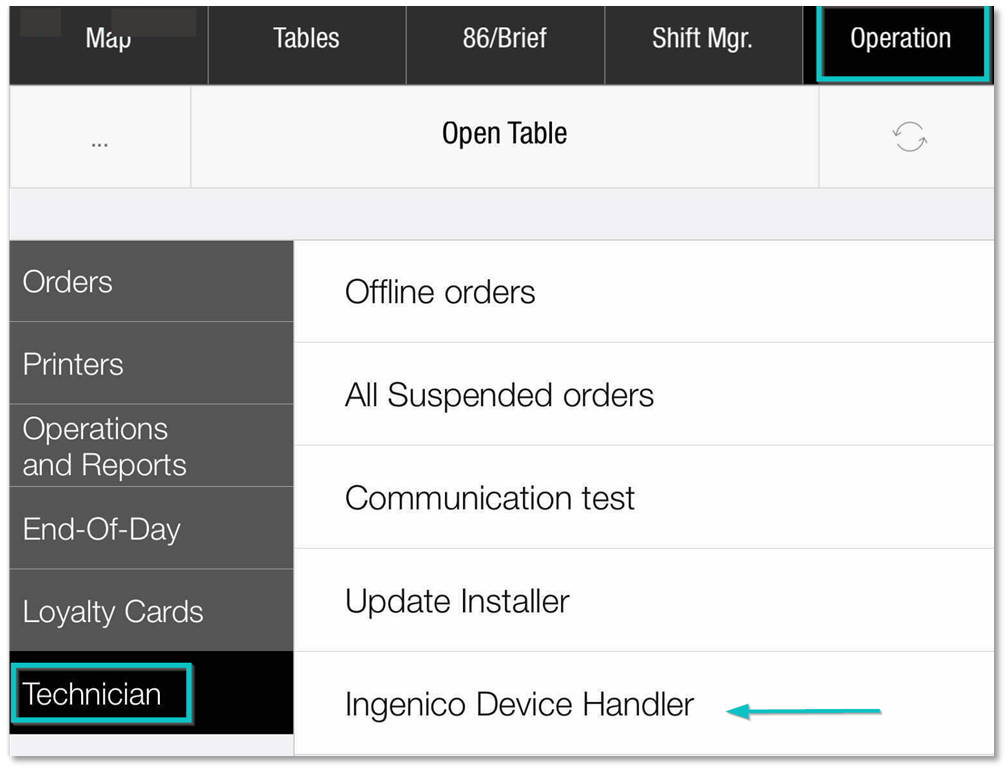
Sign in as a Manager and open Operation > Technician > Ingenico Device Handler.
-
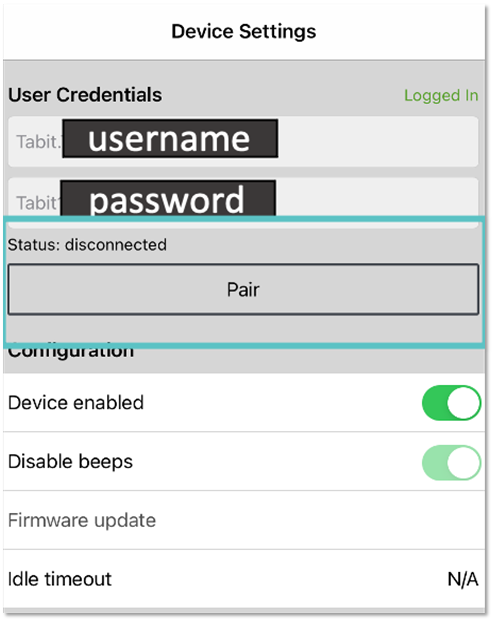
Review Status for a disconnected device and any Pair option.
-
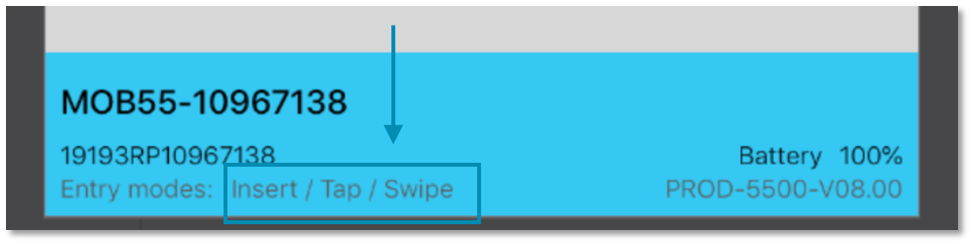
If disconnected, switch Ingenico off, wait another 5–10 seconds, and turn it on. Check for connected status and the blue Entry Modes ribbon showing Insert/Tap/Swipe.