
Tabit PAD
New
Ingenico Payment Device Health Check -- stay ahead of payment readiness
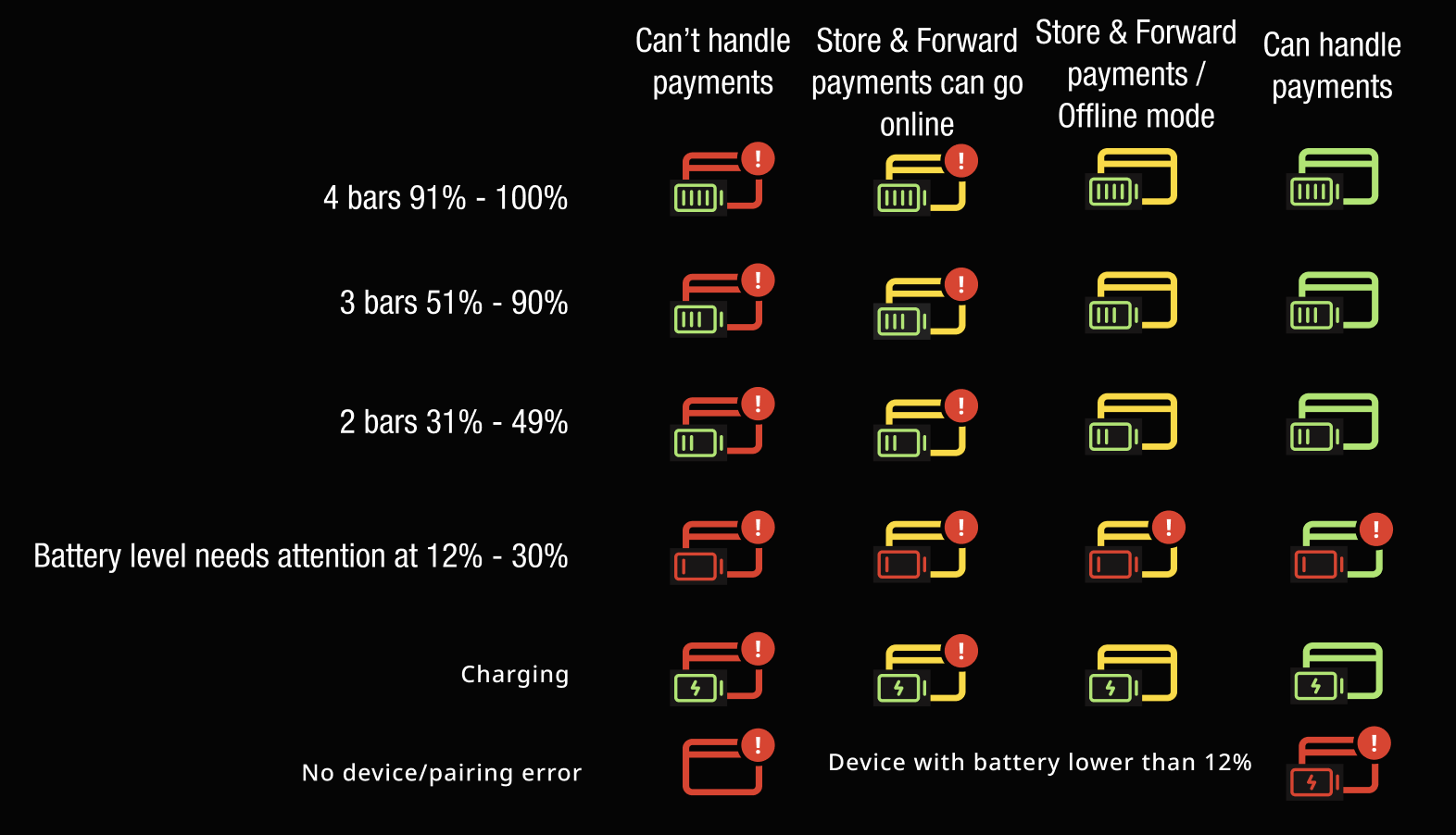
Maintaining constant payment readiness is simpler than ever. Tabit PAD now features an integrated connectivity monitor for Ingenico and Magtek hardware, allowing staff to identify potential technical hurdles before they impact the guest experience.
Real-Time Status Visibility
-
Enhanced Icons: A updated card status indicator provides an immediate visual summary of the device's current connection state.
-
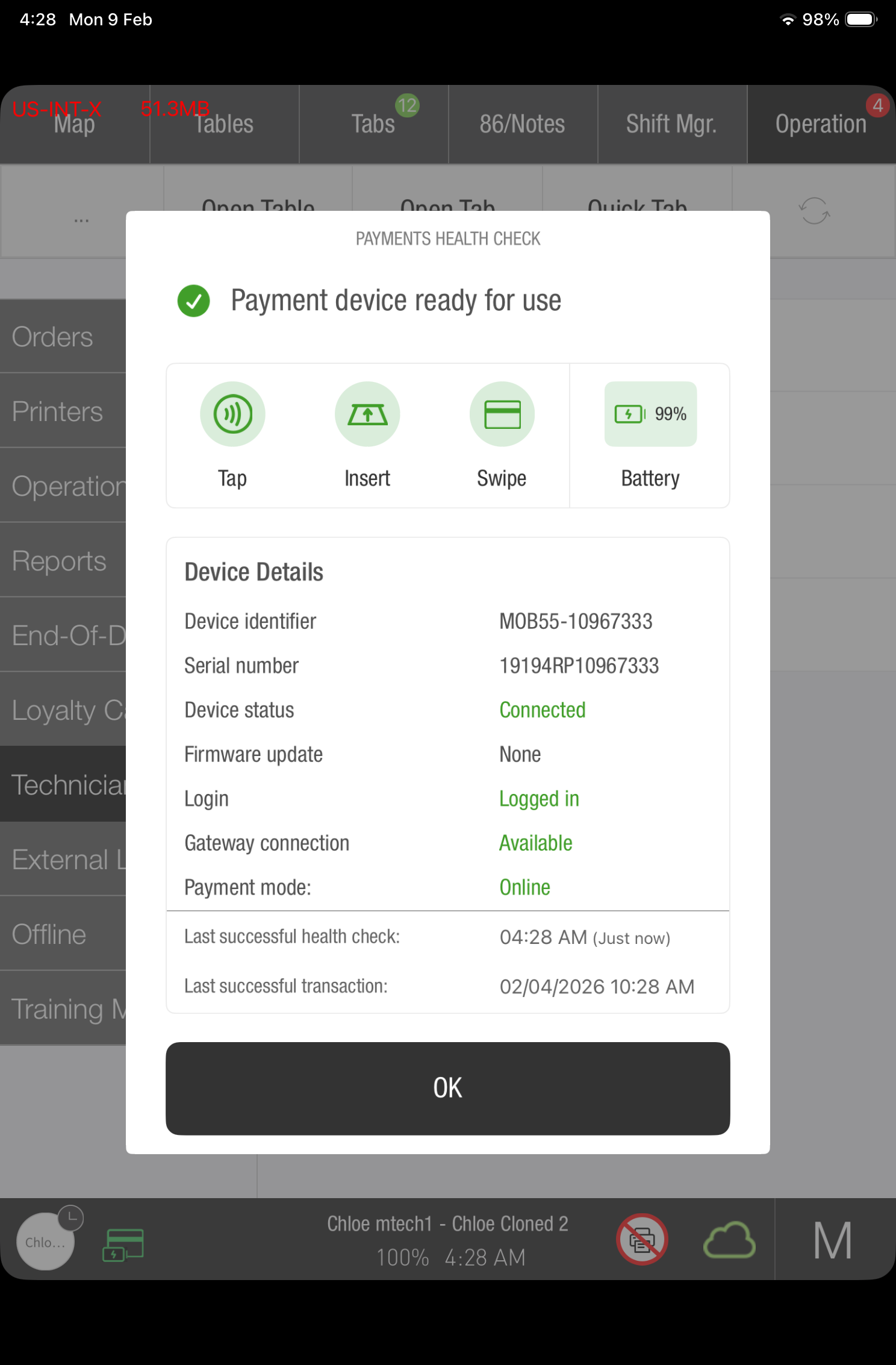
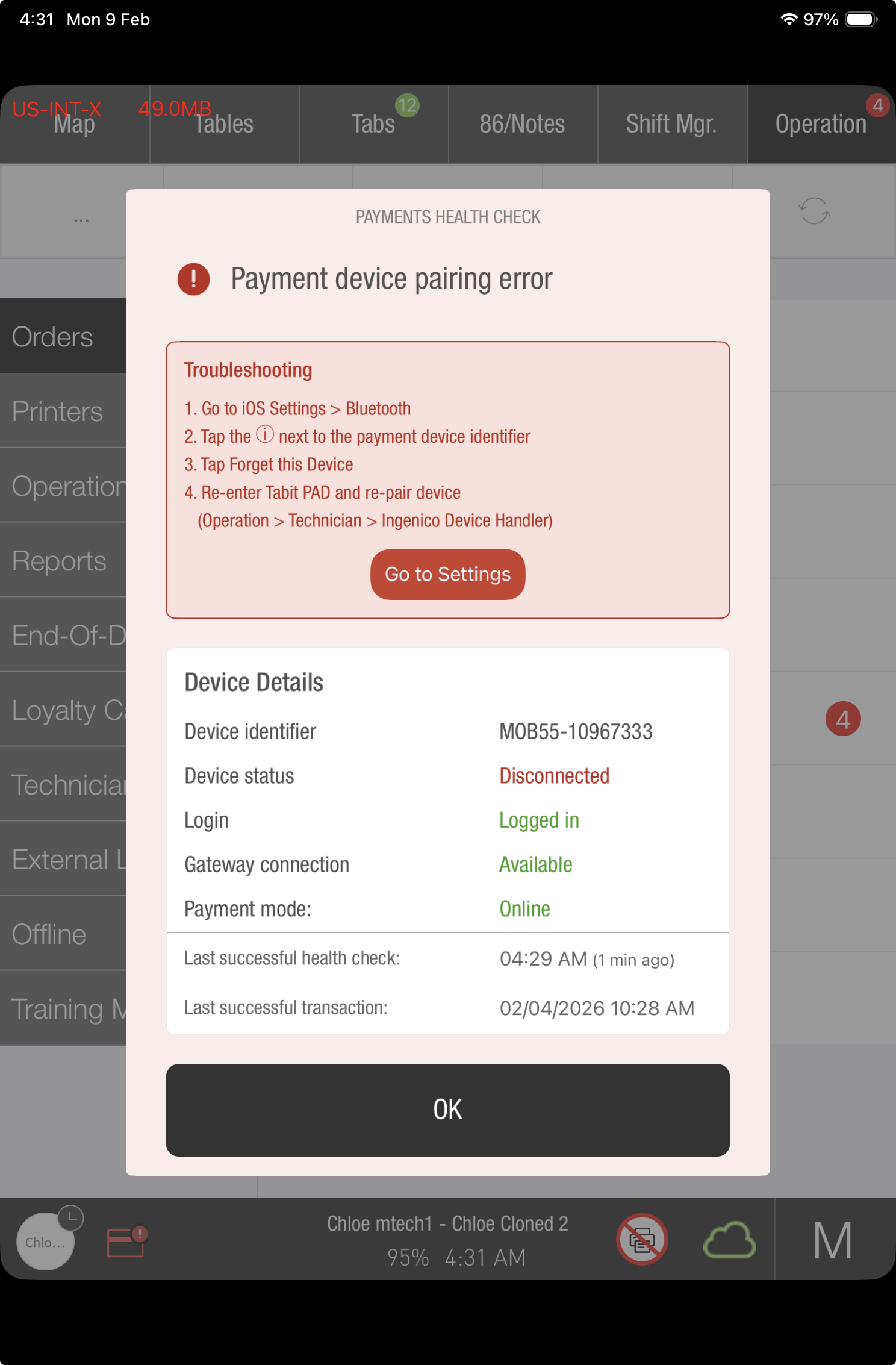
Detailed Diagnostics: A health check interface provides specific data on device performance, enabling managers to resolve connectivity issues efficiently and prevent unexpected failures during the checkout process.
For comprehensive details on interface behaviors and specific resolution steps, refer to our technical guide: Payment Device Connectivity Health Check.
Future inventory management now supported on the PAD
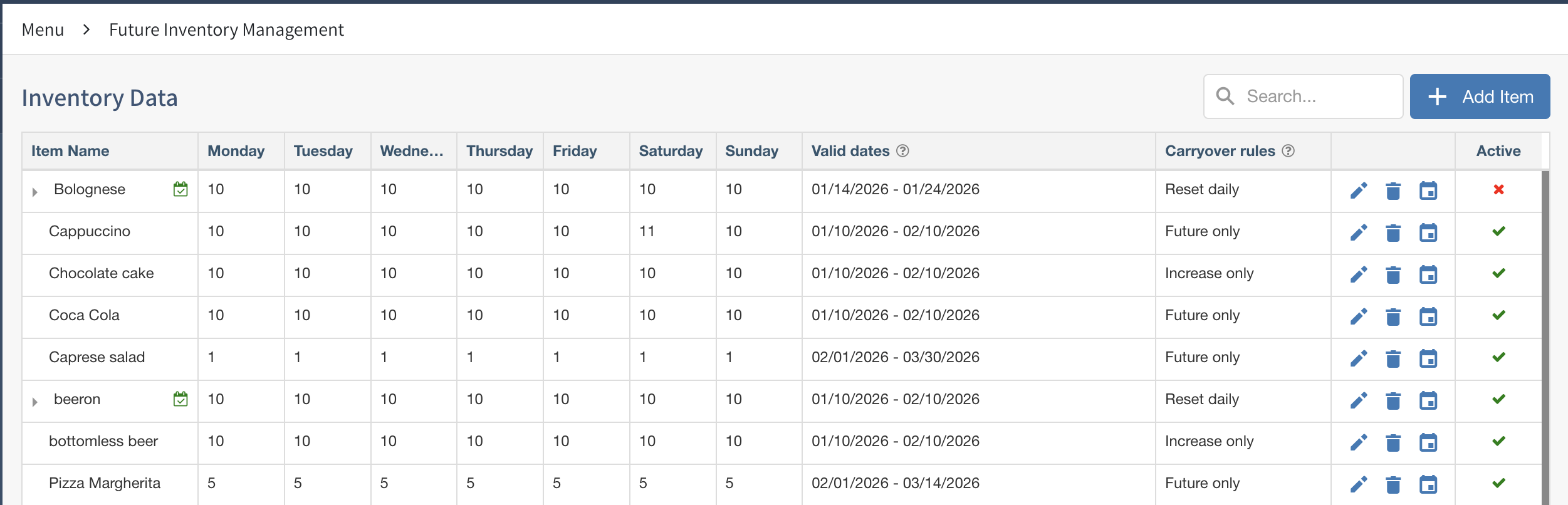
The PAD now supports Future Inventory Management for TD future orders.
For an order dated in the future, limited items show as 86 with a counter that changes as items are added. Future orders do not perform the reserve-inventory action. Today's orders retain the existing behavior.
Learn more about future inventory management.
Stop Dish Count applies only to regular orders, not future orders.
What is Future Inventory Management?
Set item quantities for specified future dates to plan capacity without resetting inventory each day.
PAD use requires version 11.10 or later.
Stop Dish Count has been limited to regular orders to support future-date inventory.
Improvement
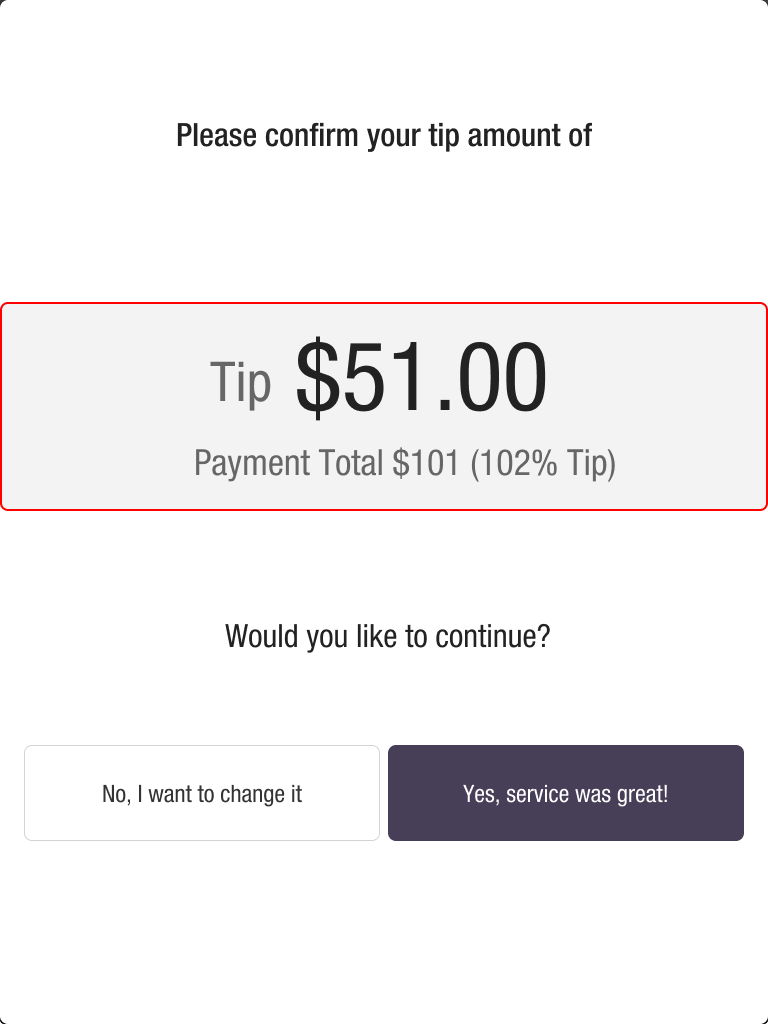
Tip threshold warning screen UI updated
A full-screen tip-over-threshold warning replaces the earlier warning and uses clearer wording.
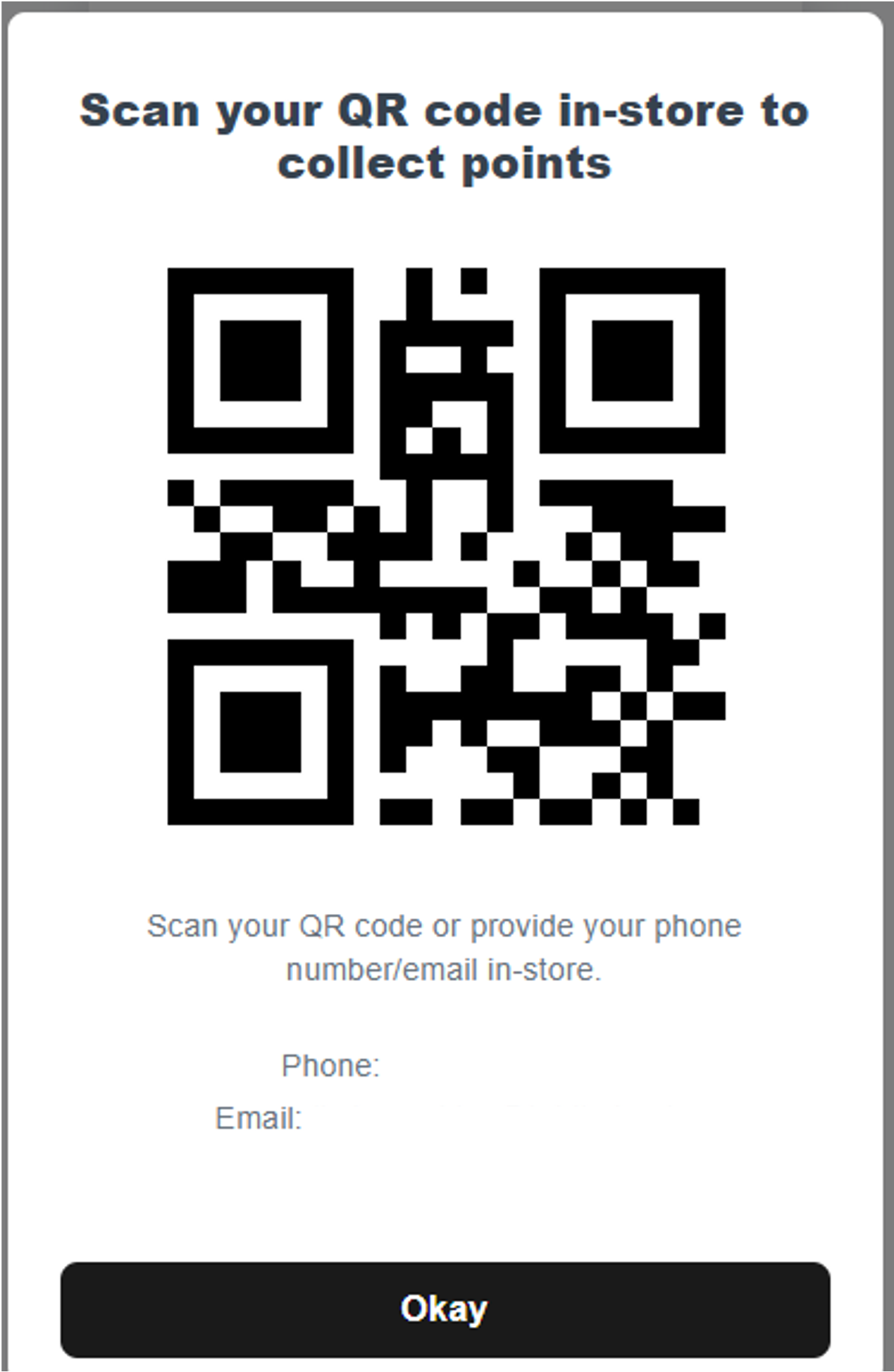
Loyalty QR scan now supports letters and numbers
PAD QR scanning now accepts alphanumeric values when identifying Loyalty members, including prepaid and gift-card members.
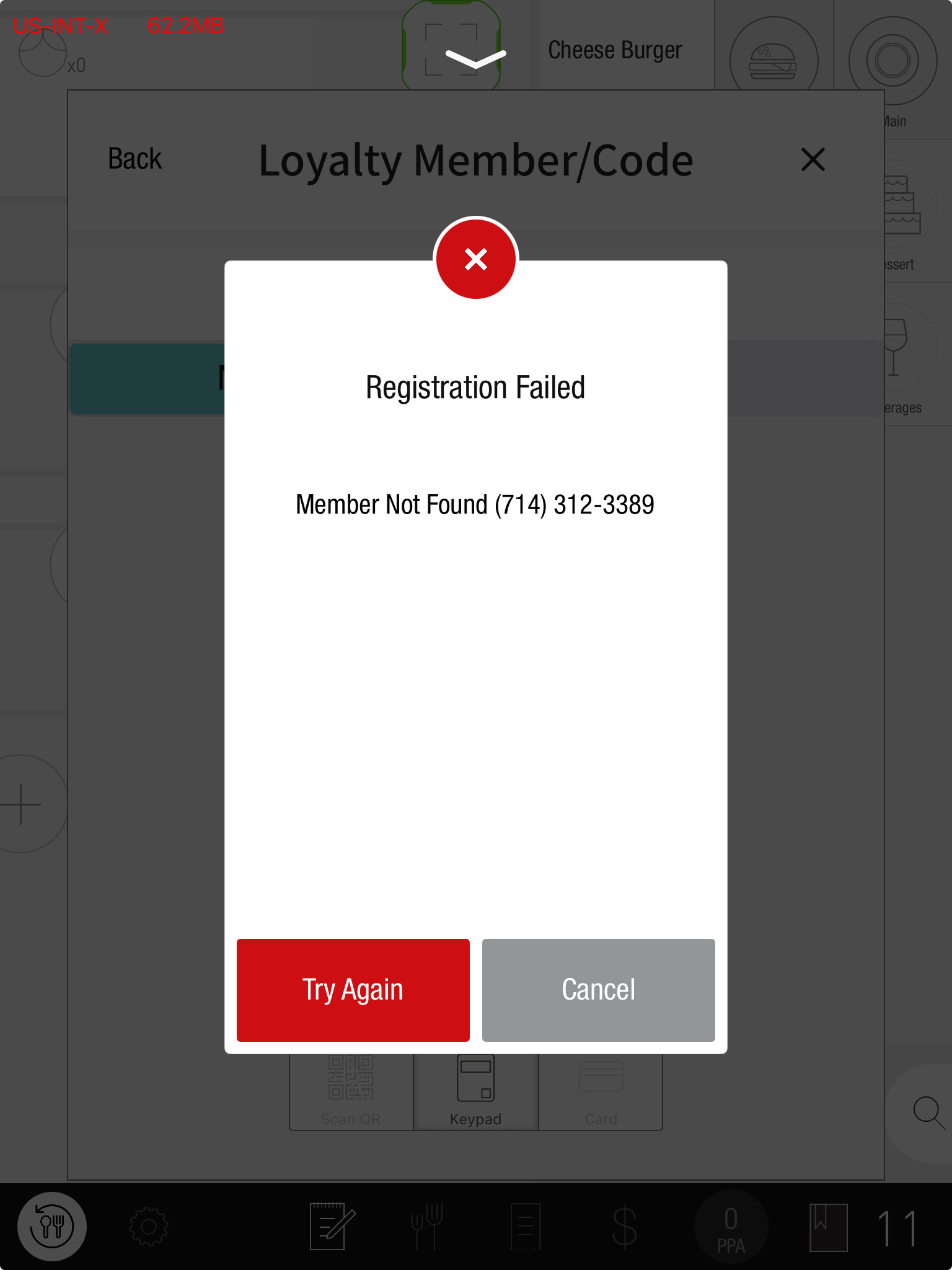
“Member not found” now shown when loyalty registration is disabled
If an entered phone or card number is not found in Loyalty, the PAD displays an error.
Fix
Return cash now prompts printer selection when drawer isn’t connected
Previously, a completed cash refund could still show No matching printer was found and prevent refund-document printing.
After drawer selection in Return Cash, the PAD now opens the manager printer selection dialog, matching seated orders.
Media Exchange loads now run after Auth Complete, regardless of client tip setting
Previously, clientTip behavior could send prepay-load-budget before authComplete. This prevented House Account loads from closing automatically and could allow reversal without unloading the account. Gift Card loads could also post too early.
House Account and Gift Card load requests now wait for authComplete, matching noTip and tipByServer and restoring automatic closure.
Tip no longer sent in unlock request before Auth-Complete is approved
Previously, reconnecting and relaunching could display a tip as a separate payment row.
The tip is now included only after auth-complete approval, preventing that separate row after relaunch.
Re-Order modal dismissal no longer adds items unintentionally
Previously, selecting an item in Re-Order and dragging the dialog down could add it invisibly, leaving it waiting for Fire in Courses.
An item is now added only after confirmation within Re-Order. Dragging down cancels without adding it.
3rd party orders with $0 balance can now be cancelled after item removal
A fix prevents Olo orders becoming locked after item removal and blocking Cancel Order.
Split Check now blocks payment when combo items are incomplete
A fix blocks payment in OTC Split Check when a combo still lacks mandatory selections.
External Monitor Mode tap indicator restored
External Monitor Mode again displays the yellow tap indicator.
Tabit Office
Improvement
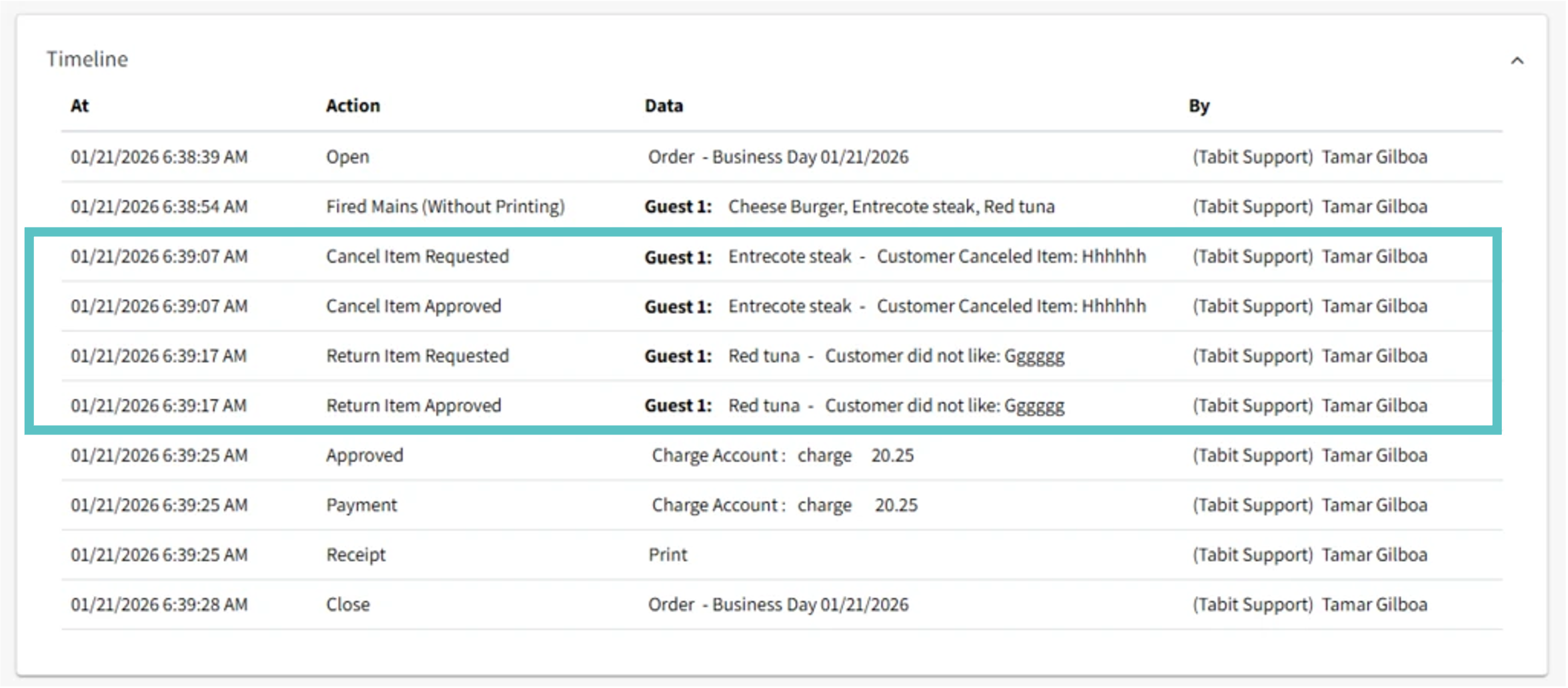
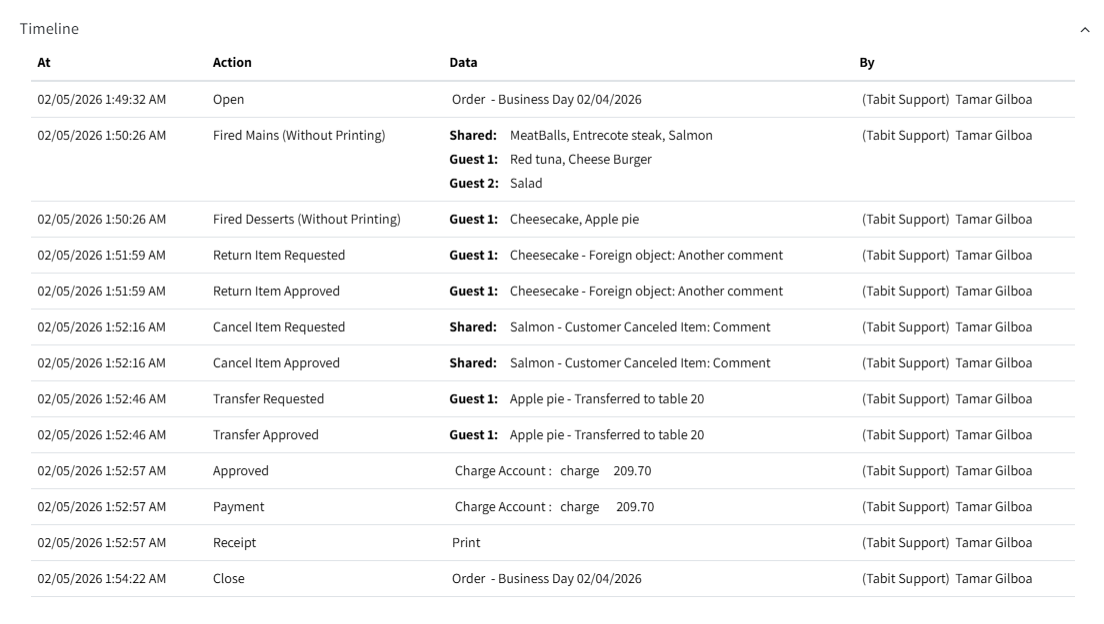
Guest number now appears on order timeline for voids/cancelations
Before:
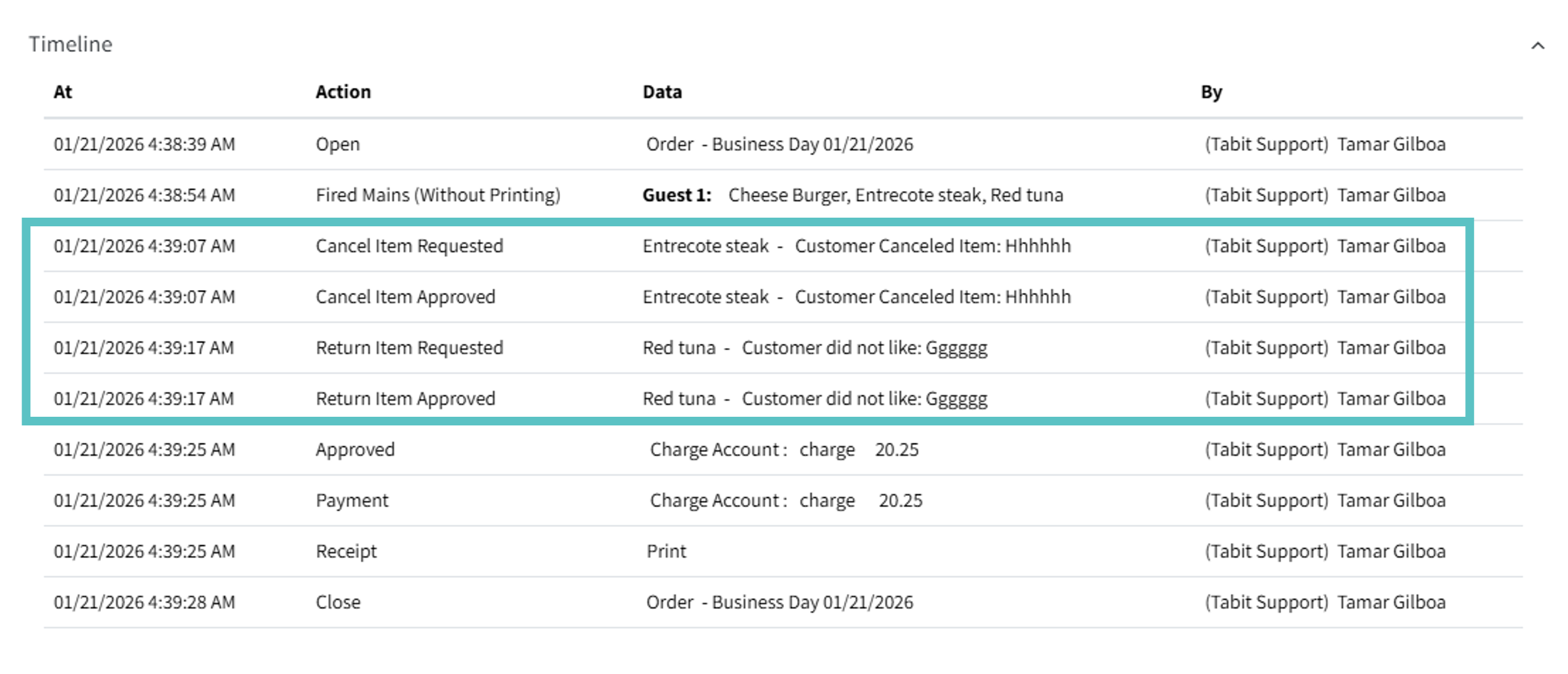
Now:
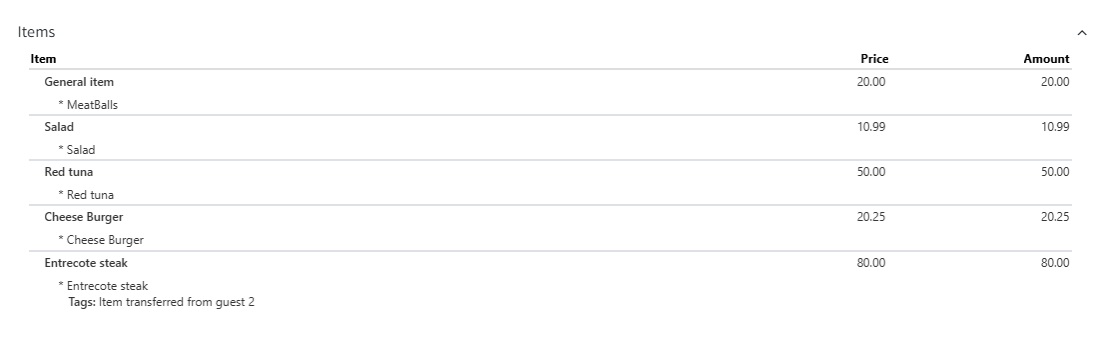
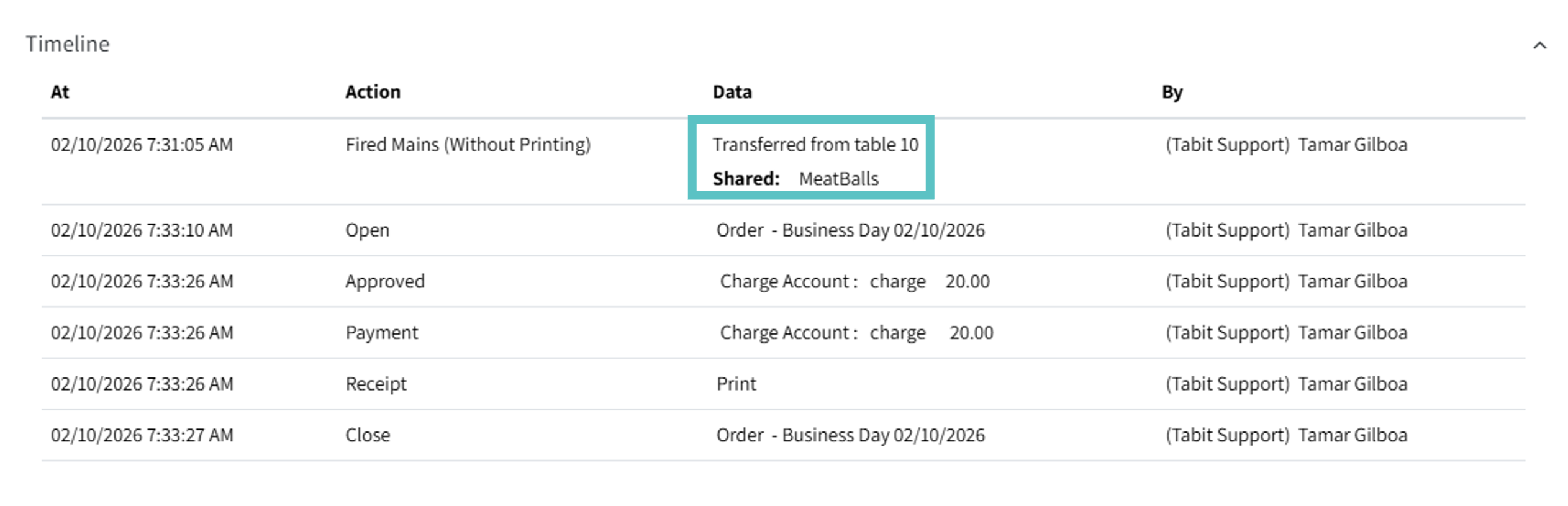
Details added to order timeline
Item transfers are clearer in the timeline through:
-
Titles identifying items moved from another table or order.
-
Correct transfer tags in the Items section and timeline.
Before:
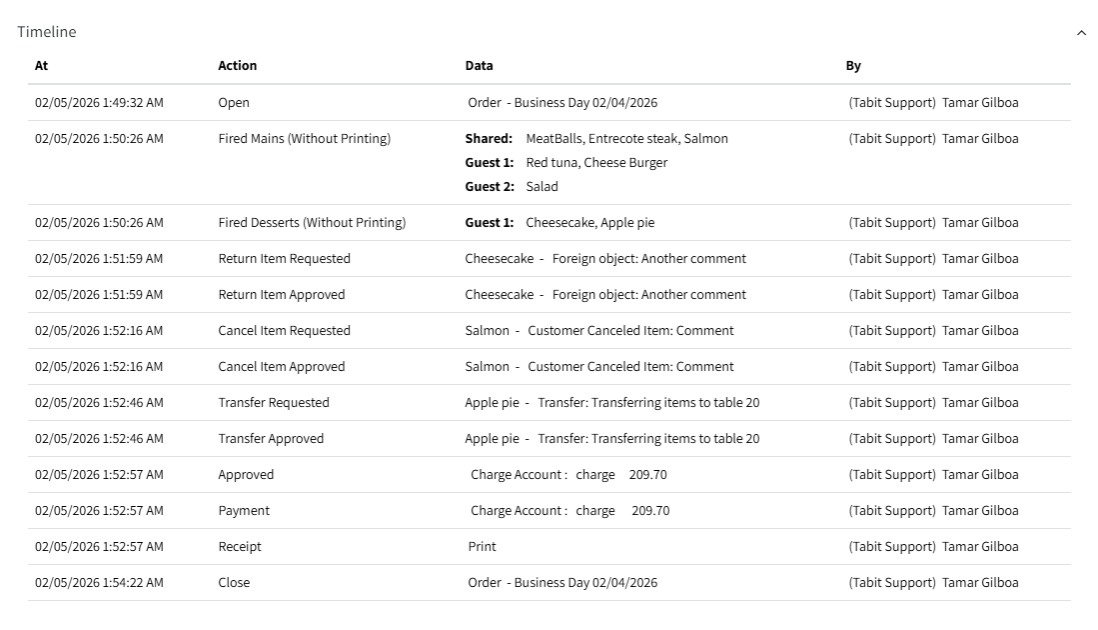
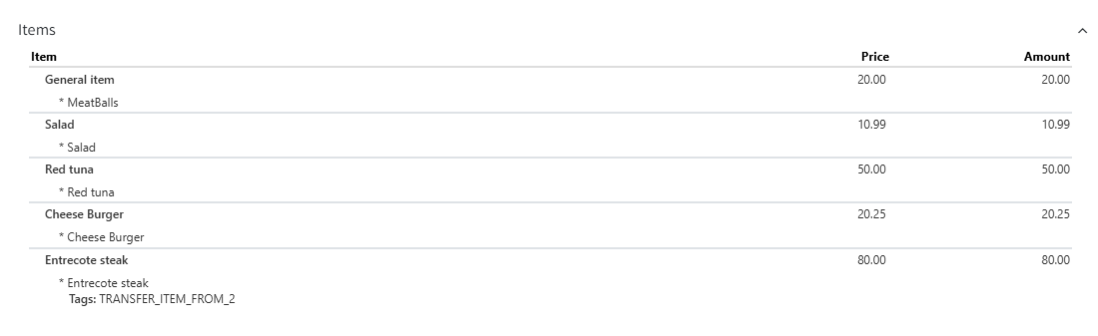
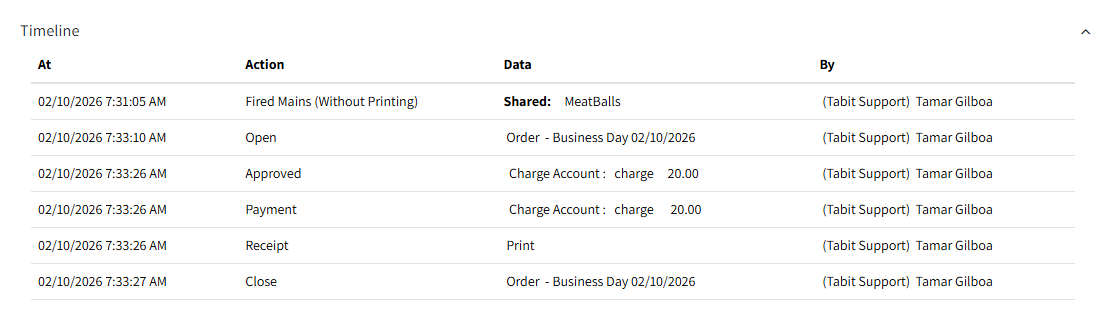
Now:
Updated terminology for credit accounts and suspended orders
Offline and alternate-credit labels have been aligned across the system.
The changes cover:
-
Credit Account Configuration
-
Suspended Orders page
-
Excel exports from Suspended Orders
PAD terminology was scheduled for a later version.
What’s Changed:
Credit Accounts
-
Alternate → Manual Credit Backup
-
Offline → Store & Forward
Affected account displays include:
-
Labels beside credit account names.
-
PAD Account Usage and its dropdown choices.
-
The account's top-right status indicators.
-
The red status label after saving.
Enabling Store & Forward on a primary account displays:
-
Store & Forward payments enabled (inside the account)
-
Store & Forward (account status indicator)
-
Store & Forward (next to the account name in red)
Suspended Orders
Store & Forward orders now identify the provider source:
-
Ingenico Store & Forward
-
Magensa Store & Forward
Excel exports use the same source terminology.
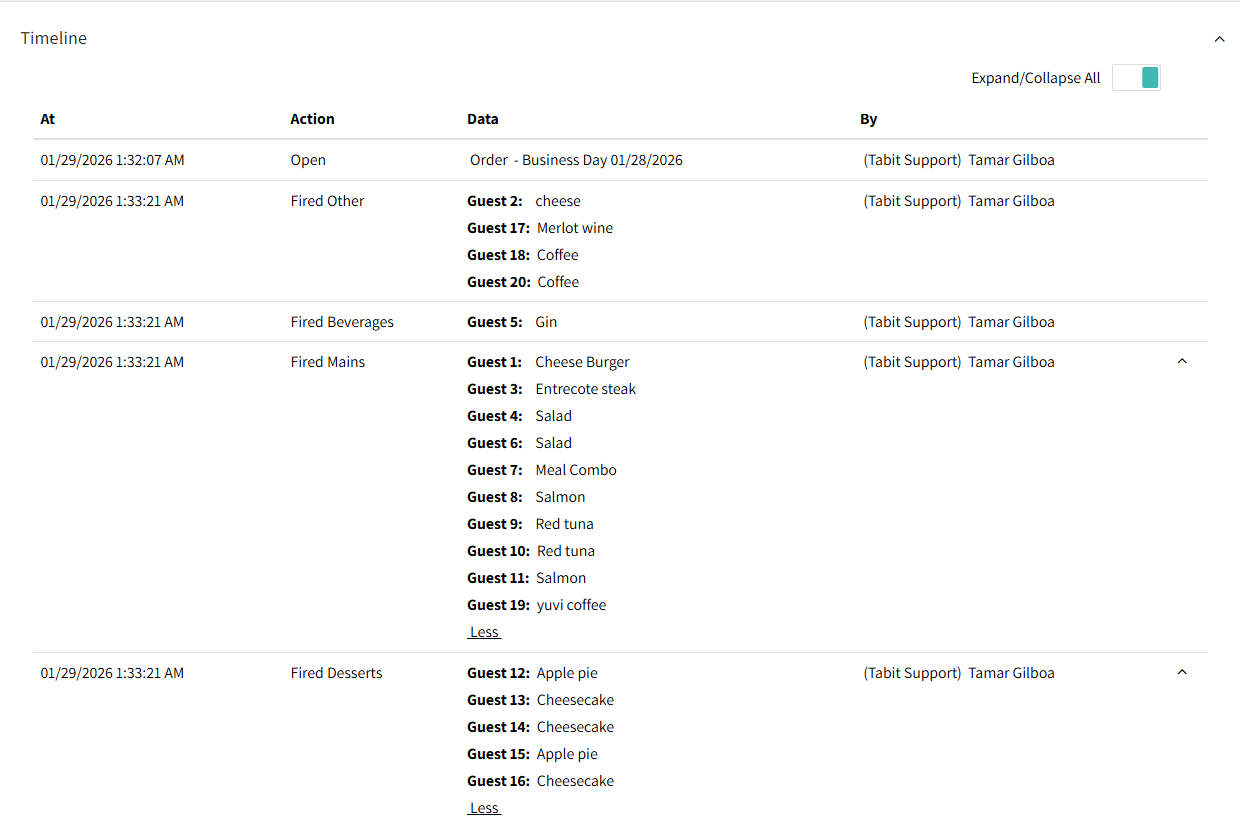
Guest seat numbers now appear in ascending order on the order timeline
Promotion redemptions limited to 99 max
Promotion Redemption limit is capped at 99 to prevent invalid configurations and related PAD issues.
Improvements to parameter validation and save behavior
Bulk Configuration and Site Parameters now handle entered values more carefully:
What’s changed
-
Empty values are not saved accidentally.
-
Clearing a field by mistake does not submit a blank.
-
Leading and trailing spaces are removed on save.
-
Only changed parameters are submitted and updated.
-
If some updates fail, successful parameter updates remain saved.
These changes reduce configuration errors from unintended input.
Enhancement
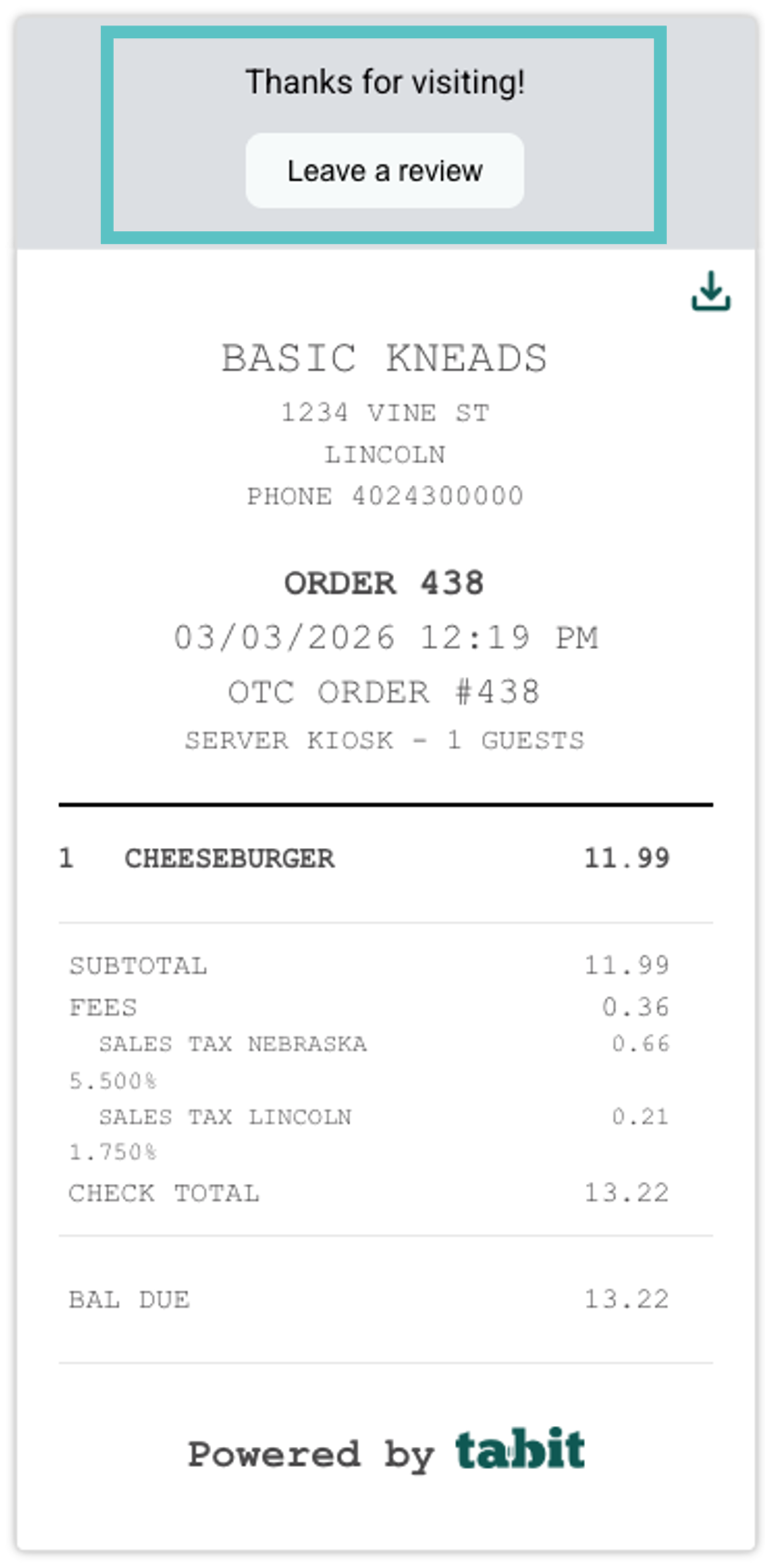
Restaurant content added to digital receipts
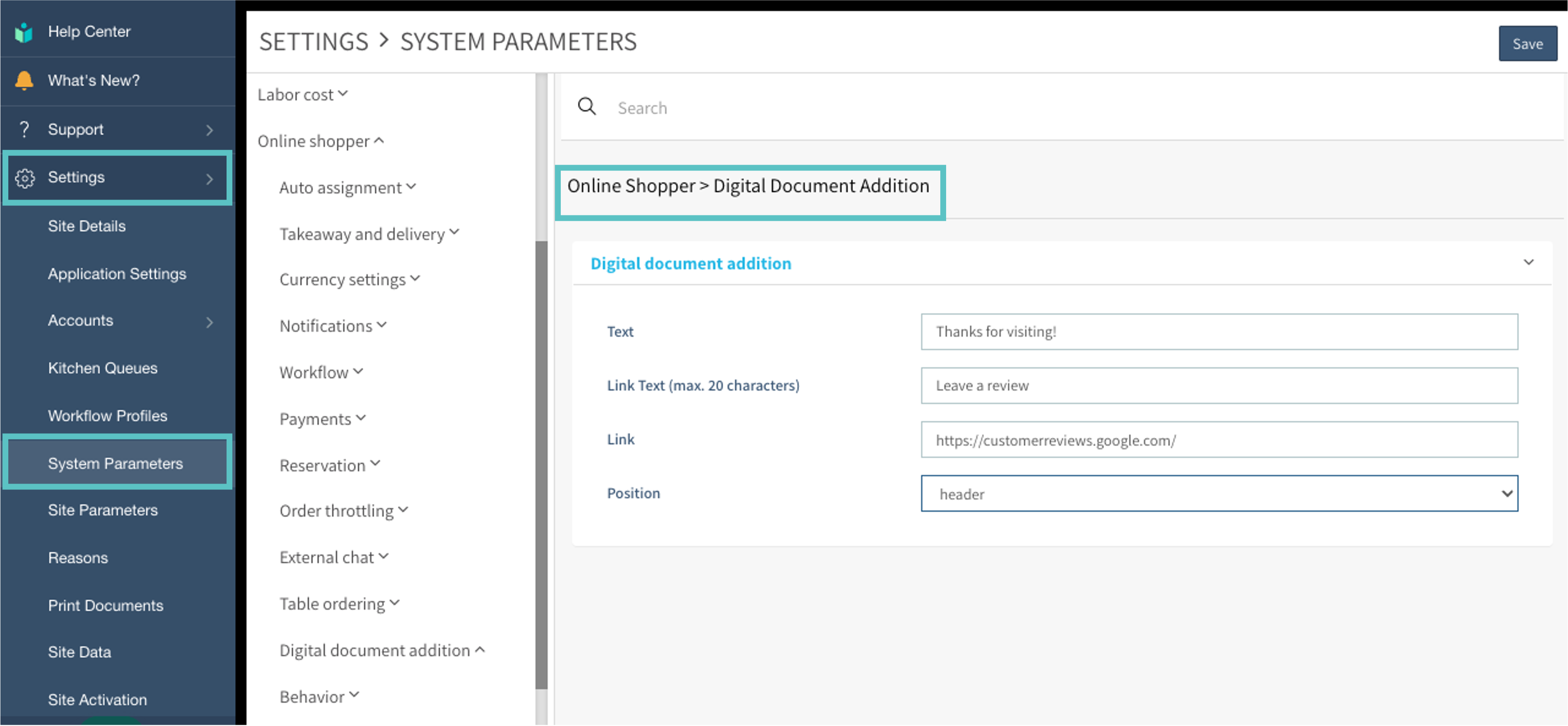
Add custom text and optional clickable links at the top or bottom of digital receipts.
Where to find it:
-
Open Settings > System Parameters > Online Shopper > Digital Document Addition in Office. Enter the text or links and choose its position.
-
The receipt displays the content as illustrated below.
Fix
Offer prices now validated upon creation
ROS rounds decimal item prices to the nearest cent before saving, avoiding invalid prices that could ring up at $0.
Deposit transaction finalization data added to House Accounts records
Tabit Shift
New
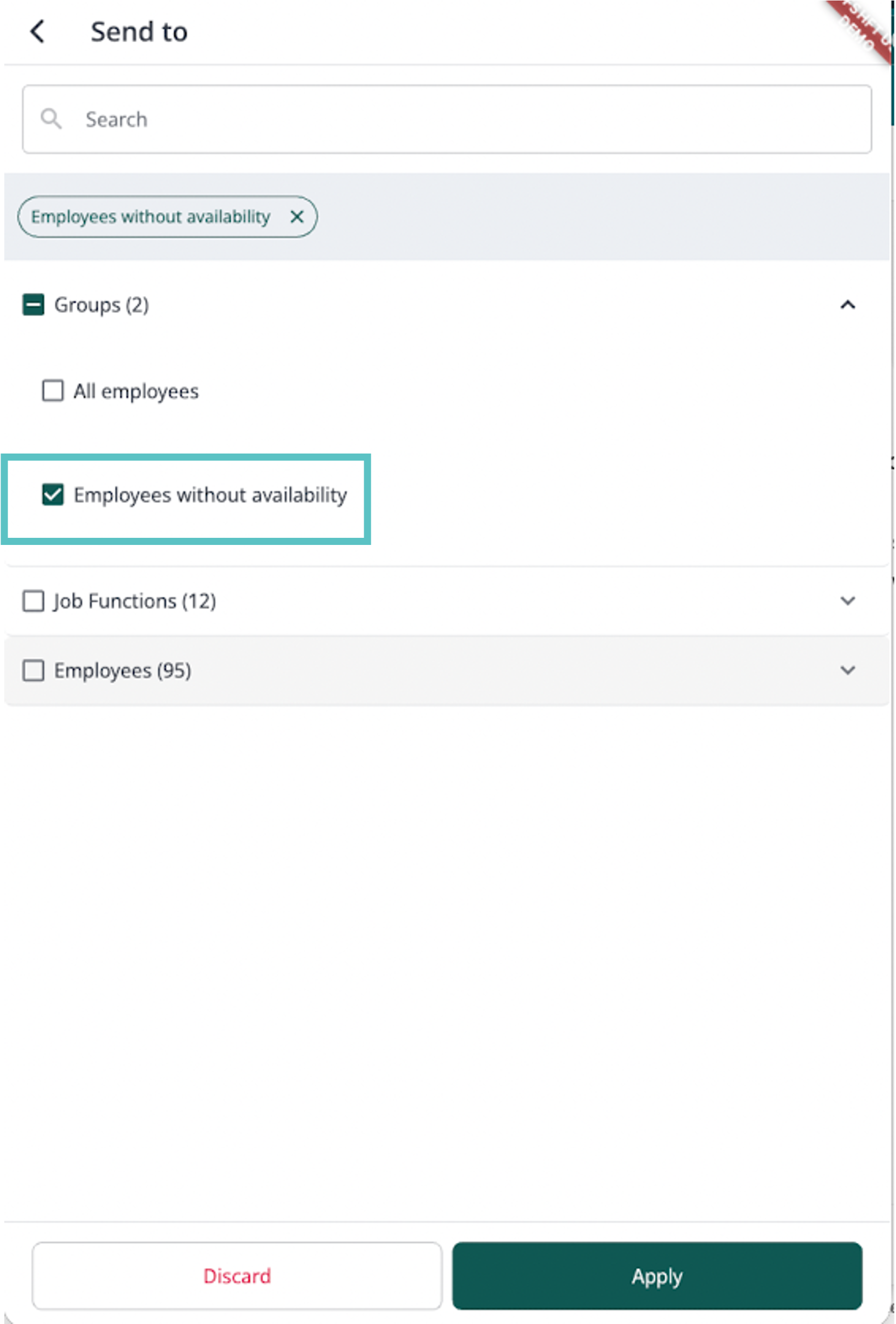
Send notifications only to employees who haven't submitted their availability
Managers can target a message to employees who have not submitted availability.
How it works:
-
In the Tabit Shift app with a manager account, open the notification center and select + Message.
-
Choose Send to, then the option for employees who have not submitted availability.
-
Complete the message and select Send.
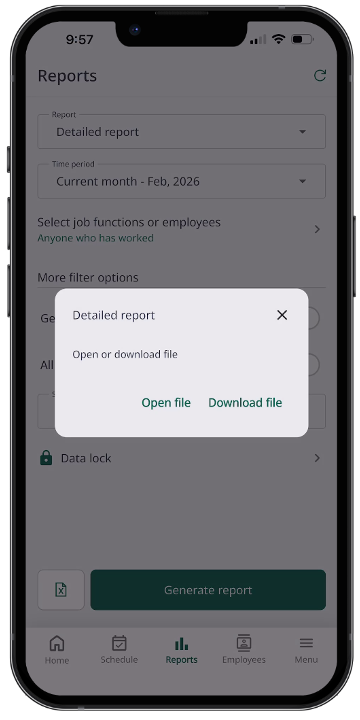
Download files directly to your device
Files such as reports and roster cards can now be downloaded to the device.
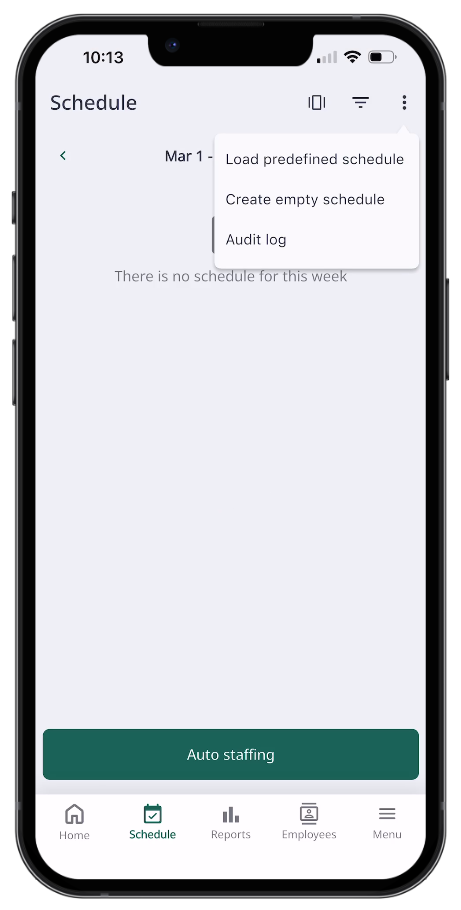
Build an empty schedule without assigning employees
Previously, Auto staffing created cells from employee quotas and assigned employees automatically.
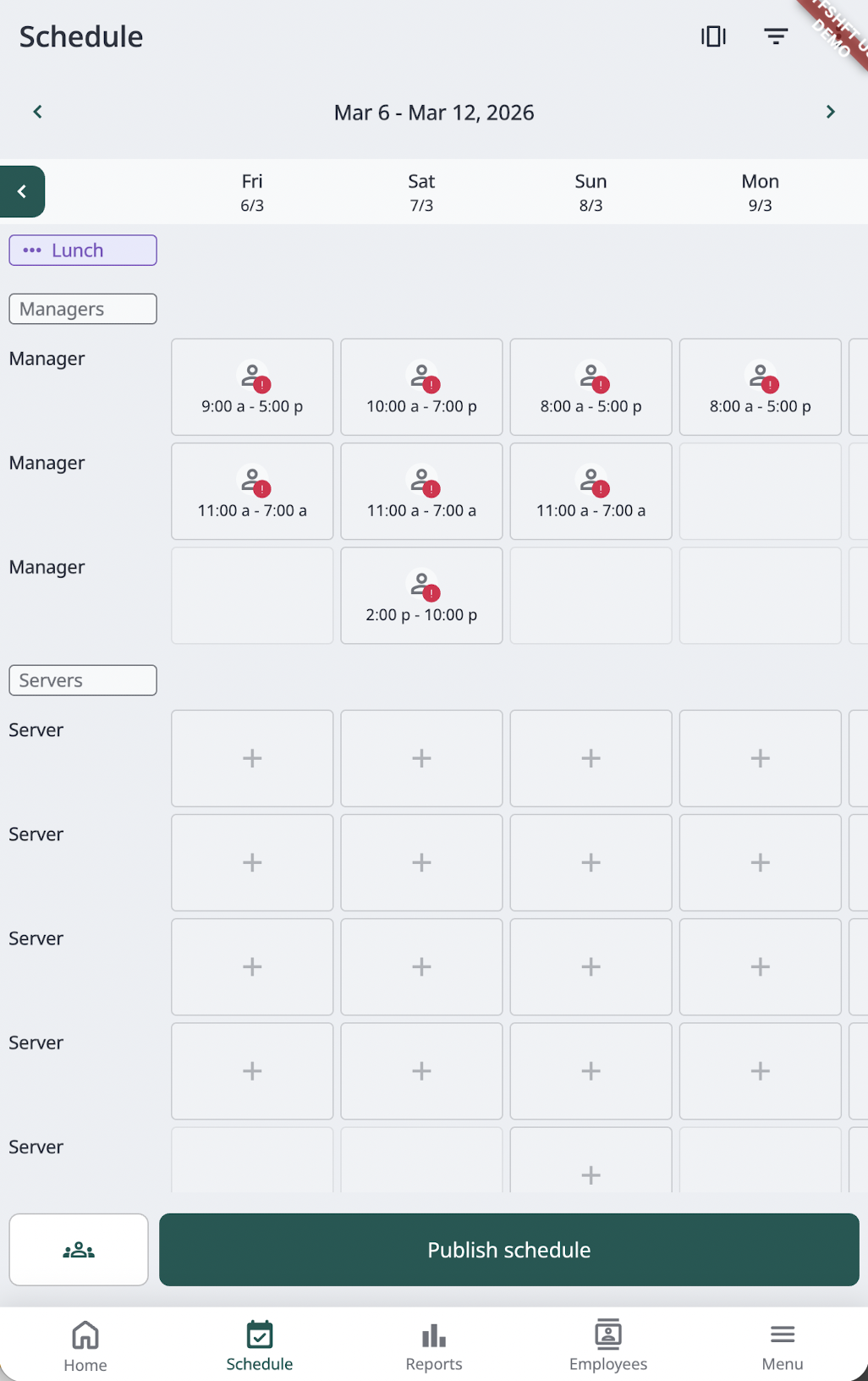
You can now create an empty schedule from those quotas without assigning employees.
How it works:
-
While creating a schedule, open the top-right three-dot menu and choose Create empty schedules.
-
Choose the schedule. Its configured slots appear without assigned employees.
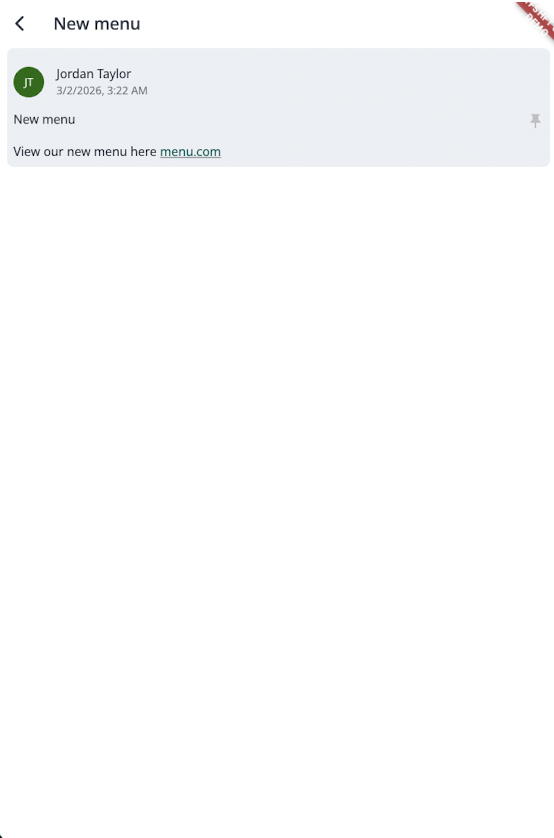
Add links to manager messages
Manager messages can include links that open in a new window when employees select them.
Improvement
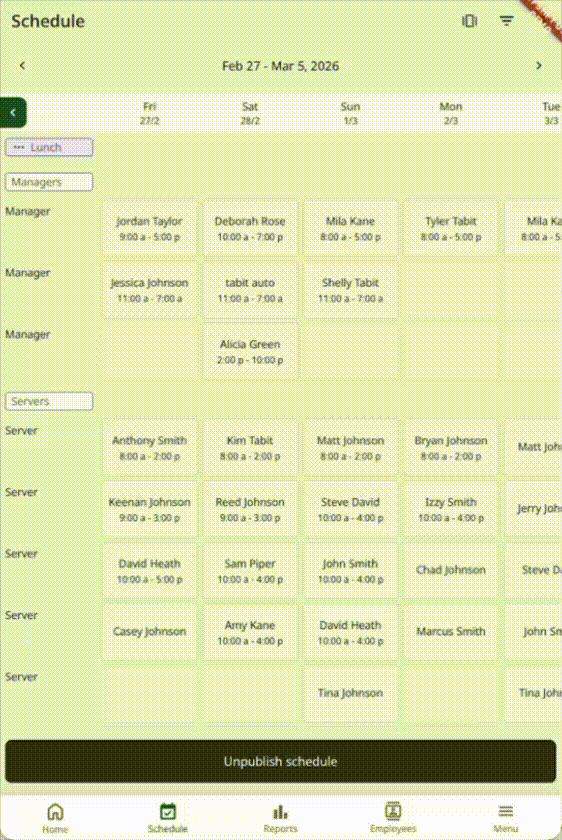
Improved scrolling for weekly view
Previously, Weekly view behaved like an image, with horizontal scrolling and zooming that did not flow smoothly.
Weekly view now scrolls more smoothly and aligns morning and evening shifts across the week.
Tabit Loyalty
New
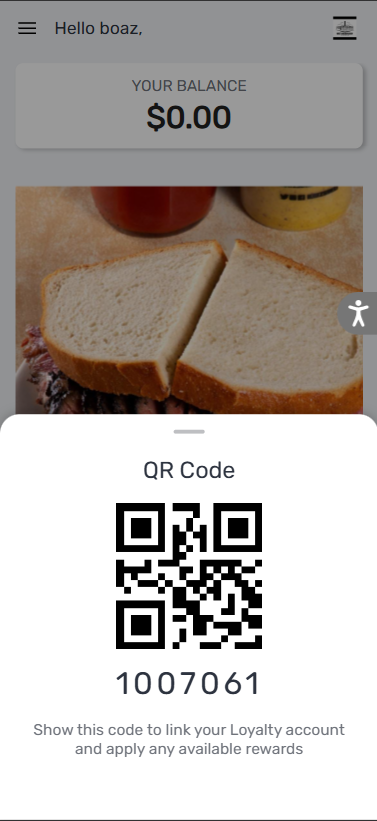
Allow customers quick sign-in with a QR code
Quick Identify displays a Customer Profile QR code for identifying customers using the PAD camera or supported barcode scanners.
Enhancement
Customize the Customer Profile
Customer Profile customization now includes:
-
Custom fonts
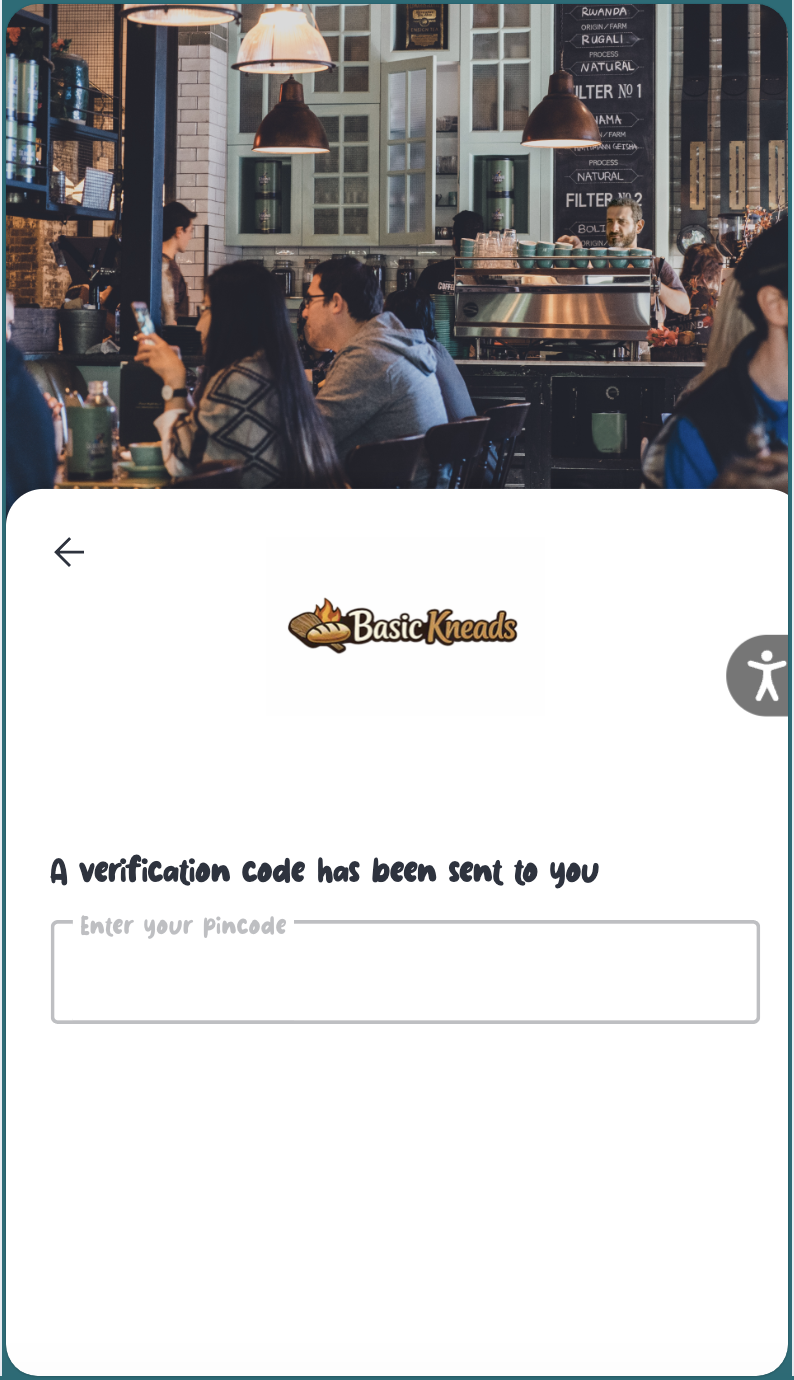
Learn how to add a Custom Font
-
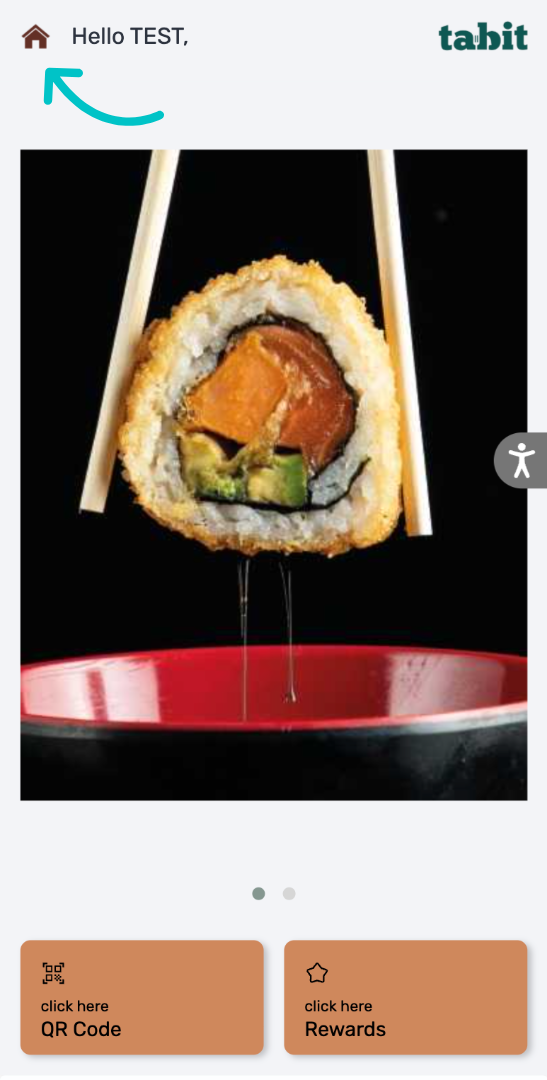
Custom loading visuals for initial and internal loading.

-
A custom menu icon image.
Tabit Order
Enhancement
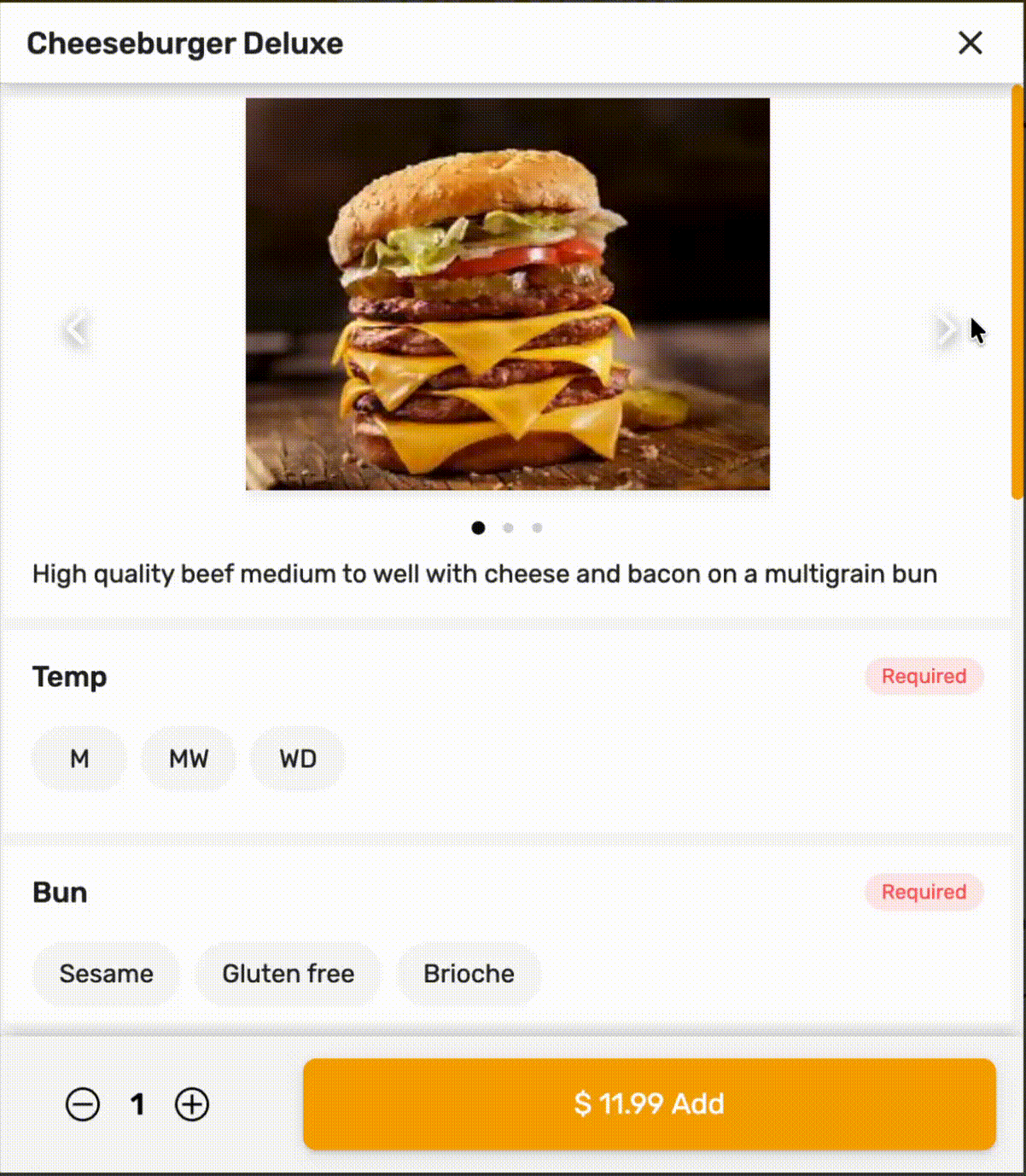
Add multiple images to an item
Tabit Order supports up to four images per item, allowing different angles, variations, or details to be displayed.
Additional images appear only in Tabit Order, excluding the PAD and Kiosk.
Learn how to add multiple images to an item
Tabit Kitchen
New
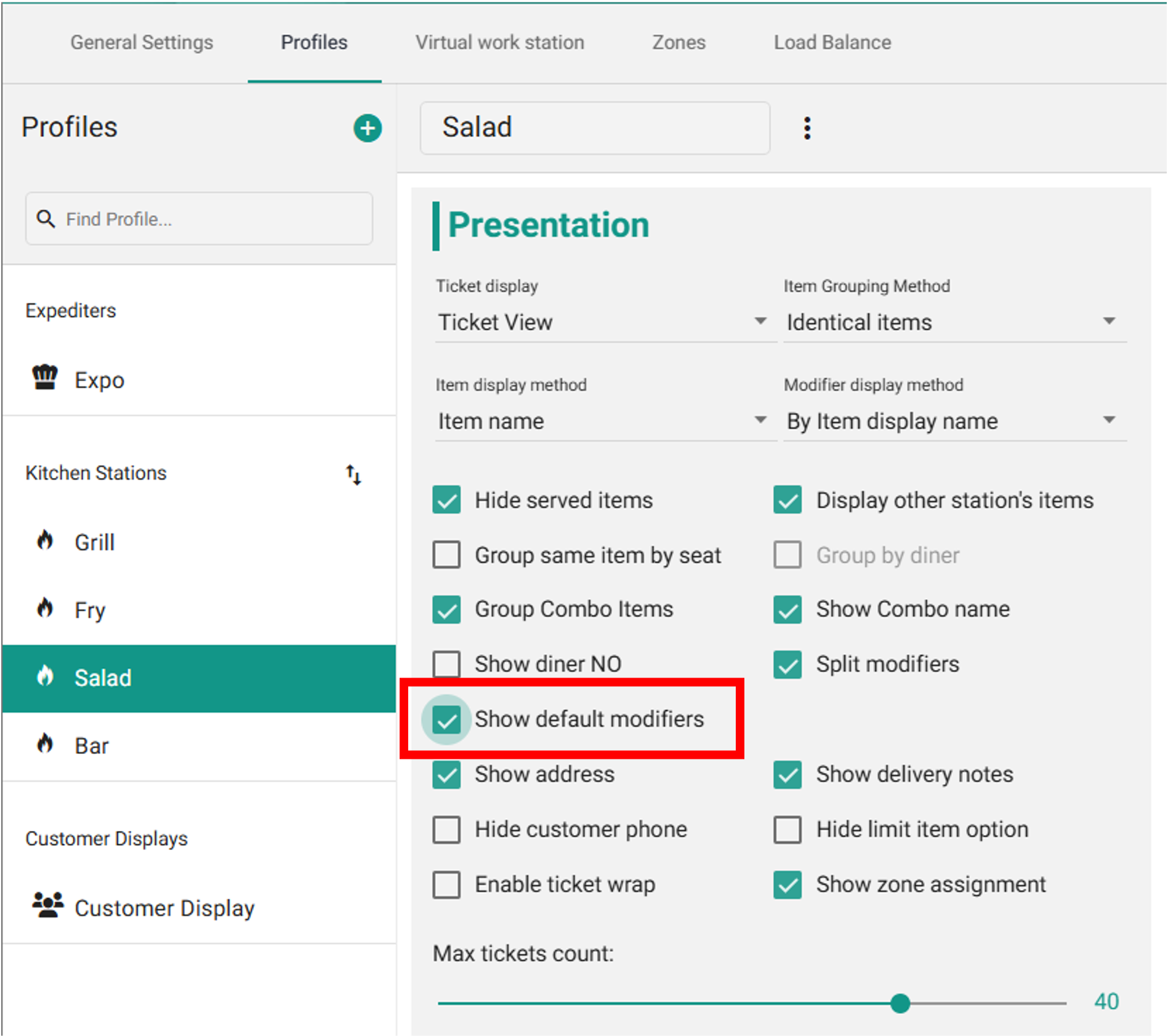
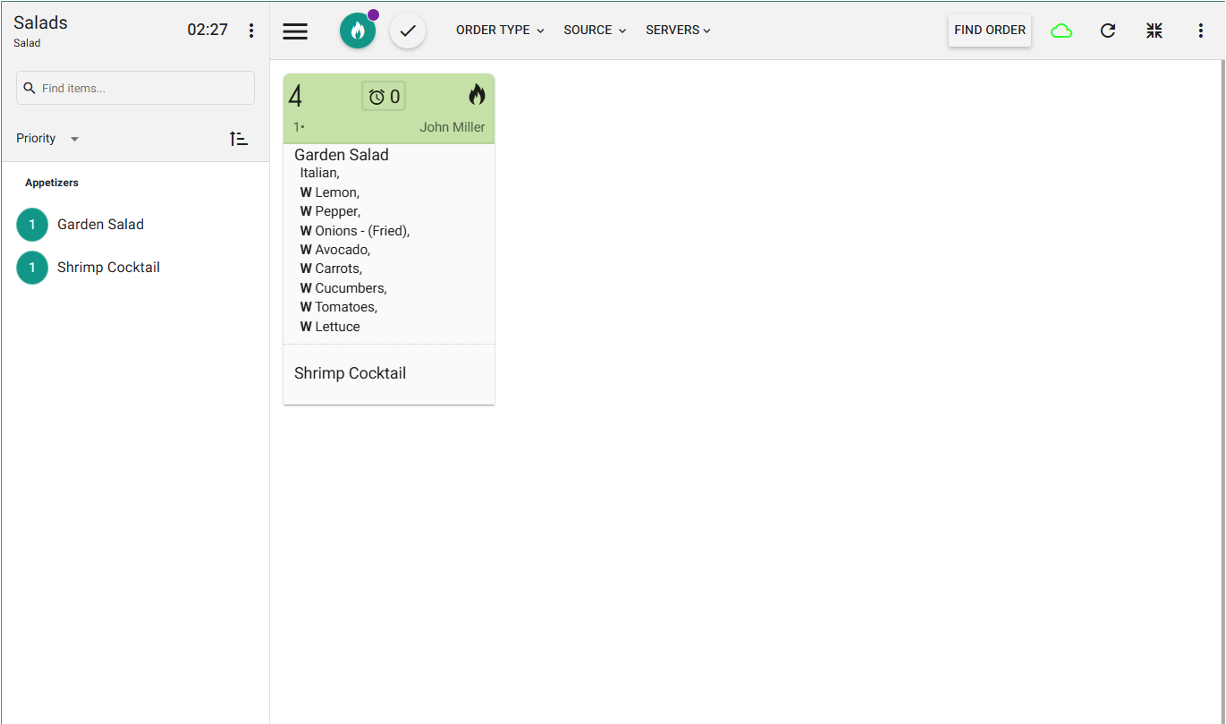
Display all default modifiers
Kitchen and Expo screens can display an item's default modifiers, such as its standard ingredients.
Enable this per profile to show both defaults and modifications. It is off by default.
-
In Tabit Kitchen, open Settings > Profile and enable Show default modifiers.
-
The ticket then includes default modifiers as illustrated below.
Tabit Integrations
New
Tabit now integrates with DoorDash Marketplace
Fix
Third Party Menu upcharges can now be removed