
Follow these steps to reprint a Closed Check from a Server Profile
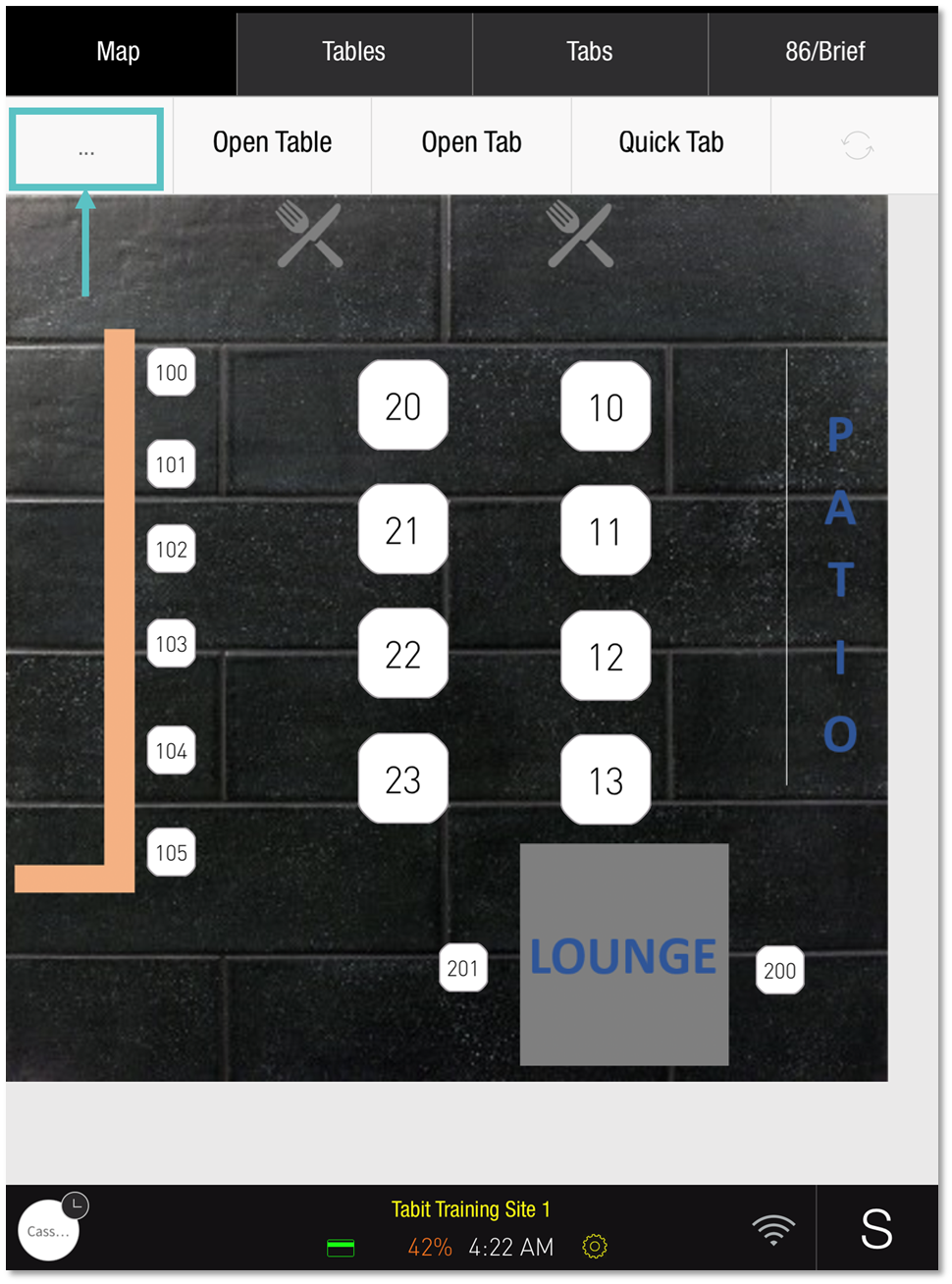
1. Tap on the ... located on the upper left-hand corner below the Map tab
|
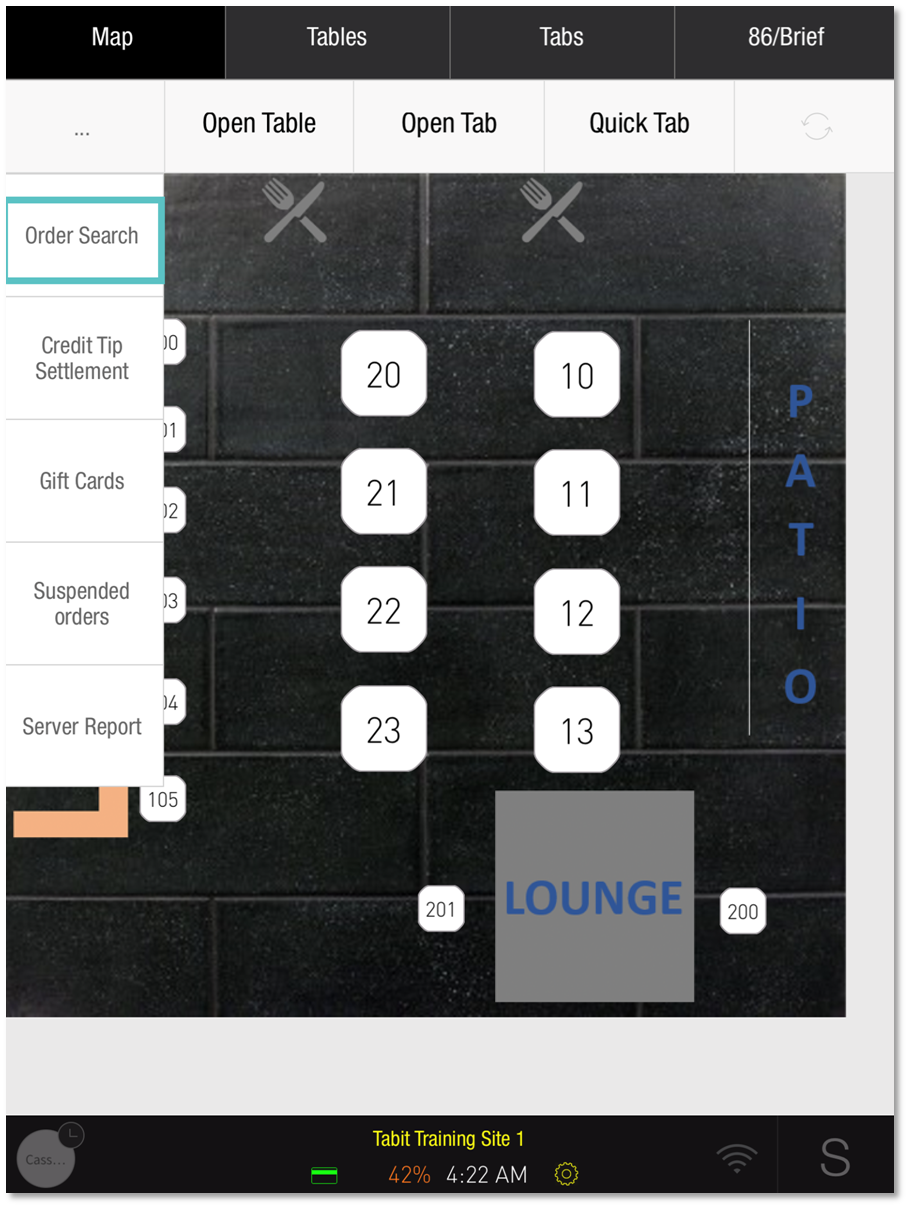
2. Tap Order Search
|
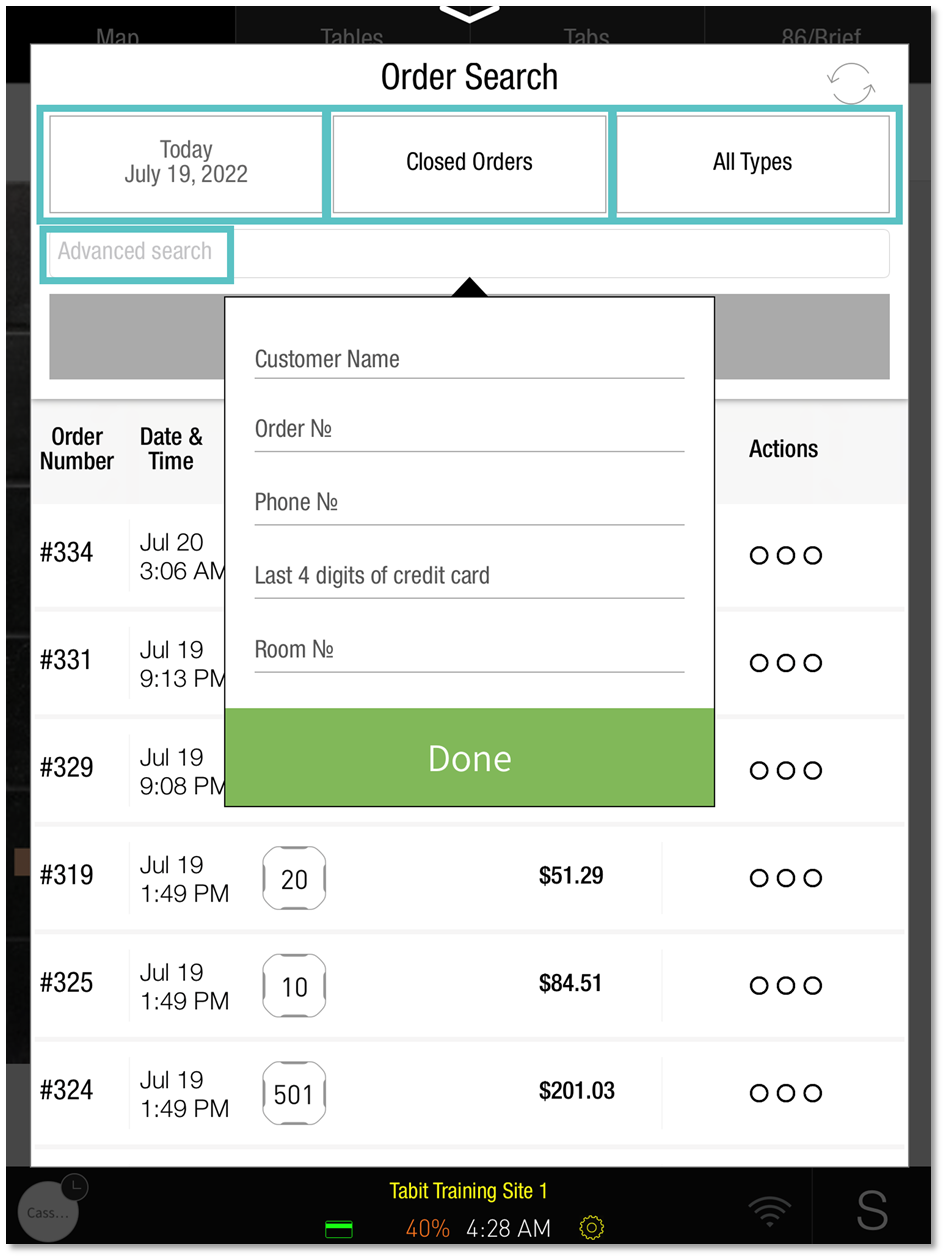
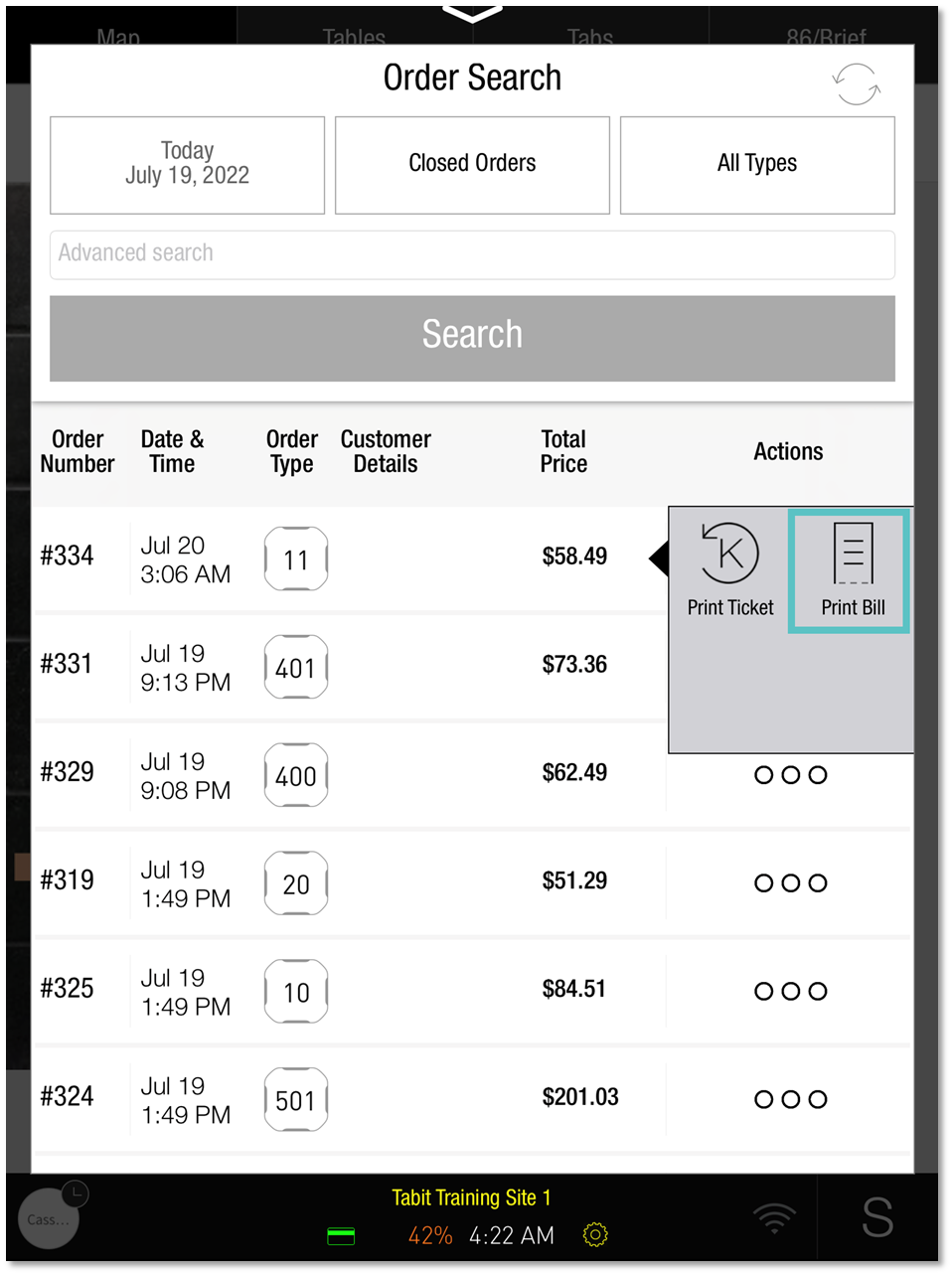
3. Search for the Order by Date or Type, or use the Advanced Search to find it using other Order details
|
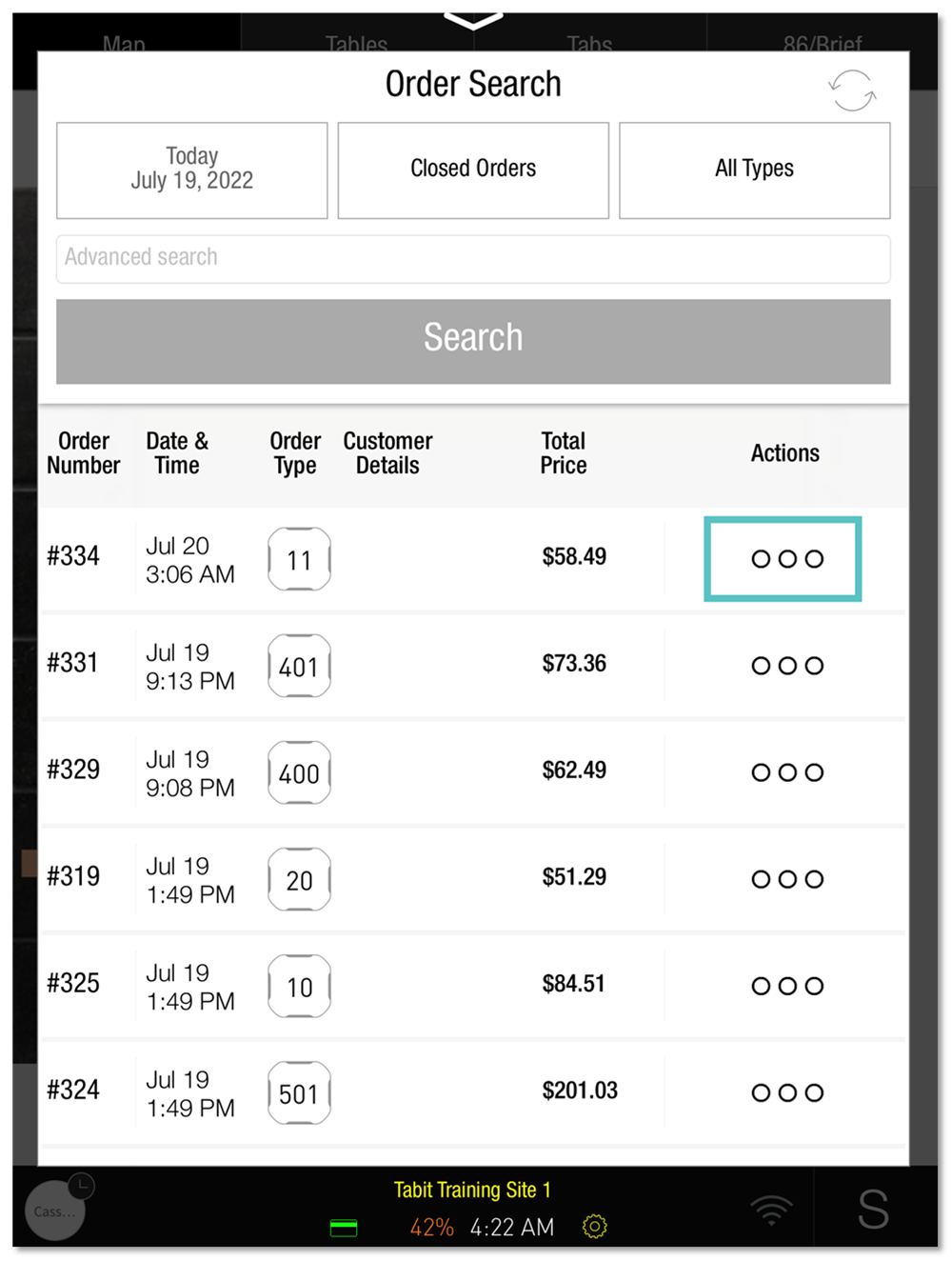
4. Tap the Three dots to the right of the relevant Order
|
5. Tap Print Bill and select a printer
|
You may also download this Help Article as a Word document:
Reprinting a Closed Check from a Server Profile.docx