
Overview
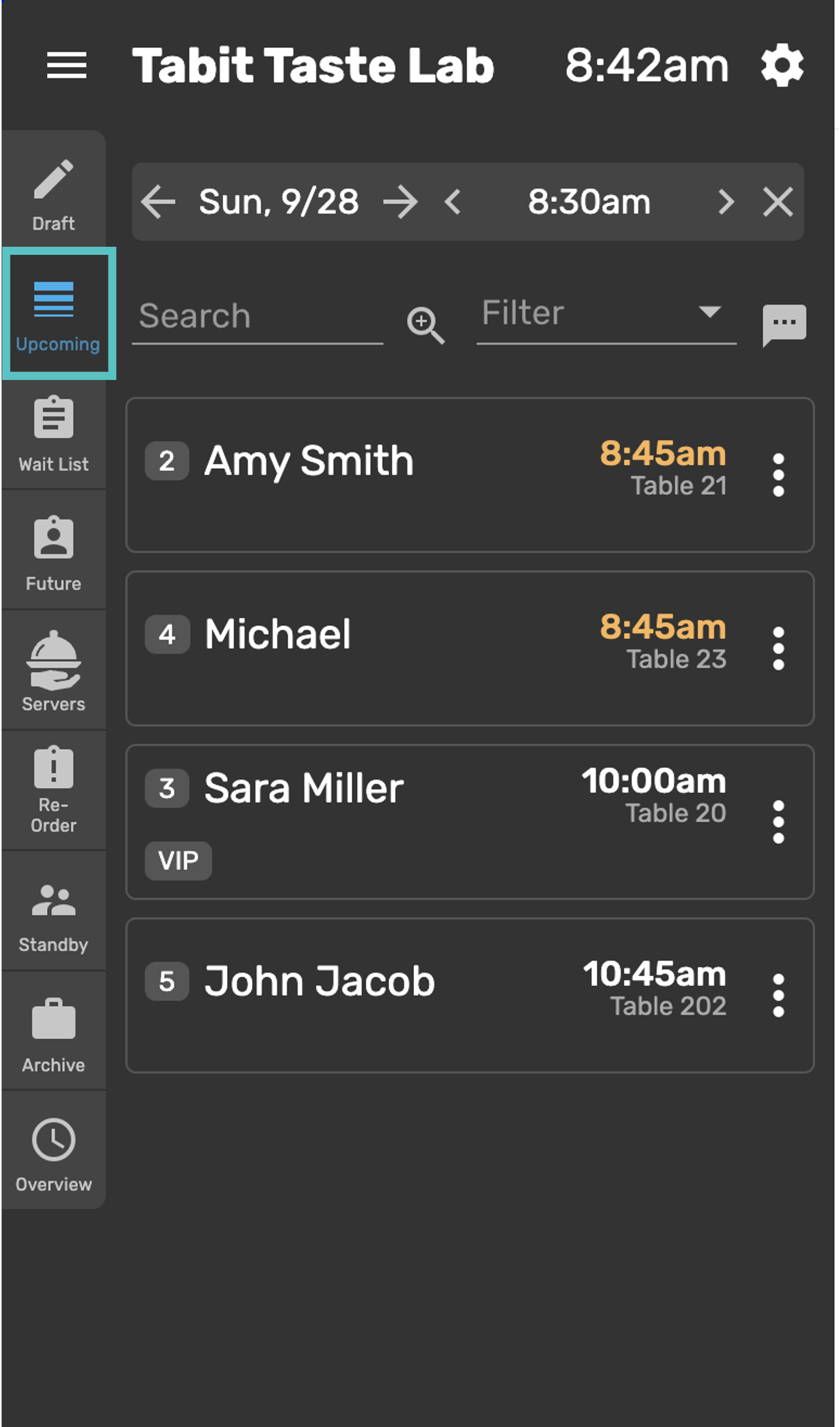
The left sidebar on Tabit Guest is the main area for managing reservations. Certain buttons are configurable, so what you see on your device may be different. It's generally divided into sections, each representing a different type of reservation.
Reservation Types
-
Walk-In: Guests who arrive without a reservation. They can either be seated immediately or added to the waitlist. Learn how to create a walk-in reservation here
-
Future Reservation: Guests who booked a table in advance, before arriving at the restaurant. Learn how to seat a future reservation here
-
Upcoming: A list of all reservations that are scheduled for today or later
-
Waitlist: Guests who arrive without a reservation and have been added to the waitlist for the next available table. Learn how to add a guest to the waitlist
Managing Reservations
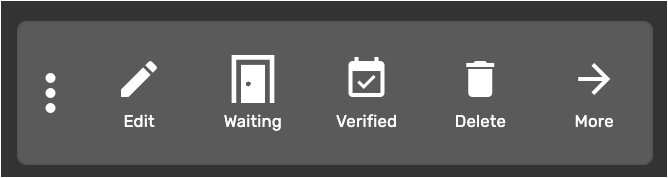
Actions for reservations can be accessed by swiping left on an entry or selecting the three dots to the right of the reservation:
-
Edit: Update reservation details using the pencil icon
-
Waiting: Indicates the guest has arrived and is waiting for a table
-
Verified: Indicates whether the customer has confirmed their reservation
-
Delete: Removes the reservation from the list
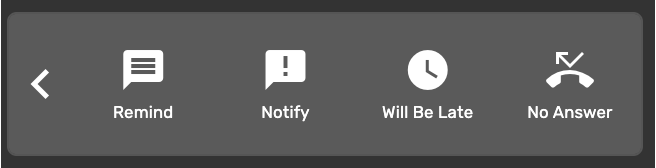
Select More to view more actions:
-
Remind: Allows you to send a message to the customer to remind them about their reservation
-
Notify: Sends an SMS to the guest that their table is ready
-
Will Be Late: Mark this if the customer let's you know they are arriving but will be late
-
No Answer: The customer was contacted about their reservation but did not answer