
Overview
The Walk-In Reservation Form in Tabit Guest is used when a guest arrives at the restaurant without a prior reservation. It allows staff to record the guest’s details, add them to the system, and manage their seating alongside existing reservations. This ensures that walk-ins are tracked, wait times can be managed, and the guest list remains accurate and up to date.
Learn how to create a walk-in reservation below:
-
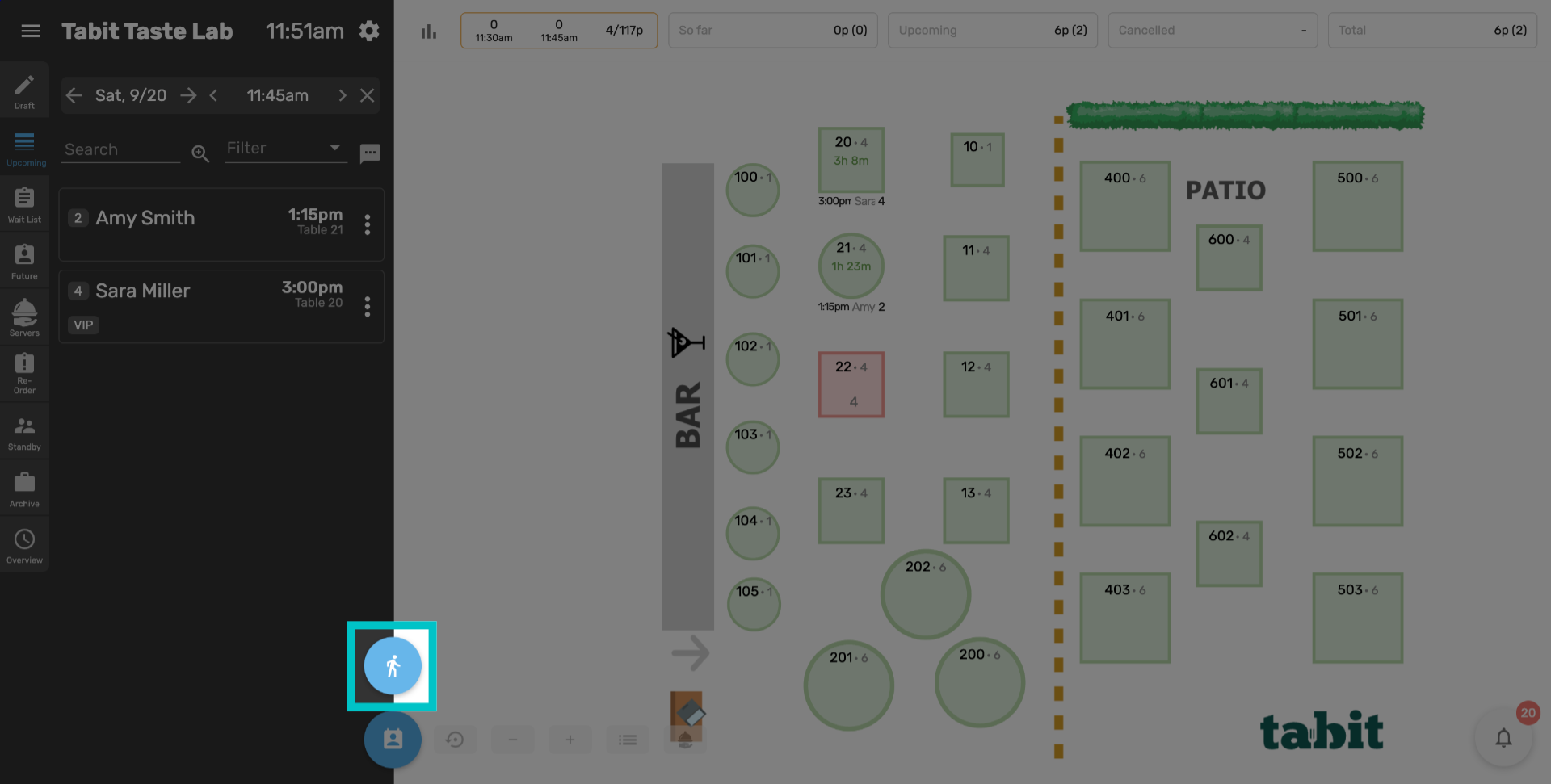
In Tabit Guest, select the walk-in reservation button at the bottom of the menu
-
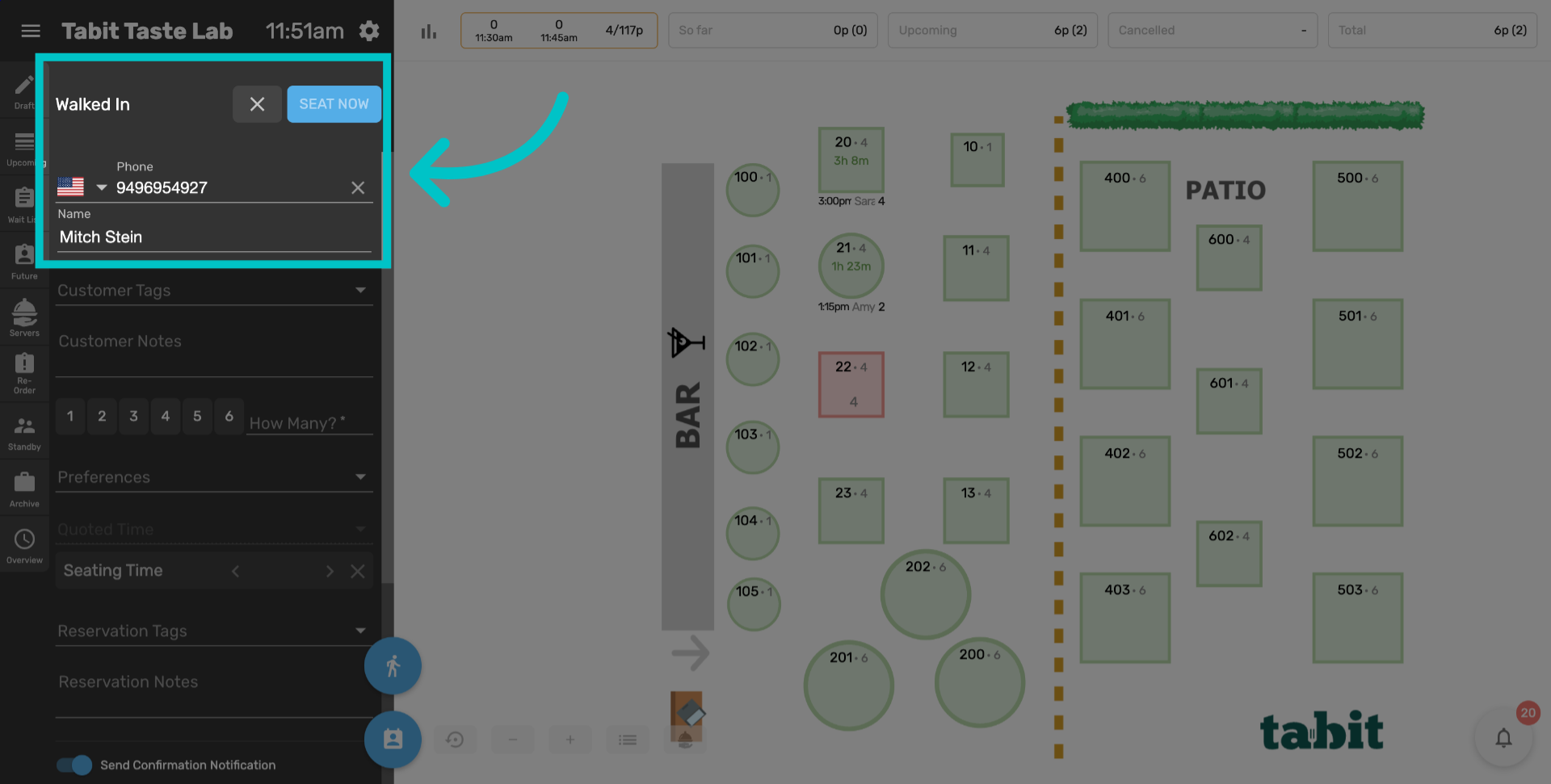
Enter the customer's phone number and name
-
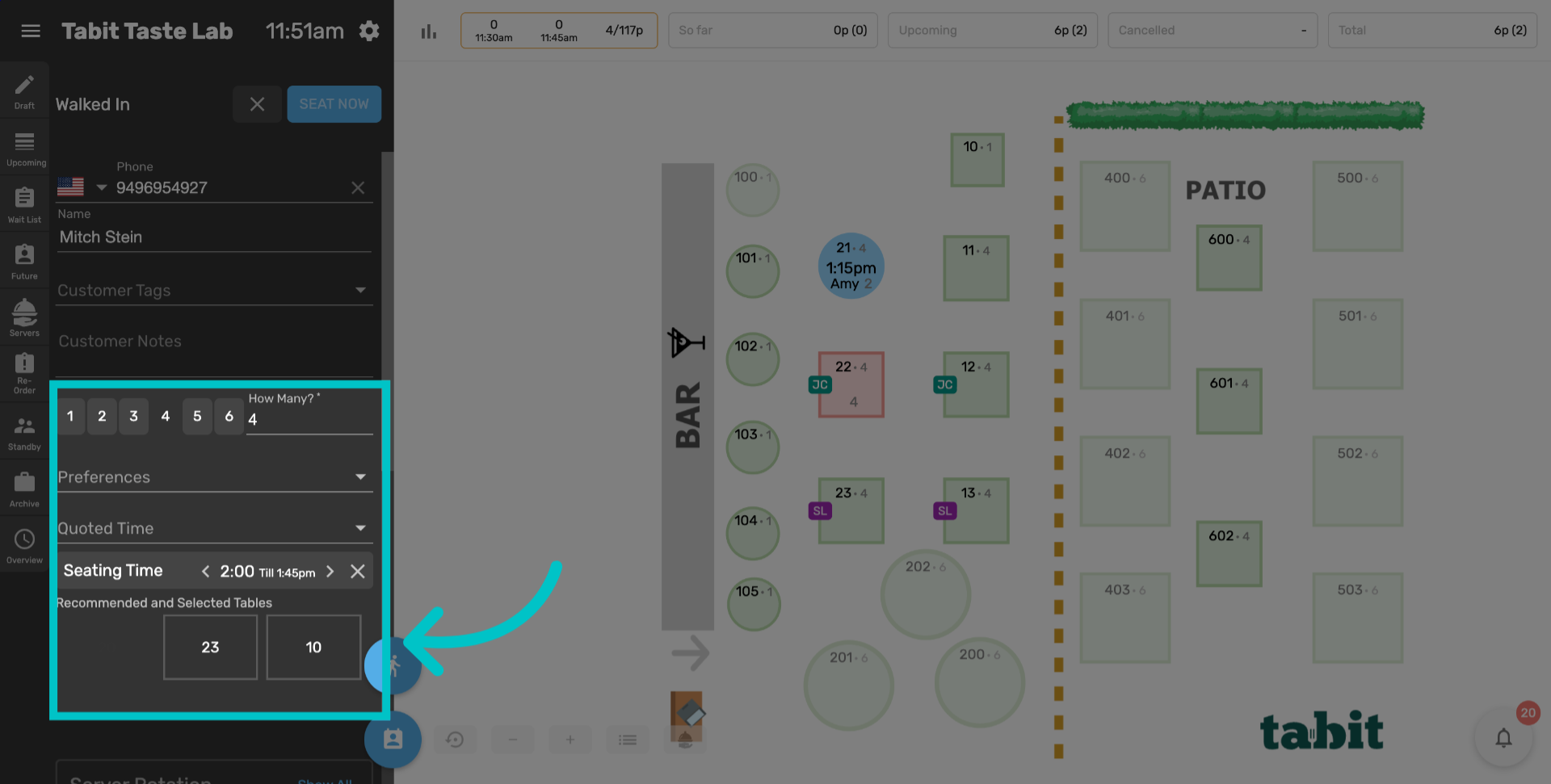
Select the number of guests. Tables that best fit the reservation will be suggested. You can select one of these tables, or select a different table by selecting it on the map
-
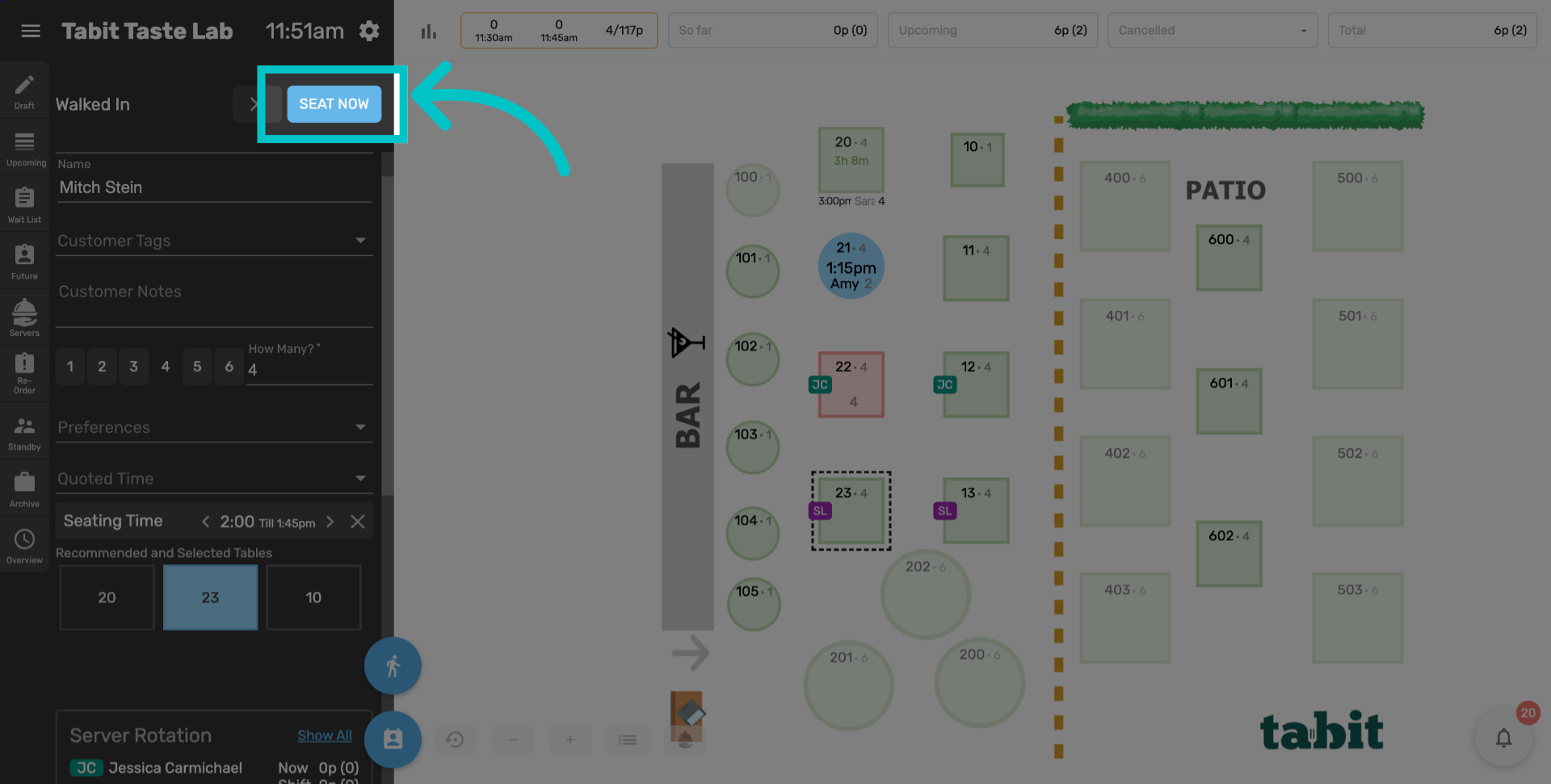
Select Seat Now to seat the customer in Tabit Guest
-
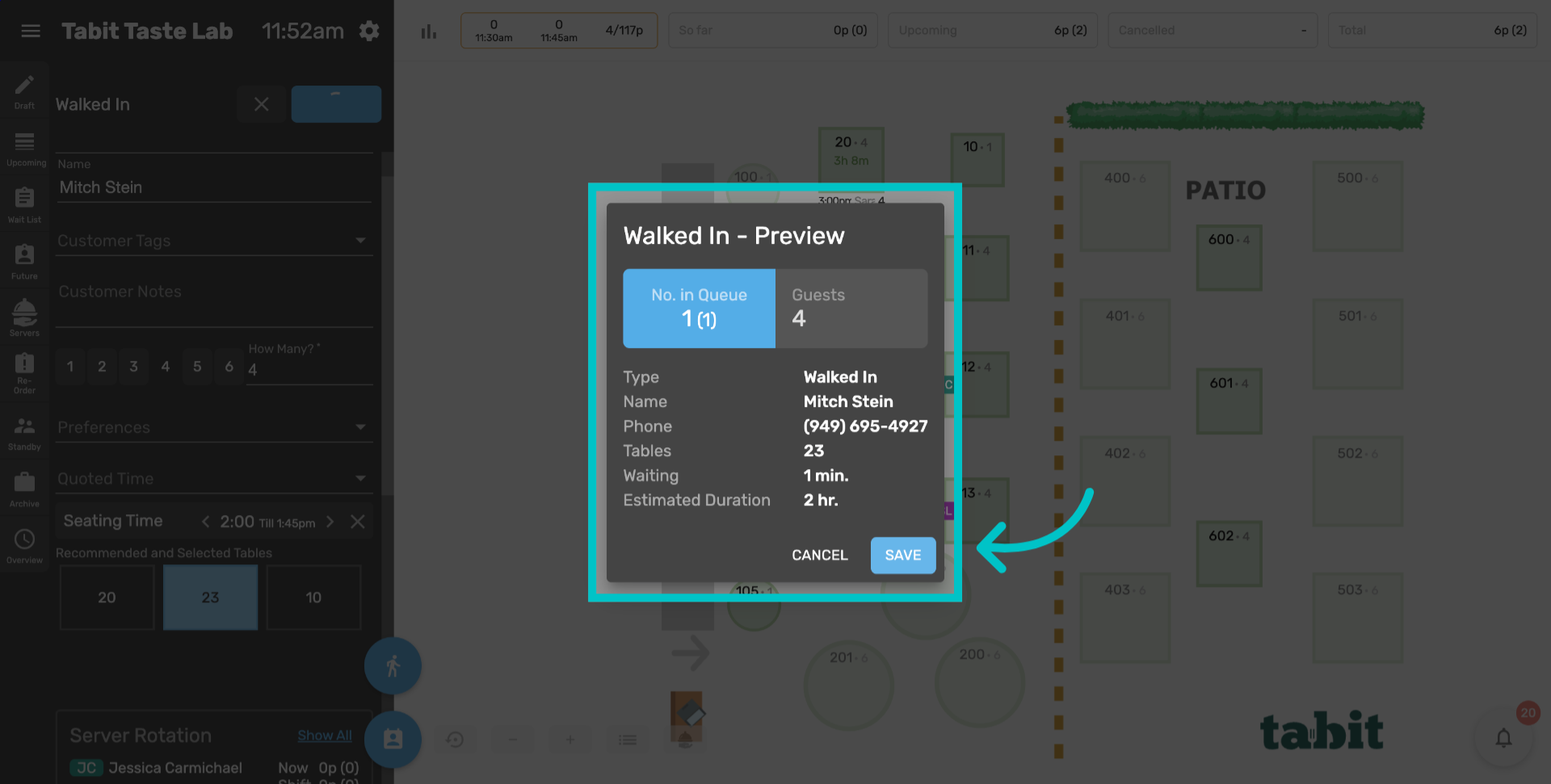
Review the details of the walk-in reservation and select Save
-
Now the customer has been seated using the walk-in function in Tabit Guest.