Overview
Use the Daily Summary Report (DSR) to review daily sales, payments, and other operating metrics.
Follow the steps below to view a summary of gift card transactions in the DSR:
-
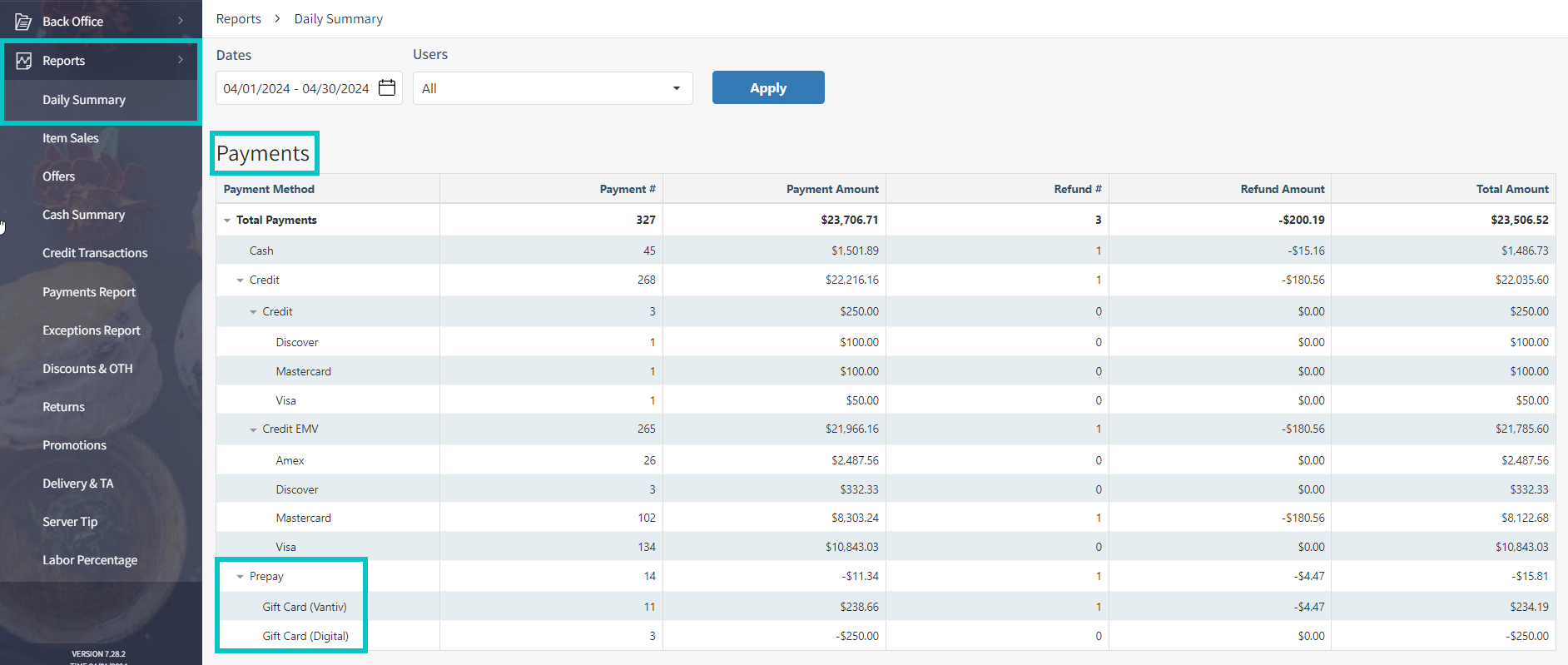
In Tabit Office, open Reports > Daily Summary.
-
Choose the reporting period.
-
Find the Payments section.
-
Under Prepay, find gift card activity for the day or selected period. The gift card series name appears below the Prepay heading.
-
Interpret the amounts as follows:
-
The report combines redemptions and loads into totals; it does not list each transaction separately.
-
Payment Amount: Combines gift card redemptions and loads. A load adds value for later spending and appears as a negative amount. The net total is negative when loads exceed redemptions and positive when redemptions exceed loads.
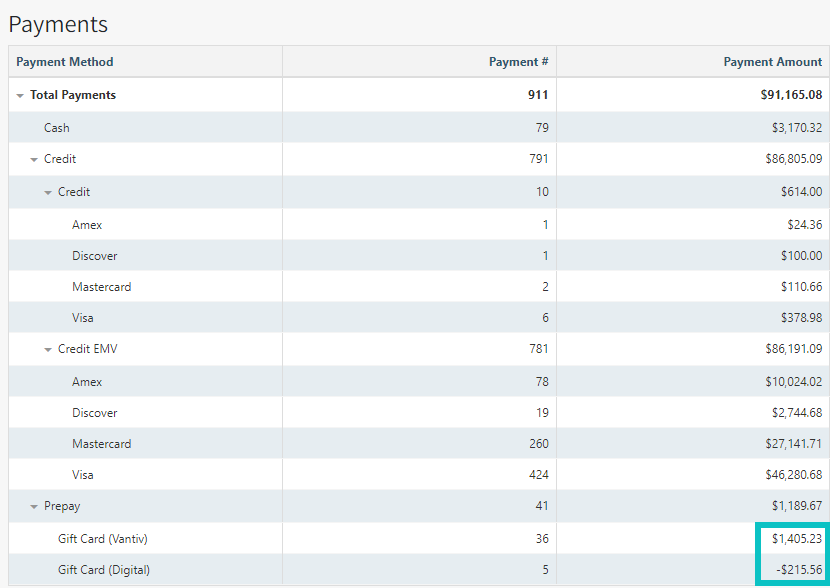
Digital gift card purchases are excluded from this report.
-
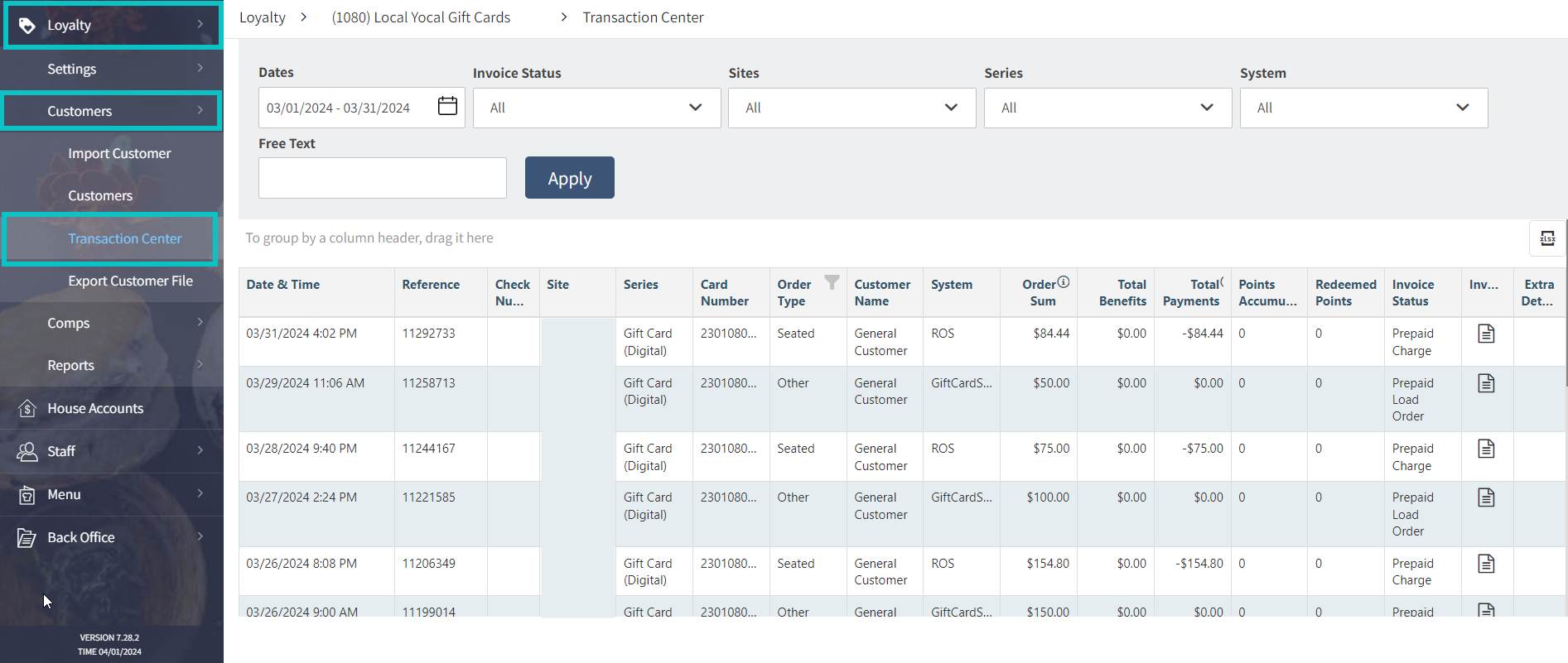
To view individual transactions for each gift card transaction:
For transaction detail, open Loyalty > Customers > Transaction Center. Choose the dates, sites, and series, then select Apply.