Overview
The reports feature in the Tabit Guest provides a variety of tools to help you track, review, and analyze reservations. Whether you want to see upcoming seatings, review past reservations, monitor cancellations, or collect guest feedback, these reports give you a clear picture of your restaurant’s activity and performance.
Follow the steps below to find reports in Tabit Guest:
-
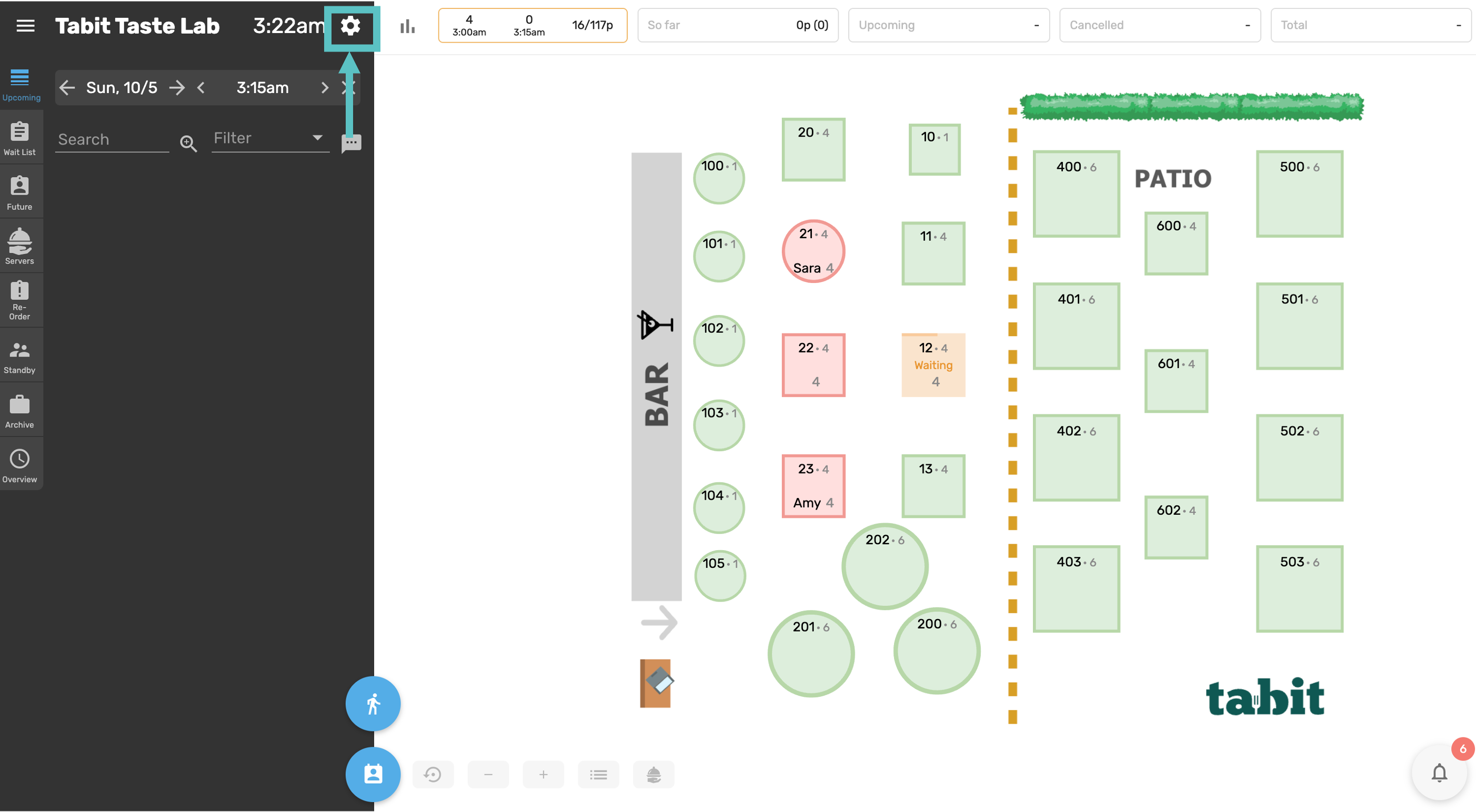
In Tabit Guest, select the gear icon at the top of the screen
-
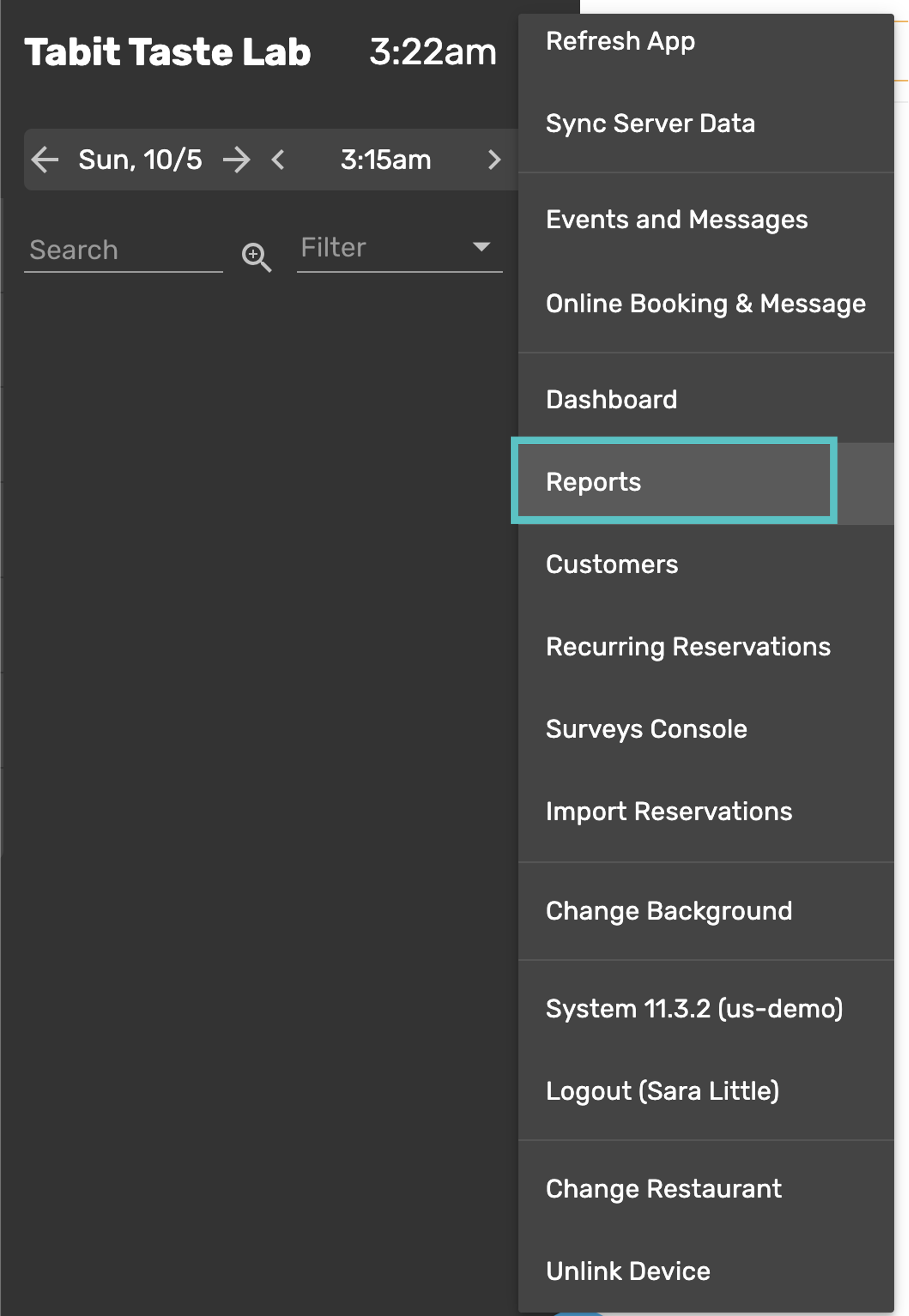
Select Reports
Use the filter on the left of the screen to select the relevant report and what date range you would like to view
Types of Reports
Expand each report below to see their description and relevant screenshot.
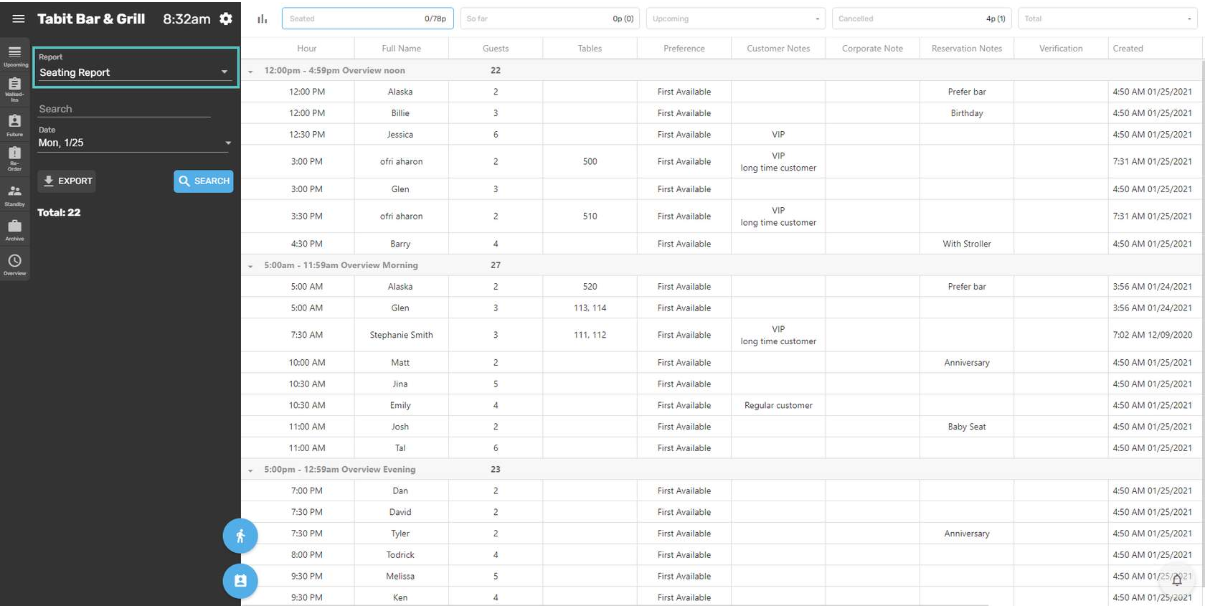
Seating Report
Displays all future reservations that have not yet arrived, divided into shifts. This is the most efficient way to view reservations, as it shows all details in one place. This report can only be viewed by days.
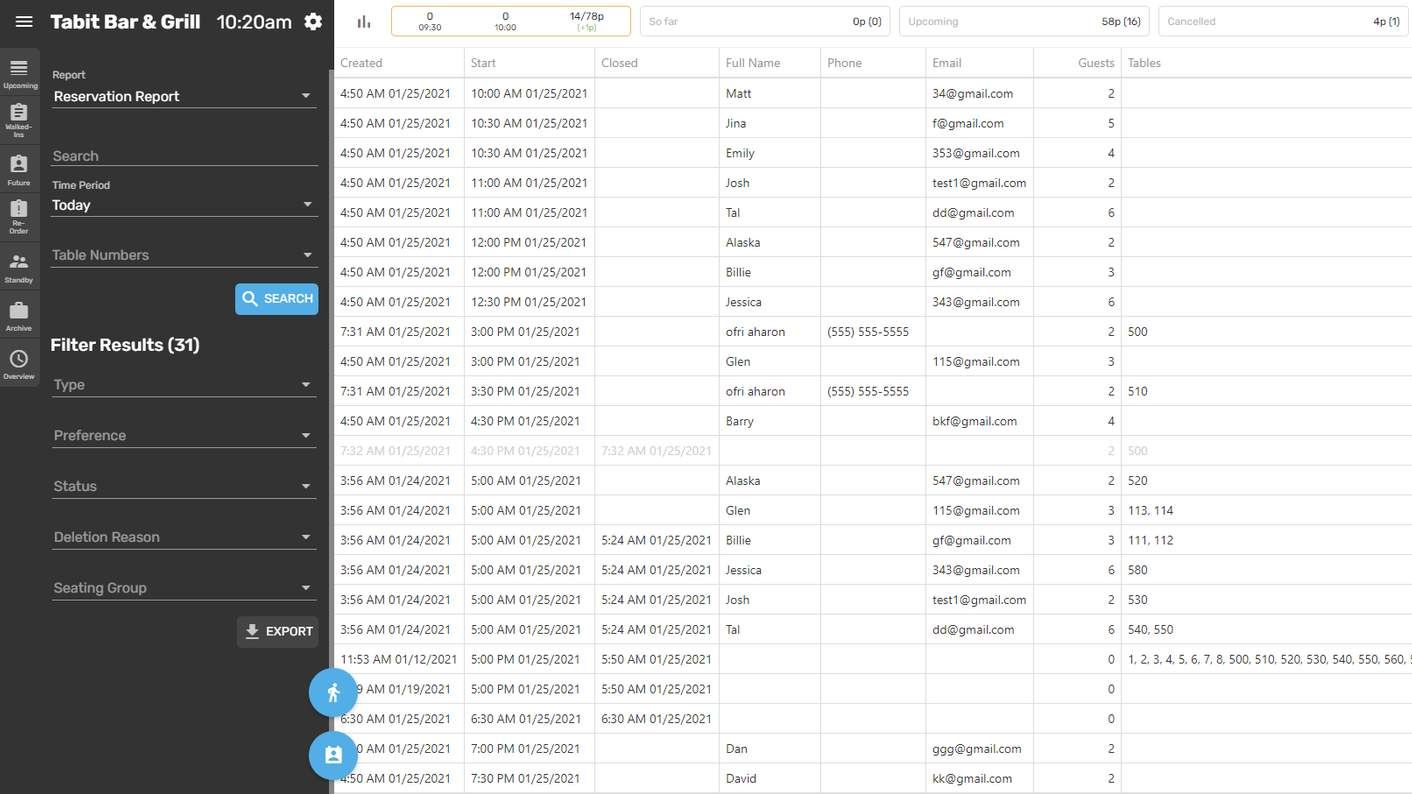
Reservation Report
Includes all types of reservations (Future & Walk-Ins), both past and future, including Closed, Standby, and Cancelled reservations. This report is useful for analyzing both historical and upcoming reservations.
Cancellation Report
Shows a list of all cancelled reservations.

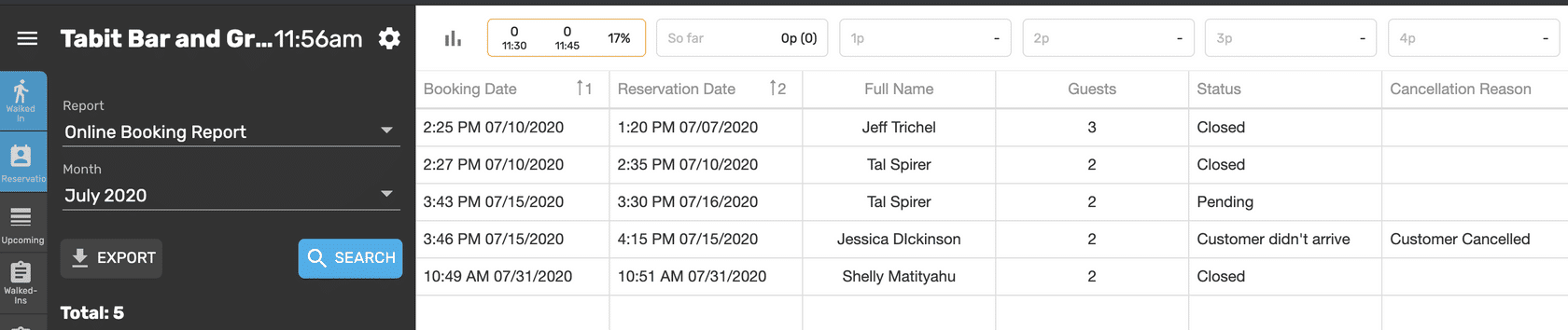
Online Booking Report
Displays all online reservations organized by the day the reservation was created.
Feedback Report (when configured)
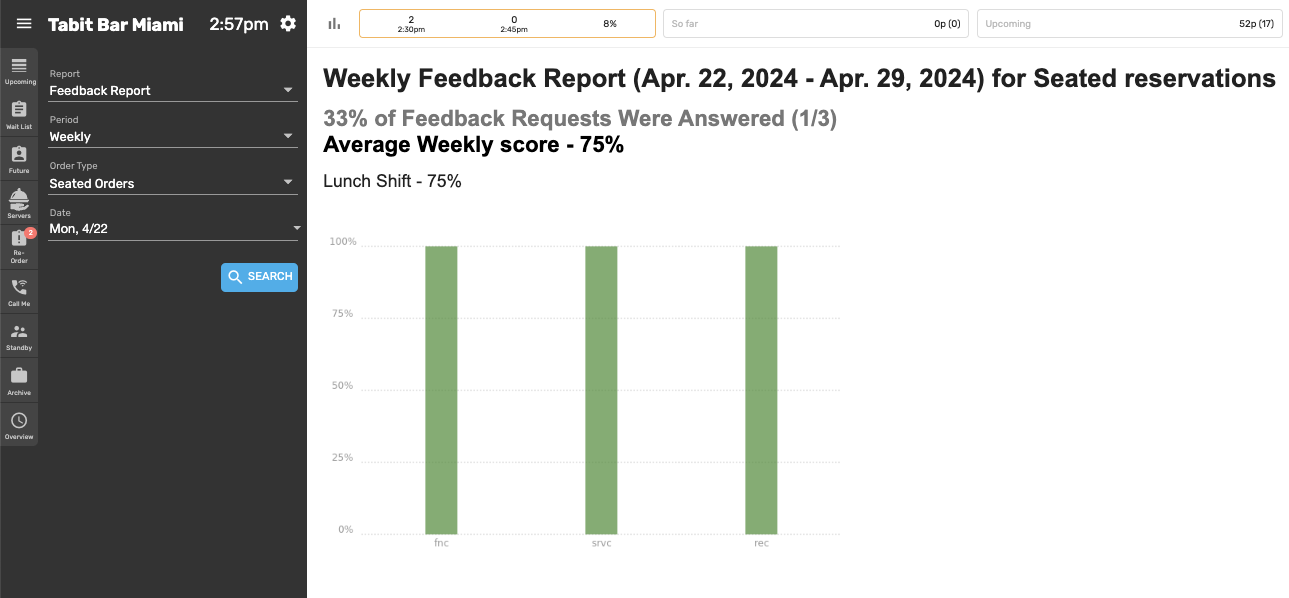
Shows feedback submitted through the guest survey.