Overview
The Call Me function in Tabit Guest allows guest to easily request a callback from the restaurant about their reservation. This feature helps streamline guest communication, ensuring any updates or changes are handled quickly and efficiently. Continue below to see how it works from both the guest and restaurant sides.
This is dependent on the Tabit Guest parameter Call Customer Request being ON
-
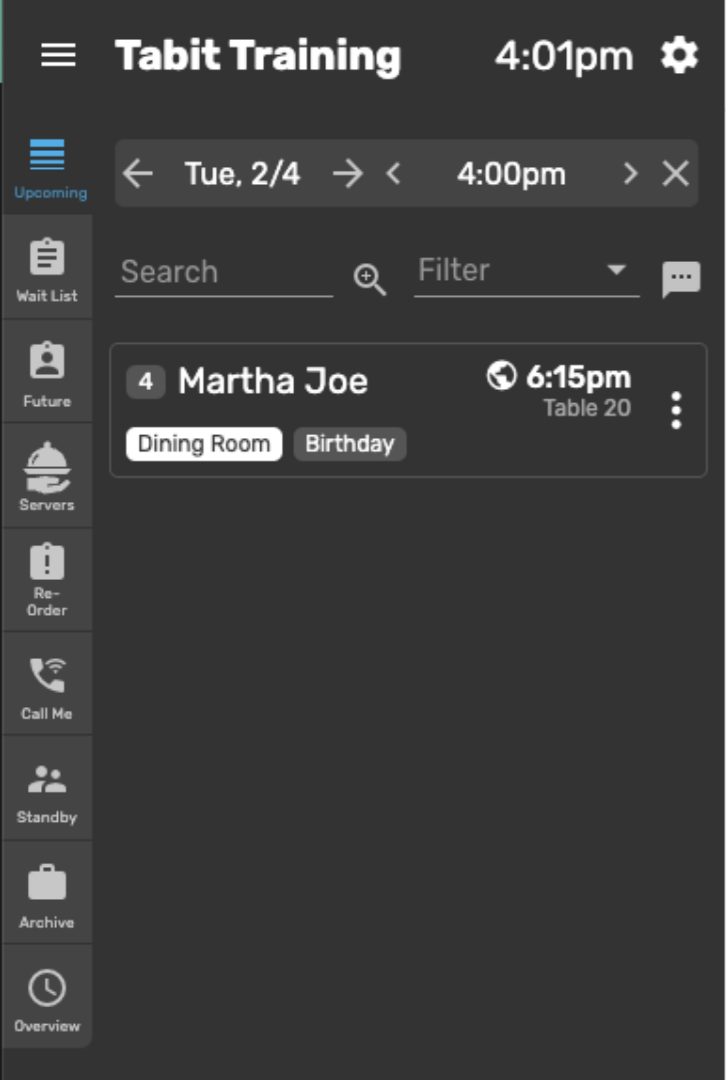
When a guest makes an online reservation, it appears in Tabit Guest under the Upcoming tab
-
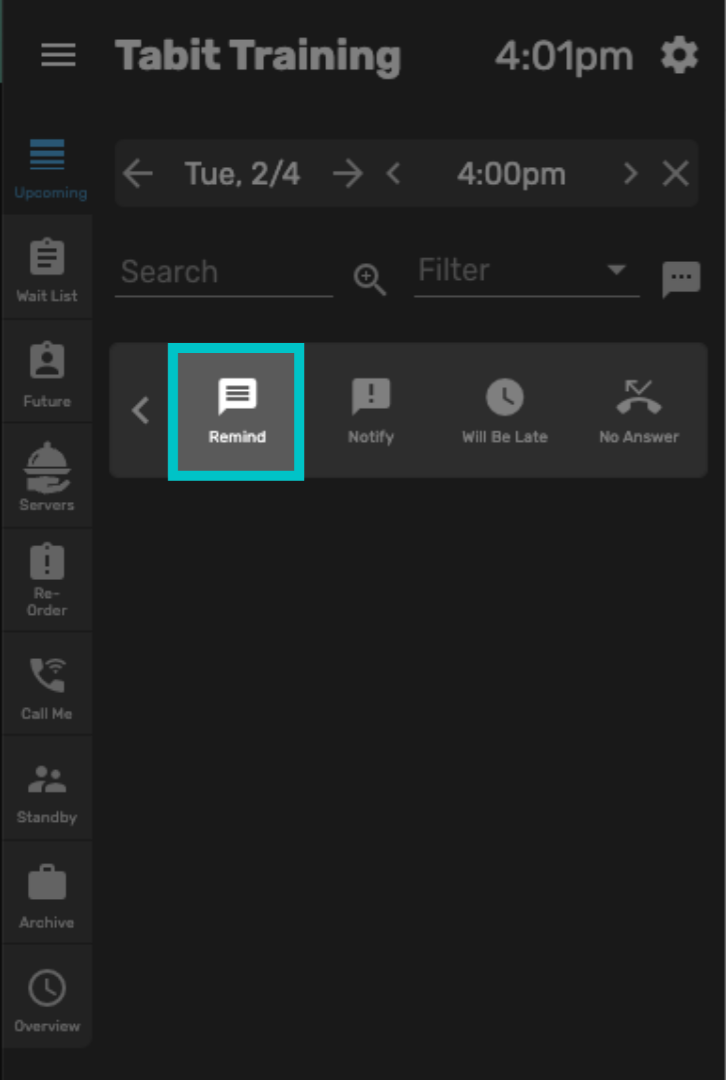
When the restaurant sends a reminder message, the guest receives a text reminding them about their reservation
-
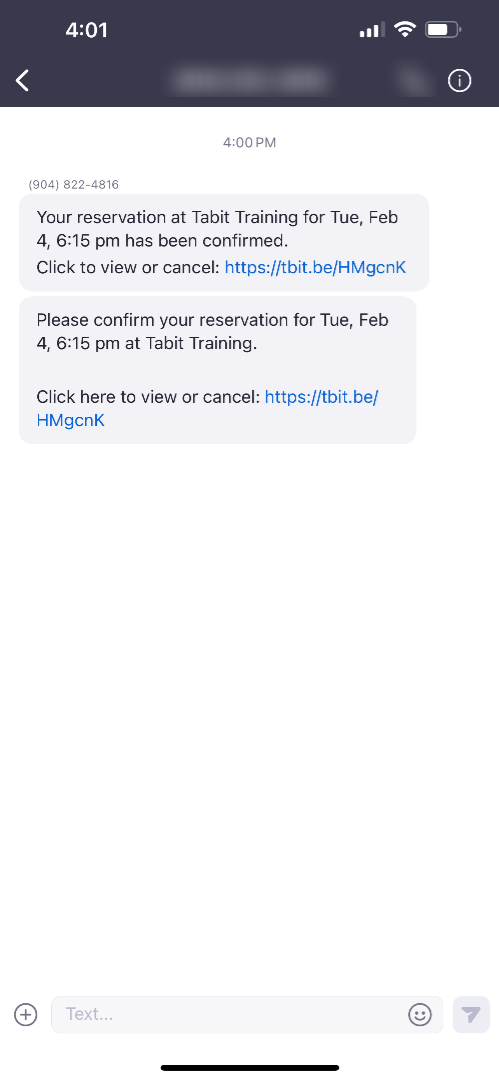
The guest can tap the link in the message, which opens their reservation details
-
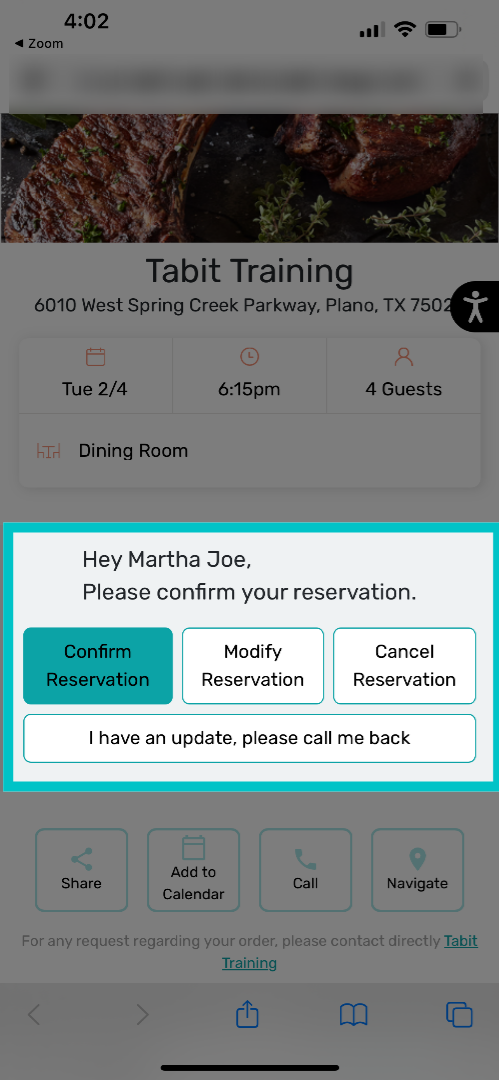
From there, guests can confirm, modify, or cancel their reservation — or request that the restaurant call them back
-
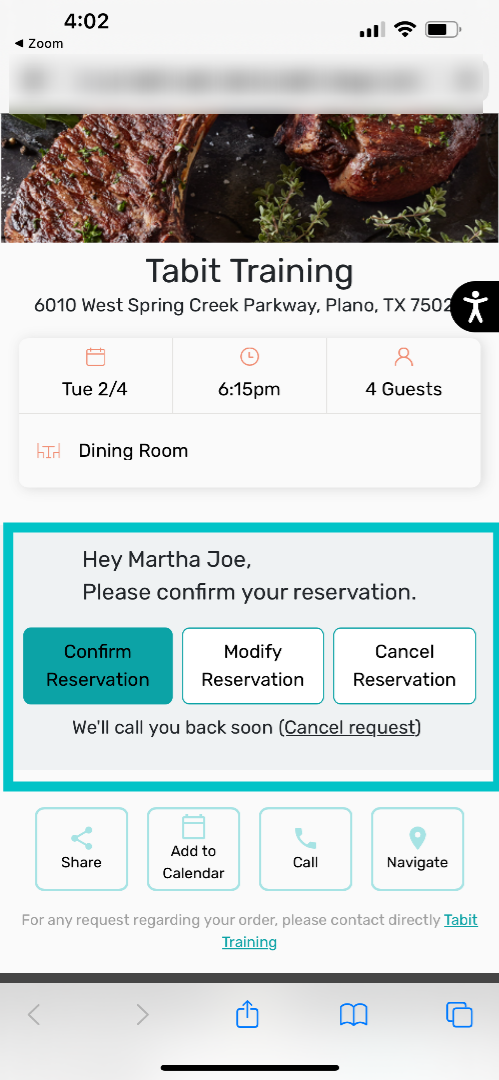
If they tap I have an update, please call me back, a notification is sent to the restaurant’s Tabit Guest application
-
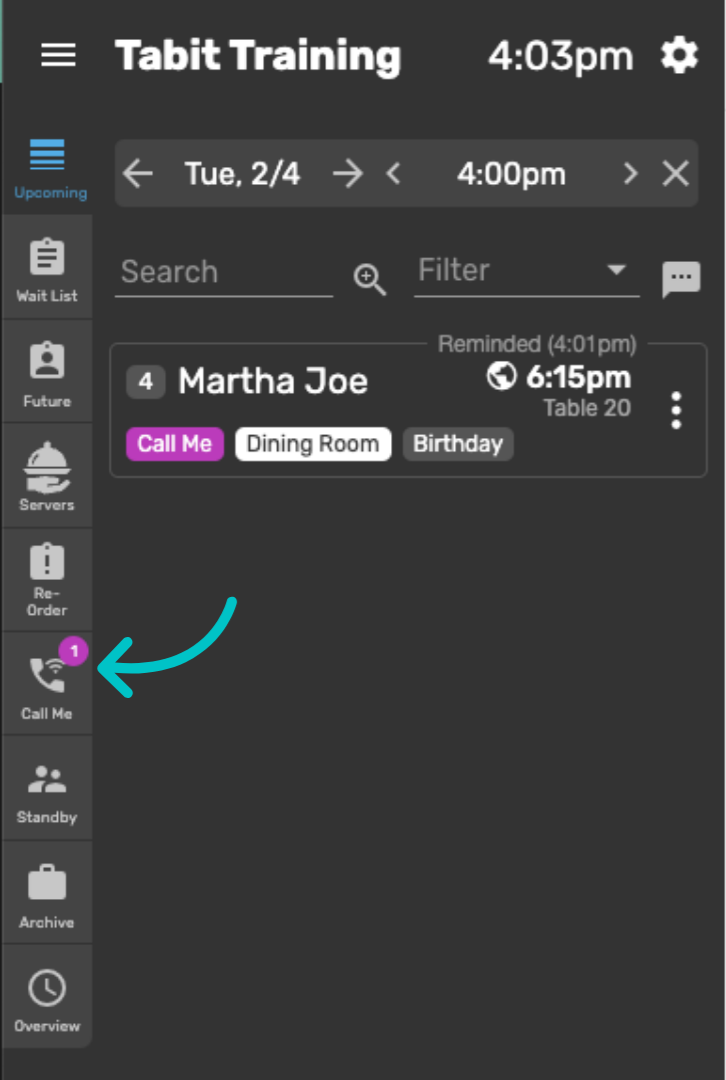
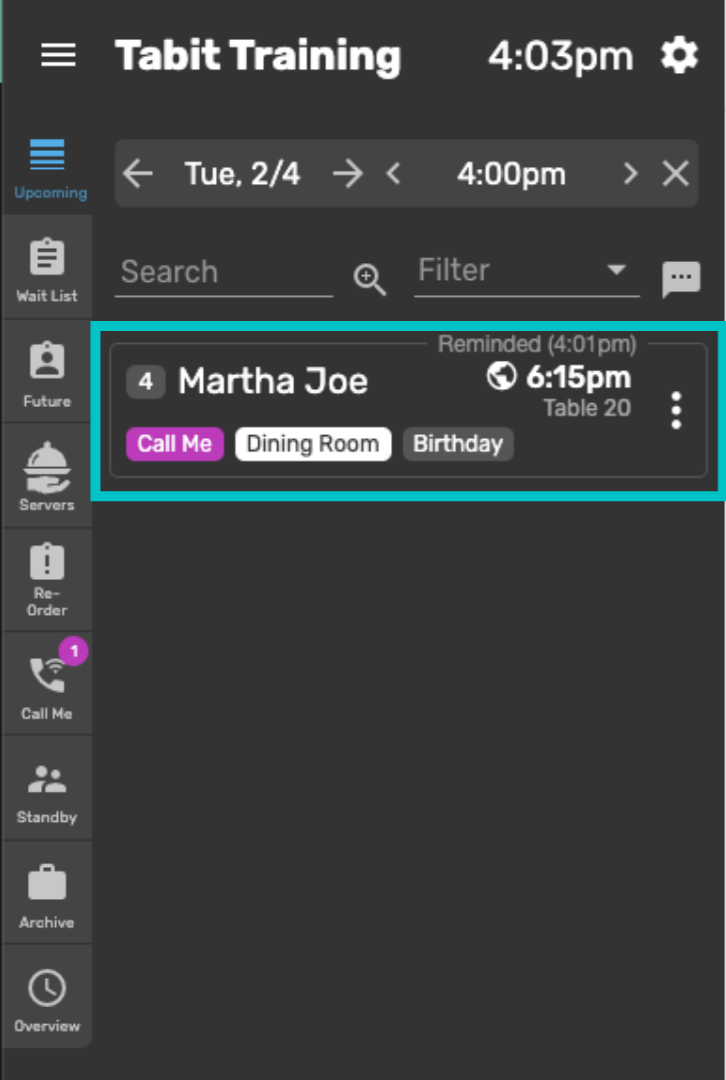
The notification appears as a purple circle on the Call Me tab
-
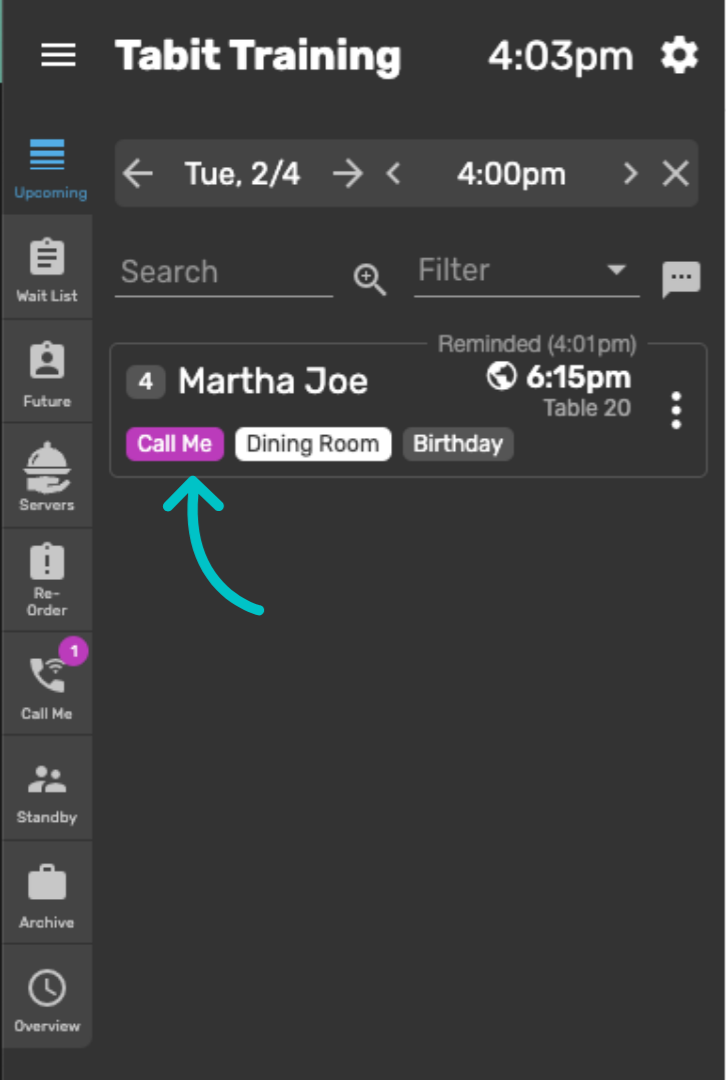
It will also appear under the reservation itself
-
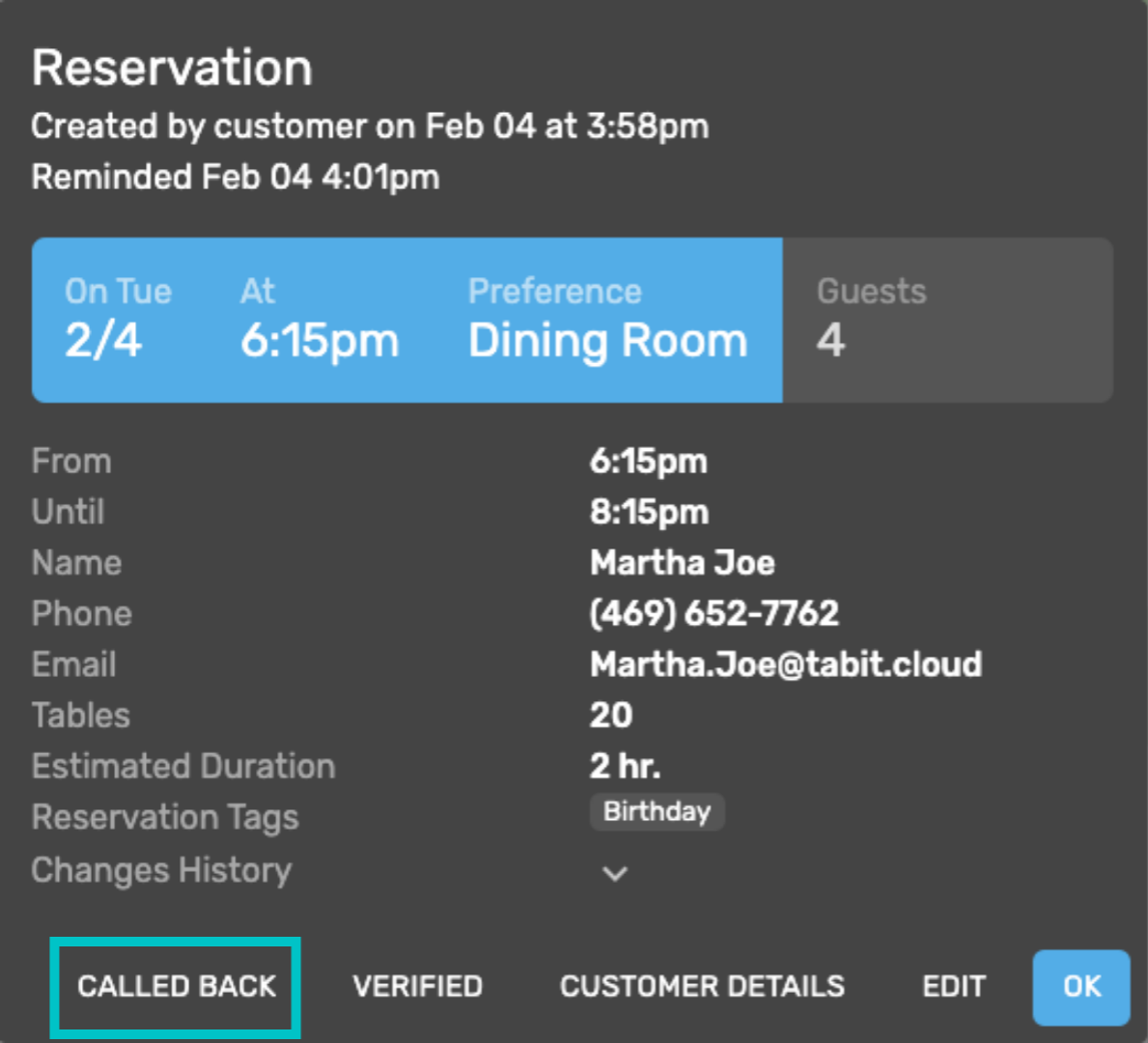
When the restaurant is ready to call the guest, tap on the reservation to view details and call them directly
-
Once the call is complete, select Called Back in the bottom left. This removes the purple Call Me notifications from both the reservation and the Call Me tab