
Overview
Tabit Guest allows you to manage online bookings, including enabling or disabling the online waitlist and future reservations. This guide provides the steps to adjust these settings, ensuring they align with your operational needs.
Steps:
-
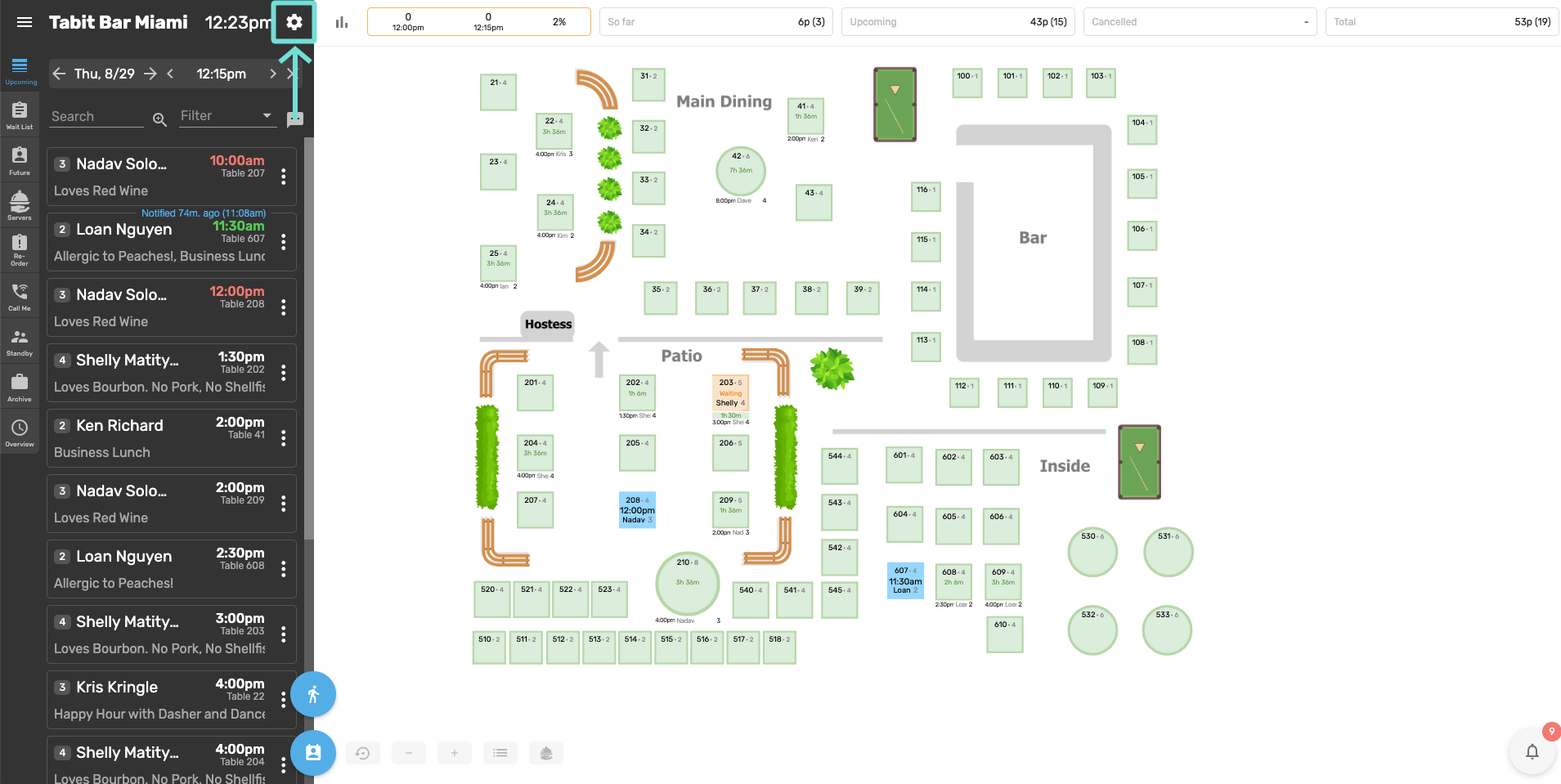
In Tabit Guest, select the gear icon next to the time display in the top-right corner
-
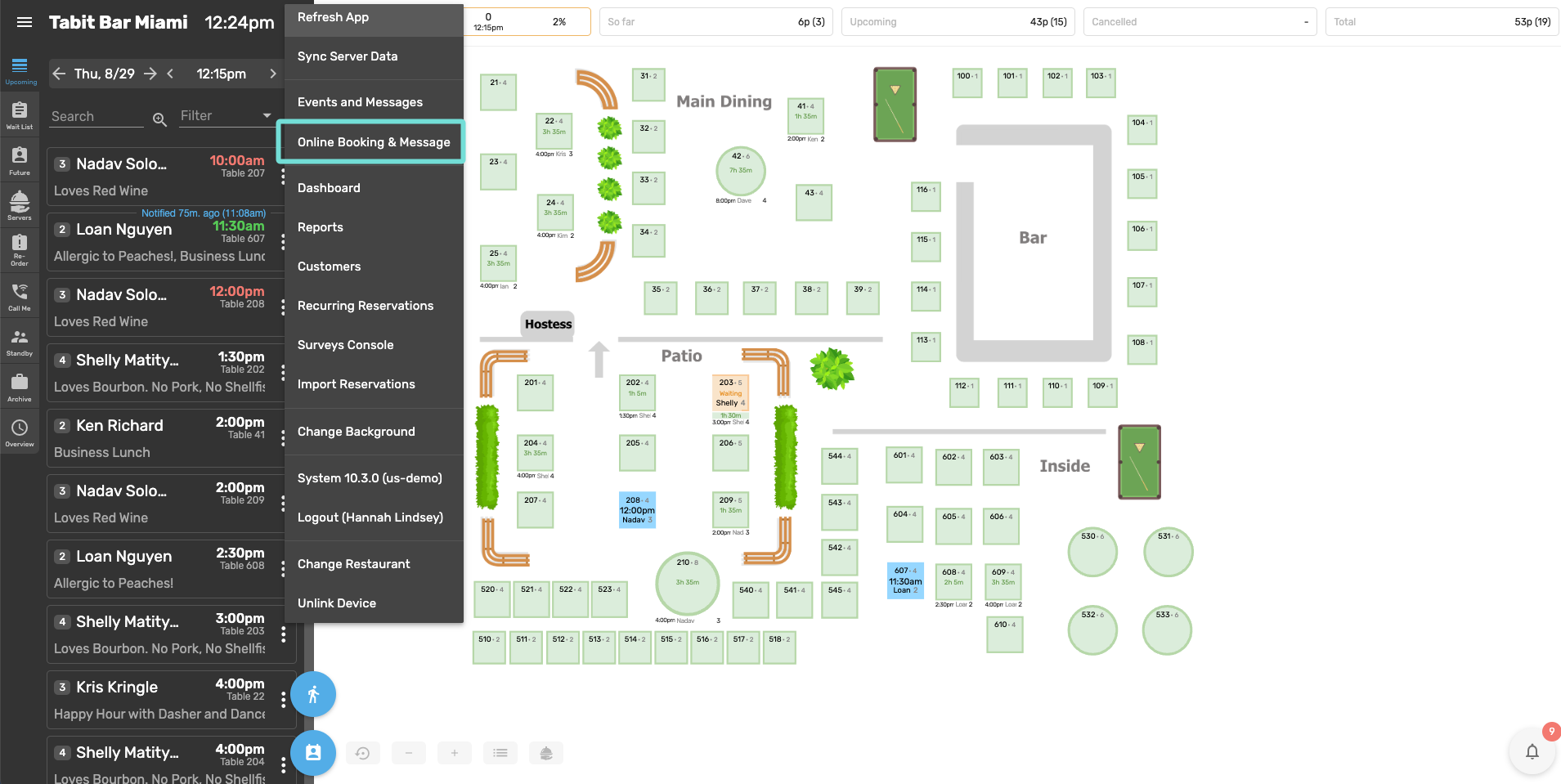
Once the settings menu opens, select Online Booking & Messages
-
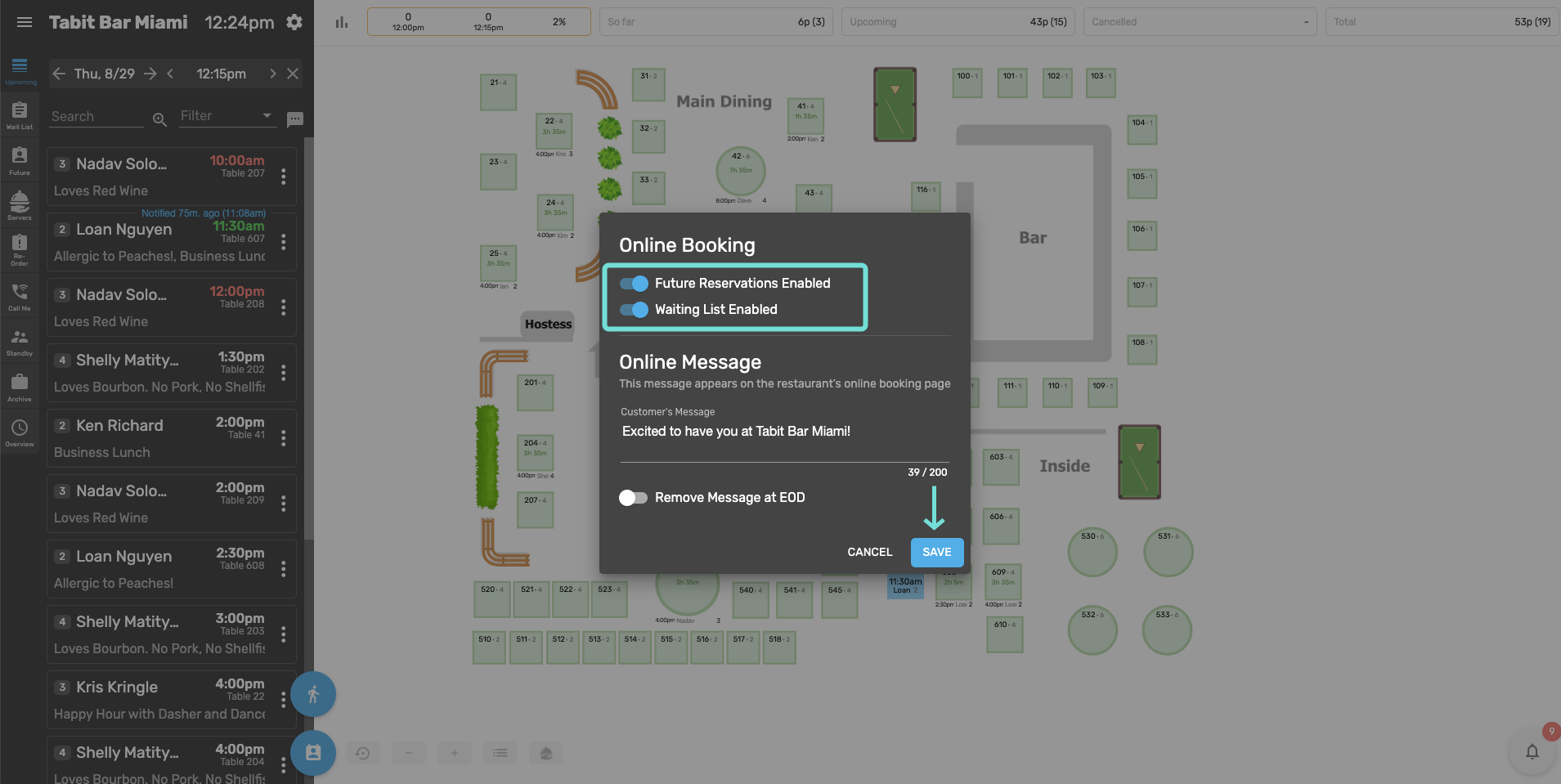
In the Online Booking popup, use the Future Reservations and Waiting List toggles to enable or disable each option as needed
Select Save to confirm the changes
Learn more about creating future reservations, seating them, and reservation limitations in Tabit Guest.