Overview
Managers can review Tabit Shift schedules in Employee View or Shift View.
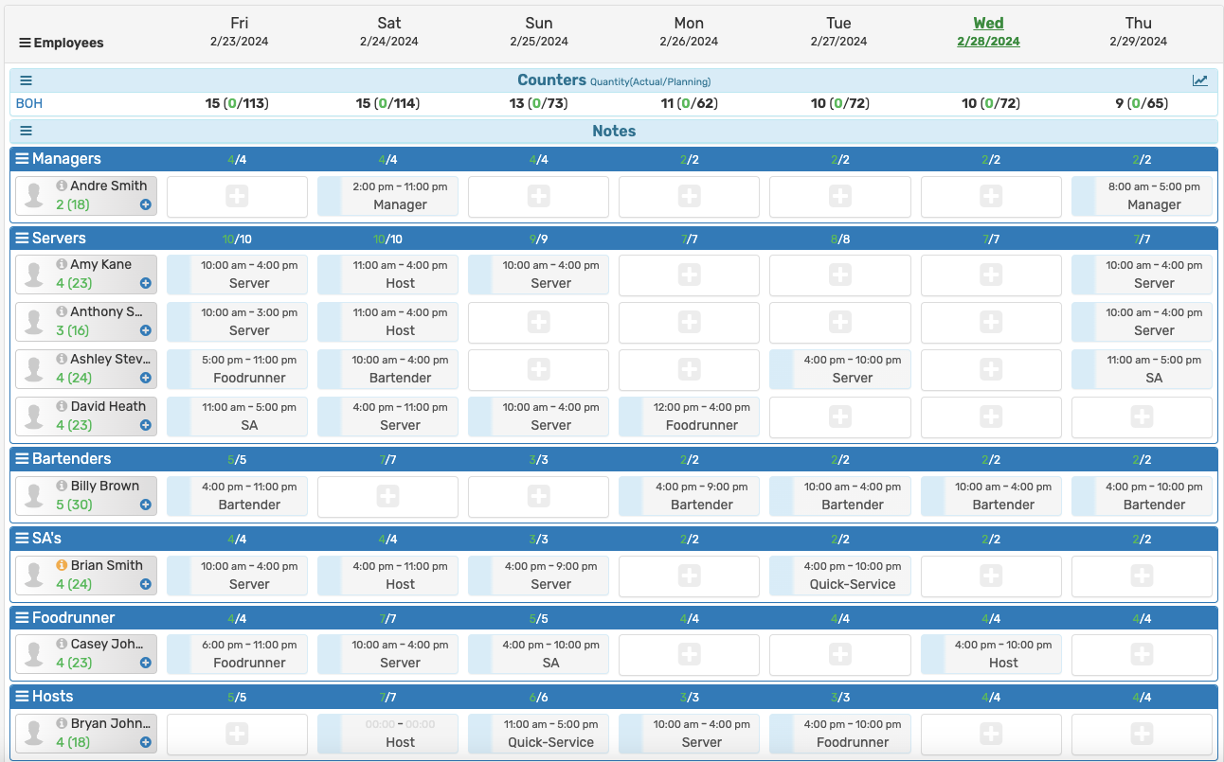
Employee View (Schedule by Employee)
Employee View lists employees on the left so you can review each person’s assigned shifts.
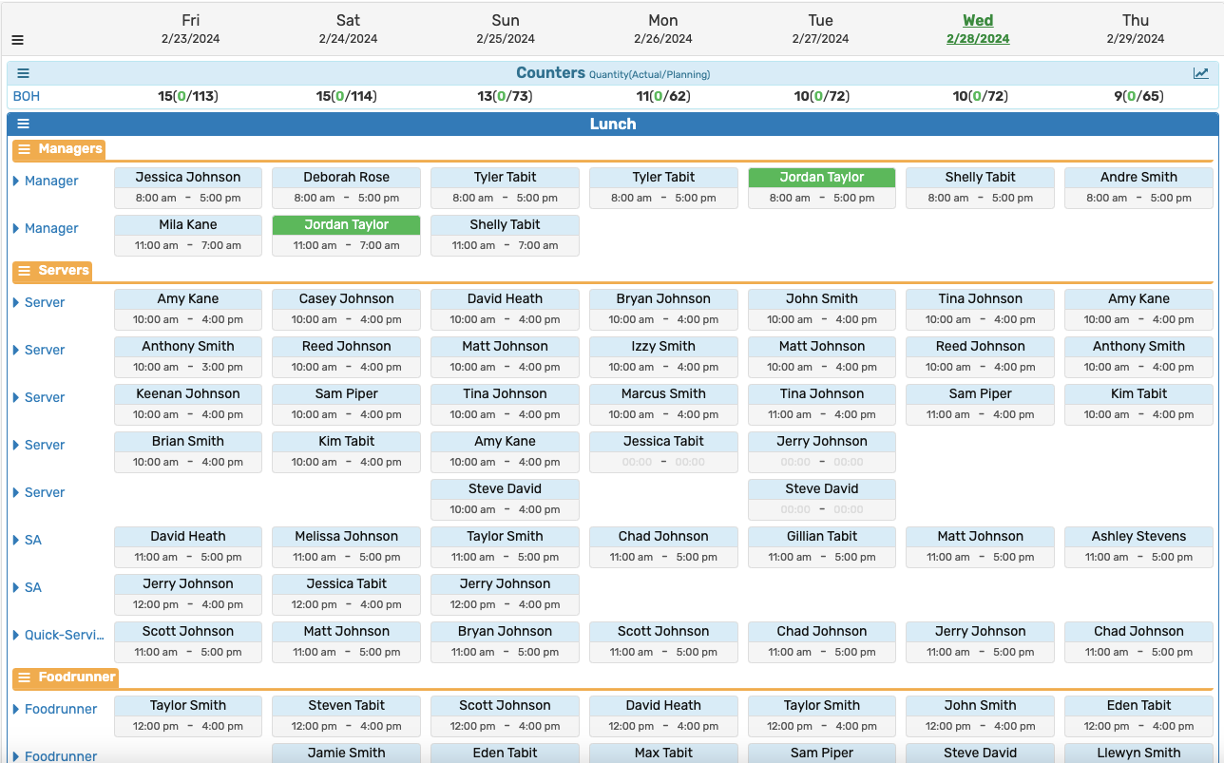
Shift View (Schedule by Shifts)
Shift View is the default: weekdays run across the top and staffing needs for each shift appear on the left.
Use the icon beside Work Schedule to switch views.
While using Shift View, the switch appears as a group of people.
While using Employee View, the switch appears as a grid.